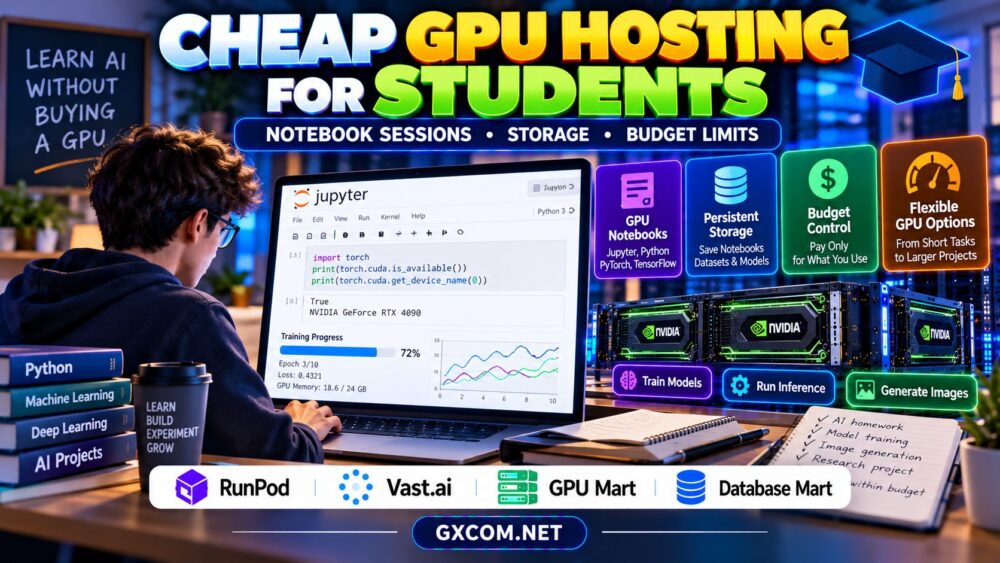
Cheap GPU hosting for students makes machine learning, deep learning, and AI experimentation possible without buying an expensive graphics card. Whether you are training a small neural network, running PyTorch assignments, or exploring image generation, renting remote GPU capacity can be more practical than upgrading your laptop.
However, the cheapest advertised hourly rate does not always mean the lowest total cost. Notebook session limits, persistent storage, idle billing, and unexpected shutdowns can affect both your budget and coursework. This guide explains how to choose affordable GPU hosting while protecting your projects.
Do Students Really Need Paid GPU Hosting?
Not every machine learning assignment requires a GPU. Data cleaning, basic statistics, traditional machine learning, and small neural networks often run adequately on a laptop CPU.
GPU acceleration becomes more useful for deep learning, computer vision, transformer experiments, and workloads involving repeated matrix operations. Before paying, benchmark a representative task and estimate how frequently you will need acceleration.
Students with occasional assignments should investigate free notebook environments first. Paid GPU rental becomes more attractive when session availability, runtime limits, or hardware restrictions interfere with progress.
Free GPU Notebooks vs Paid GPU Cloud
Free notebook services can provide convenient access to hosted development environments, but GPU availability and usage restrictions may change. Access is not guaranteed, and long-running sessions can be interrupted.
Paid GPU cloud services generally offer more configuration choices, although their storage and billing arrangements require closer attention.
| Feature | Free Notebook | Paid GPU Hosting |
|---|---|---|
| Upfront cost | Usually none | Usage-based or fixed charges |
| GPU availability | Limited or variable | Depends on selected inventory |
| Session duration | Often restricted | Product-specific limits |
| Persistent storage | May require external storage | Often available separately |
| Environment control | Limited | Varies by deployment type |
Free options are useful for learning. Paid infrastructure becomes valuable when you need predictable access, custom dependencies, or larger experiments.
Understanding Jupyter Notebook Session Limits
Jupyter notebooks are popular because students can combine Python code, visualizations, and explanations in one interactive document. However, the notebook interface and the underlying GPU session are different components.
Closing a browser tab does not necessarily stop remote compute billing. Conversely, a disconnected or terminated session may erase files stored only on temporary disks.
Save notebooks regularly, export important results, and confirm whether your hosting environment preserves data between sessions.

For more demanding remote development workflows, our AI GPU VPS providers guide explains additional infrastructure considerations.
How Much GPU VRAM Do Students Need?
VRAM requirements depend on the model, batch size, precision, and dataset. Small computer vision assignments may fit on modest GPUs, while transformer fine-tuning or high-resolution image generation can require considerably more memory.
Students should begin with the smallest configuration that successfully completes their actual workload. Lower precision, gradient accumulation, and smaller batches can sometimes reduce memory requirements.
Do not rent a high-memory accelerator simply because it is advertised as faster. Check whether your software supports the selected GPU and whether its additional capacity will be used.
Persistent Storage: Protect Your Coursework
GPU instances may provide temporary local storage, persistent volumes, or external object storage. These options differ in durability, performance, and price.
Keep notebooks, source code, configuration files, and important checkpoints in durable storage. Avoid relying on a single temporary instance as your only backup.
Large datasets and pretrained models can consume substantial space. Our GPU server storage requirements guide explains how to estimate NVMe capacity and checkpoint storage.
Before deleting an instance, verify that your files are backed up and can be restored elsewhere.
Calculate a Realistic Student GPU Budget
Start with the number of productive GPU hours you expect to use each month. Multiply those hours by the applicable compute rate, then add storage and other charges.
For example, at a hypothetical $0.35 per GPU hour, 20 active hours would cost $7. Adding an illustrative $3 storage charge brings the monthly total to $10.
At the same hourly rate, 80 hours would cost $28 before storage. These examples are calculations, not current provider quotations.
Build a buffer for failed experiments, environment setup, and unexpected reruns. Set a personal spending limit before starting a long training job.
Four Approved Hosting Providers to Evaluate
RunPod: Remote GPU Development
RunPod is relevant for students exploring GPU-based development environments. Compare available deployment options, accelerator specifications, storage persistence, and billing rules.
Check whether your preferred Jupyter workflow can be configured on the selected product before purchasing.
Read our RunPod GPU cloud review for additional provider background.
Vast.ai: Comparing GPU Rental Offers
Vast.ai may appeal to budget-conscious students comparing individual GPU rental listings. Marketplace offers can vary in hardware, storage, connectivity, and host conditions.
Review each listing carefully and keep independent backups. The lowest hourly price may not provide the most convenient learning environment.
GPU Mart: Longer-Lived GPU Environments
GPU Mart is worth investigating when a student project needs a persistent server or longer-running development environment. Compare available GPU memory, storage capacity, operating-system access, and billing periods.
A fixed-term configuration may be less economical for students who only need occasional GPU sessions.
Database Mart: Supporting Hosting Requirements
Database Mart is another approved infrastructure brand to evaluate for related server or storage needs. However, confirm the exact product capabilities before purchasing.
Ordinary VPS hosting does not automatically include GPU acceleration or a ready-to-use notebook environment.
How to Avoid Paying for Idle GPU Time
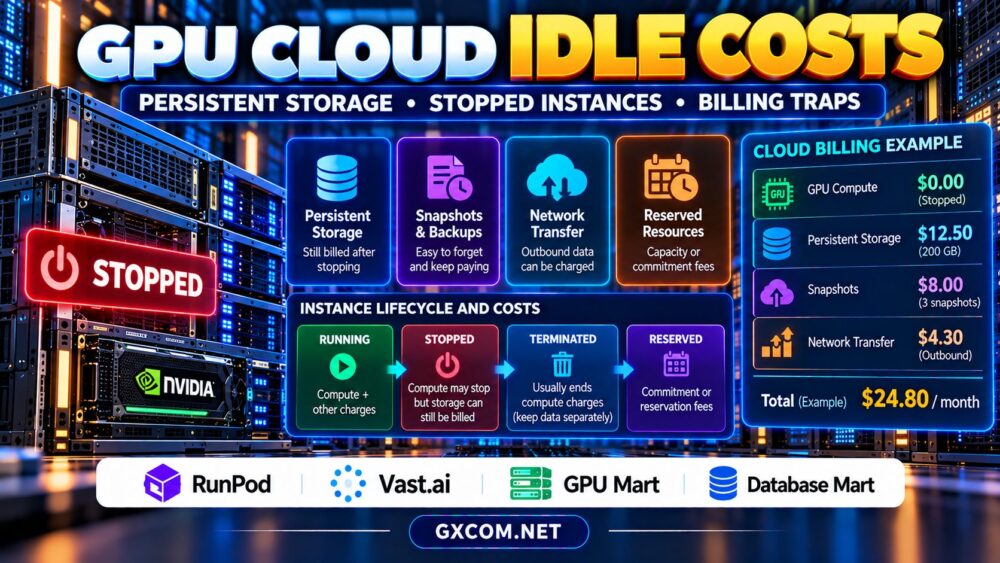
Students frequently leave notebooks running after experiments finish. Depending on the service, compute charges may continue while an instance remains active.
Use supported shutdown controls, monitor session status, and review storage charges separately. Never assume that closing Jupyter stops the underlying GPU instance.
Our GPU cloud idle costs guide explains stopped instances, persistent storage, and other billing risks.
Choosing the Cheapest GPU for Your Coursework
Compare effective cost per completed assignment rather than hourly price alone. A slower GPU can become expensive if training takes substantially longer or repeated failures waste paid sessions.

Test representative workloads, record completion times, and compare total expenses. Our affordable GPU servers comparison provides broader budget-oriented guidance.
Compare Affordable GPU Hosting for Student Projects
Choose GPU capacity based on your coursework, notebook requirements, storage needs, and monthly budget.
Frequently Asked Questions
Can students use cloud GPUs without paying?
Some notebook platforms offer limited free GPU access. Availability, session duration, and usage restrictions vary and can change.
Is Jupyter Notebook included with every GPU server?
No. Some environments provide notebook-ready images, while others require manual installation and configuration.
How can I keep GPU hosting under budget?
Estimate active hours, monitor billing, stop unused compute where supported, and retain only necessary storage and backups.
Final Verdict
Cheap GPU hosting for students should balance affordability, reliable notebook access, sufficient VRAM, and data persistence. Begin with free resources when practical, then compare RunPod, Vast.ai, GPU Mart, and suitable Database Mart infrastructure according to your actual project needs. Protect your coursework and track total spending rather than focusing only on advertised hourly rates.