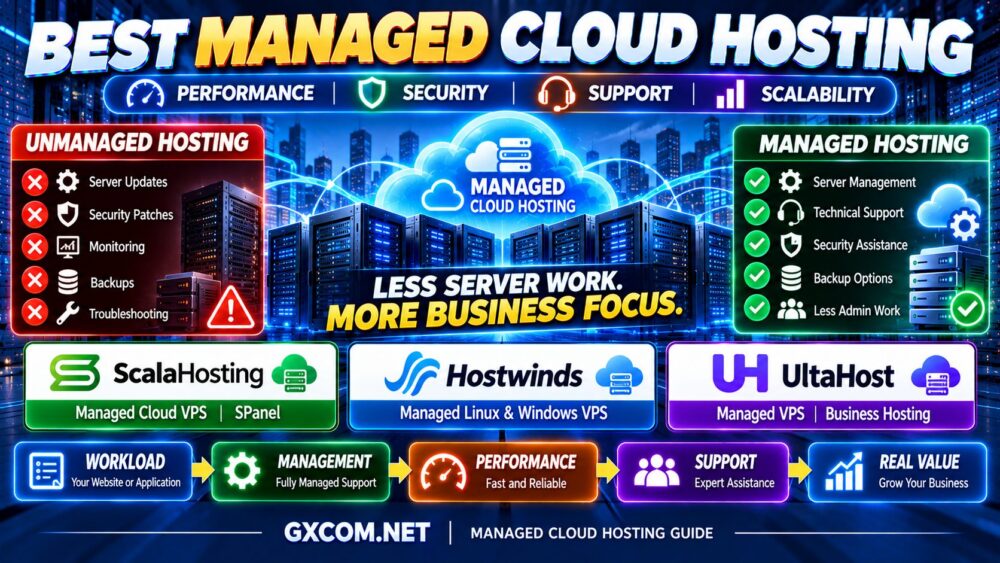
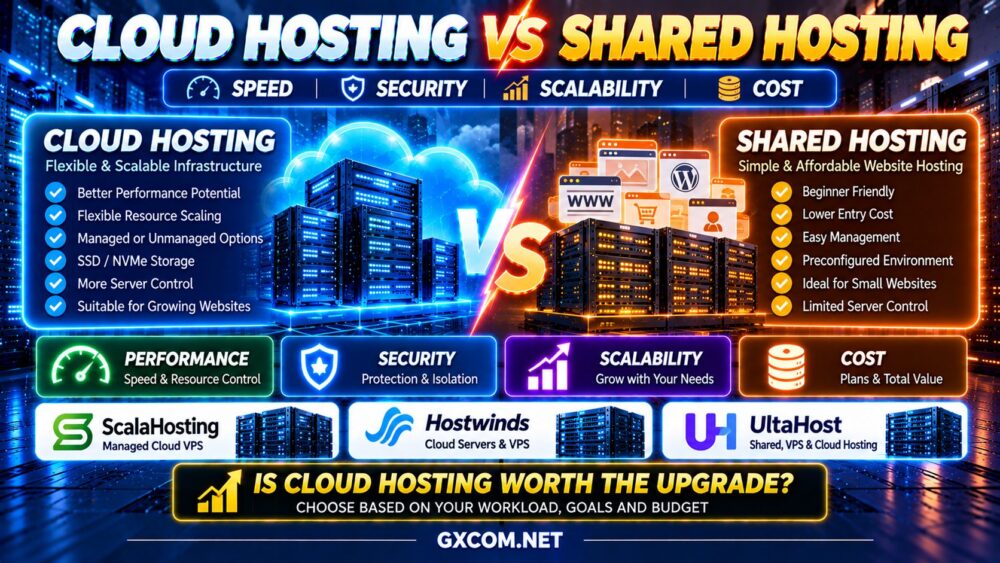
Choosing the best cloud hosting for WordPress is not simply about finding the server with the most CPU cores, the largest RAM allocation, or the fastest advertised storage. A reliable WordPress hosting environment must deliver responsive pages, secure administration, dependable backups, and enough flexibility to grow as traffic and business requirements change.
Cloud hosting can offer more infrastructure control and scaling options than conventional shared hosting. However, the term covers several different services, including managed cloud VPS hosting, self-managed virtual machines, and application-focused hosting platforms.
That distinction matters because a powerful cloud server does not automatically make WordPress faster, more secure, or easier to maintain.
MORE CPU ≠ FASTER WORDPRESS.
CLOUD HOSTING ≠ AUTOMATIC HIGH AVAILABILITY.
MANAGED HOSTING ≠ ZERO RESPONSIBILITY.
In this guide, we compare Hostwinds, ScalaHosting, and DigitalOcean for WordPress hosting. We explain how their different infrastructure approaches fit business websites, WooCommerce stores, agencies, developers, and high-traffic publishers.
We also cover PHP workers, caching, database performance, security, backups, scaling, and the real cost of operating WordPress in the cloud.
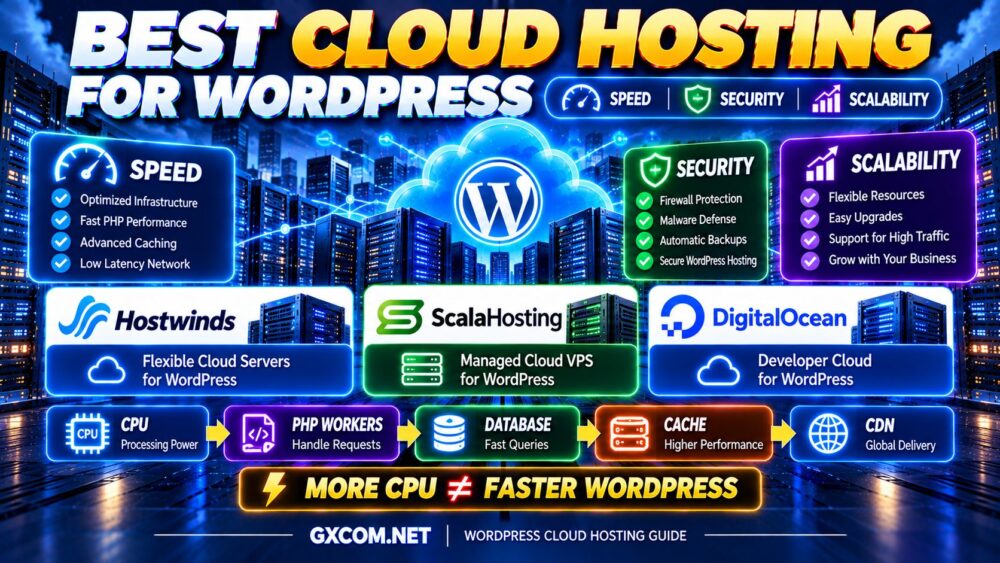
Best Cloud Hosting for WordPress at a Glance
| Provider | Best For | Hosting Approach | Key Consideration |
|---|---|---|---|
| Hostwinds | Business websites needing flexible server options | Cloud servers and managed or unmanaged VPS | Choose the correct management level |
| ScalaHosting | Managed WordPress, agencies, and growing websites | Managed Cloud VPS with SPanel | Verify plan resources and included services |
| DigitalOcean | Developers and custom WordPress infrastructure | Cloud VMs and application infrastructure | Account for system administration and add-on services |
Quick recommendations:
- Best for flexible business cloud hosting: Hostwinds
- Best for managed WordPress and agencies: ScalaHosting
- Best for developer-controlled WordPress infrastructure: DigitalOcean
These are recommendations based on product positioning and workload suitability, not results from independent performance benchmarks. Hosting plans and support policies can change, so verify the selected service before purchasing.
What Is Cloud Hosting for WordPress?
Cloud hosting for WordPress means running a WordPress website on cloud-based computing infrastructure rather than relying solely on a conventional shared hosting account.
Depending on the provider, the environment may include:
- Virtual CPU and RAM resources
- SSD or NVMe storage
- Cloud networking
- Server management tools
- Snapshots and backups
- Resource upgrade options
- Monitoring and security controls
- API-based infrastructure management
However, cloud hosting is not one standardized architecture.
A single WordPress installation on one cloud virtual machine is different from a redundant WordPress application deployed across multiple servers.
Likewise, managed cloud hosting is different from renting an unmanaged virtual machine and configuring the entire WordPress stack yourself.
For a broader overview of cloud infrastructure and provider categories, see our Best Cloud Hosting Solutions guide.
1. Hostwinds — Best for Flexible WordPress Cloud Server Options
Hostwinds is worth considering for WordPress users who want flexibility when selecting a virtual server environment and deciding how much administration support they need.
Its hosting portfolio includes cloud servers and managed or unmanaged VPS services. These products can support WordPress, although their infrastructure features and management responsibilities are not identical.
Key Strengths
- Cloud server infrastructure
- Managed and unmanaged VPS options
- Linux hosting environments suitable for WordPress
- Configurable CPU and memory resources
- Cloud management tools
- Storage, snapshot, and networking features on supported products
- Options for businesses with different administration requirements
Why Hostwinds Can Work for WordPress
A growing business website may need more control over PHP configuration, caching, database services, and server resources than a conventional shared hosting account provides.
Hostwinds offers different virtual server products that can support these requirements.
However, buyers should distinguish between an unmanaged cloud server and a managed VPS. Management services offered with one product should not automatically be assumed to apply to another.
Best WordPress Use Cases
- Business websites
- Growing WordPress installations
- Custom WordPress configurations
- Users comparing managed and unmanaged hosting
- Applications requiring virtual server flexibility
What to Check Before Buying
Confirm whether the selected plan includes operating system maintenance, backups, security assistance, migration services, and application-level troubleshooting.
Also review the underlying CPU allocation, storage configuration, data center location, and renewal terms.
Best fit: Businesses seeking flexible virtual server options for WordPress with clearly defined management responsibilities.
2. ScalaHosting — Best for Managed WordPress and Agency Hosting
ScalaHosting is a strong candidate for WordPress site owners who want the flexibility of a virtual server without handling every server administration task themselves.
Its managed Cloud VPS products and SPanel control panel can be attractive to businesses, agencies, and users migrating from shared hosting.
Key Strengths
- Managed Cloud VPS hosting
- SPanel control panel
- WordPress-compatible hosting environments
- Server administration assistance
- Resource configurations for different workloads
- Security and backup features depending on plan
- Tools for managing websites and databases
Why ScalaHosting Can Work for WordPress
WordPress owners often want better infrastructure control without becoming full-time system administrators.
ScalaHosting's managed approach can reduce some of the routine server maintenance associated with running a VPS.
SPanel may also simplify common hosting tasks such as managing websites, databases, email accounts, and related services.
For agencies handling multiple client websites, administrative convenience can be just as valuable as additional computing resources.
Best WordPress Use Cases
- Business WordPress websites
- WooCommerce stores
- Website agencies
- Multiple WordPress installations
- Users upgrading from shared hosting
What to Check Before Buying
Review the exact management policy, backup retention, available resources, support exclusions, and renewal pricing.
Managed infrastructure does not automatically mean the provider will troubleshoot every plugin conflict or custom application error.
Best fit: WordPress businesses and agencies that value managed server administration and a hosting control panel.
3. DigitalOcean — Best for Developers and Custom WordPress Cloud Infrastructure
DigitalOcean is a strong option for developers and technical teams that want to control how WordPress is deployed, optimized, and scaled.
Its Droplets provide Linux-based virtual machines with different CPU and memory configurations.
DigitalOcean also offers infrastructure services that can support more complex application architectures.
Key Strengths
- Cloud virtual machines
- Shared and dedicated CPU configurations
- Linux-based WordPress deployment options
- API-driven infrastructure management
- Block storage and cloud networking options
- Load balancing services
- Developer documentation and automation tools
Why DigitalOcean Can Work for WordPress
Developers can configure the web server, PHP runtime, database, caching layer, and deployment process according to application requirements.
This flexibility can be valuable for custom WordPress projects, headless WordPress implementations, and applications with specialized integrations.
However, the additional control comes with operational responsibility.
A standard Droplet is not equivalent to a fully managed WordPress hosting service. Customers are generally responsible for configuring and maintaining the operating system and application stack.
Best WordPress Use Cases
- Developer-managed WordPress websites
- Custom WordPress applications
- Headless WordPress projects
- Technical agencies
- Growing applications needing cloud infrastructure services
What to Check Before Buying
Choose the correct compute family, estimate storage and network requirements, and include backups, load balancing, and any additional services in the total budget.
Also ensure that someone can maintain server security, software updates, monitoring, and recovery procedures.
Best fit: Developers and technical teams that want infrastructure flexibility and can manage their WordPress environment.
Hostwinds vs ScalaHosting vs DigitalOcean: Which Is Best for WordPress?
| WordPress Requirement | Provider to Evaluate First | Reason |
|---|---|---|
| Managed WordPress server administration | ScalaHosting | Managed Cloud VPS and SPanel |
| Business VPS management choices | Hostwinds | Managed and unmanaged virtual server options |
| Developer-controlled WordPress | DigitalOcean | Flexible cloud VMs and automation |
| Multi-site agency hosting | ScalaHosting | Managed environment and control panel workflow |
| Custom application architecture | DigitalOcean | Cloud infrastructure ecosystem |
There is no defensible universal performance winner without testing comparable plans under the same WordPress workload.

The better buying decision is to match the provider's management model and infrastructure capabilities to your website's requirements.
What Actually Makes WordPress Fast on Cloud Hosting?
WordPress performance depends on several interconnected systems.
A fast CPU cannot fully compensate for slow database queries. Likewise, additional RAM may not help when an application is limited by inefficient PHP execution.
The most useful performance framework is:
WORDPRESS PERFORMANCE = CPU + PHP + DATABASE + CACHE + STORAGE + NETWORK
1. CPU Performance
CPU resources influence PHP execution, database processing, and other server-side operations.
Important factors include:
- Processor generation
- Single-thread performance
- Shared versus dedicated CPU allocation
- Host resource contention
- Application concurrency
Two servers advertising four vCPU may deliver different results.
4 vCPU ≠ 4 vCPU.
2. PHP Workers and Concurrency
PHP workers process dynamic WordPress requests.
When too many uncached requests arrive simultaneously, available PHP workers may become saturated.
This can increase response times even when the website appears to have sufficient storage capacity.
Adding more PHP workers can increase concurrency, but it also consumes memory and may increase CPU or database load.
The correct configuration depends on request duration, traffic patterns, and available resources.
3. Database Performance
WordPress relies on a database for posts, settings, user accounts, metadata, and many plugin operations.
Database performance can deteriorate because of:
- Inefficient queries
- Excessive autoloaded options
- Large or poorly indexed tables
- Heavy plugin activity
- Insufficient database caching
Before upgrading the server, identify whether the database is the real bottleneck.
4. Page Caching
Page caching can dramatically reduce the amount of PHP and database processing required for repeat requests.
For public content pages, effective caching may provide greater performance improvements than adding CPU cores.
However, personalized content, shopping carts, checkout pages, and logged-in sessions often require different caching rules.
5. Object Caching
Persistent object caching can reduce repeated database work for suitable WordPress workloads.
Technologies such as Redis may be useful when properly configured, although not every small WordPress website requires a separate caching service.
6. Storage Performance
SSD and NVMe storage can improve I/O-sensitive operations, including database reads and writes.
However, faster storage does not automatically solve inefficient PHP code or excessive third-party requests.
NVMe ≠ FAST WORDPRESS BY ITSELF.
How Much CPU and RAM Does WordPress Cloud Hosting Need?
The following configurations are illustrative starting points, not universal requirements or performance guarantees.
| WordPress Workload | CPU Starting Point | RAM Starting Point | Primary Consideration |
|---|---|---|---|
| Small Blog | 1–2 vCPU | 2–4GB | Page caching |
| Business Website | 2–4 vCPU | 4–8GB | PHP and database efficiency |
| Growing Content Website | 2–4 vCPU+ | 4–8GB+ | Peak concurrency |
| Busy WooCommerce Store | 4–8 vCPU | 8–16GB+ | Dynamic requests and database load |
| Large WordPress Application | Workload-dependent | Workload-dependent | Load testing and architecture |
Do not upgrade based only on visitor counts.
Measure CPU utilization, memory pressure, database latency, PHP worker saturation, and cache hit rates before selecting a larger plan.
Best Cloud Hosting for WooCommerce
WooCommerce can place more dynamic load on a server than a simple WordPress blog.
Shopping carts, checkout requests, customer accounts, inventory updates, and payment-related workflows often require database and application processing.
Important priorities include:
- Consistent CPU performance
- Sufficient PHP workers
- Database optimization
- Object caching
- Appropriate page cache exclusions
- Reliable backups
- Security maintenance
- Recovery planning
ScalaHosting may be attractive for stores seeking managed infrastructure, while DigitalOcean may suit technical teams building custom WooCommerce environments.
Hostwinds is another option for businesses evaluating different virtual server and management configurations.
For a more focused comparison of WordPress-oriented virtual servers, read our Best VPS for WordPress guide.
WordPress Cloud Hosting Security: What Matters Most?
Cloud infrastructure does not automatically secure WordPress.
Security requires controls at the infrastructure, operating system, application, and account levels.
Operating System Security
Keep supported operating system packages updated, restrict unnecessary services, and configure appropriate firewall rules.
WordPress Core and Plugin Updates
Maintain WordPress core, themes, and plugins. Remove abandoned or unnecessary components and review compatibility before major updates.
Access Control
Use strong authentication, multifactor authentication where available, and least-privilege user roles.
Network Protection
Firewalls, rate limiting, and suitable DDoS protection can help reduce exposure to unwanted traffic.
Backup and Recovery
Maintain recoverable backups and test restoration procedures.
For business-critical websites, keep a backup copy outside the primary server or infrastructure failure domain whenever practical.
SECURE CLOUD ≠ SECURE WORDPRESS AUTOMATICALLY.
Managed vs Unmanaged WordPress Cloud Hosting
The management model is one of the most important purchasing decisions.
| Responsibility | Managed Hosting | Unmanaged Hosting |
|---|---|---|
| OS maintenance | Provider assistance within scope | Customer responsibility |
| Server configuration | May be included | Customer responsibility |
| Security administration | Shared responsibility | Primarily customer responsibility |
| Plugin maintenance | Varies by service | Usually customer responsibility |
| Application customization | May have restrictions | Usually greater flexibility |
| Administration workload | Generally lower | Generally higher |
Managed hosting can be valuable for businesses without dedicated system administrators.
Unmanaged hosting can offer greater flexibility and direct infrastructure control for experienced developers.
For a detailed provider comparison focused on management services, explore our Best Managed Cloud Hosting guide.
How Scalable Is WordPress Cloud Hosting?
Cloud hosting can make infrastructure expansion more convenient, but scalability depends on both the provider and the WordPress architecture.
Vertical Scaling
Vertical scaling increases the resources allocated to one server.
For example:
2 vCPU / 4GB RAM → 4 vCPU / 8GB RAM → 8 vCPU / 16GB RAM
This is often the simplest approach for a growing WordPress website.
However, instance resizing may require downtime and eventually reaches practical limits.
Horizontal Scaling
Horizontal scaling distributes traffic across multiple application servers.
A simplified architecture may include:
CDN → LOAD BALANCER → WORDPRESS SERVERS → DATABASE
Horizontal scaling requires planning for shared media, sessions, cache consistency, database capacity, and deployment synchronization.
Simply creating a second WordPress server does not automatically create a scalable application.
When Should You Scale?
Consider scaling when monitoring identifies sustained bottlenecks, when peak demand exceeds available capacity, or when availability requirements justify additional infrastructure.
Before upgrading, evaluate caching, database queries, background jobs, and PHP worker configuration.
OPTIMIZE FIRST. SCALE WHEN NECESSARY.
Can WordPress Cloud Hosting Handle High Traffic?
Yes, but traffic volume alone does not determine resource requirements.
A cached publishing website may serve many visitors with modest compute resources.
A smaller WooCommerce store with highly dynamic requests may place more pressure on PHP workers and the database.
Key metrics include:
- Peak concurrent requests
- Cached versus uncached traffic
- PHP execution time
- Database query latency
- CPU saturation
- Memory pressure
- Storage I/O
TRAFFIC ≠ SERVER LOAD.
For deeper resource planning, read our Best VPS for High-Traffic Websites guide.
Cloud Hosting vs Shared Hosting for WordPress
Shared hosting can be a practical and affordable option for small WordPress websites that do not require extensive server customization.
Cloud VPS hosting generally provides more control over software and resource allocation, but it may require greater administration effort.
Cloud hosting is not automatically the better choice for every website.
Choose based on application requirements, technical expertise, support expectations, and operating cost.
Does Cloud Hosting Guarantee WordPress Uptime?
No. A single WordPress installation on one cloud VM can still experience downtime.
Potential causes include:
- Software failures
- Database problems
- Infrastructure maintenance
- Hardware-related incidents
- Network disruptions
- Misconfiguration
Higher availability may require redundant application servers, database replication, independent failure domains, and tested failover procedures.
Review the provider's SLA and understand what it actually covers.
CLOUD ≠ AUTOMATIC ZERO DOWNTIME.
WordPress Cloud Hosting Backups and Disaster Recovery
A backup strategy should protect both WordPress files and database content.
Before purchasing hosting, ask:
- Are automated backups included?
- How frequently are backups created?
- How long are they retained?
- Can individual files and databases be restored?
- Are backups stored separately from the primary server?
- Is restoration assistance included?
For WooCommerce and other frequently updated websites, recovery point objectives deserve special attention because order and customer data may change continuously.
Snapshots can be useful, but they should not be assumed to replace a complete backup and disaster recovery strategy.
Best Cloud Hosting for WordPress Agencies
Agencies often need more than raw server resources.
Useful features include:
- Multi-site management
- Client account separation
- Staging environments
- Backup and restoration tools
- Migration assistance
- Security administration
- Resource monitoring
- Predictable support responsibilities
ScalaHosting's managed Cloud VPS and SPanel approach may be relevant for agencies seeking convenient administration.
DigitalOcean may be more appropriate for technical agencies that prefer custom deployment automation.
Hostwinds can be considered when flexible server configuration and management choices are priorities.
How Much Does WordPress Cloud Hosting Really Cost?
The total cost of WordPress cloud hosting is not limited to the advertised server subscription.
Additional expenses may include:
- Compute resources
- Storage and backups
- Bandwidth or data transfer
- Control panel licenses
- Server management
- Security services
- Migration work
- Monitoring tools
- Administrative labor
A low-cost unmanaged cloud VM may require more internal maintenance than a managed hosting plan.
Conversely, a technically capable team may find that unmanaged infrastructure provides better control and value.
REAL WORDPRESS HOSTING COST = INFRASTRUCTURE + MANAGEMENT + BACKUPS + SECURITY + ADMINISTRATION TIME
Compare the complete operating cost rather than the promotional subscription price alone.
When Should You Upgrade WordPress to Cloud Hosting?
Consider moving to cloud infrastructure when:
- Your current hosting environment consistently reaches resource limits
- You need custom server software
- Dynamic WordPress requests are becoming slow
- You require greater control over PHP and database configuration
- Your business needs a more flexible infrastructure architecture
- You have the expertise or support required to manage the new environment
However, upgrading should not be the first response to every performance problem.
A poorly optimized WordPress installation may remain slow even after moving to a larger cloud server.
Common WordPress Cloud Hosting Buying Mistakes
Choosing by RAM Alone
More memory does not fix CPU saturation, inefficient database queries, or excessive plugin processing.
Ignoring PHP Worker Limits
Dynamic request concurrency can become a bottleneck even when other server metrics look acceptable.
Assuming Managed Means Everything Is Included
Application support and plugin troubleshooting may fall outside the provider's management scope.
Assuming Cloud Means High Availability
A single cloud VM is still a single application instance.
Failing to Test Backups
Backups should be verified through restoration testing.
Ignoring Renewal and Add-On Costs
Long-term operating costs can differ significantly from the initial advertised price.
WordPress Cloud Hosting Buying Checklist
- ✓ Identify your WordPress workload
- ✓ Compare CPU quality and allocation
- ✓ Choose sufficient RAM
- ✓ Evaluate PHP worker capacity
- ✓ Review database performance
- ✓ Check SSD or NVMe storage
- ✓ Confirm caching options
- ✓ Evaluate server location
- ✓ Review backup retention and restoration
- ✓ Understand management responsibilities
- ✓ Check security features
- ✓ Confirm scaling options
- ✓ Review support exclusions
- ✓ Calculate total operating cost
- ✓ Test the website under realistic traffic
Best Cloud Hosting for WordPress FAQ
What is the best cloud hosting for WordPress?
The best provider depends on your technical requirements. ScalaHosting is worth considering for managed WordPress hosting, Hostwinds for flexible virtual server and management options, and DigitalOcean for developer-controlled cloud infrastructure.
Is cloud hosting better than shared hosting for WordPress?
Cloud hosting can provide more infrastructure control and resource flexibility, but shared hosting may be simpler and sufficient for smaller websites. The best choice depends on your workload and administration needs.
Is cloud hosting faster for WordPress?
It can be, particularly when the selected service provides more suitable resources. However, speed also depends on PHP execution, database efficiency, caching, plugins, and network latency.
How much RAM does WordPress cloud hosting need?
Small websites may operate with 2–4GB, while growing business websites and WooCommerce stores may need 8GB or more. Actual memory usage should determine the final configuration.
Is managed cloud hosting worth it for WordPress?
Managed hosting can be valuable when a business lacks server administration expertise or wants to reduce maintenance work. Always verify the provider's exact management scope.
Can WordPress run on DigitalOcean?
Yes. WordPress can run on DigitalOcean Droplets, but customers using standard virtual machines generally need to manage the operating system and application environment themselves.
Does WordPress cloud hosting include backups?
Not always. Backup features, frequency, retention, and restoration support vary by provider and plan.
Is cloud hosting secure for WordPress?
Cloud hosting can support secure WordPress deployments, but security still requires operating system maintenance, application updates, access controls, backups, and appropriate configuration.
Can cloud hosting handle WooCommerce?
Yes. WooCommerce can run on cloud infrastructure, but dynamic checkout, cart, and account requests require sufficient PHP, CPU, memory, and database capacity.
When should I scale WordPress cloud hosting?
Scale when monitoring identifies sustained resource bottlenecks or when growth and availability requirements justify additional infrastructure. Optimize caching and database performance before upgrading unnecessarily.
Final Verdict: Which Cloud Hosting Provider Should You Choose for WordPress?
The best cloud hosting for WordPress depends on whether your priority is managed convenience, infrastructure flexibility, or developer control.
Hostwinds is worth evaluating for businesses seeking flexible cloud server and VPS options with different administration models.
ScalaHosting is a strong candidate for WordPress businesses and agencies that value managed Cloud VPS hosting and SPanel.
DigitalOcean is particularly relevant for developers and technical teams building customized WordPress infrastructure.
Use this decision framework:
WORDPRESS WORKLOAD → CPU → PHP WORKERS → DATABASE → CACHE → SECURITY → SCALABILITY → TOTAL COST
Remember:
MORE CPU ≠ FASTER WORDPRESS.
MORE RAM ≠ BETTER CACHING AUTOMATICALLY.
MANAGED ≠ ZERO RESPONSIBILITY.
CLOUD ≠ AUTOMATIC HIGH AVAILABILITY.
Choose infrastructure that fits your actual WordPress workload, provides a manageable security and backup strategy, and leaves room for sustainable growth without unnecessary spending.