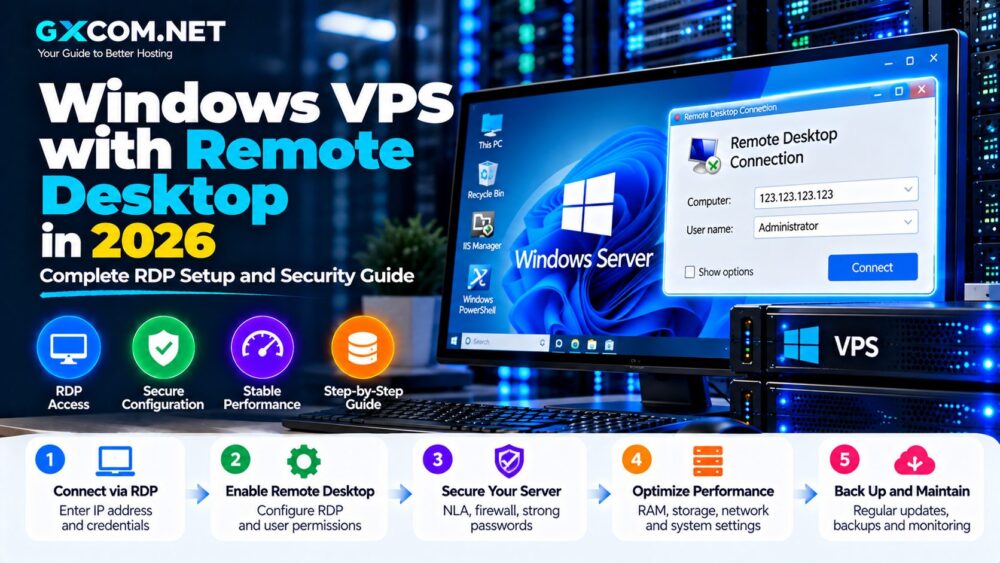
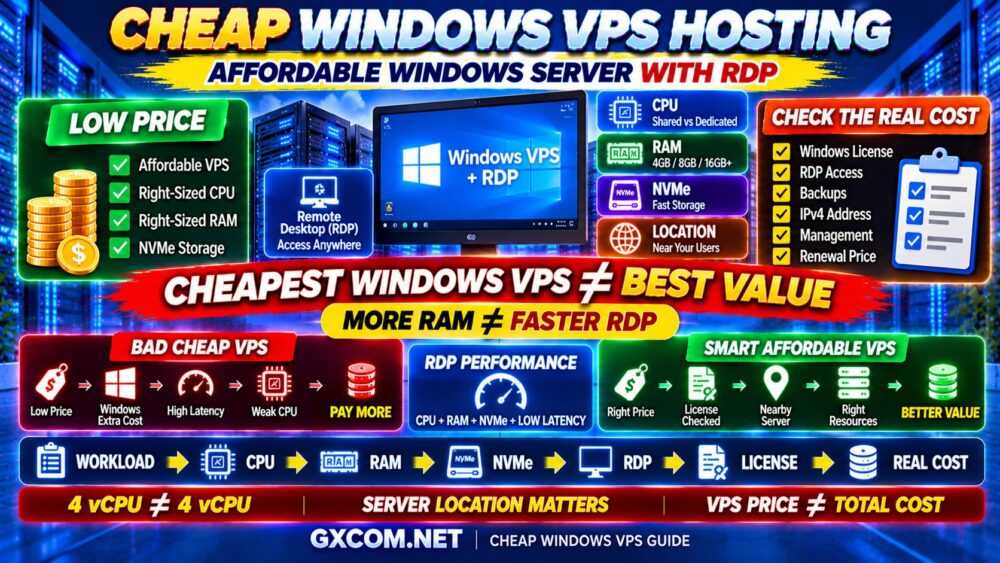
Windows VPS hosting gives you a virtual Windows Server environment with dedicated resources, administrative access and the ability to run Windows applications remotely.
But choosing the best Windows VPS is more complicated than comparing CPU cores, RAM and storage.
Windows Server licensing, Remote Desktop performance, virtualization technology, storage speed, network latency, server location and management can all affect the real cost and user experience.
A VPS advertised with more RAM or more vCPU cores is not automatically the faster Windows server.
That is why GXCOM.NET compares Windows VPS hosting providers based on the complete environment rather than headline specifications alone.
In this guide, we look at providers including Kamatera, Hostwinds, Database Mart, AccuWeb Hosting, VPSServer.com and other Windows-capable infrastructure options, while explaining how to choose CPU, RAM, storage and server location for your workload.
The basic rule is:
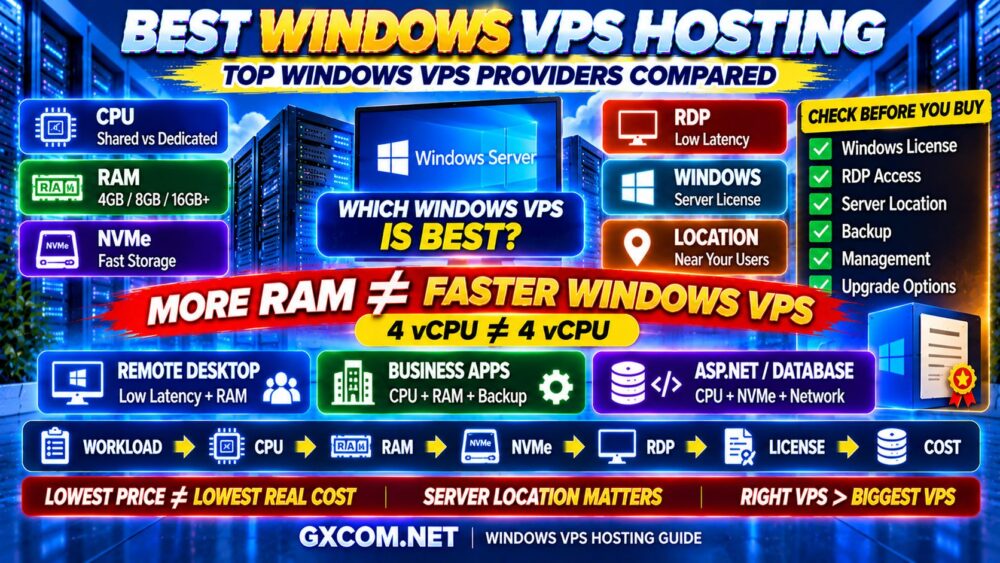
WINDOWS WORKLOAD → CPU → RAM → STORAGE → NETWORK → LICENSE → REAL COST
Best Windows VPS Hosting Providers at a Glance
| Provider | Best For | Key Strength |
|---|---|---|
| Kamatera | Best Overall Flexible Windows VPS | Customizable cloud resources |
| Hostwinds | Best for Managed Windows VPS | Windows VPS with management options |
| Database Mart | Best for Windows-Focused Server Choices | Broad Windows VPS and server lineup |
| AccuWeb Hosting | Best for Business Windows VPS | Windows-oriented hosting options |
| VPSServer.com | Best for Cloud VPS Flexibility | Virtual server infrastructure across multiple locations |
| IONOS | Best for Business Cloud Infrastructure | Broad hosting and cloud ecosystem |
Important: Windows Server versions, licensing terms, included features, locations and VPS specifications can change. Always confirm the current Windows license, Remote Desktop access, billing structure and server configuration directly with the provider before purchasing.
What Is Windows VPS Hosting?
A Windows VPS is a virtual private server running Microsoft Windows Server rather than a Linux distribution.
You normally connect to the server using Remote Desktop Protocol, commonly known as RDP.
This provides a graphical Windows desktop environment that can be accessed remotely.
A Windows VPS can be used for:
- Windows business applications
- Remote desktop workloads
- ASP.NET applications
- Microsoft SQL Server workloads
- IIS web hosting
- Development and testing
- Automation
- Remote administration
- Windows-specific software
The experience can feel similar to using a remote Windows computer, but the underlying infrastructure is hosted inside a data center.
Windows VPS vs Linux VPS
The biggest difference is the operating system and software ecosystem.
| Feature | Windows VPS | Linux VPS |
|---|---|---|
| Operating System | Windows Server | Ubuntu, Debian, AlmaLinux, etc. |
| Remote Access | RDP commonly used | SSH commonly used |
| Graphical Interface | Common | Usually command-line focused |
| Microsoft Applications | Strong compatibility | Depends on application |
| OS Licensing | Can affect cost | Common distributions usually have no equivalent license fee |
| Resource Overhead | Generally higher | Can be very lightweight |
If your application does not require Windows, Linux may provide a more resource-efficient server environment.
If your software specifically requires Windows Server or a Windows desktop environment, Windows VPS is the appropriate choice.
WINDOWS VPS ≠ LINUX VPS WITH A GUI.
1. Kamatera — Best Overall Flexible Windows VPS
Best for: Businesses, developers and users who want customizable Windows cloud infrastructure.
Kamatera is particularly attractive when you do not want to be forced into a fixed combination of CPU, RAM and storage.
Windows workloads vary significantly.
One application may need:
MORE CPU + MODERATE RAM
while another may need:
MORE RAM + LIGHT CPU
A customizable infrastructure model can reduce unnecessary spending because you can size the server closer to the workload.
Why Consider Kamatera?
- Customizable cloud server configurations
- Multiple CPU and RAM combinations
- SSD/NVMe-oriented cloud infrastructure
- Multiple data center locations
- Scaling options
- Windows Server deployment options
- Cloud infrastructure features
Kamatera is particularly suitable when the server may need to scale over time.
Best fit: Users who understand their Windows resource requirements and want flexible infrastructure rather than a fixed VPS package.
2. Hostwinds — Best Managed Windows VPS
Best for: Users who want Windows VPS hosting without handling every infrastructure task alone.
Windows Server still requires administration.
Tasks may include:
- Windows updates
- Firewall configuration
- User management
- Remote Desktop security
- Backup configuration
- Monitoring
- Software maintenance
Hostwinds is relevant because it provides Windows VPS options alongside management-oriented hosting services.
This can appeal to businesses that need Windows infrastructure but do not want a completely self-managed server.
Why Managed Windows VPS Can Be Worth It
The real cost is not simply:
VPS PRICE.
It can be:
VPS + WINDOWS + MANAGEMENT + BACKUPS + YOUR TIME
A slightly more expensive managed server can therefore offer better total value for some businesses.
3. Database Mart — Best for Windows-Focused VPS and Server Options
Best for: Windows users who want multiple VPS and server configurations from a provider with long experience in Windows hosting.
Database Mart has operated in the hosting market for many years and offers a range of virtual and dedicated server products.
Windows users may find this broader server lineup useful because infrastructure requirements can change over time.
A typical growth path might look like:
SMALL WINDOWS VPS
↓
LARGER WINDOWS VPS
↓
HIGH-PERFORMANCE VPS
↓
DEDICATED WINDOWS SERVER
This can be useful for business software, remote applications and workloads that may eventually require more predictable hardware resources.
What to Compare
- Windows Server version
- CPU allocation
- RAM
- SSD/NVMe storage
- Bandwidth
- RDP access
- Backup options
- Upgrade path
Do not choose a Windows VPS solely because the RAM allocation appears large.
MORE RAM ≠ FASTER WINDOWS VPS.
4. AccuWeb Hosting — Best Windows VPS for Business Users
Best for: Business websites, Windows applications and users looking for Windows-oriented hosting.
AccuWeb Hosting has long offered Windows hosting products in addition to Linux services.
This makes it worth comparing for users who specifically require Microsoft technologies.
Business Windows VPS buyers should prioritize more than raw server specifications.
Important considerations include:
- Windows licensing
- RDP accessibility
- Backup availability
- Technical support
- Server location
- Storage performance
- Upgrade options
If the VPS runs business-critical software, support and recovery can be more important than saving a small amount each month.
5. VPSServer.com — Best for Flexible Cloud VPS Deployment
Best for: Users who want cloud-style virtual infrastructure with multiple deployment locations.
VPSServer.com provides virtual server infrastructure that can be useful when geographic flexibility matters.

This is particularly important for Remote Desktop workloads.
When you interact with a remote graphical desktop, latency becomes immediately noticeable.
A server located closer to you can feel significantly more responsive even when the CPU and RAM specifications are identical.
This gives us an important Windows VPS rule:
LOW LATENCY CAN MATTER MORE THAN MORE RAM.
6. IONOS — Best for Windows-Oriented Business Infrastructure
Best for: Businesses that want VPS or cloud infrastructure within a broader hosting ecosystem.
IONOS provides a wide range of hosting and cloud services, making it relevant to companies that may need more than a single VPS over time.
Depending on the workload, businesses may eventually require:
- Additional virtual servers
- Cloud storage
- Backups
- Networking
- Dedicated infrastructure
When evaluating IONOS or any other provider for Windows workloads, confirm the exact Windows configuration and licensing available for the specific server product you are considering.
Best Windows VPS by Use Case
| Use Case | Provider to Compare |
|---|---|
| Flexible Windows Cloud VPS | Kamatera |
| Managed Windows VPS | Hostwinds |
| Windows-Focused Server Choices | Database Mart |
| Business Windows Hosting | AccuWeb Hosting |
| Location-Flexible Cloud VPS | VPSServer.com |
| Broader Business Infrastructure | IONOS |
How Much RAM Does a Windows VPS Need?
Windows Server generally requires more memory than a minimal Linux installation.
That does not mean every Windows VPS needs a huge amount of RAM.
The correct amount depends on what you run.
| RAM | Typical Starting Use Case |
|---|---|
| 2 GB | Very lightweight Windows Server tasks |
| 4 GB | Basic RDP and lightweight applications |
| 8 GB | Business applications and multitasking |
| 16 GB | Heavier applications, databases and multiple services |
| 32 GB+ | Memory-intensive business and database workloads |
These are planning ranges rather than universal requirements.
The operating system version, installed applications, concurrent users and background services all affect memory usage.
DO NOT SIZE WINDOWS VPS BY RAM ALONE.
How Many vCPUs Does a Windows VPS Need?
CPU requirements depend on application behavior.
A lightweight remote desktop may not require many cores.
But applications performing calculations, database operations, encoding or other CPU-intensive tasks may need significantly more compute capacity.
More importantly:
4 vCPU ≠ 4 vCPU.
Two providers can advertise the same vCPU count while using different:
- CPU generations
- Clock speeds
- Shared resource policies
- Host-node architectures
- Virtualization configurations
This is why real-world performance cannot be predicted from core count alone.
Shared CPU vs Dedicated CPU Windows VPS
Shared CPU
Shared CPU is suitable for many workloads that are idle or lightly loaded much of the time.
Examples include:
- Basic RDP
- Light office applications
- Testing
- Development
- Small websites
Dedicated CPU
More consistent compute access is useful for:
- Databases
- High-concurrency applications
- CPU-intensive business software
- Sustained processing
- Production services requiring predictable performance
If CPU usage remains high for long periods, dedicated compute may provide better consistency than simply buying more shared vCPU cores.
NVMe vs SSD for Windows VPS
Storage performance affects more than file copying.
Windows itself performs frequent disk operations.
Your applications may also rely heavily on storage for:
- Databases
- Logs
- Temporary files
- Application data
- Updates
- Virtual memory
NVMe storage can provide lower latency and higher I/O performance than older storage interfaces.
This can make Windows feel more responsive, particularly when multiple applications access storage simultaneously.
However:
NVMe ≠ AUTOMATICALLY FAST VPS.
CPU, RAM and storage contention still matter.
See our NVMe VPS Performance Explained guide for more detail.
Windows VPS and RDP Performance
Remote Desktop performance depends on both server resources and network latency.
Consider two servers:
SERVER A
Powerful CPU
Far from you
High latency
SERVER B
Moderate CPU
Close to you
Low latency
For interactive desktop work, Server B can sometimes feel more responsive.
That is because every mouse movement, screen update and keyboard action must travel across the network.
For RDP workloads:
SERVER LOCATION MATTERS.
Best Windows VPS Location
Choose a data center close to the people who will actually use the server.
For example:
US USERS → US WINDOWS VPS
EUROPEAN USERS → EUROPEAN WINDOWS VPS
ASIAN USERS → ASIAN WINDOWS VPS
If the server hosts a public website rather than an interactive desktop, your visitors' location becomes more important than your own location.
Therefore, choose the region according to the workload.
Windows VPS Licensing Explained
Windows licensing is one of the biggest differences between Windows and Linux VPS hosting.
Do not assume that every advertised VPS price includes the Windows Server license.
Depending on the provider and product, Windows licensing may be:
- Included in the advertised server price
- Added during configuration
- Charged separately
- Available only on specific plans
Before purchasing, confirm:
VPS PRICE
+
WINDOWS LICENSE
+
BACKUPS
+
CONTROL PANEL / SOFTWARE
+
MANAGEMENT
=
REAL WINDOWS VPS COST
This is why comparing a cheap Linux VPS directly with a Windows VPS can be misleading.
Windows Server 2022 vs Windows Server 2025
The best Windows Server version depends on software compatibility, provider support and your application requirements.
A newer operating system can provide newer features and a longer lifecycle, but that does not automatically make it the correct choice for every application.
Before selecting a version, check:
- Application compatibility
- Database compatibility
- .NET requirements
- Driver requirements
- Provider support
- Licensing
For production business software, compatibility should take priority over simply choosing the newest available version.
Managed vs Unmanaged Windows VPS
An unmanaged Windows VPS gives you greater responsibility.
You may need to manage:
- Windows Update
- Firewall
- RDP security
- User accounts
- Application installation
- Backups
- Monitoring
- Troubleshooting
Managed hosting shifts some server-management responsibilities toward the provider.
Which is cheaper?
That depends on how you value your time.
UNMANAGED VPS
Lower direct management cost
+ More responsibility
MANAGED VPS
Higher service cost
+ Less administrative workload
Our Managed VPS vs Unmanaged VPS guide explains this tradeoff in more detail.
Windows VPS Security: RDP Is a Major Consideration
A Windows VPS connected to the public internet must be secured properly.
RDP should not be treated casually.
Basic security measures include:
- Strong unique passwords
- Restricted administrator access
- Windows Firewall
- Regular security updates
- Backups
- Monitoring
- Limiting unnecessary exposed services
Where supported, additional access controls can further reduce exposure.
A cheap Windows VPS that is poorly secured can become much more expensive than a properly protected server.
Cheap Windows VPS vs Premium Windows VPS
What can a more expensive Windows VPS provide?
Potential differences include:
- Newer CPUs
- Dedicated CPU resources
- More RAM
- Faster NVMe storage
- Better networking
- Managed support
- Backup services
- Higher availability
But a premium VPS is unnecessary if your workload does not use those resources.
The correct goal is:
RIGHT WINDOWS VPS > BIGGEST WINDOWS VPS.
Windows VPS for Remote Desktop
If your primary goal is remote desktop access, prioritize:
- Low network latency
- Enough RAM
- Responsive storage
- Appropriate CPU performance
- Reliable network connectivity
Do not assume that a large CPU core count automatically creates a smooth desktop experience.
For interactive RDP:
LATENCY + STORAGE + CPU + RAM
all contribute to responsiveness.
Windows VPS for Business Applications
Business workloads should prioritize reliability over the absolute lowest server price.
Consider:
- Application compatibility
- Backup frequency
- Recovery options
- Security
- Technical support
- Server location
- Upgrade path
If an application is critical to daily operations, downtime can cost far more than the difference between two VPS plans.
CHEAPER VPS ≠ LOWER BUSINESS COST.
Windows VPS for Websites and ASP.NET
Windows VPS can also host websites using technologies such as IIS and Microsoft-oriented application stacks.
Important resources include:
- CPU performance
- RAM
- Storage I/O
- Database performance
- Network capacity
For public websites, caching and CDN deployment can reduce origin-server workload and improve global delivery.
Windows VPS vs Dedicated Windows Server
A VPS is usually the better starting point when:
- Your workload is small or medium
- You want easier scaling
- You do not need an entire physical server
- Budget matters
A dedicated Windows server becomes more attractive when:
- CPU usage is consistently high
- You need dedicated hardware
- Databases become large
- Workloads require predictable performance
- RAM requirements become very large
The upgrade path is often:
WINDOWS VPS → HIGH-PERFORMANCE VPS → DEDICATED WINDOWS SERVER
How Much Does Windows VPS Hosting Cost?
The real cost depends on more than CPU and RAM.
Consider:
- Base VPS
- Windows Server license
- Storage
- Bandwidth
- IPv4
- Backups
- Control panel
- Management
- Additional software licenses
This is why the advertised server price may not equal the final operating cost.
For broader VPS cost analysis, see our VPS Hosting Cost guide.
How to Choose the Best Windows VPS Hosting
1. Define the Windows Workload
RDP, ASP.NET, database, business application or development?
2. Check Software Compatibility
Confirm the required Windows Server version before purchasing.
3. Size the CPU
Do not compare only core counts. Consider whether the workload is sustained or bursty.
4. Choose Enough RAM
Include Windows itself plus all applications and databases.
5. Check Storage
Consider capacity and I/O performance.
6. Choose the Right Location
For RDP, low latency can significantly improve the user experience.
7. Confirm Windows Licensing
Find out whether the license is included or billed separately.
8. Check RDP Access
Understand the provider's remote-access configuration and any limitations.
9. Review Backups
Know what is backed up, how often and how restoration works.
10. Calculate the Total Cost
Compare the complete Windows environment rather than the VPS base price.
Windows VPS Buying Checklist
Before purchasing, check:
- ✓ CPU generation
- ✓ Shared vs dedicated CPU
- ✓ RAM
- ✓ NVMe or SSD storage
- ✓ Storage capacity
- ✓ Windows Server version
- ✓ Windows license included or extra
- ✓ RDP access
- ✓ Network port
- ✓ Bandwidth
- ✓ Server location
- ✓ Backup policy
- ✓ Managed or unmanaged
- ✓ Security options
- ✓ Upgrade path
- ✓ Total real cost
Then ask:
AM I BUYING THE BIGGEST WINDOWS VPS—OR THE RIGHT WINDOWS VPS FOR MY APPLICATION?
Best Windows VPS Hosting FAQ
What is the best Windows VPS hosting provider?
The best provider depends on your workload. Kamatera is worth considering for customizable Windows cloud infrastructure, Hostwinds for management-oriented Windows VPS, Database Mart for broad Windows server options, AccuWeb Hosting for Windows-focused business hosting and VPSServer.com for flexible virtual server deployment.
How much RAM does a Windows VPS need?
Basic workloads may run with relatively modest memory, while business applications, databases and multitasking require more. Around 4 GB can be a practical starting point for basic interactive Windows workloads, while 8 GB or more provides more room for heavier applications. Actual requirements depend on the software.
Is Windows VPS good for Remote Desktop?
Yes. RDP is one of the common ways to access a Windows VPS. For a responsive experience, consider network latency, CPU, RAM and storage performance together.
Is Windows VPS more expensive than Linux VPS?
It can be because Windows Server licensing may add to the infrastructure cost. The exact licensing and billing model varies by provider.
Is NVMe important for Windows VPS?
NVMe can improve storage-intensive operations and overall responsiveness, particularly for databases and applications that frequently access disk. CPU and RAM remain important.
Can I install software on a Windows VPS?
With appropriate administrative access, Windows VPS users can generally install compatible software, subject to the provider's acceptable-use policy and licensing requirements.
Should I choose managed Windows VPS?
Managed Windows VPS can make sense if you do not want to handle server updates, security, monitoring and troubleshooting yourself. Experienced administrators may prefer unmanaged infrastructure for greater control.
Does Windows VPS include a Windows license?
It depends on the provider and product. Never assume the advertised VPS price automatically includes Windows Server licensing. Confirm the license and billing terms before purchasing.
Final Verdict: Which Windows VPS Provider Should You Choose?
The best Windows VPS provider is not necessarily the provider offering the largest RAM allocation or the lowest advertised price.
Kamatera is attractive when flexible resource configuration and cloud scaling matter.
Hostwinds is worth comparing when management support is important.
Database Mart provides a broader Windows-oriented server path, while AccuWeb Hosting is relevant for business users looking specifically at Windows hosting.
VPSServer.com can be useful when deployment location and cloud flexibility matter, while broader infrastructure providers such as IONOS may suit businesses planning beyond a single VPS.
But start with the application—not the provider.
Use this framework:
WINDOWS APPLICATION
↓
CPU
↓
RAM
↓
NVMe
↓
RDP / NETWORK
↓
WINDOWS LICENSE
↓
MANAGEMENT
↓
REAL COST
↓
BEST WINDOWS VPS
Remember:
4 vCPU ≠ 4 vCPU.
MORE RAM ≠ FASTER WINDOWS VPS.
LOWEST PRICE ≠ LOWEST TOTAL COST.
CLOSEST SERVER + RIGHT RESOURCES CAN BE BETTER THAN BIGGER SPECS.
The best Windows VPS is the server that runs your Windows workload reliably, responsively and securely without forcing you to pay for resources you do not need.