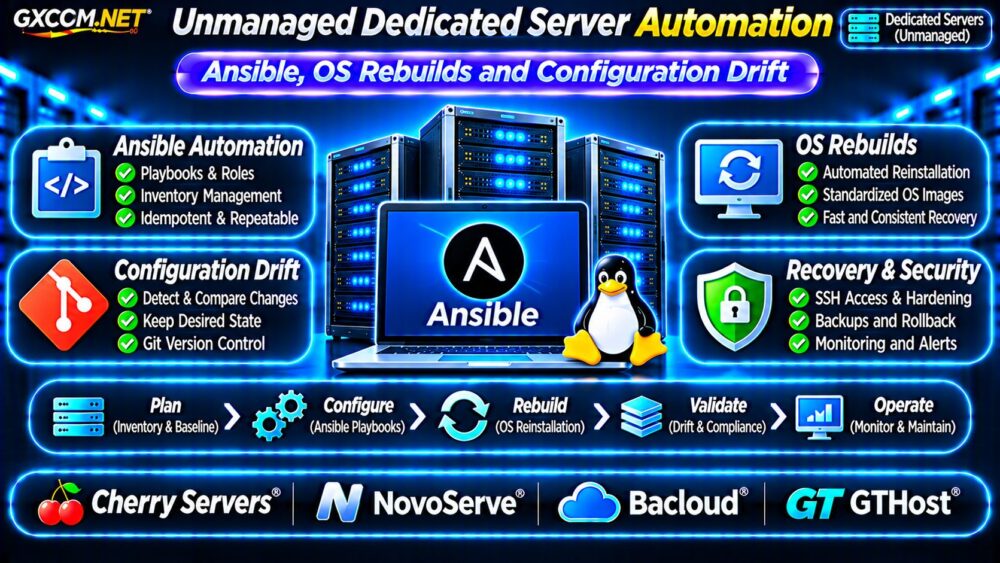
Unmanaged dedicated server automation helps Linux administrators replace repetitive manual work with consistent, testable configuration processes. Ansible playbooks, operating system rebuild procedures, and configuration drift checks can reduce operational mistakes across dedicated infrastructure.
However, automation is not simply installing a tool. Reliable workflows require controlled credentials, documented hardware dependencies, recovery testing, and clear responsibilities between the customer and hosting provider.
This guide explains how to automate unmanaged dedicated servers and evaluate hosting options for repeatable deployments.
Why Unmanaged Dedicated Servers Need Automation
Unmanaged hosting gives customers substantial operating system control, but routine administration remains their responsibility. Installing packages, configuring services, maintaining SSH access, and restoring failed systems can consume significant engineering time.
Manual changes also introduce inconsistency. Two servers intended to run identical applications may gradually develop different firewall rules, software versions, or service settings.
Automation makes approved configurations repeatable and easier to review. It also creates documentation that survives staff changes.
Before implementing automation, review our Unmanaged Server Security Checklist to establish baseline security responsibilities.
Ansible for Dedicated Server Configuration Management
Ansible is an agentless automation framework commonly used to manage Linux hosts over SSH. Administrators define desired configurations in inventories, playbooks, and reusable roles.
A playbook might install Nginx, configure system services, deploy application files, and ensure monitoring agents are running.
Start With an Inventory and Baseline
Group servers by environment, location, and purpose. Keep production and staging inventories separate, and avoid embedding passwords or private keys in configuration repositories.
Use version control to review changes before deployment. Test playbooks against disposable or staging infrastructure before applying them to production.
Understand Idempotency
Idempotent automation aims to produce the same desired state when executed repeatedly. Ansible modules can check whether changes are necessary before modifying resources.
However, custom shell commands and poorly designed tasks may not be idempotent. Review module behavior and use handlers carefully to avoid unnecessary service restarts.
Example Ansible Playbook for Linux Servers
The following simplified example targets Debian-family systems. Adjust package names, privileges, and service behavior for the selected distribution.
---
- name: Configure web servers
  hosts: webservers
  become: true
  tasks:
    - name: Install Nginx
      ansible.builtin.apt:
        name: nginx
        state: present
        update_cache: true

    - name: Enable Nginx service
      ansible.builtin.service:
        name: nginx
        enabled: true
        state: started
Run syntax checks and use Ansible check mode where supported. Check mode cannot predict every real-world effect, so production changes still require backups, staged deployment, and rollback planning.

Automating Dedicated Server OS Rebuilds
Operating system rebuilds are particularly important when replacing compromised systems, changing distributions, or recovering from severe configuration errors.
A reliable rebuild process separates infrastructure provisioning from application configuration. The provider may supply installation media, a rescue environment, or an API, while Ansible configures the operating system afterward.
Design a Repeatable Rebuild Workflow
- Record hardware, disk layout, and network requirements.
- Verify independent backups and recovery credentials.
- Provision a supported operating system image.
- Restore secure administrative connectivity.
- Apply tested Ansible roles and configurations.
- Restore application data and validate services.
Reinstallation can destroy local data. Never trigger an automated rebuild without verifying the target server, disk selection, backup integrity, and authorization.
Our Snapshot Backup and Recovery Guide</a explains related restoration principles.
Detecting and Preventing Configuration Drift
Configuration drift occurs when running systems diverge from their approved settings. Emergency fixes, manual package installations, and undocumented firewall changes are common causes.
Regular Ansible runs can identify or correct certain differences. Monitoring tools and configuration audits can supplement this process, especially for settings not fully managed by playbooks.
Use scheduled checks, version-controlled changes, and clear exception procedures. Avoid automatically overwriting legitimate emergency modifications before they have been reviewed.
Protect Secrets and Administrative Access
Store credentials using appropriate secret-management tools, such as Ansible Vault or an external secrets platform. Restrict automation account privileges and rotate credentials when necessary.
Use SSH key authentication, limit network exposure, and protect automation controllers. A compromised controller could affect every managed server.
See our Dedicated Server Firewall and SSH Hardening Guide for related access controls.
Monitoring, Rollback and Disaster Recovery
Automation should complement monitoring rather than replace it. Track deployment failures, service availability, disk health, and unexpected configuration changes.
Not every infrastructure modification supports automatic rollback. Database migrations, filesystem changes, and destructive provisioning steps may require separate recovery procedures.
Test rebuilding a server from documented configuration and independent backups. Measure recovery time against business objectives rather than assuming that a successful playbook guarantees application availability.
Four Dedicated Hosting Providers to Compare
The following GXCOM.NET-approved affiliate providers are candidates for automated Linux infrastructure. Confirm current API availability, reinstall permissions, remote management, and support responsibilities before purchasing.
Cherry Servers: Bare Metal Provisioning
Cherry Servers is worth evaluating when repeatable bare metal deployment is a priority. Review available management interfaces, operating system images, hardware configurations, and documented automation capabilities.
NovoServe: Deployment and Recovery Options
NovoServe can be compared for dedicated infrastructure requiring predictable deployment procedures. Ask about operating system reinstall workflows, rescue access, remote console options, and configuration flexibility.
Bacloud: Budget Automation Requirements
Bacloud may suit cost-conscious administrators who can manage their own automation stack. Confirm supported Linux distributions, reinstall charges, administrative access, and recovery assistance.
GTHost: Dedicated Infrastructure Management
GTHost is another candidate for Linux dedicated deployments. Compare hardware availability, remote access, operating system installation methods, and support boundaries.
Provider control panels and APIs differ. Do not assume that every dedicated server supports unattended provisioning or programmatic rebuilding.
Calculate Automation Costs and Savings
Automation has implementation and maintenance costs, but it may reduce repetitive engineering work.
Consider a hypothetical team spending eight hours monthly on manual configuration at an internal labor cost of $45 per hour. That represents $360 monthly.

If automation reduces this work to three hours, the estimated labor difference is $225 monthly before development, testing, tooling, and maintenance expenses.
These figures are illustrative, not guaranteed savings. Compare them with the complete infrastructure budget using our Dedicated vs Cloud Server Comparison.
Unmanaged Server Automation Buying Checklist
- Verify supported operating systems and reinstall procedures.
- Confirm API, rescue console, and recovery access.
- Test Ansible playbooks before production deployment.
- Protect automation credentials and SSH access.
- Monitor configuration drift and deployment failures.
- Document rebuilds and regularly test recovery.
Frequently Asked Questions
Can Ansible Manage Bare Metal Servers?
Yes. Ansible can configure supported operating systems on physical servers. Initial hardware provisioning may require separate provider tools.
Does Ansible Automatically Reinstall Linux?
Not by itself. Reinstallation generally requires an installation environment, provisioning system, or provider-supported workflow.
Can Automation Eliminate Configuration Drift?
It can reduce and detect drift, but unmanaged changes, unsupported resources, and automation failures still require oversight.
Final Verdict
Unmanaged dedicated server automation is most effective when configuration management, secure access, repeatable rebuilding, and recovery testing work together.
Compare Cherry Servers, NovoServe, Bacloud, and GTHost based on actual provisioning capabilities, recovery access, hardware suitability, and operating costs. Choose infrastructure that supports reliable automation without creating unnecessary operational complexity.