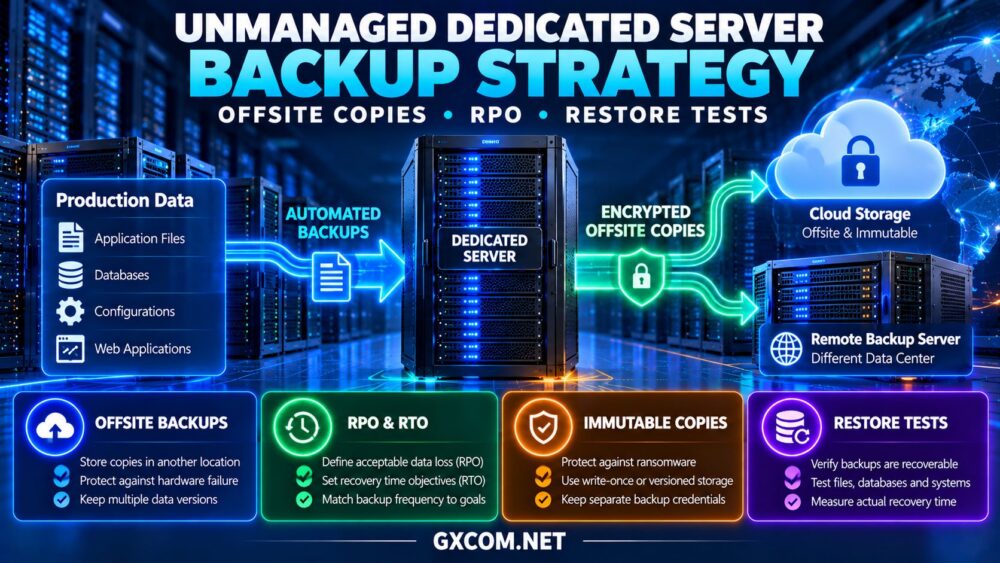
A reliable unmanaged dedicated server backup strategy protects more than files. It protects customer records, application configurations, databases, and the ability to restore business operations after a serious incident.
Unlike managed hosting, unmanaged dedicated servers generally place backup configuration, monitoring, retention, and recovery testing under the customer’s responsibility. A server may have redundant disks and excellent uptime, yet still suffer permanent data loss after accidental deletion, ransomware, or a failed upgrade.
This guide explains offsite copies, recovery point objectives (RPO), recovery time objectives (RTO), restore testing, and backup costs. It also highlights purchasing considerations for Cherry Servers, ServerMania, NovoServe, and Bacloud.
Why Unmanaged Dedicated Servers Need Independent Backups
Dedicated hosting provides control over hardware resources, but physical isolation does not guarantee data protection. Drive failures, administrative mistakes, security incidents, and data center disruptions can affect even well-maintained infrastructure.
RAID can keep certain storage configurations operating after a disk failure. However, RAID also replicates unwanted changes, including accidental deletion and corrupted files. It cannot replace historical recovery points.
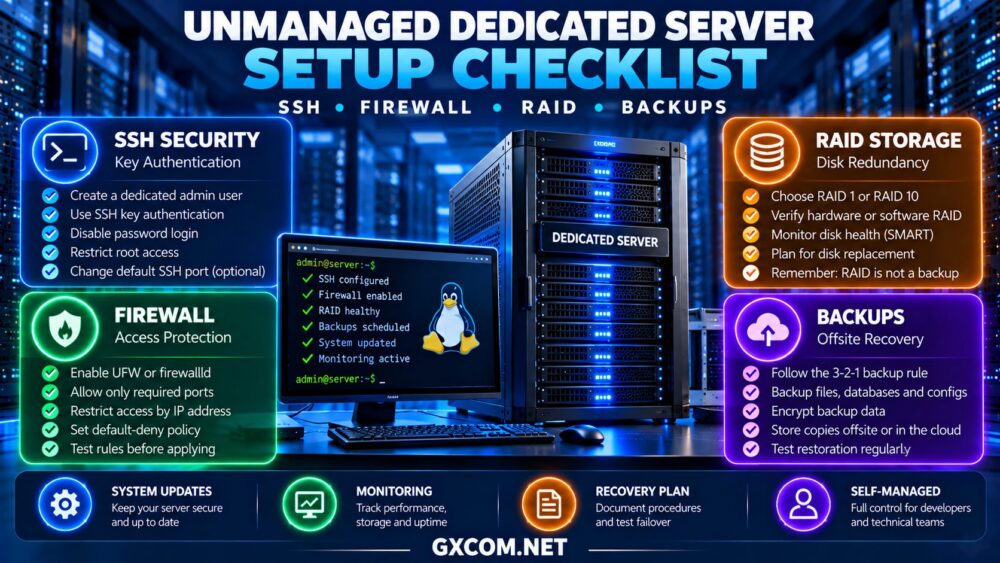
Before implementing backups, complete the access controls and storage checks described in our unmanaged dedicated server setup checklist.
1. Define RPO and RTO Before Choosing Backup Tools
Two recovery metrics determine how frequently backups should run and how quickly infrastructure must be restored.
Recovery Point Objective (RPO)
RPO defines the maximum acceptable amount of data loss measured in time. An RPO of one hour means the business aims to recover data no more than one hour behind the incident.
Daily backups cannot reliably meet an hourly RPO. Applications with frequent transactions may require database log backups, replication, or continuous data protection.
Recovery Time Objective (RTO)
RTO defines the target time for restoring an affected service. An RTO of four hours requires sufficient recovery infrastructure, documentation, and operational capacity to resume service within that period.
Neither target is guaranteed simply because a backup exists. Recovery performance must be measured through testing.
2. Follow the 3-2-1 Backup Principle
The traditional 3-2-1 approach recommends three copies of important data, across two storage types or independent failure domains, with at least one copy stored offsite.
For a dedicated server, this might include production data, a local recovery copy, and an encrypted backup in another data center or cloud storage service.
Organizations facing ransomware threats should also consider immutable or offline copies. These reduce the risk that compromised administrator credentials can erase every recovery point.

Keep backup credentials separate from routine server administration wherever possible.
3. Choose Appropriate Backup Methods
File-Level Backups
Tools such as restic and BorgBackup can support encrypted, incremental backups of files and directories. They are useful for application assets, configuration files, and selected system data.
Database-Consistent Backups
Databases require additional care. Copying active database files without a supported consistency mechanism can produce unusable backups.
Use database-native backup utilities, transaction logs, or application-consistent snapshots appropriate to the database engine. Test recovery to a known transaction or timestamp when point-in-time recovery is required.
Snapshots and Full-System Images
Snapshots may provide fast rollback, but their protection depends on where they are stored and whether they remain accessible after hardware failure.
Full-system images can simplify disaster recovery, although restoration to different hardware may require additional configuration.
4. Build an Offsite Backup Schedule
Backup frequency should reflect data change rates, retention requirements, storage costs, and available bandwidth.
| Workload | Illustrative Backup Approach | Recovery Priority |
|---|---|---|
| Small business website | Daily encrypted backups | Restore files and database |
| Active e-commerce store | Frequent database protection plus daily files | Limit transaction loss |
| Business SaaS application | Continuous or frequent data protection | Meet defined RPO and RTO |
| Development environment | Scheduled backups with longer RPO | Recover code and configurations |
These are planning examples, not universal schedules. Backup frequency must be validated against actual business requirements.
Large initial backups may take hours over limited uplinks. Our dedicated server bandwidth planning guide explains how transfer allowances and port speeds affect network-intensive operations.
5. Evaluate Dedicated Hosting Providers for Backup Readiness
When selecting unmanaged infrastructure, investigate whether the provider offers suitable storage configurations, recovery access, private networking, and optional backup arrangements.
Cherry Servers: Flexible Bare Metal Environments
Cherry Servers is worth evaluating for technical teams designing independent backup workflows around dedicated infrastructure.
Confirm available storage configurations, remote rescue access, and network options. Ask whether backup storage must be purchased separately.
Best for: Administrators building customized Linux backup and recovery systems.
ServerMania: Business Infrastructure Planning
ServerMania is relevant for organizations comparing dedicated hardware alongside operational and support requirements.
Review storage options, hardware replacement procedures, remote management, and any available backup services. Clarify which recovery tasks remain the customer’s responsibility.
Best for: Businesses requiring documented recovery responsibilities.
NovoServe: Data-Intensive Dedicated Hosting
NovoServe deserves consideration when large datasets and backup transfer volumes influence infrastructure selection.
Compare regional locations, network allowances, storage options, and the feasibility of sending encrypted copies to an independent destination.
Best for: Workloads where backup size and network throughput matter.
Bacloud: Cost-Conscious Backup Planning
Bacloud is another option for buyers comparing dedicated server costs while budgeting for independent data protection.
Verify available disk configurations, recovery access, and any backup-related services before ordering.
Best for: Experienced administrators balancing hardware rental and backup expenses.
For broader infrastructure comparisons, see our bare metal server providers guide.
6. Calculate Backup Storage and Recovery Costs
Backup costs include storage capacity, retention, transfer charges, software, monitoring, and administrator time.
Consider a hypothetical deployment with 500GB of protected data, $25 monthly offsite storage, $15 monitoring, and $60 allocated to administration. The additional operating cost is $100 monthly before any recovery or transfer fees.
Incremental backups may reduce transferred data, but long retention periods and frequent recovery points can increase total storage consumption.

Compare underlying hardware costs in our dedicated server deals comparison, then budget separately for backup protection.
7. Perform Regular Restore Tests
A successful backup notification does not prove that the stored data can be restored.
Test individual file recovery, database restoration, application startup, and full-system recovery where appropriate. Use an isolated environment to avoid disrupting production.
Record the actual recovery duration, missing dependencies, credential requirements, and data consistency results.
Test scenarios should include deleted files, corrupted databases, unavailable primary storage, and compromised administrative access.
For the broader division of maintenance responsibilities, consult our managed versus unmanaged dedicated hosting guide.
8. Monitor Backup Failures and Protect Recovery Access
Configure alerts for failed jobs, incomplete transfers, insufficient storage, and unexpected changes in backup size.
Restrict access to backup repositories, rotate credentials when necessary, and document emergency restoration procedures.
Retain at least one recovery method that does not depend entirely on the production server remaining accessible.
Final Verdict
A dependable unmanaged dedicated server backup strategy starts with realistic RPO and RTO targets, encrypted offsite copies, application-consistent backups, and regularly tested restoration.
Cherry Servers, ServerMania, NovoServe, and Bacloud provide dedicated infrastructure options to investigate. Compare their verified hardware, networking, and recovery capabilities rather than assuming backups are included.
Above all, measure recovery results. The value of a backup is determined by whether it restores the business when needed.