Finding the best GPU VPS hosting deals requires more than comparing graphics card names and advertised monthly prices. The most important question is whether your virtual server receives exclusive access to a physical GPU or shares accelerated resources with other customers.
For AI inference, model development, rendering, and video processing, GPU allocation affects performance consistency, available VRAM, and long-term costs. A low-cost virtual machine can become expensive if its GPU resources are insufficient or unpredictable.
This guide compares GPU Mart, Vultr, RunPod, and AlphaVPS, explains dedicated GPU passthrough, and helps buyers choose between monthly GPU VPS hosting and alternative rental models.
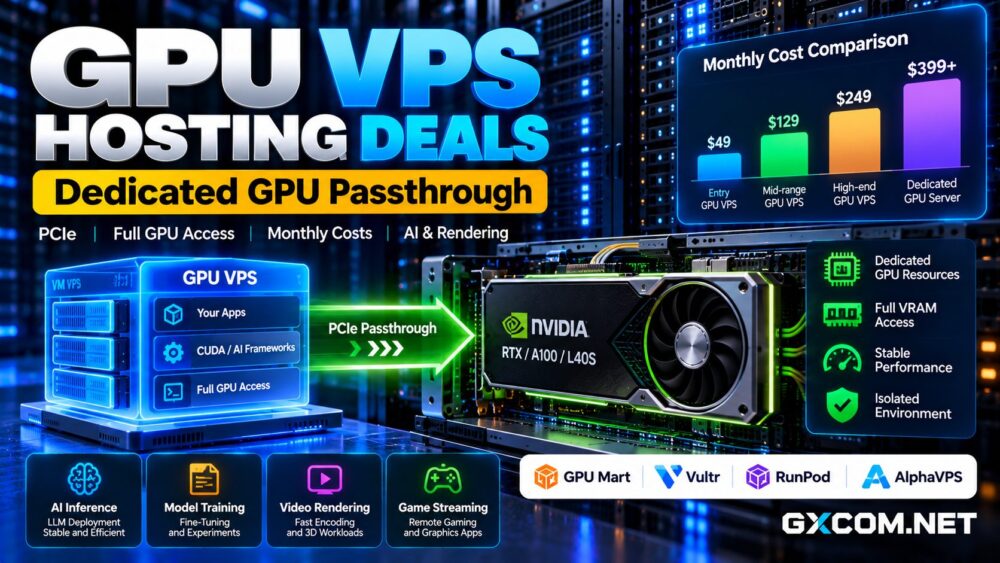
What Is GPU VPS Hosting?
A GPU VPS combines virtualized CPU, memory, storage, and networking with access to a graphics processor. Unlike a conventional VPS, it can accelerate CUDA applications, machine learning frameworks, rendering engines, and compatible video workloads.
However, GPU hosting products use different resource allocation methods. Some assign an entire physical GPU to one virtual machine, while others provide a virtual GPU partition or a container with GPU access.
These approaches are not interchangeable. Before purchasing, confirm the GPU model, usable VRAM, virtualization method, and whether other tenants can share the same accelerator.
Dedicated GPU Passthrough vs Shared vGPU
Dedicated GPU passthrough maps a physical PCIe graphics device directly into a virtual machine through supported virtualization hardware and software.
With exclusive allocation, the guest operating system can access the assigned GPU without competing with another customer’s workloads on that device.
Shared vGPU configurations instead divide GPU resources between virtual machines using supported virtualization technologies. They can offer better affordability and utilization for smaller workloads, but performance and memory allocations depend on the service design.
Passthrough does not guarantee that virtual CPU, RAM, disk, or network resources are physically dedicated. Evaluate those separately.
Best GPU VPS Hosting Providers to Compare
GPU Mart: Dedicated PCIe GPU Passthrough
GPU Mart offers GPU VPS hosting built on KVM virtualization with physical GPU passthrough. Its published architecture describes one-to-one GPU allocation without GPU slicing or time-sharing.
Available configurations span entry-level graphics cards and newer NVIDIA RTX models, allowing buyers to match VRAM and compute capability to specific workloads.
GPU Mart is particularly relevant for continuously running inference services, development environments, and rendering applications that benefit from predictable GPU access.
Review the selected plan’s operating system, GPU memory, CPU allocation, storage, bandwidth, and billing commitment before ordering.

Developers seeking an exclusive GPU can compare GPU Mart’s dedicated GPU VPS plans and evaluate the complete monthly configuration.
For a broader assessment, read our GPU Mart review.
Vultr: Flexible Cloud GPU Virtual Machines
Vultr provides GPU-enabled cloud virtual machines for AI, machine learning, visual computing, and high-performance workloads.
Its NVIDIA L40S offering documents GPU passthrough configurations, while other Cloud GPU products may use different allocation models.
Vultr suits organizations needing cloud networking, configurable virtual machines, and access to multiple GPU generations.
Compare the precise GPU allocation, available region, storage options, and billing model for each instance rather than assuming every Cloud GPU product includes an exclusive physical accelerator.
RunPod: Flexible GPU Pods for AI Development
RunPod provides GPU Pods for AI experimentation, fine-tuning, inference, and batch processing.
Pods offer direct control over container environments, GPU selection, and storage. This is useful for teams that need accelerated compute without maintaining a conventional VPS operating system.
However, a GPU Pod is not automatically equivalent to a full virtual machine with PCIe passthrough.
RunPod is especially attractive for intermittent workloads where developers can stop renting compute after finishing an experiment.
Our RunPod GPU Cloud review explores its deployment model in greater detail.
AlphaVPS: Dedicated GPU Server Alternative
AlphaVPS offers dedicated GPU servers with NVIDIA RTX PRO Blackwell and RTX 5090 options, full root access, and flat monthly billing.
These are bare-metal GPU servers rather than conventional GPU VPS instances. They provide an alternative when customers require physical server control, persistent hardware access, or larger multi-GPU configurations.
Consider AlphaVPS when workload requirements justify dedicated infrastructure instead of a virtualized GPU environment.
How Much VRAM Does a GPU VPS Need?
GPU memory capacity determines which models and workloads can run without excessive memory pressure.
Smaller GPUs can support lightweight inference, image processing, and development. Configurations with 16GB or 24GB VRAM provide more room for larger models, rendering scenes, and parameter-efficient fine-tuning.
Higher-memory accelerators may be necessary for demanding LLM inference, longer context windows, or substantial batch sizes.
Remember that model weights are only part of memory consumption. Activations, runtime overhead, and inference caches also occupy VRAM.
GPU VPS Monthly Costs vs Hourly Cloud Rental
Monthly GPU VPS plans are attractive when workloads run consistently. Hourly cloud rental offers flexibility when GPU demand changes frequently.
Calculate the effective monthly expense using:
Monthly GPU Cost = Compute Charges + Persistent Storage + Data Transfer + Required Add-ons
For example, a hypothetical cloud GPU costing $0.60 per hour would generate $432 in compute charges over 720 continuously billed hours.
A hypothetical $250 monthly GPU VPS could cost less under those assumptions, provided its hardware and service capabilities meet the same requirements.
These figures are illustrative, not current provider quotations. Compare equivalent GPUs, VRAM, CPU resources, and contract conditions before drawing conclusions.
When Is a Dedicated GPU VPS Better?
Dedicated GPU passthrough is worth considering for persistent inference endpoints, rendering queues, remote development environments, and applications requiring predictable access to a full GPU.
Hourly GPU cloud services may be preferable for occasional experiments, temporary training jobs, or rapidly changing hardware requirements.
For additional choices, see our AI GPU VPS providers guide.

GPU VPS vs Dedicated GPU Server
A GPU VPS offers virtual machine flexibility while potentially assigning an exclusive physical accelerator. Dedicated GPU servers provide control over the entire physical machine.
For a wider comparison of hardware options and hosting models, see our NVIDIA GPU server providers comparison.
Bare metal may be preferable for demanding multi-GPU training, custom kernel requirements, or workloads sensitive to virtualization overhead.
However, GPU VPS hosting can reduce operational complexity and initial commitments for smaller deployments.
Compare our affordable GPU servers guide when considering a dedicated alternative.
GPU VPS Buying Checklist
- Verify whether the GPU is dedicated, partitioned, or shared.
- Confirm usable VRAM and CUDA compatibility.
- Check CPU, RAM, SSD or NVMe storage, and network limits.
- Review backup coverage and data retention policies.
- Compare hourly, monthly, and renewal costs.
- Test real workload performance before a long commitment.
Final Verdict: Best GPU VPS Hosting Value
GPU Mart is a strong option to investigate for dedicated PCIe passthrough GPU VPS hosting. Vultr provides flexible Cloud GPU virtual machines, while RunPod suits container-based AI development and variable demand.
AlphaVPS offers a dedicated bare-metal alternative for sustained workloads requiring broader hardware control.
The best GPU VPS hosting deal is the one that matches your actual GPU allocation requirements, VRAM needs, workload utilization, and predictable monthly budget.