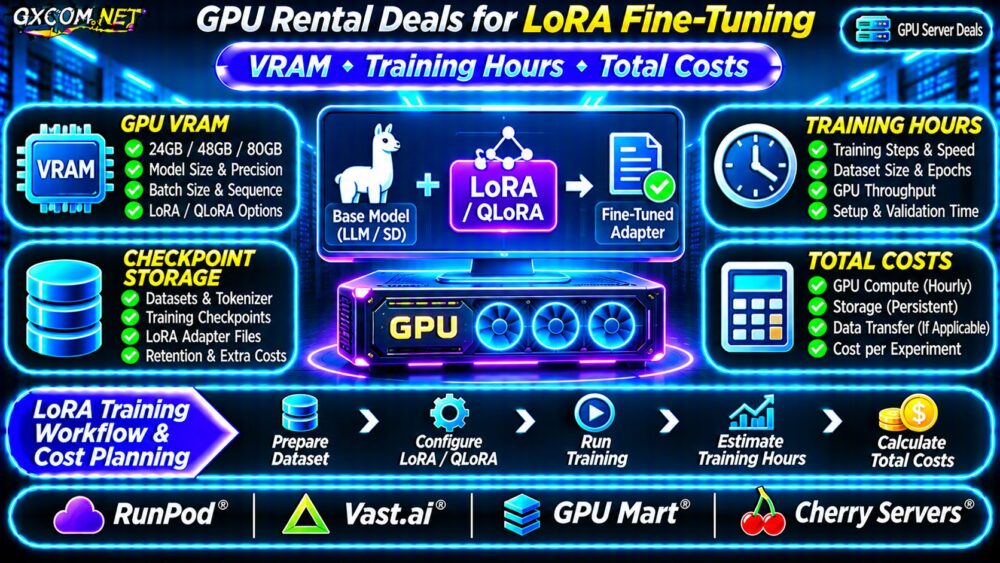
GPU rental deals for LoRA fine-tuning can make custom language model training more affordable, but the lowest hourly GPU price rarely guarantees the lowest completed training cost. Video memory, model precision, dataset size, training throughput, and storage charges all influence the final bill.
For developers adapting language models to specialized tasks, choosing between a 24GB GPU and an 80GB accelerator should begin with the training configuration, not the hardware brand.
This guide explains LoRA and QLoRA resource requirements, estimates training hours, compares four approved GPU providers, and shows how to calculate total experiment costs.
Why LoRA Changes GPU Rental Requirements
Low-Rank Adaptation (LoRA) fine-tunes a model by training relatively small adapter matrices while keeping the original model weights frozen. This reduces trainable parameters and associated optimizer memory compared with full fine-tuning.
However, the base model still occupies GPU memory, and training requires activations, temporary buffers, and other resources. LoRA does not automatically make every large model fit on an inexpensive GPU.
QLoRA combines low-rank adapters with quantized base-model weights, commonly using 4-bit loading. This can lower memory requirements, although compatibility and numerical behavior depend on the model and training framework.
How Much VRAM Does LoRA Fine-Tuning Need?
GPU memory requirements depend on parameter count, weight precision, sequence length, micro-batch size, optimizer configuration, and gradient checkpointing.
For reference, an eight-billion-parameter model has approximately 16GB of base weights at two bytes per parameter, excluding training overhead. Idealized 4-bit storage would require roughly 4GB before quantization metadata and other allocations.
Neither number represents a complete training-memory requirement.
24GB, 48GB and 80GB GPU Options
- 24GB GPUs: Candidates for smaller models and carefully configured QLoRA experiments.
- 48GB GPUs: More room for model weights, activations, and less restrictive training configurations.
- 80GB GPUs: Worth evaluating for larger models, longer sequences, or memory-intensive experiments.
These are purchasing categories, not guaranteed model-size limits. Test the actual framework and configuration before reserving capacity.
For additional memory planning, read our LLM GPU memory and server sizing guide.
LoRA Training Hours: What Determines Runtime?
Training duration depends on dataset tokens, effective batch size, epochs, model architecture, GPU throughput, and data-processing overhead. Two GPUs with identical VRAM may complete the same experiment at different speeds.

Measure actual training steps per second after initialization. Multiply the remaining steps by observed step time, then allow for evaluation, checkpointing, and potential retries.
Estimate Hours From a Pilot Run
Suppose a hypothetical training job requires 2,400 optimizer steps and a representative pilot averages nine seconds per step. The estimated training phase takes six hours, excluding setup, validation, and checkpoint operations.
A short pilot also reveals out-of-memory errors and unexpected storage demand before a larger rental commitment.
Compare Four GPU Rental Providers
RunPod, Vast.ai, GPU Mart, and Cherry Servers offer different infrastructure approaches worth investigating. Their inclusion does not imply a verified LoRA-specific discount or guaranteed hardware availability.
RunPod: Container-Based GPU Workflows
RunPod is relevant for developers deploying containerized training environments on GPU infrastructure. Evaluate available accelerator models, persistent storage options, instance lifecycle controls, and billing conditions.
Confirm that your training image, CUDA dependencies, and checkpoint workflow are compatible with the selected environment.
Vast.ai: Marketplace GPU Selection
Vast.ai allows developers to compare GPU offers from marketplace hosts. Pricing and operating characteristics can differ between listings, making host reliability and interruption conditions important.
Review GPU memory, CPU allocation, disk space, network performance, and host availability. Checkpoint frequently when using capacity that may be interrupted.
GPU Mart: GPU VPS and Server Options
GPU Mart is another candidate for developers comparing GPU VPS and server configurations. Review the specific product’s accelerator, operating system, storage, and rental commitment.
Verify that the selected instance supports the required training software rather than assuming all GPU products have identical capabilities.
Cherry Servers: Dedicated Infrastructure Considerations
Cherry Servers is worth investigating for teams considering dedicated GPU infrastructure or longer-running projects. Confirm available configurations, provisioning arrangements, management responsibilities, and contract terms.
Dedicated capacity may suit sustained workloads, but short experiments should be compared against flexible hourly alternatives.
Calculate Total LoRA Fine-Tuning Costs
The true cost of an experiment includes GPU compute, retained storage, data transfer where applicable, setup time, failed runs, and checkpoint management.
Use this formula:
Total experiment cost = GPU rental charges + storage + applicable transfer charges + other billable services.
| Hypothetical Expense | Configuration A | Configuration B |
|---|---|---|
| GPU hourly rate | $0.60 | $1.50 |
| Total billed GPU hours | 12 | 5 |
| GPU compute cost | $7.20 | $7.50 |
| Storage and other charges | $2.00 | $1.00 |
| Total experiment cost | $9.20 | $8.50 |
These are invented planning scenarios, not supplier quotations or measured benchmarks. Configuration B costs more per GPU hour but less per completed experiment under the stated assumptions.
Compare actual offers using our GPU rental offers and deployment cost comparison.
Storage, Checkpoints and Hidden GPU Charges
Training storage must accommodate base-model downloads, datasets, tokenizer files, temporary outputs, and saved adapters. Full training-state checkpoints can require substantially more space than adapter-only exports.
Persistent volumes may remain billable after GPU compute stops. Verify whether stopping, deleting, or recreating an instance affects stored files.
For interrupted jobs, checkpoint frequency creates a tradeoff: frequent saves consume time and storage, while infrequent saves increase lost work.
Check network transfer charges and the time required to download model weights. These expenses can matter when repeatedly creating short-lived instances.

How to Find Better LoRA GPU Rental Value
- Benchmark one representative training configuration before scaling.
- Use QLoRA when supported and appropriate for memory constraints.
- Reduce unnecessary sequence length and oversized micro-batches.
- Track successful training steps per billed GPU hour.
- Store important checkpoints outside disposable instance storage.
- Terminate unused compute after confirming data retention.
For GPU infrastructure alternatives, browse our GPU server rental deals category.
Frequently Asked Questions
Is 24GB VRAM Enough for LoRA Fine-Tuning?
It can be sufficient for some smaller models and optimized QLoRA configurations. Model architecture, sequence length, and training settings determine actual feasibility.
Is an A100 Always Better Value Than an RTX GPU?
No. Higher-memory accelerators can support workloads that smaller GPUs cannot, but cost efficiency depends on measured runtime and total charges.
Does QLoRA Always Reduce Training Costs?
Not necessarily. Lower memory use may permit cheaper hardware, but quantization overhead, training speed, and compatibility affect the final economics.
Final Verdict
The best GPU rental deals for LoRA fine-tuning combine sufficient VRAM, reliable training throughput, transparent billing, and manageable checkpoint storage.
Compare RunPod, Vast.ai, GPU Mart, and Cherry Servers against your actual model and dataset. Benchmark first, calculate cost per completed experiment, and choose the rental configuration that delivers sustainable training value.