Choosing a multi-GPU server rental is not simply a matter of buying more graphics processors. A two-GPU machine may finish an inference job efficiently, while an eight-GPU server can be valuable for large-model training only when software, memory, and interconnects support effective scaling. The cheapest hourly GPU rate rarely tells the whole story.
This guide compares 2-GPU, 4-GPU, and 8-GPU hosting costs, explains the hardware details that affect performance, and examines rental options from RunPod, GPU Mart, Cherry Servers, and Vultr. The goal is to help AI teams pay for useful throughput rather than idle hardware.
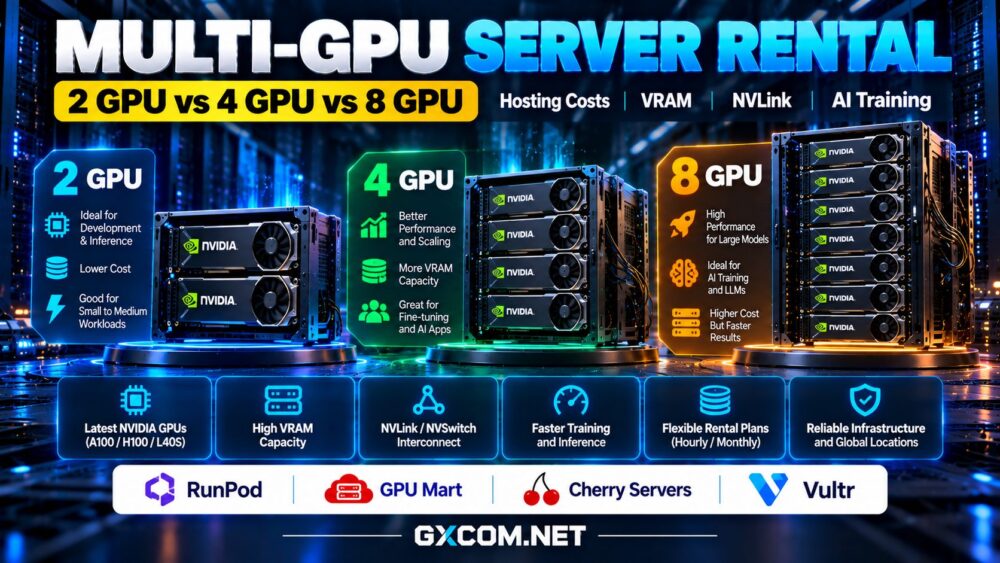
2-GPU vs 4-GPU vs 8-GPU Servers: Key Differences
Two GPUs are often sufficient for parallel inference workers, smaller distributed training experiments, and workloads that can divide batches across devices. They also offer a practical way to test whether an application benefits from multiple accelerators.
Four GPUs provide more aggregate compute and memory capacity. They can suit larger fine-tuning jobs, multiple inference services, and teams running concurrent experiments. However, four separate memory pools do not automatically become one shared pool.
Eight GPUs are commonly considered for demanding training runs, high-throughput inference, and model parallelism. Their value depends heavily on fast GPU-to-GPU communication, sufficient CPU resources, system memory, storage throughput, and network capacity.
Before selecting a configuration, confirm whether the listing describes GPUs in one physical host or separate instances connected over a network. Those arrangements behave differently under communication-heavy workloads.
GPU Memory and Interconnects Matter More Than Count Alone
Eight lower-memory GPUs are not interchangeable with fewer high-memory accelerators. A model that requires substantial memory on one device may still need tensor or pipeline parallelism, even when aggregate VRAM looks sufficient.
PCIe-based configurations can perform well for independent jobs, but communication-intensive training may benefit from NVLink or NVSwitch where supported by the specific GPU model and server architecture. Do not assume every eight-GPU machine has an all-to-all high-bandwidth fabric.
Review our PCIe vs SXM GPU server comparison to understand how physical form factor and connectivity influence workload placement.
How Multi-GPU Rental Costs Are Calculated
Providers may bill per GPU-hour, per complete instance, or through monthly dedicated-server contracts. A per-GPU price does not necessarily include the CPU, RAM, local storage, networking, or management capabilities your project needs.

For a simple illustration, assume identical GPUs cost $2 per GPU-hour and that the provider charges no additional platform fees. Two GPUs would cost $4 per hour, four would cost $8, and eight would cost $16. A continuous 30-day month contains 720 hours, so the respective theoretical totals are $2,880, $5,760, and $11,520.
These are hypothetical arithmetic examples, not advertised prices from any supplier. Actual costs depend on GPU generation, region, availability, minimum commitments, storage, transfer, and billing policies.
Compare Cost per Completed Job, Not Just Hourly Cost
Suppose a training job takes 20 hours on two GPUs. If four GPUs finish it in 12 hours rather than 10, the additional devices provide less than perfect scaling. At the illustrative $2 per GPU-hour, both configurations cost $80 and $96 respectively.
Now suppose eight GPUs complete the same work in eight hours. The cost becomes $128, despite the shorter elapsed time. The larger server may still be worthwhile when faster delivery, experiment turnaround, or deadline constraints matter.
Measure cost per completed training run, samples processed per dollar, or inference requests served per dollar. Benchmark the actual model, batch size, precision, and framework before committing to a larger machine.
Multi-GPU Hosting Providers to Compare
RunPod: GPU Cloud for Flexible Experiments
RunPod is worth evaluating for teams that want GPU cloud environments and flexible deployment workflows. Check the currently listed multi-GPU instance sizes, accelerator models, regional availability, persistent storage charges, and whether your workload requires a particular interconnect.
Its suitability depends on the specific deployment configuration, not merely the number of GPUs displayed. For a closer look at the platform, see our RunPod GPU cloud review.
GPU Mart: Evaluate Dedicated Hardware Options
GPU Mart is another provider to investigate when comparing GPU hosting and dedicated infrastructure. Verify whether a suitable 2-, 4-, or 8-GPU system is currently offered, along with the exact GPU model, host specifications, interconnect, and contract conditions.
Dedicated hardware may offer predictable resource access, but a longer commitment can be inefficient for sporadic training. Our GPU Mart review provides a starting point for supplier evaluation.
Cherry Servers: Dedicated Infrastructure Planning
Cherry Servers is relevant for buyers assessing dedicated infrastructure and configurable server environments. Ask which GPU-equipped configurations are available and whether the requested GPU count can be supplied in one machine.
Compare deployment lead time, CPU and RAM allocation, storage performance, network transfer, and administration requirements. For sustained workloads, a dedicated arrangement may be attractive when utilization remains consistently high.
Vultr: Check GPU Cloud Configuration Details
Vultr offers cloud infrastructure and GPU-oriented compute options. Buyers should confirm the current accelerator lineup, available GPU counts, supported locations, and billing rules for each specific instance.
A cloud deployment may provide operational flexibility, but GPU availability and instance specifications can differ substantially between regions. Avoid assuming that every GPU product supports eight devices or specialized high-speed interconnects.
When Should You Choose 2, 4, or 8 GPUs?
Choose two GPUs when testing distributed execution, serving independent inference workers, or keeping experimental spending controlled. Move to four when measured throughput gains justify the added hourly expense or the model requires more distributed capacity.
Consider eight GPUs for workloads that scale effectively, need substantial parallel compute, or have strict completion deadlines. Ensure your framework supports the intended topology and that communication overhead will not erase the expected benefit.

Our GPU vs CPU server guide can help determine whether acceleration is necessary before increasing GPU count.
Hidden Costs and Questions Before Renting
Ask about storage volumes, checkpoints, data ingress and egress, reserved capacity, operating-system access, support response, and what happens when a server is stopped. Persistent storage may continue billing after compute is shut down.
Check whether GPU memory is dedicated, whether the host is shared, and whether the provider guarantees a specific topology. Include engineering time spent adapting distributed training code and recovering interrupted jobs.
For broader supplier research, explore our NVIDIA GPU server providers comparison before finalizing a rental.
Final Verdict: Scale Only When the Workload Scales
A two-GPU server can be the economical choice for small experiments and parallel inference. Four GPUs offer a middle ground for growing workloads, while eight GPUs can shorten demanding training runs when memory layout and interconnects are appropriate.
Compare RunPod, GPU Mart, Cherry Servers, and Vultr using the exact available configuration, not a generic GPU-count label. The best multi-GPU hosting deal minimizes the total cost of useful results while meeting your performance, reliability, and delivery requirements.