Choosing managed cloud hosting support involves more than finding a provider with live chat. A managed plan may include operating-system maintenance and infrastructure monitoring while leaving application errors, security incidents, and website updates to the customer. Understanding that division of responsibility is essential before moving a business website or production application.
This guide explains server administration, security responsibilities, support response times, and service exclusions. It also compares the approaches worth investigating at Cloudways, ScalaHosting, KnownHost, and Hostwinds, so buyers can evaluate what they actually receive for their hosting budget.
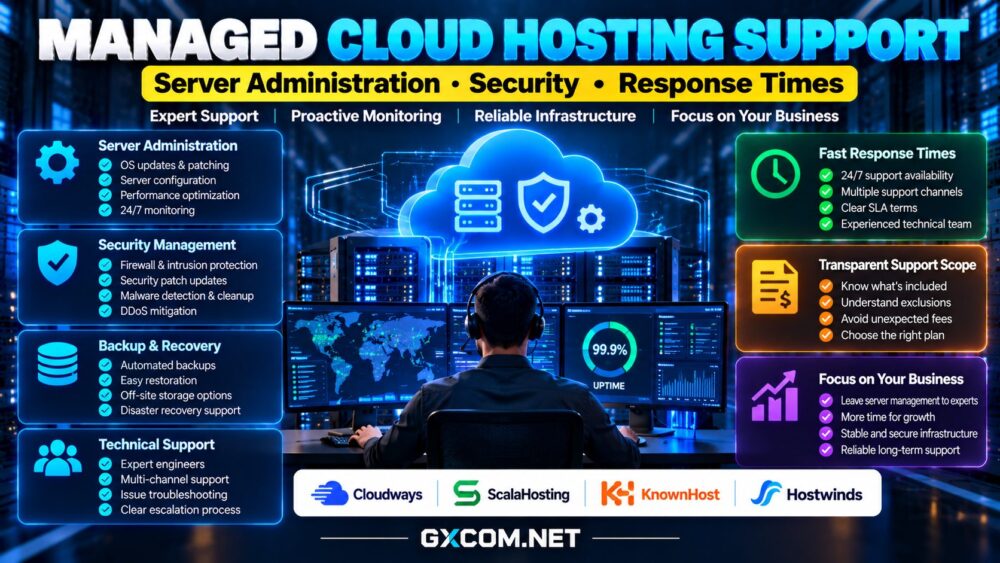
What Does Managed Cloud Hosting Support Include?
Managed cloud hosting combines cloud infrastructure with some level of provider-operated administration. Typical tasks may include initial server configuration, operating-system updates, monitoring, troubleshooting, and assistance with backups. However, there is no universal definition of “fully managed.”
One provider might manage the web server and database stack but exclude third-party plugins. Another might offer infrastructure assistance while charging separately for migrations, malware cleanup, or complex application debugging.
Start with the written scope of service. Ask which components are managed, what the customer must maintain, and whether support applies to the operating system, control panel, application, or all three.
Server Administration: What Should the Provider Handle?
Routine administration can include security patches, service restarts, resource monitoring, and troubleshooting performance problems. For WordPress and ecommerce websites, database configuration, caching, PHP versions, and web server settings also influence reliability.
Do not assume managed hosting includes custom code maintenance or unlimited optimization. A provider may fix an unavailable database service without diagnosing a poorly written plugin or inefficient application query.
Request examples of supported tasks, escalation procedures, and access permissions. Some managed platforms restrict root access to preserve a standardized environment; others allow deeper control but expect customers to take responsibility for their changes.
Our managed versus unmanaged hosting guide explains how administration responsibilities differ across service models.
Security Support: Patching Is Not Complete Protection
Security management may cover operating-system updates, firewall configuration, intrusion monitoring, and infrastructure hardening. Website-level security can be a separate responsibility, especially when customers install themes, plugins, or custom software.

Ask whether vulnerability remediation, malware investigation, DDoS mitigation, and restoration from a compromised backup are included. Confirm how quickly critical patches are evaluated and whether emergency changes require customer approval.
Backups deserve particular attention. A provider may create backups automatically yet limit retention, restoration assistance, or off-site storage. Verify recovery-point and recovery-time expectations rather than treating the word “backup” as a recovery guarantee.
Response Time vs Resolution Time: Read the SLA
First response time measures how quickly support acknowledges a request. Resolution time measures how long it takes to restore service or solve the underlying issue. A fast automated reply does not mean a critical outage will be fixed immediately.
Ask how incidents are prioritized, which channels operate around the clock, and whether urgent tickets reach qualified engineers. Check whether the service-level agreement covers infrastructure availability, support response, or both.
Review exclusions, maintenance windows, service-credit rules, and the evidence required to submit a claim. An uptime commitment is not necessarily a guarantee of application performance or uninterrupted availability.
Managed Cloud Hosting Providers to Compare
Cloudways: Platform-Level Cloud Management
Cloudways is relevant for website teams seeking a managed cloud platform with deployment and administration tools. Evaluate its supported cloud infrastructure, application management features, backup options, and the boundaries of standard versus enhanced support.
It can appeal to agencies and WordPress operators who prefer platform workflows over configuring every server component manually. Check which application-level issues are eligible for troubleshooting before relying on support for complex custom code.
ScalaHosting: Compare Managed VPS Responsibilities
ScalaHosting offers managed hosting options that merit comparison when buyers want assistance with server administration. Review the selected plan’s control panel, security tooling, migration services, backups, and management exclusions.
Clarify whether support covers third-party applications and what happens after customers modify server settings. Compare the total price with an unmanaged configuration plus the cost of hiring technical help.
KnownHost: Evaluate Technical Assistance and Scope
KnownHost is worth considering for businesses that prioritize managed hosting and access to technical assistance. Verify the precise product category, included administration, backup arrangements, and application support boundaries.
Ask how critical incidents are escalated and whether security cleanup, migrations, and performance tuning are covered under the selected service. Avoid assuming every hosting package includes identical support commitments.
Hostwinds: Match Management to the Workload
Hostwinds provides hosting options with differing management arrangements. Buyers should confirm whether the selected cloud or VPS product includes managed assistance and which operating-system and application tasks qualify.
Compare monitoring, patching, backup availability, support access, and any additional charges. The best arrangement depends on whether your team needs occasional infrastructure help or ongoing administration.
How to Compare Support Value and Total Costs
A lower-priced unmanaged instance can be expensive if an employee spends hours applying updates, recovering backups, or resolving incidents. Conversely, a premium managed plan may be unnecessary when an experienced operations team already maintains the environment.
Estimate the monthly server charge, required support tier, backup storage, migrations, software licenses, and internal labor. Consider the cost of downtime, but avoid assuming a particular provider will prevent every outage.

For a broader supplier overview, read our managed cloud hosting comparison. To examine purchasing alternatives, see cloud hosting offers and affordable cloud VPS deals.
Questions to Ask Before Buying
Request a written responsibility matrix covering operating-system patches, web server configuration, databases, application updates, backups, security incidents, and restoration. Ask whether support is available by ticket, chat, or telephone and which channels handle emergencies.
Confirm whether a technician can access your instance, whether administrative changes are logged, and what information customers must provide during an incident. Test the provider’s presales answers with a realistic technical scenario.
Our best cloud hosting services guide offers additional context when comparing managed and self-managed options.
Final Verdict: Buy Clearly Defined Support
Cloudways, ScalaHosting, KnownHost, and Hostwinds deserve evaluation for different management needs, but no brand name alone establishes the exact level of assistance included. The appropriate choice depends on your applications, technical staffing, and tolerance for downtime.
The best managed cloud hosting support provides documented responsibilities, accessible escalation, practical security procedures, and predictable costs. Before purchasing, verify the service terms for the exact plan and region, and prioritize useful resolution over marketing promises about instant support.