Finding the best hosting for photography websites requires more than comparing introductory prices. A portfolio must display detailed photographs quickly, work beautifully on mobile devices, and remain affordable as galleries grow. Wedding photographers, commercial studios, and travel creators may also need private client galleries, contact forms, and reliable backups.
The right hosting setup depends on how images are prepared, how visitors access them, and whether the website delivers full-resolution files. This guide compares practical requirements and four hosting providers worth investigating.
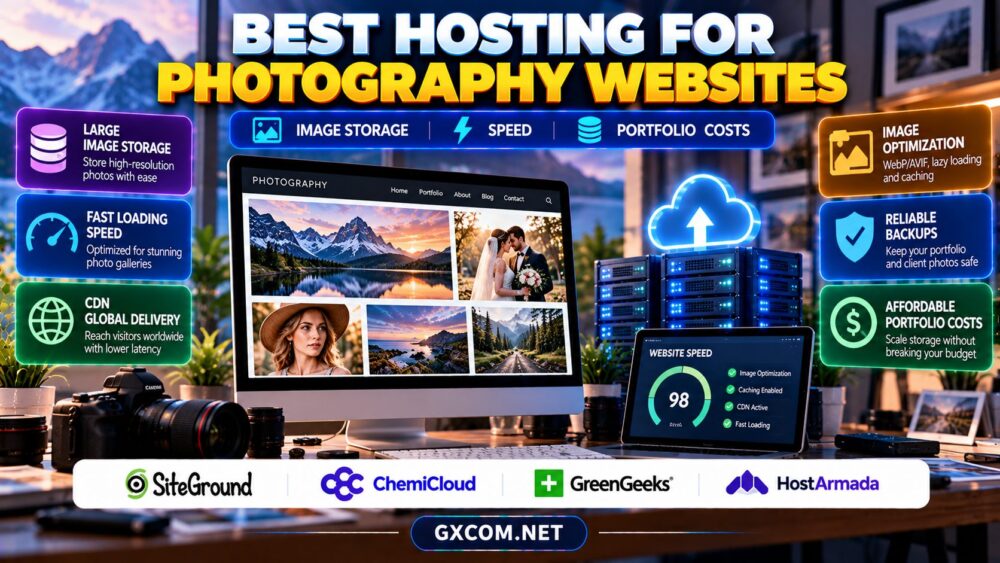
What Makes Photography Hosting Different?
Photography websites are image-heavy, but their workloads vary. A curated portfolio containing a few hundred optimized images is very different from a client delivery portal holding thousands of original photographs. The first can often run comfortably on quality shared hosting; the second may require external object storage, specialist gallery software, or a more flexible server.
Start by separating public display images from original files. Visitors usually need attractive, compressed previews, not multi-megabyte camera exports. Keeping originals in a dedicated delivery or archive system reduces hosting storage pressure and simplifies backups.
1. Calculate Image Storage Before Buying
Estimate storage from the number of images multiplied by their average uploaded size, then add space for thumbnails, WordPress files, databases, staging copies, and growth. For example, 2,000 optimized images averaging 400 KB consume roughly 800 MB before generated sizes and other overhead. This is an illustration, not a recommended universal image size.
WordPress may generate several derivatives for each upload. Image editing plugins and backup archives can create additional copies. Check inode or file-count restrictions as well as advertised SSD capacity, especially when galleries contain numerous thumbnails.
Ask whether backups count toward your storage quota, how much disk space is usable, and what happens when you exceed it. Our web hosting services comparison explains broader purchasing criteria.
2. Optimize Portfolio Speed Without Sacrificing Quality
Image format and delivery strategy often matter more than buying a larger hosting plan. Modern formats such as WebP and AVIF can reduce file sizes, although visual quality and browser compatibility should be tested for each workflow. Preserve color accuracy, especially for brand-sensitive commercial photography.
Serve responsive images using appropriate dimensions, compress files thoughtfully, and enable lazy loading for photographs below the initial viewport. Do not lazy-load the main hero image when it is essential to the first screen. Prioritize its loading instead.

A content delivery network can reduce latency for visitors far from the origin server by caching eligible image assets. Measure actual page performance with representative mobile connections rather than trusting a single desktop speed score.
3. Choose the Right Gallery and WordPress Setup
Many photographers choose WordPress for portfolio themes, galleries, blogging, and inquiry forms. Before purchasing hosting, check PHP compatibility, caching behavior, media library management, and whether your preferred gallery plugin needs special server settings.
Public portfolio pages often benefit from page caching. Password-protected client galleries, shopping carts, and personalized sessions may require cache exclusions. Test access permissions carefully so private photographs never appear in public cache results.
For hosting architecture considerations, read our WordPress hosting versus web hosting guide.
4. Four Hosting Providers for Photography Websites
SiteGround: WordPress-Focused Portfolio Workflows
SiteGround is worth comparing for photographers who want a managed WordPress-oriented environment. Examine the chosen plan’s storage allocation, caching tools, backup retention, and renewal price. Verify any limits affecting large galleries or numerous media files.
ChemiCloud: Small Studio and Portfolio Sites
ChemiCloud is a candidate for photographers launching a professional portfolio or small studio website. Compare available storage, server location options, support scope, and upgrade paths. Check whether the package accommodates expected image growth rather than just today’s gallery.
GreenGeeks: Portfolio Hosting with Growth Planning
GreenGeeks belongs on a shortlist for general-purpose photography websites. Review the exact plan’s resource policies, backup provisions, caching compatibility, and renewal terms. Marketing descriptions should not replace written storage and acceptable-use limits.
HostArmada: Image-Heavy WordPress Comparisons
HostArmada is another approved hosting option to evaluate. Ask about image storage, file-count limits, website backups, CDN integration, and migration assistance. A suitable plan should support your actual gallery software and traffic pattern.
None of these providers should be assumed to offer unlimited high-resolution photo archives. Confirm current product specifications directly before ordering.
5. Portfolio Hosting vs Client Photo Delivery
A public portfolio promotes your work; a client gallery may need private links, downloads, proofing, and payment integrations. Combining both on basic shared hosting can increase storage use, bandwidth consumption, and operational complexity.
Consider storing original files separately while serving optimized previews from the website. For large events, estimate simultaneous downloads and data transfer costs. If you sell prints or digital products, test checkout, email receipts, and download permissions before launch.
Our WordPress backup and restore guide covers recovery considerations for changing site content and databases.
6. Calculate the Real Annual Portfolio Cost
Compare more than promotional monthly rates. Include renewal pricing, domain registration, premium gallery themes, backup services, image optimization, CDN charges, email, and external photo delivery. A hypothetical $8 monthly plan plus $12 monthly gallery software costs $240 annually before renewals or extra storage.
Check whether migrations are included and whether upgrades require downtime. If your portfolio grows into a booking or e-commerce platform, the cost of a slow or unavailable website may exceed modest hosting savings.
Explore our web hosting deals guide for purchasing comparisons, while verifying the actual checkout and renewal terms.
7. Security, Backups and Reliability Checklist
Protect client information with HTTPS, strong administrator authentication, limited user privileges, and timely plugin updates. Keep independent backups and test restoration. Ask who investigates malware, whether backups are retained after cancellation, and how support handles a compromised account.

Our managed hosting provider review offers additional context on management and support tradeoffs, although it is not a photography-specific performance benchmark.
Compare Photography Website Hosting
Check image storage, renewal pricing, backups, and gallery compatibility before choosing a plan.
Photography Hosting FAQ
Is shared hosting enough for a photography portfolio?
Often yes, if public images are optimized and storage and traffic remain within the plan’s limits. Large download galleries may need a separate delivery service.
Should photographers upload original RAW files to WordPress?
Usually not for public display. Keep original files in a suitable archive or delivery workflow and publish optimized web versions.
Does a CDN replace image optimization?
No. A CDN can improve delivery distance and caching, but oversized images still waste bandwidth and slow pages.
Final Verdict
The best hosting for photography websites balances image quality, storage growth, mobile speed, and predictable costs. Compare SiteGround, ChemiCloud, GreenGeeks, and HostArmada against your portfolio requirements, and separate public previews from large original-file delivery whenever practical.