Choosing the best hosting provider is no longer just about finding the cheapest plan with the most storage.
Your web host affects website speed, uptime, security, scalability, backups, email, technical support and how easily your website can grow.
The problem is that almost every hosting company promises fast servers, reliable infrastructure and 24/7 support.
So how do you actually compare them?
For most website owners, the best hosting provider is not necessarily the provider with the lowest introductory price or the longest feature list. It is the one that delivers the right combination of performance, resources, support, usability and long-term value for your specific website.
In this guide, GXCOM.NET compares leading web hosting services including hosting.com, Bluehost, IONOS, ScalaHosting, GreenGeeks, FastComet, InterServer and Hostwinds, while explaining what really matters before you choose a host.
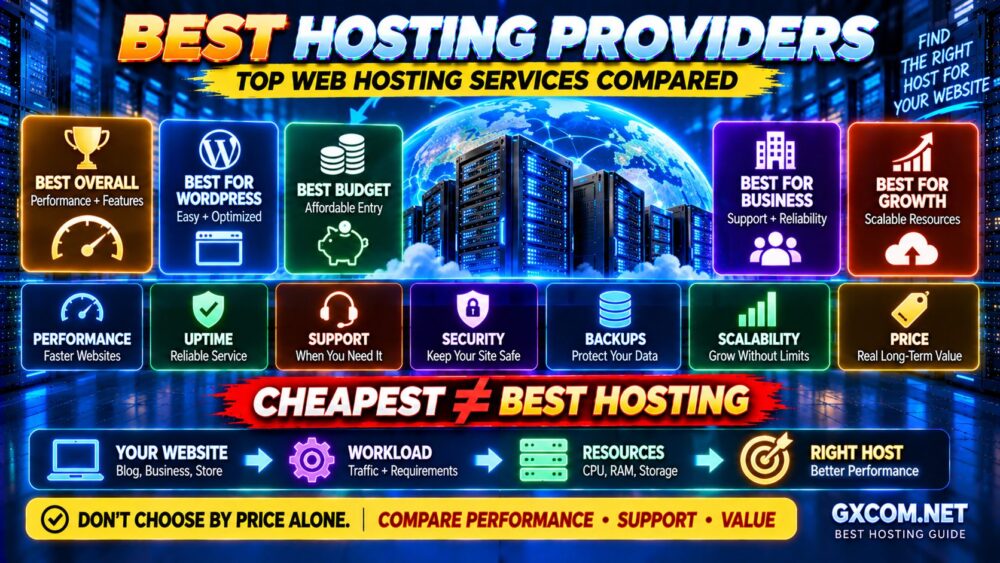
Best Hosting Providers at a Glance
| Hosting Provider | Best For | Key Strength |
|---|---|---|
| hosting.com | Best Overall | Performance-focused hosting and WordPress options |
| Bluehost | WordPress Beginners | Beginner-friendly WordPress ecosystem |
| IONOS | Budget-Conscious Websites | Low entry cost and broad hosting portfolio |
| ScalaHosting | Growing Websites | Strong upgrade path toward managed cloud hosting |
| GreenGeeks | Eco-Conscious Hosting | WordPress-friendly hosting with environmental positioning |
| FastComet | Global Websites | Multiple locations and managed hosting features |
| InterServer | Long-Term Value | Straightforward web hosting and upgrade options |
| Hostwinds | Flexible Hosting | Shared hosting plus VPS and dedicated upgrade paths |
Quick recommendation: Start with your workload, not the provider.
A small WordPress blog, WooCommerce store, agency website and high-traffic application do not need the same hosting environment.
How We Compare the Best Web Hosting Providers
A useful hosting comparison should look beyond promotional pricing.
GXCOM.NET evaluates hosting using the factors that have the greatest impact on real websites:
- Server performance
- Resource allocation
- Storage technology
- Reliability
- Backups
- Security features
- Control panel and usability
- WordPress support
- Technical support
- Datacenter options
- Scalability
- Introductory vs renewal cost
The formula is simple:
PERFORMANCE + RELIABILITY + SUPPORT + FEATURES + SCALABILITY + PRICE = REAL HOSTING VALUE
That is much more useful than choosing a host because it advertises “unlimited” resources.
1. hosting.com — Best Overall Hosting Provider
Best for: Website owners who want a strong balance between general web hosting, WordPress performance and room to grow.
hosting.com is the current brand that evolved from A2 Hosting, making it particularly interesting for users familiar with A2's long history in the hosting industry.
Its current hosting portfolio includes general web hosting alongside a specialized managed WordPress platform.
That gives users two different paths:
GENERAL WEB HOSTING
→ More flexibility
→ Multiple applications
→ Greater control
MANAGED WORDPRESS HOSTING
→ WordPress-focused environment
→ Managed optimization
→ Built-in performance and security features
This flexibility makes hosting.com a strong all-around option for users who want to start with traditional hosting but may later require more specialized infrastructure.
Why hosting.com Stands Out
- General web hosting and managed WordPress options
- Performance-oriented hosting stack
- NVMe storage on relevant plans
- WordPress optimization options
- Migration assistance
- Backup and security features depending on plan
Best fit: WordPress sites, business websites, publishers and users who value performance without immediately moving to a VPS.
2. Bluehost — Best for WordPress Beginners
Best for: Beginners launching WordPress websites, blogs and small business sites.
Bluehost remains heavily focused on the WordPress ecosystem and combines hosting with tools designed to simplify website creation and management.
This makes it particularly relevant to users who do not want to manually configure a server or build an entire hosting stack themselves.
Instead, the experience is designed around:
- WordPress installation
- Website creation
- SSL
- Domain integration
- Automatic WordPress updates
- Support
Bluehost also offers WooCommerce-oriented hosting for users building online stores.
Where Bluehost Makes the Most Sense
Bluehost is strongest when ease of use matters more than server-level control.
It is less appropriate for users specifically looking for a highly customizable self-managed infrastructure environment.
Best fit: Beginners, bloggers, small businesses and first-time WordPress users.
3. IONOS — Best Budget Hosting Option
Best for: Users looking for a low-cost entry point into web or WordPress hosting.
IONOS operates a broad hosting portfolio covering websites, WordPress and more advanced infrastructure.
Its WordPress products combine features such as SSL, email, automatic updates and backup functionality depending on the selected plan.
IONOS frequently competes aggressively on introductory pricing, making it attractive to cost-conscious buyers.
But introductory price should never be the only number you compare.
Always check:
- Initial term
- Renewal price
- Storage
- Email allocation
- Backup features
- Performance tier
CHEAP FIRST YEAR ≠ CHEAP LONG-TERM HOSTING.
Best fit: Small websites, beginners and users prioritizing initial affordability.
4. ScalaHosting — Best for Growing Websites
Best for: Websites that may eventually need more resources and managed cloud infrastructure.
ScalaHosting is particularly interesting because the decision does not need to end at entry-level hosting.
Growing websites often follow a path such as:
WEB HOSTING
↓
MORE TRAFFIC
↓
MORE CPU / RAM
↓
MANAGED VPS / CLOUD
That upgrade path matters because migrating between completely different hosting ecosystems can become more complicated as a website grows.
ScalaHosting is therefore worth considering for businesses that expect their infrastructure requirements to increase over time.
Best fit: Business websites, growing WordPress sites and users who may eventually need managed VPS resources.
5. GreenGeeks — Best Eco-Conscious Hosting Provider
Best for: WordPress users and businesses that value environmental positioning alongside mainstream hosting features.
GreenGeeks has built much of its identity around environmentally conscious web hosting while also providing a WordPress-oriented hosting stack.
Its platform includes technologies and tools commonly associated with modern WordPress hosting, including LiteSpeed-based performance features and WordPress management functionality.
This makes GreenGeeks more than simply an environmental branding choice.
It remains relevant for:
- Blogs
- WordPress websites
- Small business sites
- Agencies
- Users looking for conventional managed hosting tools
Best fit: Environmentally conscious website owners who still want mainstream WordPress hosting functionality.

6. FastComet — Best for Global Website Hosting
Best for: Website owners who want multiple hosting locations and a managed hosting experience.
Server location can affect latency, particularly before caching and CDN layers are considered.
FastComet offers hosting infrastructure across multiple regions and combines its hosting services with features aimed at website owners who prefer not to manage a server themselves.
Its hosting ecosystem spans shared-style hosting and more powerful cloud/server options, giving growing websites a potential upgrade path.
This makes it especially interesting for websites targeting audiences across different geographic regions.
Best fit: International websites, WordPress sites and users who value datacenter choice and managed support.
7. InterServer — Best for Straightforward Long-Term Value
Best for: Users who prefer a relatively straightforward hosting structure and a path toward larger infrastructure.
InterServer's standard web hosting includes common website essentials such as SSL support, backups, migration assistance, email and CDN integration.
It also operates VPS and dedicated server infrastructure.
This matters because websites do not always stay small.
A typical growth path might look like:
STANDARD WEB HOSTING
↓
HIGHER-RESOURCE HOSTING
↓
VPS
↓
DEDICATED SERVER
Users should still compare actual resource limits rather than relying on words such as “unlimited.”
CPU, memory, I/O, processes and inode policies can matter much more than headline storage claims.
Best fit: Blogs, business websites, multiple websites and users who want predictable upgrade options.
8. Hostwinds — Best for Flexible Hosting Upgrades
Best for: Users who want traditional web hosting with access to VPS, cloud and dedicated infrastructure as requirements increase.
Hostwinds offers shared web hosting alongside several higher-level infrastructure products.
This can be useful when a website begins on a relatively simple hosting environment but eventually needs more control.
Its shared hosting plans include familiar features such as:
- SSD storage
- SSL
- cPanel
- Application installation tools
- Support
More advanced users can then evaluate VPS, cloud or dedicated options rather than remaining permanently within shared hosting.
Best fit: Users who value a broad range of infrastructure options from one provider.
Best Hosting Provider by Use Case
| Use Case | Provider to Consider |
|---|---|
| Best Overall | hosting.com |
| WordPress Beginners | Bluehost |
| Budget Hosting | IONOS |
| Growing Websites | ScalaHosting |
| Eco-Conscious Hosting | GreenGeeks |
| Global Websites | FastComet |
| Straightforward Value | InterServer |
| Flexible Infrastructure | Hostwinds |
This table should be treated as a starting point rather than a universal ranking.
The right provider depends on what you are actually hosting.
Shared Hosting vs Managed WordPress vs VPS
Choosing the best provider is only half of the decision.
You also need the correct hosting type.
Shared Hosting
Best for:
- Small websites
- Blogs
- Portfolios
- Low-to-moderate traffic sites
- Beginners
Shared hosting is generally affordable and easy to manage, but CPU, RAM and I/O resources are more constrained than higher-level hosting environments.
Read our Shared Hosting vs VPS comparison if you are unsure when to upgrade.
Managed WordPress Hosting
Best for:
- WordPress publishers
- Business websites
- WooCommerce
- Users who want less technical maintenance
Managed WordPress hosting can add WordPress-specific caching, security, backups, updates, staging and expert support depending on the provider.
Our Managed WordPress Hosting vs Shared Hosting guide explains when paying more makes sense.
VPS Hosting
Best for:
- Growing websites
- Custom applications
- Higher resource requirements
- Users needing more server control
A VPS provides greater resource isolation and flexibility but can also require more administration.
If you are deciding between traditional hosting and VPS infrastructure, see WordPress Hosting vs Web Hosting and our VPS guides before upgrading purely because traffic increased.
What Actually Makes a Good Web Host?
The best web hosting services tend to perform well across several areas rather than dominating only one specification.
1. Consistent Performance
A fast benchmark is useful, but consistent performance matters more.
Look at the complete stack:
CPU → RAM → STORAGE → DATABASE → CACHE → NETWORK → WEBSITE
A host advertising NVMe storage can still deliver disappointing performance if CPU allocation or resource limits are poor.
2. Clear Resource Limits
Words such as “unlimited” should never end your research.
Check for limits involving:
- CPU
- RAM
- I/O
- IOPS
- Processes
- Concurrent connections
- Inodes
- Bandwidth
These limits can determine how much traffic your site actually handles.
3. Reliable Backups
Check whether backups are:
- Automatic
- Included
- Daily or weekly
- Retained for an appropriate period
- Easy to restore
Even when hosting includes backups, important websites should consider maintaining an independent backup strategy.
4. Useful Technical Support
“24/7 support” does not tell you how much the support team will actually do.
Ask whether support covers:
- Hosting account problems
- WordPress
- Migration
- SSL
- Performance issues
- Malware
- Server administration
24/7 AVAILABILITY ≠ FULL TECHNICAL MANAGEMENT.
5. Security
Look for features such as:
- Free SSL
- Account isolation
- Malware scanning
- Firewall protection
- Automatic updates
- Backup protection
- Multi-factor authentication
The exact security stack varies by hosting type and provider.
6. Scalability
A hosting plan that works today may not work after your website grows.
Before buying, ask:
WHAT HAPPENS WHEN I OUTGROW THIS PLAN?
A good upgrade path might be:
SHARED HOSTING → HIGHER-RESOURCE HOSTING → VPS/CLOUD → DEDICATED
The easier that transition is, the less disruptive future growth may become.
How Much Should Good Web Hosting Cost?
There is no universal price because hosting products differ significantly in resource allocation and included services.
Instead of asking only:
“HOW MUCH PER MONTH?”
compare:
- Initial price
- Renewal price
- Contract length
- Number of websites
- Storage
- Backups
- CDN
- Control panel
- Migration
- Support
- Resource limits
A $3 promotional plan that renews much higher can cost more over several years than a plan with a higher initial price but better long-term economics.
For a detailed breakdown, read our How Much Does Web Hosting Cost? guide.
Don't Choose Hosting Based on Storage Alone
Hosting companies often make storage one of the easiest specifications to compare.
But most ordinary websites do not need hundreds of gigabytes of disk space.
Performance may depend much more on:
- CPU allocation
- Memory
- Database performance
- PHP workers
- Caching
- I/O limits
- Network quality
MORE STORAGE ≠ FASTER WEBSITE.
Don't Choose Hosting Based on “Unlimited” Claims
Unlimited hosting rarely means unlimited computing resources.
A plan can advertise unlimited bandwidth or storage while still enforcing limits on CPU, memory, processes, I/O or acceptable usage.
That does not automatically make the plan bad.
Shared hosting requires resource controls to prevent one account from negatively affecting others.
The important thing is transparency.
Read the resource policy before purchasing.
How Server Location Affects Hosting
Physical distance between visitors and hosting infrastructure can affect network latency.
If most visitors are in one geographic region, hosting near that audience can help reduce origin latency.
A CDN can then distribute cacheable content closer to users around the world.
This gives us:
GOOD ORIGIN LOCATION + CDN + CACHING = STRONG GLOBAL DELIVERY
Do not select a provider only because it has the largest number of datacenters. Choose locations relevant to your actual audience.
When Should You Upgrade From Shared Hosting?
Consider moving to a higher-resource plan, managed hosting, VPS or cloud environment when you repeatedly encounter:
- CPU limits
- Memory limits
- I/O throttling
- Slow dynamic pages
- Traffic spikes
- Resource-related errors
- Need for custom server software
- Need for greater control
Do not upgrade only because a website feels slow.
First determine whether hosting resources are actually the bottleneck.
MEASURE → IDENTIFY BOTTLENECK → OPTIMIZE → UPGRADE IF NEEDED.
How to Choose the Best Hosting Provider
Use this 12-point checklist before purchasing:
- ✓ Hosting type matches your workload
- ✓ CPU and resource policies are reasonable
- ✓ Storage technology and capacity are appropriate
- ✓ Datacenter location matches your audience
- ✓ SSL is included
- ✓ Backup policy is clear
- ✓ Security features are appropriate
- ✓ Support scope is documented
- ✓ Website migration is available if needed
- ✓ Upgrade path exists
- ✓ Renewal pricing is acceptable
- ✓ Refund terms are understood
For a deeper buying framework, see How to Choose a Web Hosting Provider.
Which Hosting Provider Is Best for You?
If you want an all-around hosting platform with both general hosting and performance-focused WordPress options, hosting.com deserves consideration.
If you are launching your first WordPress site and prioritize simplicity, Bluehost is a natural candidate.
If introductory affordability is a major priority, compare IONOS.
If you expect to move toward more powerful managed infrastructure as your site grows, ScalaHosting is worth evaluating.
If environmental positioning matters to your project, consider GreenGeeks.
For international websites where location choice matters, FastComet is relevant.
For straightforward traditional hosting with upgrade options, compare InterServer.
And if you want access to shared hosting, VPS, cloud and dedicated infrastructure within the same provider ecosystem, Hostwinds is another option to evaluate.
There is no provider that is objectively best for every website.
THE BEST HOST IS THE BEST MATCH FOR YOUR WORKLOAD.
Best Hosting Providers FAQ
What is the best hosting provider?
The best hosting provider depends on your website type, traffic, technical requirements and budget. hosting.com is a strong all-around candidate, while Bluehost is particularly relevant for WordPress beginners, IONOS for budget-conscious users and ScalaHosting for websites expecting to scale.
Which web hosting is best for beginners?
Beginners should prioritize an easy control panel, WordPress installation, backups, SSL and responsive support rather than server-level flexibility. Bluehost, hosting.com and IONOS are among the providers worth comparing.
What is the best hosting for WordPress?
WordPress can run on many hosting platforms. The best choice depends on whether you want low-cost shared hosting or a more managed WordPress environment with specialized caching, security, backups and support.
What is the best cheap web hosting?
Low-cost buyers can compare providers such as IONOS and InterServer, but always compare renewal pricing and resource limits rather than introductory prices alone.
Is shared hosting good enough?
Yes. Shared hosting can be sufficient for blogs, portfolios, small business websites and many moderate-traffic sites. Upgrade when resource usage, performance requirements or administrative needs justify it.
Is managed WordPress hosting worth it?
It can be worth the additional cost for users who value WordPress-specific performance optimization, backups, security, staging and technical assistance. Smaller sites with limited requirements may be perfectly comfortable on conventional web hosting.
When should I switch to VPS hosting?
Consider VPS hosting when shared hosting resource limits repeatedly constrain the site, you need greater control, or your workload requires more isolated CPU, RAM and storage resources.
Should I choose the cheapest hosting provider?
Not automatically. Compare long-term cost, performance, resource limits, backup policies, support and scalability. The cheapest advertised plan can become poor value if it does not meet your workload requirements.
Final Verdict: The Best Hosting Provider Depends on Your Website
There is no universal winner in web hosting.
A beginner launching a WordPress blog has different requirements from an ecommerce business, agency or rapidly growing publisher.
Instead of asking:
“WHICH HOSTING COMPANY IS #1?”
ask:
“WHICH HOSTING PLATFORM FITS MY WORKLOAD BEST?”
Then compare:
WORKLOAD
↓
RESOURCES
↓
PERFORMANCE
↓
RELIABILITY
↓
SUPPORT
↓
SCALABILITY
↓
TOTAL COST
For many users, hosting.com offers a compelling overall balance. Bluehost remains highly relevant for beginner-focused WordPress hosting, while IONOS targets value-conscious buyers. ScalaHosting provides an attractive path for growing websites, and GreenGeeks, FastComet, InterServer and Hostwinds each serve different priorities.
The important point is not to buy the provider with the longest feature list.
CHOOSE THE HOSTING THAT SOLVES TODAY'S REQUIREMENTS WITHOUT BLOCKING TOMORROW'S GROWTH.