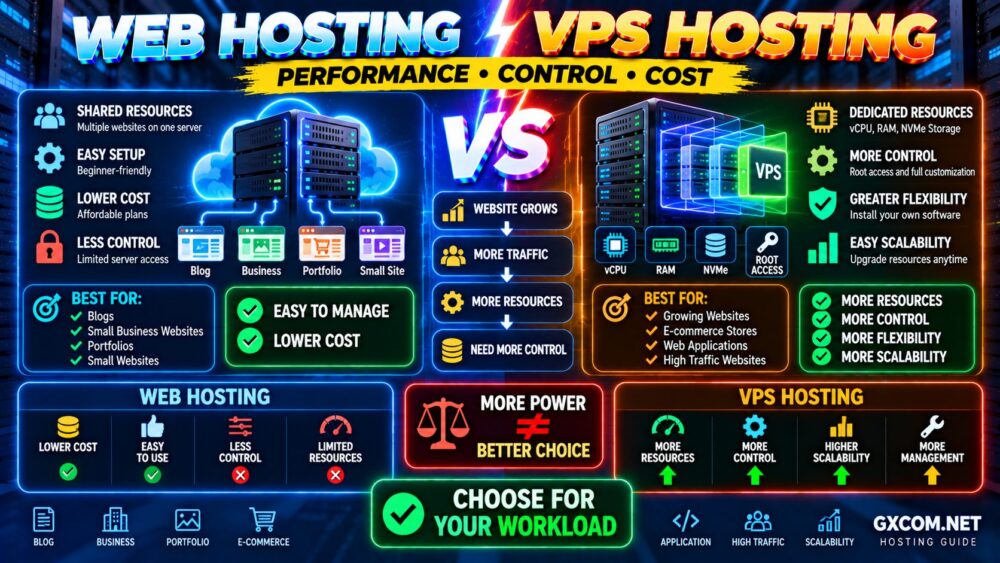
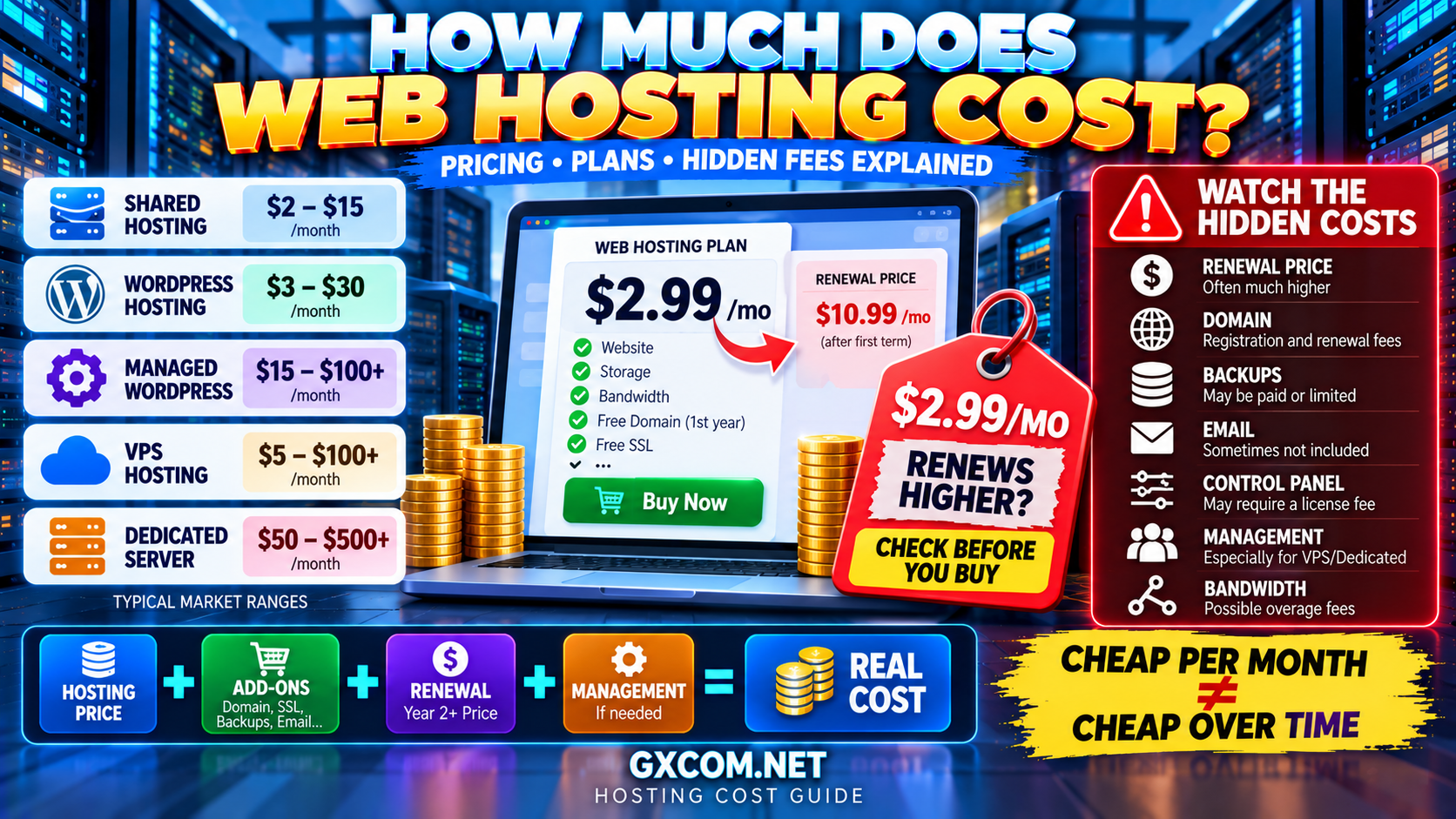
Choosing a web hosting provider can look simple: compare a few plans, find the cheapest price and click Buy.
In reality, hosting plans that look nearly identical on a pricing page can deliver very different experiences once your website is online.
CPU limits, storage performance, renewal pricing, backups, support, server location and scalability can matter far more than an attractive introductory price or a long list of “unlimited” features.
So how do you choose the right host?
This web hosting buying guide covers 12 things to check before choosing a web hosting provider, helping you compare hosting based on the factors that actually affect performance, reliability and long-term cost.
DON'T BUY THE BIGGEST FEATURE LIST.
BUY THE HOSTING THAT FITS YOUR WORKLOAD.
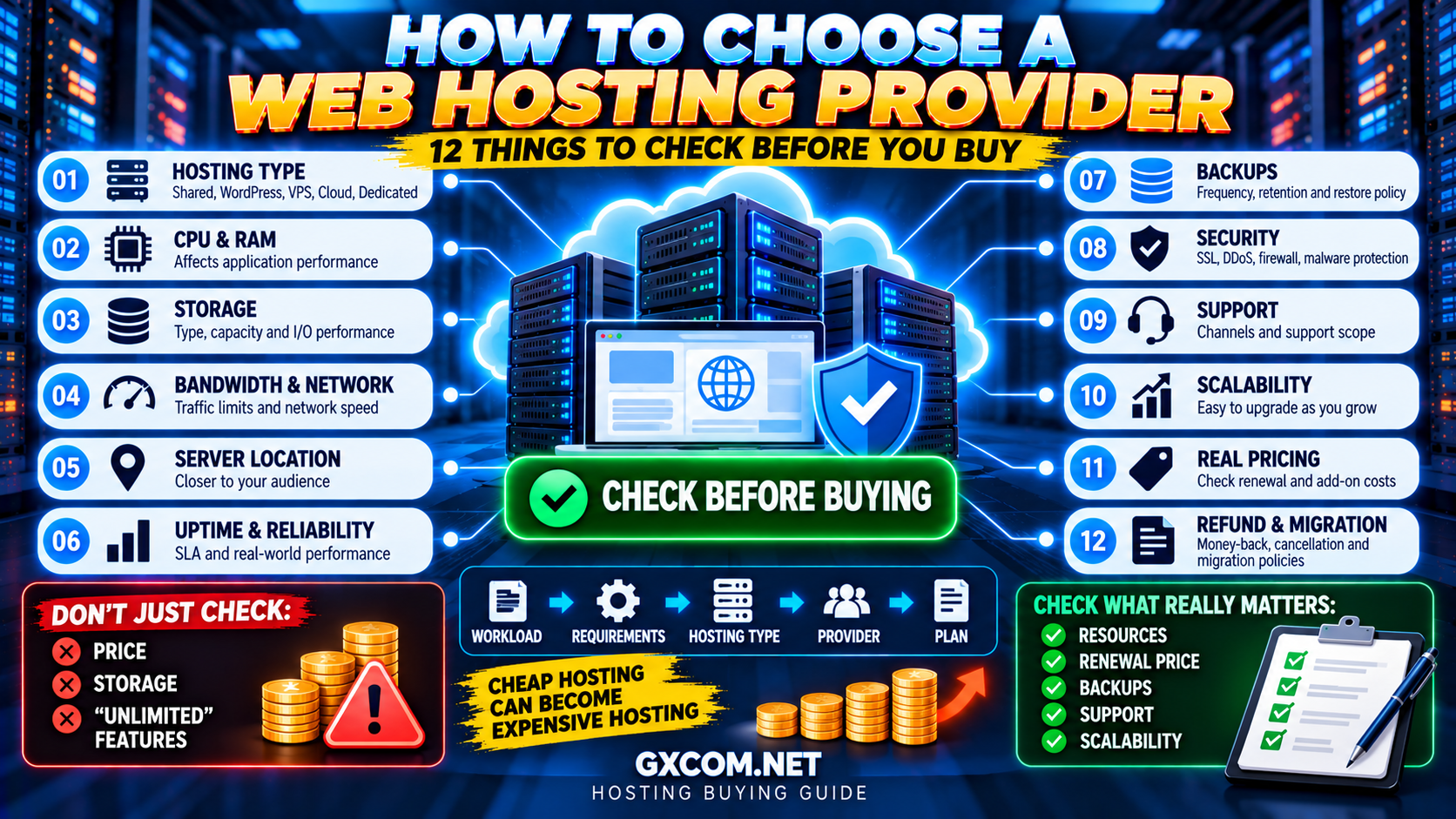
How to Choose a Web Hosting Provider: Quick Checklist
| # | What to Check | Why It Matters |
|---|---|---|
| 1 | Hosting Type | Determines resources, control and management |
| 2 | CPU & RAM | Affects application performance |
| 3 | Storage | Affects capacity and I/O performance |
| 4 | Bandwidth & Network | Affects traffic capacity and transfer limits |
| 5 | Server Location | Influences network latency |
| 6 | Uptime & Reliability | Determines service availability |
| 7 | Backups | Determines recovery capability |
| 8 | Security | Helps protect websites and infrastructure |
| 9 | Support | Matters when something goes wrong |
| 10 | Scalability | Determines how easily you can grow |
| 11 | Real Pricing | Reveals renewal and add-on costs |
| 12 | Refund & Migration Policies | Reduces switching risk |
1. Choose the Right Type of Hosting First
Before comparing hosting companies, determine what type of hosting your website actually needs.
The major options include:
- Shared hosting
- WordPress hosting
- Managed hosting
- VPS hosting
- Cloud hosting
- Dedicated servers
For a new blog, portfolio or small business website, shared or WordPress hosting may be sufficient.
A growing application that needs greater resource isolation or server-level control may be better suited to VPS or cloud infrastructure.
Large or consistently demanding workloads may eventually justify dedicated infrastructure.
A useful progression is:
SMALL WEBSITE
↓
SHARED / WORDPRESS HOSTING
↓
GROWING WORKLOAD
↓
VPS / CLOUD
↓
HIGH RESOURCE DEMAND
↓
DEDICATED INFRASTRUCTURE
Do not buy VPS or dedicated hosting simply because it sounds more powerful. More infrastructure also means more cost and potentially more management.
If you are considering the first major upgrade path, read our Shared Hosting vs VPS comparison.
2. Look Beyond Storage: Check CPU and RAM
Hosting companies often make storage, websites and bandwidth highly visible while giving much less attention to computing resources.
But websites do not run on storage alone.
Dynamic websites may need CPU and memory for:
- PHP execution
- Database queries
- WordPress plugins
- WooCommerce
- Search
- Background jobs
- Concurrent visitors
Shared hosting providers may not advertise resources as clearly as VPS providers, but account-level limits can still exist.
Look for information about:
- CPU limits
- Memory limits
- PHP workers
- Entry processes
- Concurrent processes
- Database limits
Do not assume that a plan allowing 100 websites has enough computing resources to run 100 busy websites.
MORE WEBSITES ≠ MORE COMPUTE.
3. Check Storage Type, Capacity and I/O Limits
Storage capacity tells you how much data you can keep. It does not tell you how quickly the hosting platform can access that data.
Many modern providers advertise SSD or NVMe storage.
NVMe can provide excellent performance, but the label alone does not guarantee fast hosting.
Actual storage performance can also depend on:
- I/O limits
- IOPS limits
- Storage architecture
- Server contention
- Database workload
- Provider configuration
Also estimate how much storage you really need.
A normal business website may require relatively little space, while sites storing large media libraries, backups or email can consume considerably more.
100 GB STORAGE is not automatically better than 25 GB FAST STORAGE if your website will only use 5 GB.
4. Understand Bandwidth and Network Limits
“Unlimited bandwidth” is one of the most misunderstood hosting claims.
It usually does not mean that a customer can transfer unlimited amounts of data under every possible workload.
Check:
- Monthly transfer allowance
- Port or network speed
- Fair-use policies
- Traffic overage fees
- CDN availability
- DDoS protection
For many websites, bandwidth is not the first bottleneck. CPU, database activity or application performance may become limiting factors earlier.
UNLIMITED BANDWIDTH ≠ UNLIMITED PERFORMANCE.
5. Choose a Server Location Near Your Audience
Data has to travel between the server and the visitor.
All else being equal, shorter network distance generally reduces latency.
If most of your visitors are in the United States, a U.S. data center may be a logical choice. If your audience is primarily European, European infrastructure may provide a better starting point.
For a global audience, server location can be combined with a content delivery network.
A CDN can cache suitable content closer to visitors and reduce the distance some requests need to travel.
If you are unsure whether your website needs one, see our CDN vs No CDN guide.
Remember:
SERVER LOCATION MATTERS—but it is only one part of performance.
6. Examine Uptime and Reliability
Hosting is useful only when visitors can reach your website.
Many providers advertise uptime targets such as 99.9% or 99.99%.
The difference looks small, but over time it can represent meaningful differences in potential downtime.
When evaluating reliability, look beyond the headline percentage.
Check:
- Whether an SLA exists
- What the SLA actually covers
- How downtime is measured
- What exclusions apply
- Whether compensation is available
- Whether the provider publishes infrastructure status information
An uptime guarantee is not the same thing as a guarantee that your website will never go offline.
Application failures, DNS problems, configuration errors and attacks can cause downtime even when the underlying hosting infrastructure is operational.
7. Check the Backup and Restore Policy
“Backups included” sounds reassuring, but it is not enough information.
You need to know:
- How often backups are created
- How long they are retained
- Whether databases are included
- Whether email is included
- Whether backups are stored off-site
- Whether restores are free
- Whether you can restore them yourself
- Whether downloadable backups are available
A hosting provider's backup system should not necessarily be your only copy of important data.
For business-critical websites, consider maintaining an independent backup strategy.
The key question is:
BACKUP?
↓
HOW OFTEN?
↓
WHERE IS IT STORED?
↓
CAN YOU RESTORE?
BACKUP ≠ RECOVERY.
8. Evaluate Security Features
Hosting security is a shared responsibility between the provider and the customer.
Useful hosting-level security features may include:
- Free SSL certificates
- DDoS protection
- Firewall protection
- Malware scanning
- Account isolation
- Two-factor authentication
- Automated security updates
- Backup systems
However, a secure hosting platform cannot compensate for an abandoned WordPress plugin, compromised password or insecure application.
If your website requires stronger network protection, our DDoS Protection Guide explains the main website and server protection layers.
9. Investigate Support Before You Need It
Many hosting customers evaluate support only after their website breaks.
That is too late.
Before buying, check which support channels are available:
- Live chat
- Ticket
- Phone
- Knowledge base
More importantly, check the scope of support.
Will the provider help only when its infrastructure fails?
Or can support also assist with:
- WordPress
- SSL
- Migration
- Database problems
- Performance troubleshooting
- Server configuration
This becomes especially important when comparing managed and unmanaged services.
Our Managed Hosting vs Unmanaged Hosting guide explains how management responsibility changes the hosting experience.
10. Think About Scalability Before Your Website Grows
The cheapest plan may be enough today. What happens six months later?
Before choosing a provider, investigate the upgrade path.
Can you move from:
SHARED
↓
BUSINESS HOSTING
↓
VPS
↓
CLOUD / DEDICATED?
Also check whether upgrades involve downtime, manual migration or a change of platform.
Good scalability does not mean buying excessive resources today.
It means having a practical path to additional resources tomorrow.
DON'T PAY FOR FUTURE CAPACITY TODAY.
MAKE SURE YOU CAN ACCESS IT WHEN NEEDED.
11. Compare the Real Price, Not Just the Introductory Price
This is one of the most important checks before purchasing web hosting.
A hosting plan may advertise a very low monthly rate that applies only when you prepay for a long initial term.
The renewal price may be substantially different.
Calculate:
INTRODUCTORY HOSTING
+ Domain Renewal
+ Backups
+ Email
+ SSL (if charged)
+ CDN
+ Security
+ Control Panel
+ Renewal Price
=
REAL HOSTING COST
Also check the billing commitment.
A price advertised as “$2.99/month” may require paying 12, 24, 36 or 48 months in advance.
That is not necessarily a bad deal—but it should be understood before checkout.
LOW MONTHLY PRICE ≠ LOW TOTAL COST.
12. Check Refund, Cancellation and Migration Policies
Even careful research cannot guarantee that a hosting provider will be perfect for your workload.
Before buying, check:
- Money-back period
- Refund exclusions
- Domain refund policy
- Cancellation procedure
- Automatic renewal settings
- Migration assistance
- Migration fees
- Account termination policy
Migration support can be especially valuable if you already operate an established website.
A provider offering free migration may reduce the technical and operational cost of switching hosts.
How Much Web Hosting Do You Actually Need?
A common mistake is buying hosting based on the largest numbers on the comparison table.
Instead, start with your workload.
| Website Type | Reasonable Starting Point |
|---|---|
| Personal blog | Shared / WordPress Hosting |
| Portfolio | Shared Hosting |
| Small business site | Shared / Managed Hosting |
| Growing WordPress site | WordPress / Managed Hosting |
| Small WooCommerce store | Quality WordPress / Managed Hosting |
| Growing dynamic store | Managed VPS / Cloud |
| Custom web application | VPS / Cloud |
| High-resource workload | Cloud / Dedicated |
These are starting points rather than strict rules. Two websites with the same visitor count can require very different infrastructure.
How to Compare Web Hosting Providers
Once you understand your requirements, compare providers using the same criteria rather than comparing marketing headlines.
A useful scorecard is:
| Category | What to Compare |
|---|---|
| Performance | CPU, RAM, storage, caching |
| Network | Locations, bandwidth, CDN |
| Reliability | Uptime, SLA, infrastructure |
| Security | SSL, DDoS, malware, backups |
| Support | Channels, scope, availability |
| Scalability | Upgrade options |
| Cost | Initial + renewal + extras |
| Exit Risk | Refunds, cancellation, migration |
This makes it much easier to compare providers fairly.
Web Hosting Providers Worth Comparing
There is no single web hosting provider that is best for every website. Once you know your workload, compare providers that match that specific requirement.
Hostinger is worth comparing for beginners, WordPress users and smaller websites where ease of use and competitive entry pricing are priorities.
hosting.com (formerly A2 Hosting) is another provider to evaluate when traditional web hosting and performance-oriented hosting features are part of your shortlist.
ScalaHosting becomes particularly relevant if you expect to move beyond ordinary shared hosting and value a managed path toward VPS resources.
For developers or applications that require greater infrastructure control, DigitalOcean and Vultr are better compared as cloud/VPS options rather than conventional beginner shared hosting.
The important point is to match the provider to the workload:
WEBSITE TYPE
↓
RESOURCE REQUIREMENTS
↓
MANAGEMENT LEVEL
↓
PROVIDER
↓
PLAN
Do not reverse this process by choosing a provider first and then trying to make your workload fit its most heavily advertised plan.
Red Flags to Watch for Before Buying Hosting
Be cautious when you encounter:
- Renewal pricing that is difficult to find
- Unclear resource limits
- “Unlimited” claims without usable explanations
- Backup policies with unclear retention
- No clear cancellation procedure
- Extremely low prices requiring very long commitments
- Vague managed-service definitions
- No obvious upgrade path
- Important features hidden behind paid add-ons
None of these automatically proves that a provider is bad, but they are reasons to investigate before committing.
Common Web Hosting Buying Mistakes
Choosing Only by Price
The cheapest plan is good value only if it provides the resources and features your website needs.
Buying More Hosting Than You Need
A new blog rarely needs a powerful dedicated server.
Ignoring Renewal Pricing
Compare what you will pay after the introductory term ends.
Focusing Only on Storage and Bandwidth
CPU, RAM, PHP workers, I/O and database performance may matter more.
Ignoring Backups
Know exactly how you will recover the website if something goes wrong.
Choosing a Server Too Far From Your Audience
Location and network routing can influence latency.
Assuming More Expensive Means Faster
Performance depends on the complete infrastructure and application stack.
Choosing VPS Before You Need It
More control also creates more management responsibility. Upgrade when your workload requires it.
Web Hosting Buying Checklist
Before entering your payment information, confirm:
- ✓ The hosting type matches your website
- ✓ Resource limits are sufficient
- ✓ Storage capacity and technology are appropriate
- ✓ Bandwidth policy is clear
- ✓ A suitable server location is available
- ✓ Uptime and SLA terms are understood
- ✓ Backup frequency and retention are acceptable
- ✓ Security features meet your requirements
- ✓ Support scope is clear
- ✓ There is a practical upgrade path
- ✓ You know the renewal price
- ✓ Refund, cancellation and migration policies are acceptable
If you cannot answer several of these questions from the provider's website, investigate further before committing to a long billing term.
How to Choose a Web Hosting Provider FAQ
What should I look for when choosing a web hosting provider?
Start with hosting type, CPU and memory limits, storage, bandwidth, server locations, uptime, backups, security, support, scalability, renewal pricing and cancellation policies. Match these factors to your actual website requirements.
How much should web hosting cost?
There is no universal price because shared hosting, managed WordPress hosting, VPS, cloud and dedicated servers provide different levels of resources and management. Compare total cost rather than introductory monthly price alone.
Is cheap web hosting good enough?
It can be. A small, optimized website may perform well on inexpensive hosting. Cheap hosting becomes a problem when resource limits, support, reliability or missing features prevent it from meeting your requirements.
How much storage does a website need?
Many ordinary websites use relatively little storage, but requirements increase with large image libraries, videos, email, backups and downloadable files. Estimate actual usage rather than automatically buying the largest storage plan.
Does server location matter for SEO?
Server location can affect latency for visitors, but website performance and search visibility depend on many factors. Choose infrastructure that provides good performance for your target audience rather than treating server country as a standalone SEO shortcut.
Should I choose shared hosting or VPS?
Shared hosting is usually easier and cheaper for smaller websites. VPS hosting becomes attractive when you need more resource isolation, server control or custom software, or when persistent hosting limits remain after optimization.
Should I choose web hosting or WordPress hosting?
If WordPress is your primary platform, specialized WordPress hosting may provide useful management, caching and support features. General web hosting can still run WordPress successfully. See our WordPress Hosting vs Web Hosting comparison for more detail.
What is the biggest mistake when buying web hosting?
Choosing a plan based entirely on the advertised price or feature count without checking resource limits, renewal cost, backups, support and whether the hosting actually matches the workload.
Final Verdict: Choose Hosting for Your Workload, Not the Marketing
The best web hosting provider is not necessarily the cheapest, fastest or most famous provider.
It is the provider that delivers the right combination of:
RESOURCES
+
PERFORMANCE
+
RELIABILITY
+
SUPPORT
+
SECURITY
+
SCALABILITY
+
PRICE
Start with your workload.
Then compare the infrastructure.
Then compare the management level.
Finally, compare providers and prices.
WORKLOAD → REQUIREMENTS → HOSTING TYPE → PROVIDER → PLAN
Follow that order and you are far less likely to overpay for resources you do not need—or choose a cheap hosting plan that becomes expensive once your website starts to grow.