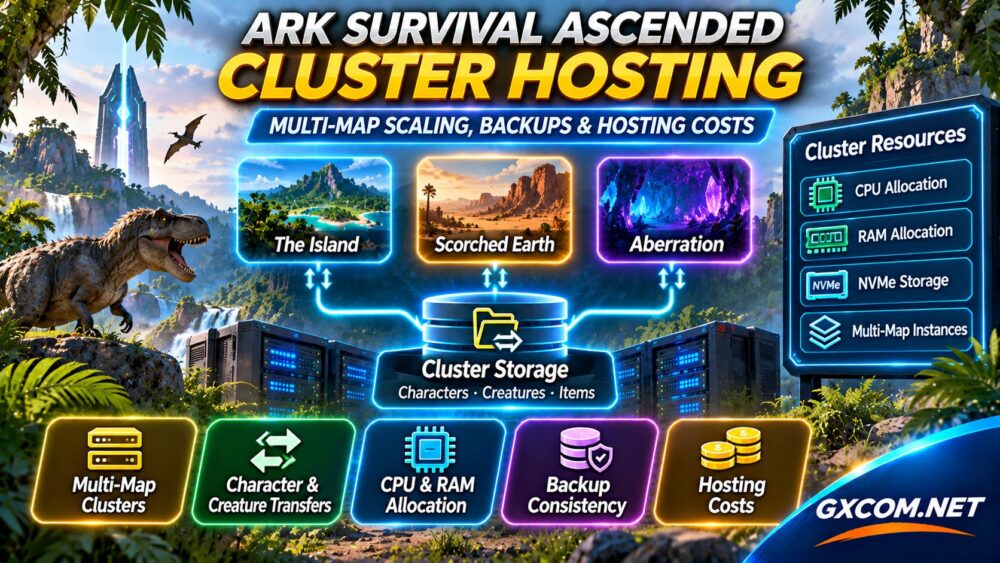
ARK Survival Ascended cluster hosting costs increase with every simultaneously active map, not simply with the number of connected players. Each instance needs processing capacity, memory and persistent storage. Moreover, shared transfer data creates recovery dependencies between worlds. A reliable purchasing decision must consider the entire cluster rather than the cheapest individual server.
Separate ASA From ASE Infrastructure
ARK Survival Ascended (ASA) and ARK Survival Evolved (ASE) require separate server installations. SteamCMD uses dedicated server application ID 2430930 for ASA and 376030 for ASE. ASA uses the CurseForge mod ecosystem rather than the Steam Workshop workflow familiar to ASE administrators. Do not assume that historical saves, map identifiers or mods remain interchangeable.
Before renting infrastructure, confirm the supported operating system, current server build and commercial hosting conditions. Wildcard originally announced exclusive commercial hosting arrangements for ASA while allowing noncommercial self-hosting. Verify current applicable terms rather than assuming a historical announcement establishes today’s permissions for every provider.
Budget for Shared Transfer Infrastructure
Each active map runs as an independent server process. Matching cluster identifiers establish membership, while accessible shared storage enables the exchange of transfer data. Self-managed configurations commonly use -clusterid and -ClusterDirOverride. Managed providers may implement these settings through their own control panels.
Identical directory names on separate machines do not establish shared storage. Every participating instance must access the same underlying transfer files with appropriate permissions. Avoid exposing that storage directly to the internet.
Eligible survivors, creatures and items can move between maps, subject to upload permissions, destination restrictions and applicable timers. Buildings remain in their original worlds. Review our ARK server cluster guide for the foundational configuration concepts.
Calculate Combined CPU and Memory Requirements
Measure each map independently during normal gameplay, busy periods and startup. Large bases, creature populations and mods can produce substantially different resource profiles across instances. Simultaneous restarts can create short periods of intense CPU activity and memory pressure.
The following illustrative model assumes 16 GiB of memory per map and reserves an additional 25 percent of combined map memory for operating system overhead and workload headroom. These assumptions are purchasing examples, not official hardware requirements or measured player capacity.

| Active maps | Map memory | Planning total |
|---|---|---|
| 2 | 32 GiB | 40 GiB |
| 3 | 48 GiB | 60 GiB |
| 6 | 96 GiB | 120 GiB |
Adjust the model using measured peak consumption. Our ASA server requirements guide provides additional hardware context.
CPU planning requires both strong individual thread performance and sufficient processing capacity across maps. Shared vCPUs may compete for physical resources. Even dedicated vCPUs do not automatically guarantee exclusive physical cores. Monitor per-instance CPU saturation and host contention before consolidating more worlds.
Prevent Port Conflicts and Storage Bottlenecks
Assign distinct listening ports to instances sharing an IP address. Check the current ASA network requirements and any enabled remote administration interfaces instead of copying ASE port configurations. Restrict RCON access through private networking or trusted administrative addresses.
NVMe storage can reduce storage-related delays, but concurrent world saves, mod updates and compression jobs still compete for disk bandwidth. Stagger routine backups when appropriate and monitor disk latency, available space and save duration. Coordinated recovery checkpoints require a separate procedure.
Protect Cluster Consistency During Updates
Restoring one map independently can create a mismatch between survivor inventories, destination worlds and shared transfer records. For example, a creature transferred after a backup might disappear or become duplicated when only one world is restored.
Schedule a cluster maintenance window, suspend transfers, save all worlds and stop participating instances cleanly. Capture map saves, player and tribe data, shared transfer files, configuration and mod inventories as one recovery generation. Store an independent copy outside the production machine.
Update each instance to compatible server and mod versions before reopening transfers. Test survivor, item and creature movement in both directions. Restore representative archives in an isolated environment when possible. A successful backup notification alone does not prove recoverability.
For example, three maps with 8 GiB of backup data each and 2 GiB of shared data produce a 26 GiB recovery generation. Seven independent full generations require 182 GiB before compression. See our game server backup strategies for broader retention planning.
Compare ASA Hosting Providers
Survival Servers: Slot Based Cluster Hosting
Survival Servers explicitly supports linked ASA instances and lists a regular reference price of $15.53 monthly for ten slots. Its product describes CurseForge integration, DDoS protection and retained automatic backups. Two equally priced instances would cost $31.06 monthly before extras. Confirm resource entitlements and whether backups include shared transfer files.
Sparked Host: Memory Based Packages
Sparked Host advertises ASA cross travel and lists a Budget Flint package with 16 GB RAM, three vCPUs and 50 GB storage for $16 monthly. Three daily backup slots add $1 monthly. Budget uses SSD storage, whereas Enterprise offers NVMe. Confirm cluster directory access and compatibility between purchased instances before ordering.
Godlike.Host: Conditional Alternative
Godlike.Host lists an ASA Clever package with 12 GB RAM and 30 slots at a regular displayed price of $47.99 monthly. Scheduled tasks, automatic backups and DDoS protection are advertised. However, the reviewed product page does not establish the required shared cluster storage arrangements. Obtain confirmation before treating this as a viable cluster purchase.
Compare Managed Maps With Consolidated Infrastructure
Private groups can start with two managed instances, while modded communities may benefit from flexible memory allocations. Larger communities should evaluate dedicated hardware alongside a gaming VPS. Consolidation reduces the number of machines but increases the impact of a single host failure. Compare our gaming VPS and dedicated server comparison before migrating.
Assume managed maps cost $25 each monthly and external backups cost $10 monthly. Two, three and six maps then cost $720, $1,020 and $1,920 annually. A hypothetical suitable dedicated machine at $120 monthly plus the same backup fee costs $1,560 annually, excluding administration. These examples are not provider quotations. A VPS quotation should also include operating system licensing, storage expansion, network allowances and any charges for additional public addresses.
Choose a cluster architecture that permits reliable transfers, measurable resource headroom and coordinated recovery. Expand only after confirming that additional maps fit both the infrastructure budget and the community’s operational capacity.