ARK Survival Ascended crossplay server hosting lets friends build a shared survival community across supported PC and console platforms. However, crossplay does not mean every server, mod, or hosting plan automatically works with every device.
Before renting an ASA server, administrators should understand platform compatibility, dedicated server settings, software updates, and mod restrictions. A correctly configured server can simplify multiplayer access, while the wrong hosting product may prevent some friends from joining altogether.
Does ARK Survival Ascended Support Crossplay?
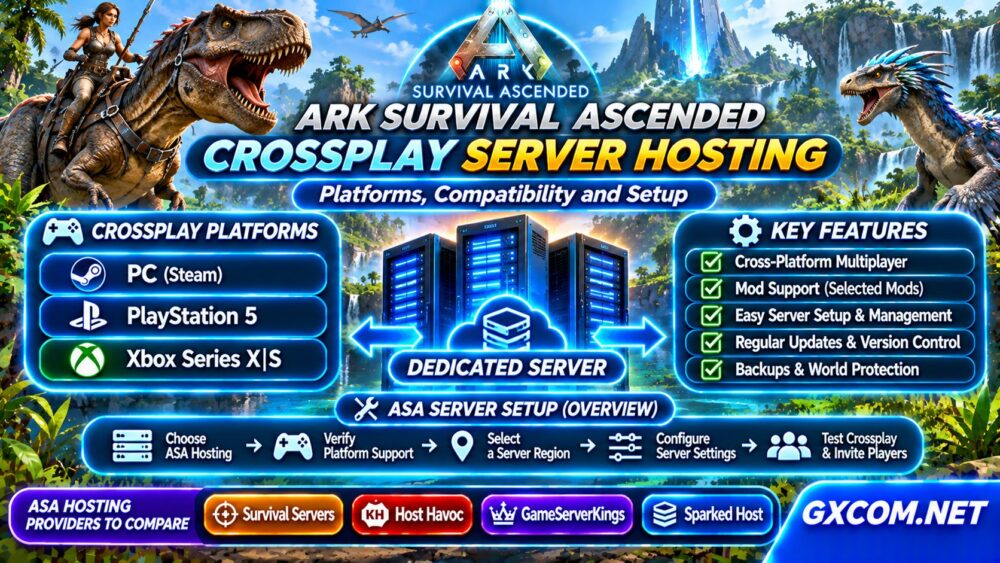
ARK: Survival Ascended supports cross-platform multiplayer involving supported PC versions, PlayStation 5, and Xbox Series X|S. Actual access depends on the server environment, platform configuration, game updates, and applicable restrictions.
Crossplay support should not be confused with universal compatibility across every ARK release. ARK: Survival Evolved and ARK: Survival Ascended are separate games and cannot simply share one multiplayer server.
Likewise, older consoles that cannot run ASA are not made compatible through dedicated hosting.
ASA Crossplay Compatibility by Platform
| Platform | ASA Support | Hosting Consideration |
|---|---|---|
| PC (Steam) | Supported | Check server build and access settings |
| PC (Xbox ecosystem) | Supported | Verify current platform restrictions |
| PlayStation 5 | Supported | Confirm console-compatible server settings |
| Xbox Series X|S | Supported | Check crossplay configuration and updates |
| ARK: Survival Evolved | Separate game | Not compatible with ASA servers |
Platform availability is not a guarantee that every private server will appear in every server browser. Confirm the provider’s current ASA crossplay instructions before purchasing.
Dedicated Servers vs Non-Dedicated Sessions
A dedicated ASA server runs independently from a player’s normal game session. It can remain available while the owner is offline, subject to hosting availability and maintenance.
Non-dedicated sessions are convenient for casual groups but have different hosting and gameplay limitations. They should not be treated as equivalent to a persistent community server.
For an established tribe, a dedicated server generally provides more predictable administration, configuration access, and scheduling options.
How to Set Up an ASA Crossplay Server
The exact process depends on the hosting panel and current server software. A practical deployment workflow includes the following steps:

- Select ASA hosting: Confirm the product is specifically for Survival Ascended.
- Verify platform support: Ask whether your intended PC and console players can connect.
- Choose a region: Select a server location reasonably close to most players.
- Configure the server: Set its name, password, gameplay rules, and administrator credentials.
- Review networking: Follow the provider’s documented game and query port requirements.
- Test connections: Join from each intended platform before inviting the community.
Do not assume a single startup parameter enables every crossplay combination. Configuration options and supported platforms can change between game builds.
Why Is an ASA Crossplay Server Not Showing Up?
A missing server can result from version mismatches, browser filters, network restrictions, incomplete startup, or incorrect server visibility settings.
First, confirm that the server has completed startup and is running the expected ASA version. Then check the server browser’s filters, password settings, and relevant platform categories.
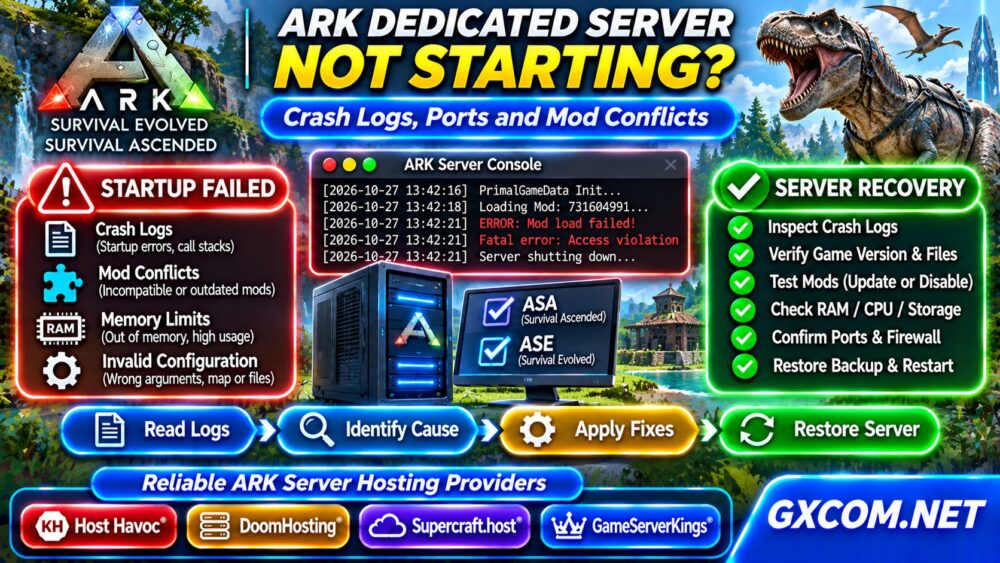
Restarting repeatedly without inspecting logs can hide the underlying problem. Review our Game Server Hosting troubleshooting guides for broader connection diagnostics.
Crossplay Mods: What Works Across Platforms?
ARK: Survival Ascended supports a mod ecosystem that includes cross-platform distribution through supported channels. However, not every mod is necessarily available or approved for every platform.
Console compatibility may depend on publication, moderation, platform rules, and the mod’s current version. Server administrators should verify each required mod individually.
Before enabling a large collection, test a small set with PC and console players. Keep a backup of the existing world and configuration before major changes.
Mods can increase download requirements, startup time, memory use, and maintenance complexity. Their impact varies substantially.
CPU, RAM, and Storage Requirements
ASA can be demanding, particularly when communities use large maps, persistent structures, multiple players, and extensive modifications.
There is no reliable universal RAM figure for every ASA server. Hardware requirements depend on the map, active population, server build, mods, and hosting environment.
Compare CPU performance, available memory, SSD or NVMe storage, and resource-sharing policies. A high advertised player-slot count does not guarantee smooth gameplay under heavy load.
Our Game Dedicated Servers guides provide additional context for larger communities.
Backups, Updates, and Server Stability
Persistent ASA worlds contain valuable progress, structures, characters, and community history. A reliable backup process is therefore essential.
Check whether your hosting plan includes scheduled backups, manual recovery points, and sufficient storage. Keep independent copies when practical.
Game updates can temporarily create version mismatches between clients and servers. Schedule maintenance, review update notices, and test important mods before reopening a production server.
For recovery planning, consult our VPS Snapshot and Backup Recovery Guide.
Four ASA Hosting Providers to Compare
Survival Servers, Host Havoc, GameServerKings, and Sparked Host are candidates worth investigating when comparing managed game hosting options. Their current ASA offerings, platform support, and resource allocations must be verified individually.
Survival Servers
Evaluate its current ASA hosting availability, map configuration options, control panel features, and backup procedures.
Host Havoc
Compare ASA installation support, administration tools, server locations, and the scope of technical assistance.
GameServerKings
Check current ASA product support, resource policies, update management, and available configuration controls.
Sparked Host
Investigate whether an appropriate ASA hosting product is offered, along with memory options, upgrade flexibility, and crossplay guidance.

Do not select a provider based on brand familiarity alone. Confirm the exact product, supported platforms, and current plan specifications before checkout.
How Much Does ASA Crossplay Hosting Cost?
Monthly cost depends on CPU resources, memory, storage, server location, management features, and billing terms. Mods and larger communities may increase infrastructure needs.
Compare renewal rates, backup charges, upgrade costs, and cancellation conditions rather than focusing only on introductory promotions.
Browse our Game Hosting Comparisons and Game Server Deals for additional buying research.
Frequently Asked Questions
Can PS5 and Xbox Players Join the Same ASA Server?
Cross-platform play is supported in compatible ASA environments. Verify the server’s current platform configuration and any restrictions before purchasing.
Can Steam Players Join Console Players?
Compatible ASA crossplay servers can support mixed-platform communities, subject to current game and server restrictions.
Do ASA Mods Work on Consoles?
Some mods support console distribution, but compatibility and approval must be checked individually.
Final Verdict
Successful ASA crossplay hosting begins with verifying the exact platforms your community uses. Choose a compatible dedicated server, test mods and connectivity, plan adequate hardware resources, and maintain reliable backups. Compare hosting products based on confirmed features rather than assuming every ASA plan supports identical crossplay functionality.