ARK server save file size can grow as a survival world develops, but a nearly full disk does not always mean the world save itself is enormous. Backups, mods, logs, and multiple maps can consume more storage than administrators expect. Whether you run ARK: Survival Evolved (ASE) or ARK: Survival Ascended (ASA), understanding what occupies the disk is essential before deleting anything.
This guide explains how to measure save growth, identify safe cleanup opportunities, protect player progress, and decide when additional hosting storage makes more sense than another round of manual maintenance.
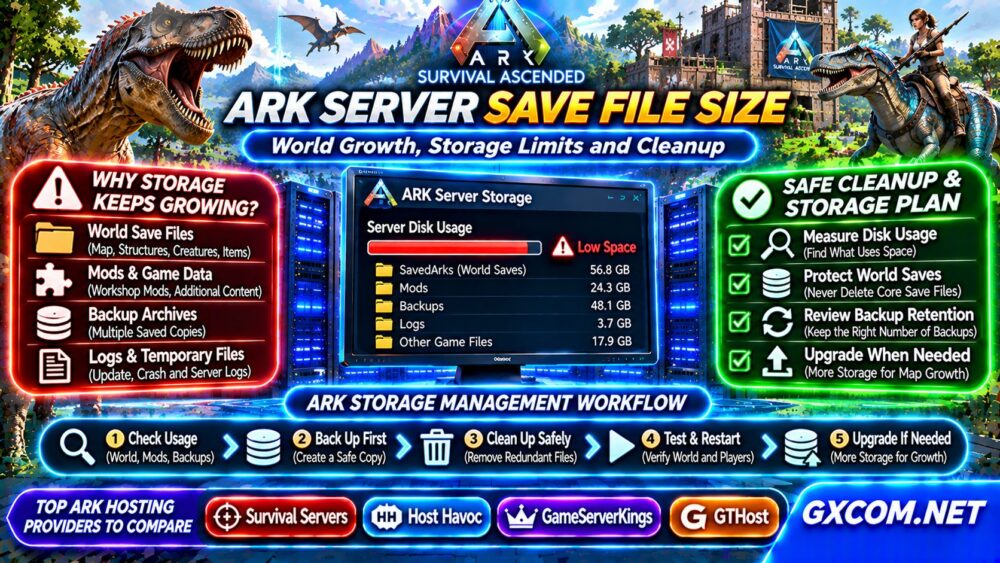
What Makes ARK Server Saves Grow?
An ARK world records persistent changes: structures, tamed creatures, dropped items, inventories, and other game state. As communities build bases, breed creatures, and explore, the amount of persistent information may increase. Actual growth depends on gameplay, map, modifications, and server settings.
World saves are only one part of disk usage. Installed game files, downloaded mods, generated logs, and retained backups may occupy substantial additional space. A cluster hosting several maps multiplies these demands.
ARK Save Files vs Other Storage
| Storage category | Typical purpose | Cleanup approach |
|---|---|---|
| World and player saves | Persistent game progress | Protect; never delete casually |
| Backup copies | Recovery points | Apply verified retention policy |
| Mods and game files | Required server content | Use supported update tools |
| Logs and crash reports | Diagnostics | Archive or rotate after review |
| Temporary files | Installation or maintenance | Verify ownership before removal |
ASE commonly stores world-related files under a SavedArks directory within its server installation. ASA uses its own installation layout and saved-data paths. Confirm the correct directory for your edition, operating system, and hosting panel rather than copying instructions between games.
How to Check ARK Server Disk Usage
Start with your hosting panel’s storage display or file manager. Compare the sizes of the game installation, saved-data directories, backup archives, and mod folders. Note available space before making changes.
On a self-managed Linux host, these read-only commands can help:
df -h
du -sh /path/to/ark-server/*
du -sh /path/to/ark-saves
Replace example paths with verified locations. Large directory totals do not establish that files are disposable. Also check inode usage with df -i when many small files are present.

Why Does Storage Fill Up After Updates?
Game updates can download replacement files, while mod updates may leave installation caches or additional content. Automatic backup schedules can also create multiple full copies of a growing world.
For example, ten retained backups each containing several gigabytes of saved data may occupy much more space than the active save. Compression and incremental backups can change this calculation, so inspect actual archive sizes.
Review our Snapshot and Backup Recovery Guide before changing retention settings.
Safe Cleanup: What Can You Remove?
Begin with files whose purpose you can verify. Old diagnostic logs may be archived after an incident is resolved. Duplicate backups can sometimes be removed after confirming newer recovery points are complete, readable, and stored separately.
Never delete active world saves, player profiles, tribe data, cluster-transfer data, or unfamiliar mod files simply because they are large. Removing apparently unused structures through gameplay or administrator commands may alter the world permanently and should be tested first.
A safe maintenance sequence is:
- Notify players and schedule downtime.
- Stop the server cleanly after saving.
- Create an independent backup and verify its contents.
- Record directory sizes and identify specific candidates.
- Archive or remove only confirmed redundant files.
- Restart and test world loading, characters, and structures.
Keep at least one known-good off-server recovery copy. Deleting the only working backup to free disk space can turn a routine storage problem into permanent data loss.
Can You Shrink an ARK World Save?
There is no universal, risk-free command that compresses every ARK world without consequences. Some server-side cleanup operations may reduce persistent objects, but the resulting save-size change is not guaranteed.
Test administrative cleanup on a restored copy before applying it to production. Document which entities or structures will be affected, especially in communities where players expect persistent progress.
Do not assume a smaller save automatically improves tick performance. CPU workload, memory pressure, and storage latency are separate considerations.
Plan Storage for Maps, Mods, and Backups
Capacity planning should include active saves, installed game data, mods, backup retention, and temporary working space for updates. Leave free capacity for unexpected growth and recovery operations.
Track disk usage weekly and compare changes after major updates, community events, or map additions. For multi-map clusters, measure each instance separately and account for shared transfer data.
SSD and NVMe can improve some storage operations, but disk capacity and I/O limits are different specifications. Our NVMe VPS Storage Performance Guide explains what to compare.
Four ARK Hosting Providers to Evaluate
Survival Servers and Host Havoc are candidates for administrators comparing managed game hosting. Verify support for your exact ASE or ASA edition, access to saved files, backup restoration, and storage upgrade options.
GameServerKings is another approved provider to investigate, but confirm current ARK product availability and supported features rather than assuming every game has identical management tools.
For administrators planning several instances, GTHost offers dedicated-server infrastructure worth comparing. A self-managed machine can provide more control over storage layouts and backup tools, but security and recovery become your responsibility.
Compare managed options through our Game Hosting Comparisons and review Game Dedicated Servers for infrastructure decisions.

When Should You Upgrade Hosting Storage?
Upgrade when legitimate world data and necessary backups consistently exceed available capacity, or when update operations cannot complete with adequate free space. Repeatedly deleting recovery points is not a sustainable capacity strategy.
Before migrating, ask whether storage upgrades preserve existing data, whether backups count toward quotas, and how long transfers may interrupt gameplay. Review our Game Server Deals for additional purchasing research.
Frequently Asked Questions
Why Is My ARK Server Save So Large?
Persistent world activity can increase save size, but backups, mods, and installed files may explain much of the total disk usage. Measure each category independently.
Can I Delete Old ARK Save Files?
Only after identifying their purpose and verifying independent backups. Some files contain essential world, character, or tribe data.
Does ARK Survival Ascended Use the Same Save Paths as ASE?
No. Directory layouts and file handling differ. Follow instructions specific to the installed game edition and hosting environment.
Final Verdict
Managing ARK server save file size starts with measurement, not deletion. Protect active world data, review backup retention, monitor storage growth, and compare hosting capacity against realistic long-term needs. The best upgrade is one that preserves community progress while providing room for future maps and updates.