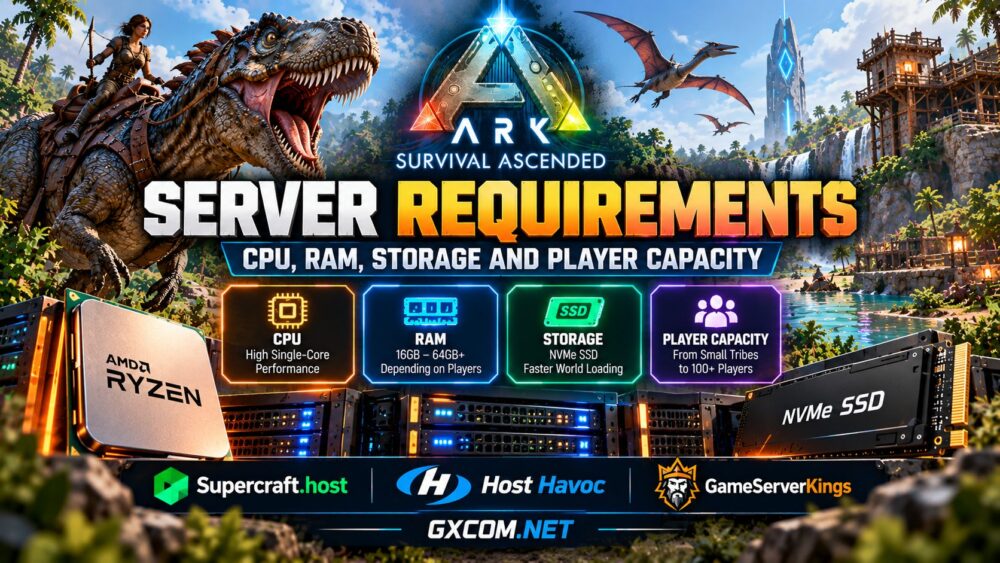
ARK Survival Ascended Server Requirements at a Glance
There is no single hardware configuration that guarantees a specific number of players. Map complexity, active creatures, structures, mods, and server settings all influence resource consumption.
| Concurrent Players | RAM Planning | CPU Priority | Storage Planning |
|---|---|---|---|
| 2–5 | 16 GB starting point | Modern CPU with strong per-core performance | 50 GB+ SSD |
| 5–15 | 16–24 GB | High-frequency CPU | 60–80 GB NVMe |
| 15–30 | 24–32 GB | Strong sustained CPU resources | 80–120 GB NVMe |
| 30–50 | 32–48 GB | High-performance CPU with additional headroom | 120 GB+ NVMe |
| 50+ | 48–64 GB or more | Dedicated high-performance hardware | Size for maps, mods, and backups |
These are conservative planning estimates, not official minimum requirements or performance guarantees. A small unmodded server may consume less, while a complex world can exceed the suggested range.
For hosting options specifically targeting this game, see our best ARK server hosting comparison.
CPU Requirements: Why Single-Thread Performance Matters
ASA servers continuously process creature AI, player movement, combat, building systems, and world simulation. Many of these operations are sensitive to the performance of individual CPU threads.
A modern processor with strong sustained per-core performance is therefore an important starting point. Extra cores help support operating system services, background tasks, and additional game instances, but they do not automatically increase the performance of one ASA world.
AMD Ryzen vs Intel for ASA Hosting
Recent AMD Ryzen and Intel processors can both provide suitable performance. Compare specific CPU models rather than assuming one manufacturer is always better.
Ryzen processors with high clock speeds are attractive for game hosting, while some X3D models offer larger caches. However, the performance benefits of additional cache depend on the actual server workload and should not be treated as guaranteed.
For larger communities, examine whether the hosting provider offers dedicated CPU resources or shares processor time among customers.
How Much RAM Does an ASA Dedicated Server Need?
Memory is one of the most important considerations for ARK: Survival Ascended hosting. Persistent world data, dinosaurs, player structures, inventories, and active simulation systems all contribute to resource consumption.
For a small private server, 16 GB is a reasonable initial planning point, although actual requirements vary. Growing communities may benefit from 24–32 GB, while demanding servers and multi-instance environments can require substantially more.
Do not choose memory solely by advertised player slots. A five-player world with extensive construction and numerous mods can be more demanding than a relatively simple world with more players.
Why RAM Usage Can Increase Over Time
Resource consumption may change as a persistent world develops. Players construct larger bases, tame additional creatures, install mods, and explore more areas.
Monitor memory usage after startup, during normal gameplay, and during peak activity. Leave sufficient headroom for operating system processes and maintenance tasks.

If memory consumption approaches the available limit, investigate mods, server settings, and background services before upgrading.
ASA Storage Requirements: SSD vs NVMe
ASA servers need storage for game files, world saves, configuration data, logs, mods, and backups. Storage requirements can grow as new content and additional maps are introduced.
NVMe SSDs are a strong choice because they provide low-latency access and high potential throughput. Faster storage can help with file-intensive tasks such as loading content, updating files, and saving world data.
However, NVMe does not eliminate CPU bottlenecks or guarantee higher server simulation performance. Drive reliability and backup practices matter as much as advertised speed.
For a wider explanation of how storage interacts with other resources, read our game server CPU, RAM, storage and bandwidth guide.
How Mods Affect ASA Server Requirements
ARK: Survival Ascended supports a modding ecosystem that can significantly change the resource requirements of a server.
Additional creatures, custom structures, gameplay systems, and maps may increase memory usage, CPU processing, and storage consumption.
Before installing a large mod collection:
- Review each mod's compatibility and installation instructions.
- Keep backups before changing the mod list.
- Monitor memory and CPU usage after adding content.
- Allow additional disk space for updates and saved data.
- Remove incompatible or unnecessary mods.
Mod count alone is not a reliable measurement of hardware demand. A single complex mod can have more impact than several lightweight additions.
How Many Players Can an ASA Server Support?
Player capacity depends on CPU performance, memory, world complexity, network conditions, and configuration. A hosting plan advertising a particular slot count does not guarantee smooth performance at maximum population.
For small tribes, managed hosting can provide a convenient starting point. Larger public communities should test their hardware under realistic activity rather than assuming a fixed relationship between RAM and player count.
Measure resource usage during busy periods, especially when players are exploring, fighting, breeding creatures, or interacting with large bases.
ASA vs ARK: Survival Evolved Server Requirements
ARK: Survival Ascended and ARK: Survival Evolved are different products with different server software and hosting requirements.
Do not assume that an inexpensive ASE hosting plan can run ASA. A provider may offer one game without supporting the other, or may use different hardware allocations and management tools for each version.
When comparing plans, confirm that the product explicitly supports ARK: Survival Ascended, including the desired maps, mods, and server configuration options.
Network Requirements and DDoS Protection
Stable connectivity matters for combat, movement, and multiplayer interactions. Choose a server region near the majority of your players, and evaluate network routing rather than relying exclusively on port speed.
A high-bandwidth port does not guarantee low latency. Geographic distance, congestion, transit quality, and server load can all influence responsiveness.
Public servers should also consider DDoS protection, particularly when hosting competitive or heavily advertised communities.
Managed ASA Hosting vs Dedicated Hardware
Managed ASA hosting usually offers a control panel, simplified installation, and tools for changing server settings. It is convenient for administrators who prefer to focus on gameplay rather than operating system maintenance.
A dedicated physical server offers greater control and potentially more predictable resource allocation. It may be suitable for large communities, custom deployments, or multiple server instances.
However, bare-metal hosting can require additional work involving updates, security, monitoring, and backups.
Our best dedicated game servers comparison explains when exclusive hardware is worth considering.
If you are deciding between a managed game server and a self-managed machine, our game server hosting explained guide outlines the main differences in setup, control and maintenance.
ASA Hosting Providers Worth Comparing
Once you understand your hardware requirements, evaluate providers according to actual ASA support, CPU resources, memory, storage, server location, and management features.
Supercraft.host — Managed ASA Hosting
Supercraft.host offers an ARK: Survival Ascended hosting product, making it a relevant option for administrators who want managed game hosting rather than maintaining an entire physical server.
Check current plan specifications, supported maps, mod management, backup features, and regional availability before ordering.
Host Havoc — Compare Available ARK Hosting Options
Host Havoc is an established specialist game hosting provider. When considering it for ASA, verify the exact game edition offered, available server locations, hardware allocation, and management features.
Do not assume that an ARK: Survival Evolved plan also supports Survival Ascended.
GameServerKings — Dedicated Infrastructure Alternative
GameServerKings provides dedicated server hardware that may suit experienced administrators building a self-managed gaming environment.
Before purchasing, confirm ASA installation compatibility, operating system requirements, resource allocation, and whether game management is included. Dedicated hardware should not be confused with a ready-to-play ASA hosting plan.
For a broader look at managed providers, explore our best game server hosting providers comparison.

How to Improve ASA Server Performance
- Choose a modern CPU with strong per-core performance.
- Provide adequate RAM with room for peak usage.
- Use SSD or NVMe storage and maintain reliable backups.
- Review resource-intensive mods and server settings.
- Monitor CPU, memory, and storage usage over time.
- Select a server location close to your players.
- Test performance before increasing player capacity.
Upgrade based on observed bottlenecks rather than automatically buying more RAM or a higher-core-count CPU.
Frequently Asked Questions
Is 16 GB RAM enough for an ASA server?
It can be a reasonable starting point for a small private server, but actual needs depend on maps, mods, player activity, and the hosting environment. Monitor real usage before expanding.
How much RAM does an ASA server need for 20 players?
Approximately 24–32 GB is a conservative planning range for a growing community, not a guaranteed requirement. Complex worlds may need more.
Does an ASA dedicated server require a GPU?
A headless dedicated server generally does not need a gaming GPU to render the game for players. However, installation and runtime requirements depend on the supported server software and operating environment.
Can an ASE hosting plan run ASA?
Not automatically. ASA and ASE use different server software. Confirm explicit ASA support with the provider before purchasing.
Is NVMe necessary for ASA hosting?
NVMe is recommended for demanding workloads, but a reliable SSD may also be adequate for some smaller environments. CPU performance and memory remain important.
Final Verdict: Choosing the Right ASA Server
The best ASA hosting configuration balances strong CPU performance, sufficient RAM, reliable SSD or NVMe storage, and stable network connectivity.
For private tribes, managed hosting may be the simplest starting point. For larger communities and administrators who need greater control, dedicated hardware can provide a more flexible deployment environment.
GXCOM.NET recommendation: Start with realistic resource estimates, confirm that the provider explicitly supports ARK: Survival Ascended, and scale according to measured workload rather than advertised player slots alone.