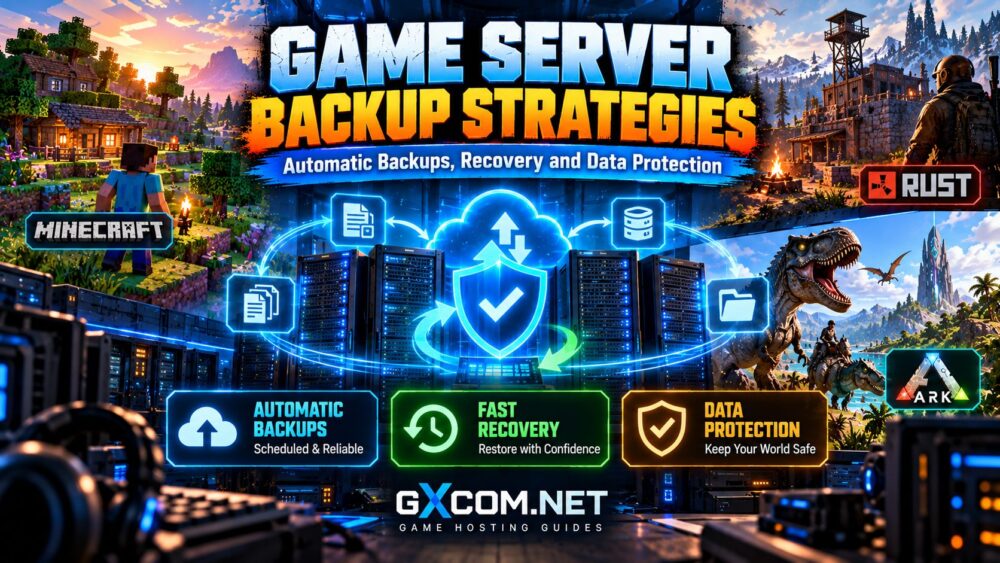
Game server backup strategies protect multiplayer communities against corrupted worlds, failed updates, accidental deletions, and infrastructure problems. Without a reliable recovery plan, a single incident can erase weeks or months of player progress.
Automatic backups are useful, but simply creating backup files does not guarantee that a server can be restored successfully.
This guide explains backup frequency, storage locations, recovery testing, and the hosting features that matter when protecting Minecraft, Rust, ARK, and other multiplayer servers.
Why Game Server Backups Matter
Game servers continuously change as players build structures, collect resources, explore worlds, and modify inventories. These changes are stored in persistent files and databases.
Unexpected shutdowns, storage failures, plugin conflicts, or incorrect administrator commands can damage that data.
A dependable backup strategy allows administrators to recover an earlier working state instead of rebuilding the entire community.
When comparing managed hosting, providers such as Host Havoc and Survival Servers are worth evaluating for their backup and recovery options. Confirm the current plan’s backup limits, retention periods, and restoration procedures before purchasing.
Types of Game Server Backups Explained
| Backup Type | Advantages | Limitations |
|---|---|---|
| Full backup | Complete recovery baseline | More storage and transfer time |
| Incremental backup | Stores changes since a previous backup | Recovery may depend on a backup chain |
| Differential backup | Stores changes since the last full backup | Can grow larger between full backups |
| Snapshot | Potentially fast rollback | May share the original storage failure risk |
| Offsite backup | Protects against local infrastructure loss | Requires separate storage and transfer planning |
For many communities, combining scheduled backups with an independent offsite copy provides stronger protection than relying on one local snapshot.
How Often Should You Back Up a Game Server?
The appropriate frequency depends on player activity, world changes, and how much progress your community can afford to lose.
A busy public Minecraft server may require more frequent backups than a small private server used occasionally.
Rust and ARK administrators should also consider wipes, world saves, major updates, and changes to server configuration.
Understanding RPO and RTO
Recovery Point Objective (RPO) is the maximum acceptable amount of lost progress, measured in time.
Recovery Time Objective (RTO) is the target time for restoring service after an incident.
For example, hourly backups may support an RPO of approximately one hour if backups complete successfully. They do not guarantee that restoration will take only one hour.

Choose a schedule based on actual player activity and available recovery resources.
Automatic Backups vs Manual Backups
Automatic backups reduce dependence on administrators remembering routine maintenance. They can run at scheduled intervals and help maintain consistent retention policies.
Manual backups remain valuable before risky changes, including major game updates, mod installations, world migrations, or server software replacements.
The strongest approach combines both methods.
Automation should also include failure notifications or routine verification. An unnoticed backup job failure can leave a server unprotected for days.
The 3-2-1 Backup Rule for Game Servers
The 3-2-1 backup rule is a useful starting point for protecting persistent game data:
- 3 copies: Maintain production data and at least two backup copies.
- 2 storage types or independent systems: Avoid keeping every copy dependent on the same failure point.
- 1 offsite copy: Store at least one backup outside the primary hosting environment.
For stronger protection, consider an immutable or otherwise deletion-resistant copy, especially when administrative credentials could be compromised.
Remember that a provider’s internal snapshots may not count as independent protection if they share the same underlying infrastructure.
Game Server Backup Features to Compare
Hosting providers differ in how backups are created, stored, accessed, and restored. The existence of a backup button is not enough to establish reliability.
Host Havoc
Host Havoc is relevant for communities comparing managed game hosting. Check whether the selected game plan includes automated backups, how many restore points are retained, and whether backups can be downloaded independently.
Survival Servers
Survival Servers is another option for Minecraft, Rust, or ARK administrators evaluating hosting tools. Confirm the available backup workflow and whether restoration requires support assistance.
Shockbyte
Shockbyte is worth comparing for Minecraft and other supported game-hosting products. Review current backup frequency, retention limits, and download options for the exact plan.
Godlike.Host
Godlike.Host can also be evaluated for game server management and data protection. Verify whether the selected package supports scheduled backups, manual restore points, and external backup exports.
Important: Backup features may vary by game, hosting panel, and plan. These providers are comparison candidates, not a verified ranking of recovery performance.
For wider provider selection, read our best game server hosting providers guide.
How to Restore a Game Server Backup Safely
Restoring a server should follow a documented process rather than improvisation during an outage.
- Identify the incident. Determine whether the problem involves corrupted saves, configuration changes, or failed updates.
- Select a verified restore point. Choose a backup created before the issue occurred.
- Preserve current files. Keep a separate copy when possible for investigation or selective recovery.
- Stop the server. Prevent new writes during restoration.
- Restore compatible data. Check game versions, mods, plugins, and database dependencies.
- Validate the result. Confirm the world loads, player data is intact, and the server accepts connections.
Test the process on a separate instance whenever practical. A backup that has never been restored remains an unverified recovery option.
Minecraft, Rust and ARK Backup Considerations
Minecraft
Back up world folders, player data, plugin configurations, and relevant server settings. Coordinate saves before copying files to avoid inconsistent world data.
For Minecraft migrations, consult our modded Minecraft hosting guide for compatibility considerations.
Rust
Preserve world saves, player and blueprint data, configuration files, and plugin information as appropriate.
Before scheduled resets, review our Rust server wipes guide.

ARK
Protect world saves, character data, configuration files, and any cluster transfer data used across maps.
Multi-map administrators should also read our ARK server clusters guide.
Common Backup Mistakes to Avoid
- Keeping every backup on the same server disk
- Failing to monitor unsuccessful backup jobs
- Saving incomplete or inconsistent world data
- Retaining too few restore points
- Never testing the restoration procedure
- Assuming snapshots replace independent backups
Document responsibilities, retention settings, and recovery procedures before a failure occurs.
Frequently Asked Questions
Are Automatic Game Server Backups Enough?
Not by themselves. Reliable protection also requires independent storage, successful backup verification, and tested recovery procedures.
How Many Backups Should I Keep?
Retention depends on storage capacity and risk. Keep multiple restore points across different times rather than relying exclusively on the latest backup.
Can Backups Reduce Game Server Downtime?
Yes. A tested restoration process can shorten recovery, although actual downtime depends on backup size, transfer speed, and server configuration.
Should I Back Up Before Installing Mods?
Yes. Create a verified restore point before adding mods, updating plugins, or changing game server software.
Final Verdict: Backups Must Be Recoverable
The best game server backup strategies combine automation, independent storage, appropriate retention, and regular recovery testing.
Choose hosting based on practical restoration capabilities rather than backup marketing claims alone.
For additional deployment guidance, explore our multiplayer game server setup guide.