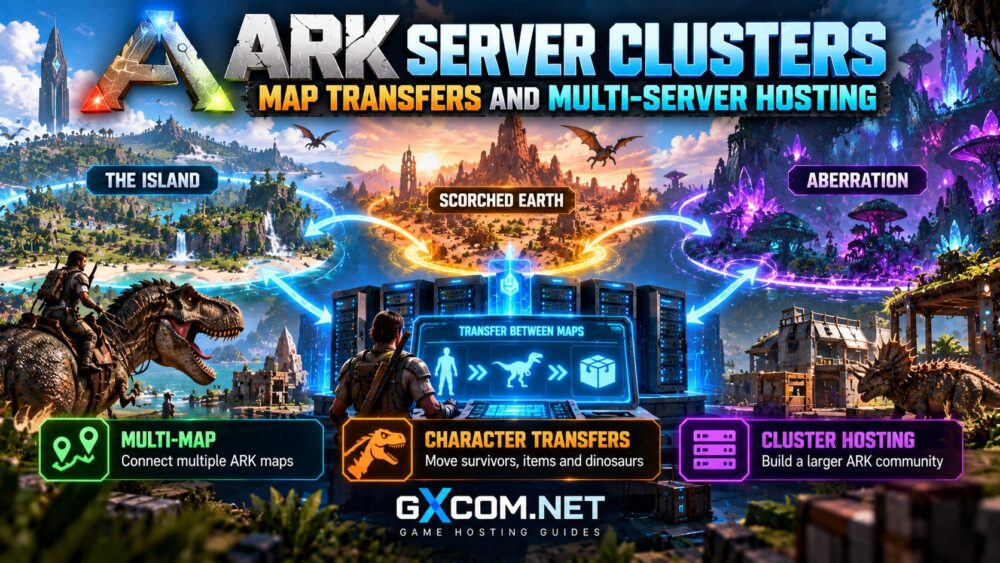
ARK server clusters allow players to travel between multiple maps while preserving eligible character progression, creatures, and items. Instead of maintaining separate survivors on every map, communities can build connected multiplayer worlds.
However, clustering requires more than selecting additional maps. Each map runs as a separate server instance, and successful transfers depend on compatible configurations, shared storage, and reliable hosting infrastructure.
This guide explains how ARK clusters work in Survival Ascended (ASA) and Survival Evolved (ASE), how transfers operate, and what to check before purchasing multi-server hosting.
What Is an ARK Server Cluster?
An ARK cluster connects two or more dedicated server instances through a shared transfer system. Each instance hosts its own map, such as The Island or Scorched Earth.
Players can move eligible survivors, creatures, and items between connected maps using supported in-game transfer terminals.
A cluster does not combine several maps into one server process. Each map maintains its own world, player activity, resources, and performance requirements.
For communities considering managed hosting, Survival Servers and Host Havoc are relevant ARK hosting options to evaluate. Before purchasing, confirm whether your selected plans actually support linked server instances and cross-map transfers.
How ARK Map Transfers Work
Cross-ARK transfers use a shared data system rather than simply copying an entire world save between servers.
| Transfer Type | What Players Move | Important Consideration |
|---|---|---|
| Character | Survivor progression and eligible character data | Destination downloads must be permitted |
| Items | Allowed equipment and resources | Some items or maps have restrictions |
| Creatures | Eligible tamed dinosaurs | Transfer rules and timers may apply |
| World structures | Not transferred | Bases remain on their original maps |
Players typically interact with an Obelisk, Supply Drop terminal, or Tek Transmitter, depending on the game version and transfer rules.
They select an available destination and complete the permitted transfer process. Uploaded data must remain accessible to the destination server.
Administrators should test character, item, and creature transfers separately before opening a public cluster.
ARK Cluster ID and Shared Directory Explained
Two settings are fundamental to unofficial ARK clustering: a matching cluster identifier and accessible shared transfer storage.
Cluster ID
The -clusterid startup parameter identifies servers belonging to the same cluster. Every participating instance must use the same identifier.
Choose a distinctive value rather than a generic name to reduce confusion with unrelated servers.

Cluster Directory
The -ClusterDirOverride parameter specifies where shared transfer files are stored.
For example, two instances might use these illustrative launch parameters:
-clusterid=GXARKCluster01 -ClusterDirOverride="D:\ARKClusterData"Both instances must access the same underlying storage. Using matching directory names on separate machines does not automatically create shared storage.
Without accessible transfer files, destination servers may appear in the cluster list while character or item downloads fail.
ARK Survival Ascended vs Survival Evolved Clusters
ASA and ASE support comparable cross-map clustering concepts, but their server software, save structures, available maps, and hosting requirements differ.
ASA generally warrants more careful hardware planning because of its demanding server workloads. Mod compatibility and update coordination also require attention.
Do not assume that an ASE configuration, world save, or mod installation can be reused unchanged for ASA.
Our ARK Survival Ascended vs Evolved hosting comparison explains the broader differences.
How Much Hardware Does an ARK Cluster Need?
Every active map consumes its own CPU time, memory, storage, and network resources.
A three-map cluster therefore requires capacity for three simultaneous server processes, even when player activity is concentrated on one map.
Actual requirements depend on the game edition, map, mods, structures, creature populations, and concurrent players.
For ASA-specific planning, review our ARK Survival Ascended server requirements guide.
Administrators should also reserve capacity for backups, updates, and temporary activity spikes rather than sizing infrastructure around idle memory usage.
Best Hosting Considerations for ARK Server Clusters
When evaluating ARK cluster hosting, prioritize multi-instance compatibility over generic claims about server speed.
Survival Servers
Survival Servers is worth considering for managed ARK hosting. Ask whether the intended plan combination supports cluster IDs, shared transfer storage, and independent map management.
Host Havoc
Host Havoc is another option for ARK communities. Confirm cluster availability, supported editions, server locations, and backup arrangements for every map.
ScalaCube
ScalaCube can be included when comparing ARK hosting packages. Verify current ASA or ASE support and whether multiple purchased instances can exchange transfer data.
Godlike.Host
Godlike.Host is also relevant to game hosting comparisons. Check whether its available ARK products support the exact multi-map architecture you intend to operate.
Important: Offering ARK hosting does not automatically mean a provider supports cross-server clusters. Shared directory access and transfer compatibility must be confirmed explicitly.
For general provider selection, see our best ARK server hosting comparison.
How to Set Up an ARK Multi-Map Cluster
- Choose your maps. Start with two supported maps to simplify testing.
- Provision separate instances. Allocate appropriate resources and unique network ports to each map.
- Configure a shared cluster ID. Use the same identifier across participating servers.
- Connect shared storage. Ensure every instance can read and write the designated cluster directory.
- Review transfer permissions. Check character, item, and dinosaur upload and download restrictions.
- Back up existing data. Preserve individual map saves and shared transfer files.
- Test both directions. Transfer a test survivor and permitted items between maps before inviting players.
Managed hosting panels may expose these options differently. Self-hosted administrators must also configure operating-system permissions and shared storage correctly.
For initial server deployment, consult our ARK dedicated server setup guide.
Common ARK Cluster Problems
Destination Server Is Missing
Check the cluster ID, server availability, game version, and relevant transfer restrictions.

Transfers Appear but Downloads Fail
Verify that all instances access the same underlying cluster directory with appropriate read and write permissions.
Characters or Items Disappear
Investigate interrupted transfers, expiration settings, mismatched restrictions, and backup availability. Avoid repeated uploads until the problem is understood.
Cluster Performance Is Unstable
Monitor each map independently. One overloaded instance can cause poor gameplay even when the remaining maps are healthy.
Frequently Asked Questions
Can One ARK Server Run Multiple Maps Simultaneously?
Not as a single conventional server instance. Simultaneously active maps require separate instances connected through a cluster.
Can Players Transfer Dinosaurs Between Maps?
Yes, when the creatures and transfer methods are supported and the destination permits downloads. Restrictions may apply.
Do ARK Clusters Require Dedicated Hardware?
No. Multiple instances can run on suitable shared infrastructure, VPS environments, or dedicated machines, provided resource and shared-storage requirements are met.
Can ASA and ASE Share One Cluster?
No. Their server ecosystems and persistent data formats are different. Plan separate clusters for the two games.
Final Verdict: Build Clusters Around Reliability
ARK server clusters expand gameplay by connecting multiple maps, but they introduce additional infrastructure and data-management responsibilities.
Start with two maps, confirm shared transfer storage, test all permitted transfer types, and maintain reliable backups.
Before purchasing hosting, compare total multi-instance costs, resource allocation, supported game editions, and confirmed cluster functionality.
For budget planning, our ASA hardware requirements guide provides a useful starting point.