Managed cloud database hosting can help businesses reduce the operational burden of running MySQL databases for websites, ecommerce stores, and SaaS applications. However, not every managed cloud provider offers a fully managed database service, and higher hosting prices do not automatically guarantee faster queries.
Database performance depends on CPU capacity, memory allocation, storage latency, application queries, and maintenance practices. Backups, recovery procedures, and administration responsibilities also affect long-term costs.
This guide explains how to evaluate managed MySQL environments, compare hosting options, and calculate the true cost of database operations.
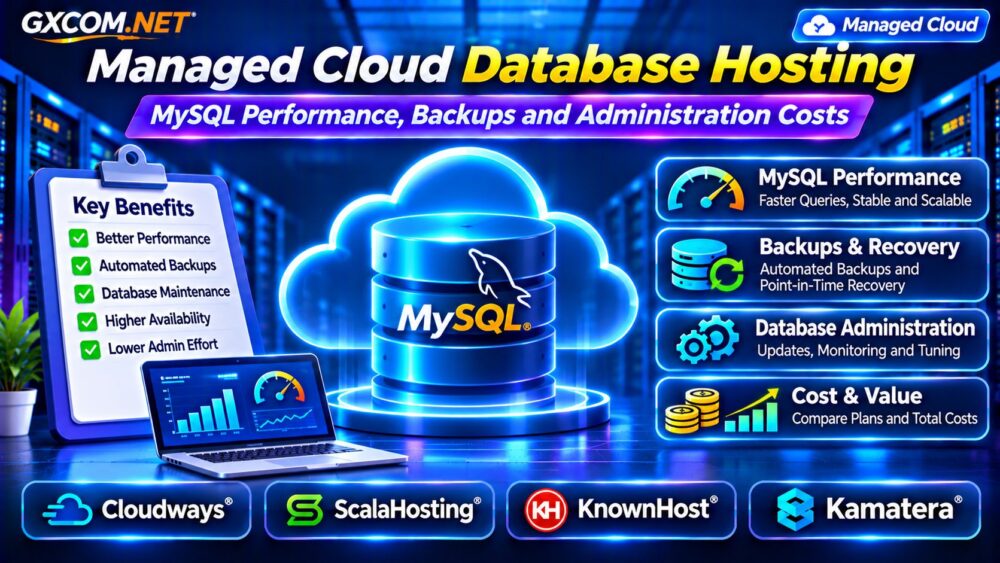
What Is Managed Cloud Database Hosting?
Managed cloud database hosting generally describes infrastructure where a provider handles some database-related operational tasks. The actual service model varies considerably.
A managed cloud server may include operating system maintenance, security updates, monitoring, and assistance with installed database software. A dedicated Database-as-a-Service (DBaaS) product may additionally handle database provisioning, automated patching, backups, replication, and failover.
These features must be verified individually. A managed VPS running MySQL is not automatically equivalent to a fully managed database platform.
Managed MySQL vs Self-Managed Cloud Servers
Self-managed MySQL gives administrators greater control over configuration, database versions, plugins, and maintenance schedules. It also requires expertise in security, monitoring, backup recovery, and performance troubleshooting.
Managed hosting reduces selected responsibilities but introduces service boundaries. Some providers support the operating system and database installation without optimizing individual SQL queries.
Compare these operational differences in our Managed vs Unmanaged VPS Guide.
What Affects MySQL Performance in the Cloud?
MySQL performance depends on several interacting resources:
- CPU: Processes queries, joins, sorting, and application transactions.
- RAM: Supports caching and reduces unnecessary disk access.
- Storage: Influences database reads, writes, and transaction latency.
- Network: Adds latency when applications and databases run separately.
- Queries: Poor indexes or inefficient SQL can waste available resources.
A larger server cannot reliably compensate for badly designed queries. Begin with workload measurements before purchasing additional capacity.
Optimize the InnoDB Buffer Pool
InnoDB uses a buffer pool to cache frequently accessed data and indexes. An appropriately sized buffer pool can reduce storage operations and improve response times.

However, allocating too much memory can starve the operating system and other services. On servers running both PHP and MySQL, memory must be shared between application processes and database operations.
Monitor memory pressure, buffer pool activity, and swap usage before changing configuration values. Dedicated database servers have different sizing considerations from combined web-and-database deployments.
Slow Queries, Indexes and Database Monitoring
Enable appropriate slow-query monitoring and examine statements responsible for excessive execution time or resource consumption.
Missing indexes, unnecessary joins, large result sets, and repeated application queries can cause poor performance even on NVMe-equipped servers.
Use query execution plans to understand how MySQL accesses data. Review changes in a staging environment before applying potentially disruptive indexes or configuration updates.
Monitoring should include query latency, connection counts, CPU utilization, memory usage, and disk I/O.
Storage Latency and Database IOPS
Transactional databases frequently perform small random reads and writes. Consequently, latency and IOPS may matter more than advertised sequential throughput.
Local NVMe storage can offer strong performance potential, while network block storage may provide flexible capacity and operational features. Neither architecture guarantees a particular database result.
Our Block Storage vs Local NVMe Comparison explains the performance and cost tradeoffs.
MySQL Backups and Point-in-Time Recovery
Reliable database backups require more than copying files occasionally. Businesses should define acceptable data loss, retention periods, storage locations, and restoration procedures.
Logical dumps, physical backups, snapshots, and binary-log-based recovery serve different purposes.
Point-in-time recovery may allow restoration to a specific moment, but it requires compatible backup and logging arrangements. It should never be assumed to be included with ordinary managed hosting.
Test database restoration regularly and protect backup credentials from compromised production accounts.
Replication, High Availability and Failover
Database replication can improve availability or distribute selected read workloads, depending on the architecture.
However, replication is not a substitute for backups. Accidental deletions and corrupted data may propagate to replicas.
High availability also requires reliable failover procedures, application reconnection handling, and suitable monitoring.
For broader infrastructure design, see our High-Availability Cloud Servers Guide.
Four Hosting Providers for MySQL Workloads
1. Cloudways: Managed Cloud Applications
Cloudways is relevant for teams running supported PHP applications and database-backed websites on managed cloud infrastructure.
Evaluate the selected server’s memory, CPU, backup features, and available database administration controls. Confirm whether advanced MySQL troubleshooting or custom database configurations fall within the applicable support scope.
2. ScalaHosting: Managed VPS Resources
ScalaHosting can suit businesses seeking managed VPS infrastructure for MySQL-powered applications.
Compare CPU allocation, RAM, storage, backup options, and technical support. Ask which database maintenance activities are included and which remain the customer’s responsibility.
3. KnownHost: Managed Server Operations
KnownHost is worth considering for organizations prioritizing server management and assistance with database-backed websites.
Review the specific product’s management coverage, backup retention, supported software, and restoration procedures. Do not assume every managed hosting plan includes dedicated database administration.
4. Kamatera: Configurable Cloud Infrastructure
Kamatera offers a configurable cloud infrastructure approach for teams that want control over MySQL deployment resources.
Assess server sizing, storage configuration, networking, and optional management arrangements. Include administration labor when comparing a customized cloud server with a managed alternative.
Calculate Managed Database Hosting Costs
Total cost includes compute, storage, backups, monitoring, database administration, and possible network charges.

Consider a hypothetical deployment costing $55 monthly for infrastructure, $12 for backups, $8 for monitoring, and $45 for administration. The total is $120 monthly, or $1,440 annually.
These figures are illustrative, not current provider quotations. Actual costs depend on workload size, management scope, and recovery requirements.
Compare broader service options in our Managed Cloud Hosting Comparison.
Managed MySQL Hosting Buying Checklist
- Confirm supported MySQL versions and configuration access.
- Measure query latency, CPU demand, and memory requirements.
- Review storage performance and capacity expansion.
- Verify backup frequency, retention, and restoration testing.
- Clarify database patching, monitoring, and support responsibilities.
- Calculate full monthly costs, including administration.
Frequently Asked Questions
Is Managed Cloud Hosting the Same as Managed MySQL?
No. Managed cloud hosting may cover server operations without providing complete database administration or DBaaS features.
Does More RAM Always Improve MySQL Performance?
No. Additional memory can help caching, but inefficient queries, CPU limits, or storage bottlenecks may remain.
Are Automated Backups Enough?
Not necessarily. Recovery testing, retention, data consistency, and appropriate off-server protection are also important.
Final Verdict
Managed cloud database hosting should be selected according to real MySQL workloads, recovery objectives, and operational responsibilities.
Compare Cloudways, ScalaHosting, KnownHost, and Kamatera based on plan-specific resources and support coverage. Optimize queries first, verify backup recovery, and calculate administration costs before choosing a provider.