Choosing a VPS hosting plan can be confusing, especially with dozens of providers offering different CPU, RAM, storage and pricing options.
A VPS is more powerful than shared hosting but requires more technical decisions than traditional website hosting. Selecting the wrong configuration can lead to poor performance, unnecessary costs or difficult server management.
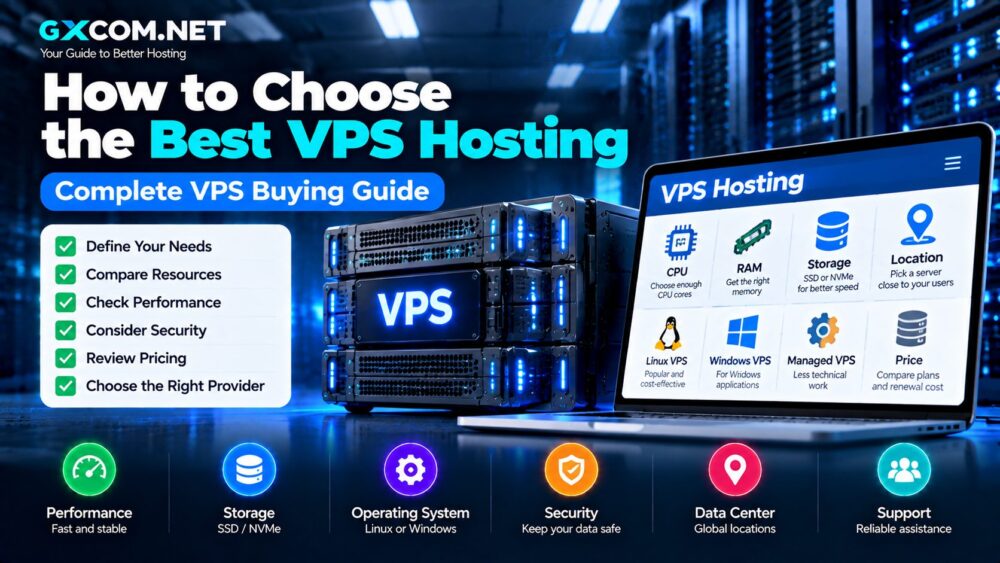
This VPS Buying Guide explains how to choose the best VPS hosting based on performance, resources, security, scalability and your specific workload.
Whether you are hosting a website, running applications, building development environments or managing business infrastructure, understanding VPS fundamentals helps you choose the right solution.
What Is VPS Hosting?
A Virtual Private Server (VPS) is a virtualized server environment created from a physical server.
A physical machine is divided into multiple isolated VPS instances, with each user receiving allocated resources.
A VPS typically includes:
- Virtual CPU cores
- Dedicated RAM allocation
- SSD or NVMe storage
- Operating system access
- Private IP address
- Root or administrator privileges
Compared with shared hosting, VPS provides more control and predictable performance. Compared with dedicated servers, VPS offers a lower-cost way to access server resources.
Why Should You Choose VPS Hosting?
Many users upgrade to VPS when their websites or applications require more resources than shared hosting can provide.
Common reasons include:
- Increasing website traffic
- Slow shared hosting performance
- Need for custom software
- Running web applications
- Hosting databases
- Using Docker or development tools
A VPS provides a flexible middle option between simple hosting and expensive dedicated servers.
VPS Hosting vs Shared Hosting
| Feature | Shared Hosting | VPS Hosting |
|---|---|---|
| Resources | Shared with other users | Allocated virtual resources |
| Performance | Variable | More predictable |
| Root Access | No | Usually available |
| Customization | Limited | High |
| Management | Easy | Requires more knowledge |
| Scalability | Limited | Flexible |
For users whose websites are growing, VPS hosting provides a smoother upgrade path.
Step 1: Understand Your VPS Hosting Requirements
The first step is identifying what you plan to run on the server.
Different workloads require different VPS configurations.
Website Hosting
Suitable for:
- Blogs
- Business websites
- Content websites
- Small ecommerce stores
Typical requirements:
- 2-4 CPU cores
- 4GB RAM
- SSD or NVMe storage
Application Hosting
Applications may require:
- More CPU resources
- Additional memory
- Custom software installation
- Database optimization
Development Environment
Developers often need:
- SSH access
- Root privileges
- Docker support
- Multiple testing environments
Step 2: Choose the Right CPU Resources
CPU affects how quickly your VPS processes requests.
Important CPU factors include:
- Number of virtual cores
- Processor generation
- CPU allocation method
- Performance consistency
Basic websites may work well with 1-2 vCPU cores.
Growing websites and applications usually benefit from 2-4 vCPU cores or more.
Step 3: Select Enough RAM
RAM is one of the most important VPS specifications.
Insufficient memory can cause:
- Slow websites
- Application crashes
- Database performance issues
- Server instability
| RAM | Recommended Usage |
|---|---|
| 1GB | Testing and lightweight services |
| 2GB | Small websites |
| 4GB | WordPress and business websites |
| 8GB+ | Multiple websites and applications |
Step 4: Choose SSD or NVMe Storage
Storage technology affects website speed, database performance and application responsiveness.
SSD VPS
Traditional SSD storage provides reliable performance and remains widely used.
NVMe VPS
NVMe storage offers:
- Lower latency
- Higher I/O performance
- Faster database operations
- Improved application response times
However, storage is only one part of server performance.
CPU, RAM and network quality are equally important.
Learn more in our NVMe VPS vs SSD VPS comparison.
Step 5: Select Linux VPS or Windows VPS
The operating system affects software compatibility and management style.
Linux VPS
Linux is the most common VPS operating system.
Advantages:
- Lower cost
- Strong developer ecosystem
- Excellent server performance
- Wide software compatibility
Popular distributions:
- Ubuntu
- Debian
- CentOS alternatives
- AlmaLinux
Windows VPS
Windows VPS is useful for applications requiring Microsoft technologies.
Common uses:
- Remote Desktop
- .NET applications
- Windows software
- Microsoft database systems
See our Linux VPS Guide and Windows VPS Guide.
Step 6: Managed VPS or Unmanaged VPS?
This is one of the most important choices when buying VPS hosting.
Unmanaged VPS
You manage:
- Operating system updates
- Security settings
- Software installation
- Server optimization
- Backups
Advantages:
- Lower cost
- Maximum control
- More flexibility
Managed VPS
The provider assists with server administration.
Advantages:
- Less technical work
- Support assistance
- Easier maintenance
Read our Managed VPS vs Unmanaged VPS comparison.
Step 7: Check Network and Bandwidth
Many buyers focus on CPU and RAM but ignore network performance.
Important factors include:
- Bandwidth allowance
- Network speed
- Data center location
- Latency
- Traffic limits
A server located closer to your visitors can improve response times.
Step 8: Choose the Right VPS Location
Server location affects:
- Website loading speed
- Network latency
- User experience
- SEO performance indirectly
Choose a VPS data center close to your main audience whenever possible.
Step 9: Consider Backup and Security Features
A VPS gives more control, but security responsibility increases.
Important features include:
- Automatic backups
- Snapshots
- Firewall tools
- DDoS protection
- Monitoring
Step 10: Compare VPS Pricing Carefully
The cheapest VPS is not always the best value.
Compare:
- Initial price
- Renewal price
- Included resources
- Backup costs
- Control panel fees
- Additional services
For affordable options, see our Cheap VPS Hosting Providers comparison.
How Much Does VPS Hosting Cost?
| VPS Type | Typical Price Range |
|---|---|
| Basic VPS | $4-$10/month |
| Business VPS | $10-$30/month |
| Managed VPS | $20+/month |
| High Performance VPS | $50+/month |
Common VPS Buying Mistakes
Choosing Only the Lowest Price
A cheap VPS with insufficient resources may create performance problems.
Buying Too Much Hardware
Overspending on unused resources wastes money.
Ignoring Server Management
Unmanaged VPS requires technical knowledge.
Skipping Backup Planning
Always consider how your data will be protected.
Best VPS Hosting Providers
After understanding your requirements, you can compare providers based on your needs.
Our Best VPS Hosting Providers guide compares leading VPS services by performance, pricing and features.
How to Choose the Best VPS Hosting: Final Thoughts
The best VPS hosting choice depends on your website size, technical skills, budget and future growth plans.
Before purchasing, evaluate:
- CPU requirements
- RAM needs
- Storage technology
- Operating system
- Management level
- Server location
- Long-term cost
A well-selected VPS can provide better performance, flexibility and scalability compared with traditional shared hosting.
The right VPS is not the one with the biggest specifications. It is the one that matches your actual workload.