Linux VPS hosting is one of the most flexible ways to run websites, APIs, Docker containers, databases and development environments without paying for an entire dedicated server. The challenge is choosing a provider that delivers the right balance of CPU performance, memory, storage, network capacity and Linux management tools.
In this guide to the Best Linux VPS Hosting options in 2026, we compare leading providers for developers, website owners and businesses. Instead of looking only at the cheapest advertised price, we focus on the specifications and features that actually affect a Linux server.
Updated: September 2026. VPS pricing, available regions and configurations can change. Verify current pricing and specifications with each provider before purchasing.

Best Linux VPS Hosting 2026: Quick Comparison
| Provider | Entry Pricing* | Best For | Key Strength |
|---|---|---|---|
| DigitalOcean | From $4/mo | Developers | Simple Linux cloud platform |
| Vultr | Varies by plan | Global deployments | Broad compute choices |
| Akamai / Linode | From $5/mo on standard Shared CPU | Linux developers | Straightforward compute plans |
| Hetzner | Varies by region | Value-focused workloads | Competitive compute resources |
| Hostinger | Promotional pricing available | Website owners | Accessible KVM VPS platform |
*Representative pricing checked in September 2026. Promotions, regions, hardware generations and billing terms may change.
What Is Linux VPS Hosting?
A Linux VPS is a virtual private server running a Linux operating system. Virtualization divides physical infrastructure into isolated virtual machines, giving each VPS its own operating system and allocated compute resources.
Depending on the provider, a Linux VPS can include:
- Virtual or dedicated CPU resources
- Allocated RAM
- SSD or NVMe storage
- Monthly data transfer
- Public IP addresses
- Root access
- SSH access
- Snapshots and backups
Linux is particularly popular for VPS hosting because it supports a huge ecosystem of open-source server software without requiring a Windows Server license.
1. DigitalOcean – Linux VPS for Developers
DigitalOcean is a natural starting point for developers looking for straightforward Linux virtual machines. Its Droplets are Linux-based VMs that can run independently or become part of a larger cloud infrastructure.
Basic Droplets currently start at $4 per month for 512 MiB RAM, 1 vCPU, 10 GiB SSD and 500 GiB transfer. The $6 configuration increases this to 1 GiB RAM, 1 vCPU, 25 GiB SSD and 1,000 GiB transfer.
Premium Shared CPU options use newer processor generations and NVMe storage, while dedicated and specialized compute families are available for more demanding applications.
Linux features:
- Multiple Linux distributions
- SSH access
- Cloud-init support
- Snapshots and backups
- Cloud Firewalls
- API and CLI tools
- Terraform integration
- 1-Click applications
DigitalOcean is particularly suitable for developers deploying Linux web servers, APIs, containers and development environments.
2. Vultr – Linux VPS with Global Deployment Options
Vultr combines VPS-style virtual machines with a broader cloud infrastructure platform. This makes it useful for Linux users who want straightforward compute today but may need additional infrastructure services later.
The platform offers multiple compute families rather than forcing every workload onto the same virtual machine type.
Why Linux users consider Vultr:
- Multiple Linux operating systems
- Root and SSH access
- Cloud-init deployment
- API and automation support
- Multiple compute families
- Broad geographic coverage
- Snapshots and backups
Its global footprint is especially useful when you want to deploy Linux servers closer to users in different geographic markets.
3. Akamai Cloud / Linode – Straightforward Linux Compute
Linode is now part of Akamai Cloud but remains highly relevant to Linux users. Its compute plans cover shared CPU, dedicated CPU, high-memory and other workload-specific configurations.
Current standard Shared CPU plans start at $5 per month for a 1 GB instance with 1 CPU, 25 GB storage and 1 TB transfer in many core regions. Pricing can vary by region and hardware generation.
Akamai describes Shared CPU plans as suitable for development servers, staging environments and lower-traffic web applications. Dedicated CPU plans are designed for workloads requiring more consistent sustained CPU performance.
Linux advantages:
- Multiple Linux distributions
- Shared and dedicated CPU options
- Root access
- Cloud Firewall
- Private networking
- Backup options
- API and automation
This makes Akamai/Linode particularly relevant for users who want a conventional Linux server experience combined with cloud infrastructure tools.
4. Hetzner – Linux Cloud Servers for Value-Focused Users
Hetzner is widely used for Linux workloads, particularly by developers who prioritize compute resources and infrastructure cost.
Its cloud platform supports common Linux distributions and provides the core tools expected from modern infrastructure, including networking, firewalls, volumes, snapshots and API-based automation.
Good use cases include:
- Linux web servers
- Docker workloads
- Development environments
- Application servers
- Databases
- Self-hosted services
Hetzner's plans and prices can differ by location and instance family, so buyers should compare the exact region and architecture they intend to deploy rather than relying on a single headline price.
5. Hostinger – Linux VPS for Website Owners
Hostinger approaches VPS from a slightly different direction. Its KVM VPS platform is particularly accessible to users moving from conventional web hosting into server-level infrastructure.
The platform offers NVMe storage, KVM virtualization and multiple Linux operating-system templates, together with tools designed to simplify VPS administration.
Potential advantages:
- KVM virtualization
- NVMe storage
- Linux templates
- Root access
- Backups
- Firewall tools
- Public API
Promotional pricing and renewal pricing can differ significantly, so long-term cost should be checked before choosing a plan.
Linux VPS Performance: What Actually Matters?
Provider names matter less than the infrastructure configuration supporting your workload.
CPU Type
Two plans advertising “2 vCPU” do not necessarily provide equal performance.
Performance can depend on:
- CPU generation
- Processor architecture
- Clock speed
- Shared versus dedicated CPU
- Virtualization overhead
Shared CPU is often sufficient for websites and development environments with variable workloads. Applications running sustained CPU-intensive jobs may benefit from dedicated CPU resources.
RAM
Linux itself can operate with relatively modest memory, but your applications determine the real RAM requirement.
| RAM | Typical Linux VPS Use |
|---|---|
| 1 GB | Testing, VPN, lightweight services |
| 2 GB | Small websites and applications |
| 4 GB | WordPress, Docker, multiple services |
| 8 GB+ | Databases and heavier applications |
These are starting points rather than universal requirements.
SSD vs NVMe
NVMe storage can provide substantially higher I/O capability than older SATA SSD technology. This can be useful for databases, caching and applications with frequent storage operations.
However, NVMe alone does not make a slow application fast. CPU allocation, memory, software configuration and database optimization remain important.
Ubuntu vs Debian vs AlmaLinux
The Linux distribution you choose can affect software availability, administration and maintenance.
Ubuntu
Ubuntu is often a practical option for beginners and developers because it has extensive documentation and broad software support.
Debian
Debian is known for stability and a conservative approach to software packages. It works well for users who prefer a lean server environment.
AlmaLinux
AlmaLinux is commonly used by customers looking for an enterprise-oriented Linux environment compatible with the Red Hat ecosystem.
There is no universal “fastest Linux distribution” for VPS hosting. Choose according to software requirements and the operating system you are comfortable maintaining.
Linux VPS for WordPress
Linux VPS can be a strong platform for WordPress because it gives administrators control over the entire web stack.
You can configure:
- Nginx or Apache
- PHP
- MariaDB or MySQL
- Redis
- Server-level caching
- Firewall rules
This flexibility is valuable for experienced administrators, but a self-managed VPS also means you are responsible for security and maintenance.
Businesses without Linux administration experience should compare Managed VPS Hosting before moving an important production site to an unmanaged server.
Linux VPS for Docker
Containers are another major reason developers choose Linux VPS.
A VPS with root access can be used to install Docker and run:
- Web applications
- APIs
- Databases
- Development tools
- Monitoring systems
- Self-hosted software
For container workloads, pay particular attention to available RAM, storage capacity and CPU performance rather than choosing purely by monthly price.
Managed vs Unmanaged Linux VPS
Many developer-oriented Linux VPS services are infrastructure products rather than fully managed hosting services.
With an unmanaged Linux VPS, you may be responsible for:
- SSH security
- Operating-system updates
- Firewall configuration
- Web-server installation
- Database administration
- Monitoring
- Backup strategy
This provides maximum flexibility but requires technical knowledge.
Our Best Unmanaged VPS Hosting Providers guide covers this server-management model in more detail.
How Much Does Linux VPS Hosting Cost?
Entry-level Linux VPS hosting remains inexpensive in 2026.
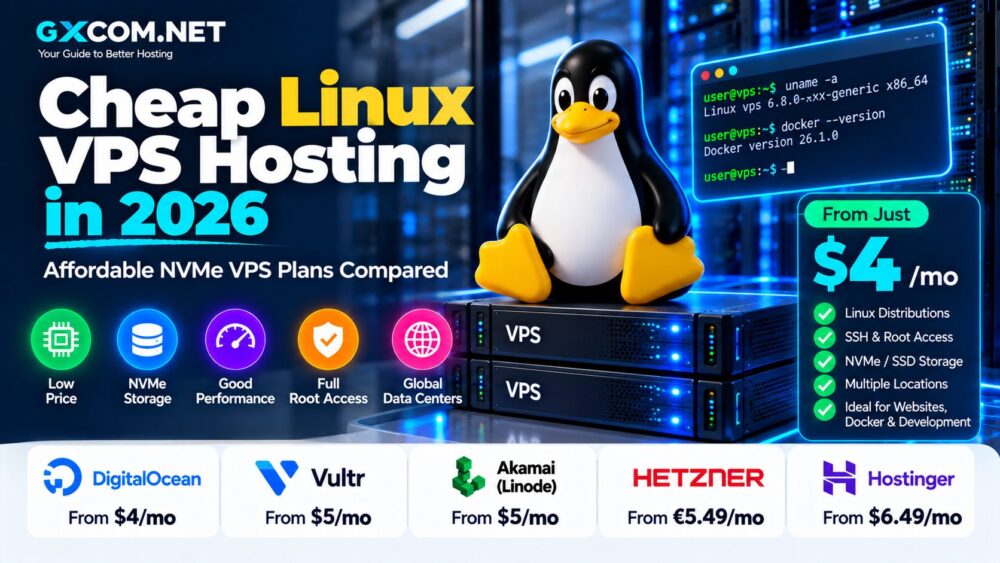
DigitalOcean currently starts at $4 per month for its smallest Basic Droplet, while Akamai's standard Shared CPU family begins at $5 per month in many core regions.
However, the cheapest server is rarely the right benchmark for a production website.
A realistic Linux VPS budget should consider:
- CPU and RAM
- Storage
- Bandwidth
- Backups
- Control panels
- Management
- Additional IP addresses
Users focused primarily on price can also compare our Cheap Unmanaged VPS guide.
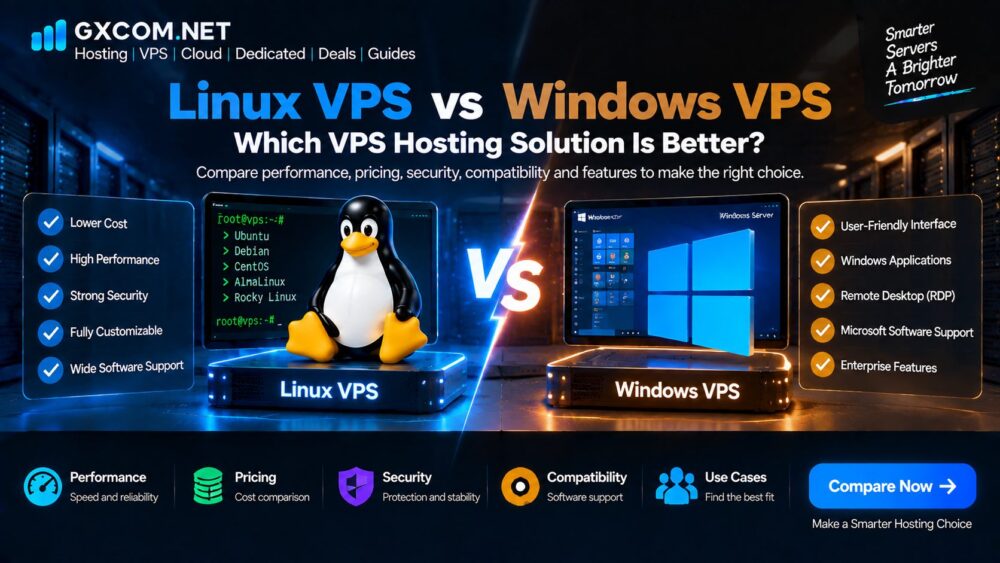
Linux VPS vs Windows VPS
| Feature | Linux VPS | Windows VPS |
|---|---|---|
| Operating System | Ubuntu, Debian, AlmaLinux, etc. | Windows Server |
| Remote Administration | SSH | RDP / PowerShell |
| Licensing | Most distributions have no OS license fee | Windows licensing can affect price |
| Common Web Stack | Nginx/Apache, PHP, MySQL | IIS, .NET, SQL Server and Windows apps |
| Docker/Linux Tools | Excellent | Workload dependent |
Linux is usually the logical choice when your software does not specifically require Windows. Windows VPS becomes relevant for Windows Server applications, RDP environments, IIS and Microsoft-focused workloads.
How to Choose a Linux VPS Provider
1. Check the CPU
Look beyond the number of vCPUs. Determine whether CPU resources are shared or dedicated and which processor generation is being used where that information is available.
2. Check Linux Distribution Support
Make sure the provider supports your preferred Ubuntu, Debian, AlmaLinux or other distribution and version.
3. Compare Storage
NVMe can be beneficial for storage-intensive workloads, but also compare total capacity and backup options.
4. Check Bandwidth
Compare included transfer and overage charges, particularly for download-heavy services.
5. Choose the Right Location
Select infrastructure reasonably close to your audience when network latency matters.
6. Check Backup Pricing
Do not assume backups are included in the VPS price.
7. Consider Future Scaling
Look for an easy path toward additional RAM, CPU, storage or specialized compute.
Which Linux VPS Is Best for Beginners?
Beginners should prioritize usability and documentation rather than choosing solely on the lowest price.
DigitalOcean and Akamai/Linode provide straightforward cloud interfaces and extensive Linux documentation, while Hostinger can be attractive to website owners moving from conventional hosting into VPS infrastructure.
If this is your first virtual server, our VPS Hosting for Beginners guide explains CPU, RAM, storage, operating systems and server management step by step.
Best Linux VPS Hosting 2026: Final Thoughts
The Linux VPS market provides options ranging from inexpensive development servers to dedicated-CPU virtual machines designed for production applications.
DigitalOcean offers a developer-friendly Linux ecosystem with straightforward Droplets. Vultr combines Linux compute with a broad international infrastructure footprint. Akamai/Linode provides simple Shared CPU and more specialized compute families, while Hetzner remains attractive for cost-conscious infrastructure users. Hostinger provides another accessible route for website owners moving into KVM VPS hosting.
The right provider depends on your workload rather than the provider name alone. Compare CPU type, RAM, storage, network transfer, Linux distribution support, backup policy and management requirements before buying.
For most Linux users, a well-sized VPS with reliable infrastructure and a clear upgrade path will provide more long-term value than simply selecting the lowest advertised monthly price.