Windows VPS hosting provides a remote Windows Server environment with dedicated virtual resources, administrator access and Remote Desktop connectivity. It can be used for ASP.NET websites, Microsoft SQL Server, business applications, development environments and software that specifically requires Windows.
Choosing the Best Windows VPS Hosting in 2026 requires more than comparing RAM and CPU. Windows Server licensing, RDP access, storage performance, management level, backups and renewal pricing can make two apparently similar VPS plans very different in real cost.
This guide compares Windows VPS providers for different budgets and workloads, with particular attention to RDP, performance, pricing and Windows-specific features.
Pricing checked in September 2026. VPS prices, promotions, Windows licensing, server locations and configurations can change. Verify the final configuration and price with each provider before ordering.
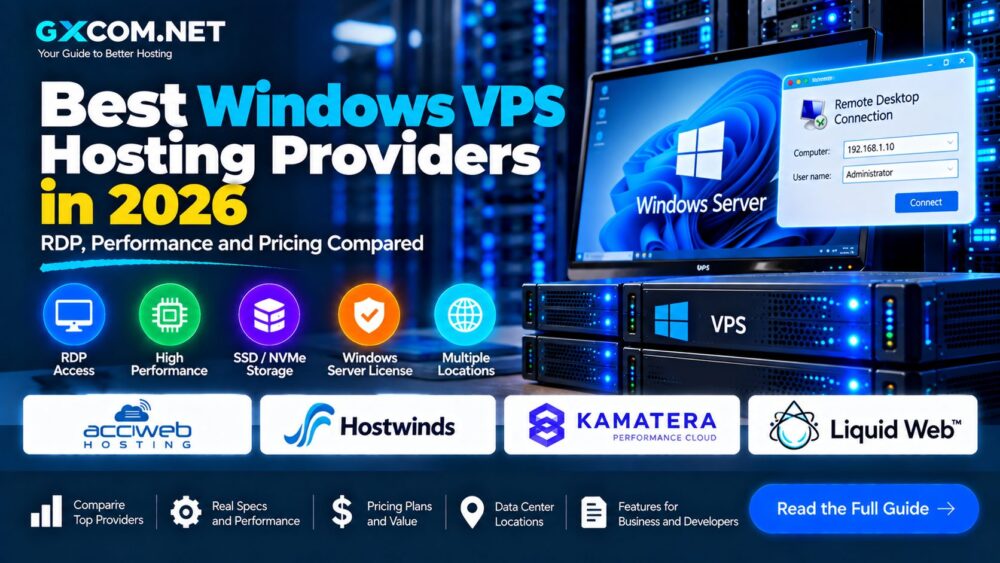
Best Windows VPS Hosting 2026: Quick Comparison
| Provider | Example Starting Price* | Windows / RDP | Best For |
|---|---|---|---|
| AccuWeb Hosting | From $6.33/mo | Windows license + RDP | Budget Windows VPS |
| Hostwinds | From $16.99/mo unmanaged | Windows VPS | Flexible management options |
| Kamatera | From $31/mo preconfigured | Windows Server 2022 | Custom cloud VPS |
| Liquid Web | From $54/mo RDP plans | Windows + RDP | Managed/business workloads |
*Representative pricing checked in September 2026. These plans are not directly equivalent because RAM, CPU, licensing, management, storage and promotions differ.
What Is Windows VPS Hosting?
A Windows VPS is a virtual private server running Microsoft Windows Server rather than a Linux distribution.
The hosting provider allocates virtual CPU, RAM, storage and network resources to the server. Users can typically administer the operating system through Microsoft Remote Desktop Protocol (RDP), PowerShell or other management tools.
Common Windows VPS workloads include:
- ASP.NET and .NET applications
- IIS web hosting
- Microsoft SQL Server
- Remote Windows applications
- ERP and CRM software
- Development and testing
- Windows-only business software
- Remote administrative environments
If your applications do not specifically require Windows, Linux VPS may be less expensive because Windows Server licensing can increase the total server cost.
1. AccuWeb Hosting – Affordable Windows VPS with RDP
AccuWeb Hosting currently offers one of the lowest entry prices among the Windows VPS services in this comparison.
Its VPS Opal plan is currently advertised at $6.33 per month and renews at $6.99 per month. The plan includes:
- 1 GB RAM
- 1 vCPU
- 40 GB SSD storage
- 500 GB bandwidth
- 1 IP address
- Windows Server license
- Remote Desktop access
The provider currently lists Windows Server 2019/2022 support on the entry plan, while selected larger configurations also show Windows Server 2025 availability.
AccuWeb also advertises complimentary daily backups for selected locations, although backup availability depends on the server location and plan.
Best for: users looking for an inexpensive long-term Windows VPS with RDP and licensing included.
2. Hostwinds – Managed and Unmanaged Windows VPS
Hostwinds is interesting because it offers both managed and unmanaged Windows VPS options.
Its current unmanaged entry plan starts at $16.99 per month and includes:
- 1 CPU
- 1 GB RAM
- 30 GB SSD storage
- 1 TB bandwidth
- 1 Gbps network port
- Snapshots
- Enterprise firewall
The managed Windows VPS line is more expensive because additional support and server-management services are included. The provider currently advertises its 1 CPU / 1 GB / 30 GB managed configuration at a promotional price of $14.94 per month against a displayed regular price of $22.99.
This creates a useful choice: experienced Windows administrators can select unmanaged infrastructure, while users wanting provider assistance can consider managed service.
Best for: buyers who want a choice between self-managed and managed Windows VPS hosting.
3. Kamatera – Highly Configurable Windows Cloud VPS
Kamatera approaches Windows VPS as configurable cloud infrastructure rather than a fixed traditional hosting package.
Its current Windows VPS page lists a Basic configuration at $31 per month with:
- 1 availability core
- 2 GB RAM
- 30 GB NVMe SSD
- 5 TB internet traffic
- Windows Server 2022 Datacenter 64-bit
The $37 Plus configuration increases this to 2 availability cores and 4 GB RAM while retaining 30 GB NVMe storage and 5 TB traffic.
Kamatera supports hourly or monthly billing and allows CPU, RAM and storage to be scaled as requirements change.
The platform also distinguishes between different CPU types. Its general-purpose Type B configuration uses reserved CPU threads for workloads requiring more predictable performance.
Best for: developers and businesses wanting configurable Windows infrastructure with flexible resource scaling.
4. Liquid Web – Premium Windows RDP VPS
Liquid Web targets a substantially different segment of the market. Its Windows and RDP VPS services focus more heavily on managed business infrastructure than entry-level budget hosting.
The current General RDP VPS configuration is advertised at $54 per month and includes:
- 2 vCPU cores
- 4 GB memory
- 80 GB storage
- 3 TB bandwidth
- Windows Remote Desktop access
Liquid Web also offers memory-oriented and CPU-oriented RDP configurations.
The underlying VPS platform uses KVM virtualization, AMD EPYC processors and SSD/NVMe storage, while security features include DDoS protection and integrated firewalls.
Liquid Web's broader Windows VPS offerings can be considerably more expensive when Windows Server, Plesk and managed services are bundled into business-focused configurations.
Best for: businesses that prioritize managed Windows infrastructure and support over the lowest monthly price.
What Is RDP VPS Hosting?
RDP stands for Remote Desktop Protocol, Microsoft's technology for remotely accessing a Windows desktop environment.
Instead of managing the server only through a command line, you can connect to the Windows VPS and interact with a graphical desktop.
Typical RDP VPS use cases include:
- Remote server administration
- Windows application hosting
- Development environments
- Business software
- Testing Windows applications
RDP availability does not mean that every Windows application or usage pattern is permitted. Always check the hosting provider's acceptable-use policy before deploying specialized workloads.
Windows Server 2022 vs Windows Server 2025
Windows Server version availability varies significantly between providers and plans.
Windows Server 2022 remains widely available in VPS hosting, while Windows Server 2025 is increasingly offered by providers on newer configurations.
| Consideration | Windows Server 2022 | Windows Server 2025 |
|---|---|---|
| Hosting Availability | Very broad | Growing |
| Existing Application Compatibility | Mature ecosystem | Verify application support |
| New Deployments | Still practical | Consider when supported |
Do not select a VPS simply because it offers the newest Windows Server release. Application compatibility should come first.
How Much RAM Does a Windows VPS Need?
Windows generally requires more memory than a minimal Linux server, particularly when using a graphical desktop and multiple Windows applications.
| RAM | Typical Use |
|---|---|
| 1–2 GB | Light testing and very small workloads |
| 4 GB | General RDP, development and light applications |
| 8 GB | Business applications and larger workloads |
| 16 GB+ | Databases, multiple applications and heavier workloads |
These are general guidelines rather than Microsoft system requirements for every workload. Your applications can require substantially more memory.
SSD vs NVMe Windows VPS
Storage performance matters when a Windows VPS runs databases, development environments or applications that frequently read and write data.
NVMe storage communicates through PCIe and can provide higher I/O performance than older SATA SSD configurations.
Kamatera currently advertises NVMe storage on its Windows VPS plans, while Liquid Web describes SSD and NVMe infrastructure across its VPS platform.
However, storage technology is only one performance factor. CPU allocation, RAM and application configuration remain equally important.
Windows VPS Licensing: Check Before You Buy
This is one of the biggest differences between Linux VPS and Windows VPS.
Linux distributions such as Ubuntu generally do not add a commercial operating-system license fee. Microsoft Windows Server licensing can affect the VPS price.
Before ordering, determine:
- Is the Windows Server license included?
- Which Windows Server versions are available?
- Does changing Windows versions change the price?
- Is RDP access included?
- Does SQL Server require a separate license?
- Does a control panel such as Plesk cost extra?
AccuWeb, for example, explicitly advertises Windows licensing on its standard Windows VPS plans. Kamatera's Windows configurations likewise price the selected Windows Server environment as part of the configured server.
Managed vs Unmanaged Windows VPS
Server management can dramatically affect both price and operational responsibility.
Unmanaged Windows VPS
You are generally responsible for tasks such as:
- Windows updates
- Firewall configuration
- RDP security
- Application installation
- Monitoring
- Backups
- Troubleshooting the operating system
Managed Windows VPS
The provider supplies additional assistance with the server environment. Exactly what “managed” includes varies by provider, so always read the service scope.
Managed hosting can make sense for businesses where administrator time and application availability matter more than obtaining the lowest possible VPS price.
Windows VPS Security: RDP Needs Special Attention
Remote Desktop is extremely useful, but exposing a Windows server directly to the internet requires careful security configuration.
Basic precautions include:
- Use strong, unique administrator credentials
- Keep Windows Server updated
- Enable Network Level Authentication where appropriate
- Use Windows Firewall
- Restrict RDP access where possible
- Use provider firewalls or VPN access where appropriate
- Maintain reliable backups
- Review Windows security logs
Never treat an internet-facing RDP server like an ordinary home Windows PC.
Windows VPS for ASP.NET and IIS
Windows VPS is particularly relevant when applications depend on the Microsoft ecosystem.
Typical components can include:
- Internet Information Services (IIS)
- ASP.NET
- .NET applications
- Microsoft SQL Server
- PowerShell
For a basic PHP or WordPress website that has no Windows-specific requirements, a Linux VPS may offer a more economical server environment.
Windows VPS for Remote Business Applications
Some organizations use Windows VPS infrastructure to host accounting software, ERP systems, CRM applications and other Windows-dependent business tools.
For these workloads, prioritize:
- Enough RAM
- Predictable CPU performance
- Reliable backups
- Low network latency
- Windows licensing
- Provider support
The cheapest Windows VPS may not be the most economical choice if application downtime creates business costs.
How to Choose a Windows VPS Provider
1. Confirm the Windows License
Never compare headline prices without determining whether Windows Server licensing is included.
2. Check RDP Access
If Remote Desktop is important, confirm it is supported and understand any restrictions.
3. Compare RAM
A graphical Windows environment can consume significant memory before your business applications even start.
4. Compare CPU Resources
Look beyond the number of vCPUs. Shared and reserved CPU resources can provide different levels of performance consistency.
5. Check SSD or NVMe Storage
Storage performance can matter for databases and I/O-intensive applications.
6. Check Backups
Determine whether backups are included, optional or unavailable on the selected plan and location.
7. Compare Renewal Pricing
Promotional pricing can make a VPS look much cheaper during the initial term. Calculate the long-term cost before buying.
8. Choose the Right Location
For interactive RDP sessions, latency can noticeably affect the user experience. A server reasonably close to its users can make remote desktop sessions feel more responsive.
Cheap Windows VPS vs Premium Windows VPS
Budget Windows VPS can work well for development, testing and lightweight remote applications.
Premium managed services are more appropriate when you need stronger provider support, more resources, backups and business-oriented server management.
Do not compare a $7 self-service Windows VPS directly with a $50–$100+ managed configuration without considering what each plan includes.
Windows VPS vs Linux VPS
| Feature | Windows VPS | Linux VPS |
|---|---|---|
| Remote Access | RDP / PowerShell | SSH |
| OS Licensing | Can add cost | Most distributions free |
| ASP.NET / IIS | Strong fit | Depends on application |
| Linux Stack | Not primary use | Excellent |
| Typical Entry Cost | Often higher | Often lower |
If your software does not require Windows, compare our Linux VPS Hosting Providers before making a decision.
Which Windows VPS Is Best for Beginners?
Beginners should prioritize clear licensing, RDP access, backups and support rather than choosing solely on the lowest price.
A low-cost service such as AccuWeb can provide an accessible entry point for lightweight Windows workloads. Hostwinds offers a useful choice between managed and unmanaged environments. Kamatera provides greater cloud configurability, while Liquid Web targets customers wanting a more premium RDP and managed infrastructure experience.
If you are new to virtual servers in general, our VPS Hosting for Beginners guide explains CPU, RAM, storage, bandwidth and server management before you purchase.
Best Windows VPS Hosting 2026: Final Thoughts
The Windows VPS market in 2026 ranges from inexpensive RDP servers to premium managed infrastructure, so there is no single configuration that fits every workload.
AccuWeb Hosting is positioned strongly at the budget end with Windows licensing and RDP included. Hostwinds provides managed and unmanaged choices. Kamatera is attractive when flexible cloud resources and NVMe storage are priorities, while Liquid Web focuses more heavily on managed Windows and RDP workloads.
Before buying, compare more than the headline monthly price. Check the Windows Server license, RDP access, RAM, CPU allocation, SSD or NVMe storage, bandwidth, backups, management level and renewal cost.
The right Windows VPS is the server that matches your application requirements while giving you enough resources and operational support to run it reliably.