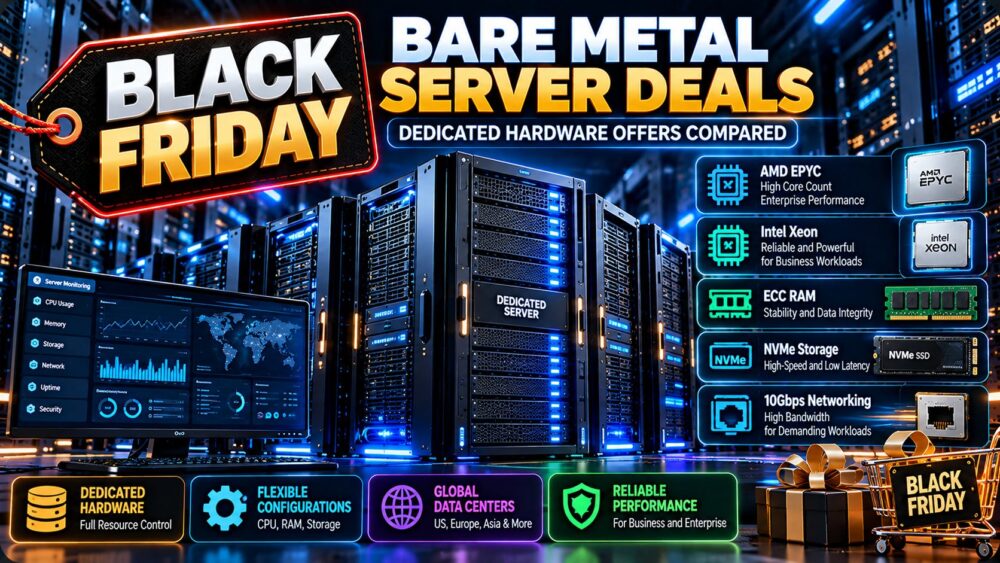
Black Friday Bare Metal Server Deals can offer an opportunity to secure dedicated physical hardware at a more competitive cost. However, the best bare metal server offer is not necessarily the one advertising the largest discount. CPU generation, memory configuration, NVMe storage, network quality, deployment location, setup charges, and renewal terms all affect the real value of a dedicated server.
Unlike a typical virtual private server, a bare metal server gives the customer access to an allocated physical machine without sharing its CPU and memory through a conventional multi-tenant VPS environment. This can be valuable for demanding databases, virtualization, high-traffic applications, private infrastructure, and predictable computing workloads.
This guide explains how to compare Black Friday bare metal promotions, identify the hardware specifications that matter, evaluate dedicated hosting providers, and calculate total ownership costs before committing to a seasonal deal.
Black Friday 2026 status: Black Friday falls on November 27, 2026. This guide was prepared ahead of the event. It does not claim that any specific provider has already announced a qualifying Black Friday promotion. Actual discounts, coupon codes, server inventory, and expiration dates must be verified from official provider sources before publication as active offers.
Black Friday Bare Metal Server Deals: What Makes an Offer Worth Buying?
The best Black Friday Bare Metal Server Deals combine suitable hardware, transparent pricing, reliable connectivity, and reasonable contract terms.
A discounted server can become expensive when the configuration lacks enough memory, requires paid upgrades, or includes network limitations that affect the intended workload.
Before choosing a provider, evaluate the following:
- Processor: CPU generation, architecture, core count, clock speed, and sustained performance.
- Memory: Installed RAM, ECC support, memory channels, and upgrade options.
- Storage: SSD or NVMe technology, usable capacity, drive redundancy, and replacement policies.
- Network: Port speed, included transfer, bandwidth limits, and connectivity quality.
- Location: Data center geography, latency, and relevant compliance requirements.
- Provisioning: Whether hardware is ready to deploy or requires additional setup time.
- Management: Operating system administration, hardware support, and remote access.
- Commercial terms: Setup fees, billing period, renewal pricing, and cancellation requirements.
These factors should be evaluated together rather than ranking servers by their promotional prices alone.
Bare Metal vs Dedicated Server: Is There a Difference?
The terms bare metal server and dedicated server are often used interchangeably because both generally describe physical hardware allocated to a single customer.
However, providers may use the terms to emphasize different provisioning and management models.
Traditional Dedicated Servers
Traditional dedicated hosting commonly involves renting a physical server with a defined hardware configuration, operating system options, and a monthly or contractual billing arrangement.
Some providers offer managed services, while others give customers full responsibility for the operating system and applications.
Cloud-Style Bare Metal Servers
Some bare metal platforms emphasize API-based provisioning, automated operating system deployment, flexible billing, and integration with cloud infrastructure.
These features are provider-specific. The term “bare metal” alone does not guarantee hourly billing, instant provisioning, or cloud-style automation.
| Feature | Traditional Dedicated Hosting | Cloud-Style Bare Metal |
|---|---|---|
| Physical hardware | Dedicated to one customer | Dedicated to one customer |
| Provisioning | May involve manual setup | May offer automated deployment |
| Billing | Often monthly or contractual | May support usage-based billing |
| Hardware flexibility | Depends on provider inventory | Depends on available server types |
| Management | Managed or unmanaged options | Varies by service |
| Best evaluation metric | Total workload cost | Total workload cost |
For a broader explanation of physical server architecture, read our bare metal server providers guide.
Best CPU Options for Black Friday Bare Metal Servers
Processor selection is one of the most important decisions when purchasing dedicated hardware.
Two servers with the same advertised core count can deliver different results because of CPU generation, architecture, frequency, cache, memory bandwidth, and workload optimization.
AMD EPYC Servers
AMD EPYC processors are relevant for infrastructure workloads that benefit from substantial core counts, memory capacity, and server-class platform features.
They may be attractive for virtualization, databases, parallel processing, and multi-service deployments.
However, performance depends on the exact EPYC generation and processor model. A newer CPU with fewer cores can outperform an older high-core-count processor in certain applications.
Intel Xeon Servers
Intel Xeon platforms remain relevant for enterprise applications, virtualization, databases, and workloads requiring particular instruction sets or validated software environments.
Compare the actual Xeon model, generation, memory configuration, and platform capabilities rather than assuming all Xeon servers perform similarly.
AMD Ryzen Dedicated Servers
Ryzen-based dedicated servers can be attractive for applications that benefit from strong per-core performance.
Potential use cases include game servers, selected databases, development environments, and workloads sensitive to single-thread performance.
However, Ryzen platforms differ from enterprise EPYC systems in memory capacity, PCIe connectivity, platform management, and other capabilities.
Which CPU Should You Choose?
| Workload | CPU Priority | What to Verify |
|---|---|---|
| High-traffic websites | Fast cores and sufficient parallel capacity | Application response time and database performance |
| Virtualization | Core count, RAM capacity, I/O | Hypervisor support and resource allocation |
| Databases | Per-core speed, memory, storage latency | Query performance and working-set size |
| Game hosting | Strong single-thread performance | Game engine and server software requirements |
| Batch processing | Useful parallel throughput | Completion time and cost per job |
| Private cloud | Memory, I/O, networking, expansion | Cluster and management requirements |
For detailed comparisons of hardware allocation and infrastructure value, see our bare metal server comparison.
How Much RAM Does a Bare Metal Server Need?
Memory requirements vary considerably by application.
A dedicated web server running a small number of applications may need far less RAM than a virtualization host or a database storing large working sets in memory.
32GB to 64GB RAM
Configurations in this range may suit moderate hosting workloads, development environments, and selected business applications.
Actual requirements depend on the number of services, application design, and expected traffic.
128GB RAM
A 128GB configuration can be useful when running multiple virtual machines, memory-intensive applications, or larger databases.
Before purchasing, confirm whether memory upgrades are possible and whether the platform supports the required capacity.
256GB RAM and Above
Higher-memory servers may be appropriate for dense virtualization, large in-memory datasets, and specialized enterprise workloads.

Evaluate memory bandwidth, CPU memory channels, and the actual application working set rather than buying additional RAM without a clear requirement.
Why ECC Memory Matters
Error-correcting code memory can detect and correct certain memory errors, making it relevant for systems where reliability and data integrity are important.
Not every server configuration supports ECC in the same way. Confirm the installed memory type and platform support rather than assuming that every dedicated server includes it.
NVMe Storage, RAID and Backup Requirements
Storage configuration can have a major effect on server responsiveness, database performance, and recovery procedures.
NVMe vs SATA SSD
NVMe storage generally provides a higher-performance interface than conventional SATA SSDs, but actual throughput and latency depend on the installed drives, controller, workload, and server configuration.
For databases and I/O-intensive applications, random I/O latency can matter more than advertised sequential transfer speeds.
RAID 1 vs RAID 10
RAID 1 mirrors data across drives and can protect against certain individual drive failures.
RAID 10 combines mirroring and striping, potentially improving performance and resilience in suitable multi-drive configurations.
However, RAID is not a backup. Accidental deletion, ransomware, corruption, and other failures can affect data across an array.
Check Usable Capacity
Two 1TB drives configured as RAID 1 provide approximately the capacity of one drive, not 2TB of usable mirrored storage.
Before ordering, confirm whether the advertised capacity refers to raw installed storage or the usable configuration after RAID.
Backup and Recovery
Ask whether the provider offers off-server backups, snapshots, replacement drives, and recovery assistance.
For critical systems, maintain independent backups and test restoration procedures.
Bandwidth and Network Port Speeds Explained
Black Friday dedicated server offers often emphasize 1 Gbps or 10 Gbps network ports.
These specifications are useful, but port speed alone does not establish real-world application throughput.
1 Gbps vs 10 Gbps Ports
A 1 Gbps port has a theoretical maximum of 125 MB/s before protocol overhead and practical limitations.
A 10 Gbps port has a theoretical maximum of 1,250 MB/s under the same simplified calculation.
Actual transfer speeds depend on network congestion, routing, remote endpoint capacity, storage performance, and provider policies.
Metered vs Unmetered Traffic
Metered plans generally include a defined transfer allowance.
Unmetered plans may remove a specific transfer quota while still imposing port-speed, acceptable-use, or fair-use restrictions.
Unmetered should not automatically be interpreted as unlimited throughput under every condition.
Server Location and Latency
A dedicated server close to the intended users may improve response times, but routing quality also matters.
Evaluate latency, packet loss, data center connectivity, and regional compliance requirements.
Black Friday Bare Metal Server Deals: Providers to Compare
When evaluating Black Friday bare metal promotions, compare providers based on the hardware they can actually deliver, support responsibilities, and verified commercial terms.
The following companies are relevant candidates for dedicated infrastructure research. Inclusion does not mean that an active Black Friday promotion has been confirmed.
Cherry Servers: Bare Metal and Dedicated Infrastructure
Cherry Servers is a relevant option for businesses researching bare metal infrastructure and dedicated hardware.
Compare available processor models, RAM, storage configurations, network capacity, provisioning methods, and operating system options.
For long-running workloads, evaluate the total cost of a suitable dedicated configuration rather than focusing exclusively on promotional discounts.
Best fit to evaluate: Organizations seeking dedicated hardware for infrastructure workloads, subject to current configuration availability.
DediXLAB: Dedicated Server Configuration Research
DediXLAB can be considered when comparing dedicated server configurations and procurement requirements.
Request confirmation of the exact CPU, memory, storage, data center location, setup costs, and current availability.
For seasonal offers, confirm whether promotional terms apply to the required configuration rather than to a different entry-level server.
Best fit to evaluate: Buyers comparing physical server specifications and contract economics.
ServerMania: Enterprise Dedicated Server Planning
ServerMania is relevant for organizations evaluating dedicated servers and infrastructure requirements.
Compare processor generations, memory capacity, storage options, networking, support coverage, and any customization requirements.
Businesses should also confirm the provisioning timeline and the scope of hardware replacement assistance.
Best fit to evaluate: Companies planning predictable, sustained workloads on dedicated infrastructure.
GTHost: Dedicated Server and Deployment Options
GTHost is another provider to investigate when comparing dedicated hosting configurations.
Verify the exact server specification, available location, billing terms, deployment conditions, and support responsibilities.
Do not assume that a server listed in a regular product catalog is included in a Black Friday campaign.
Best fit to evaluate: Buyers comparing dedicated server deployment flexibility and hardware options.
Hostwinds: Dedicated Hosting and Support Evaluation
Hostwinds can be considered by buyers evaluating dedicated server hosting and support arrangements.
Confirm the current dedicated product lineup, hardware customization options, operating system support, network allocation, and management services.
When reviewing any seasonal discount, check whether it applies to the complete configuration and whether the renewal price changes.
Best fit to evaluate: Buyers who want to compare dedicated infrastructure alongside service and support requirements.
Important: Provider availability, prices, discounts, and Black Friday eligibility can change. Verify every offer through official product pages or authorized campaign information before purchasing.
How to Calculate the Real Cost of a Black Friday Bare Metal Server
The Black Friday Bare Metal Server Deals comparison should focus on total cost over the intended service period.
A promotional server may appear inexpensive until setup charges, additional storage, bandwidth, management services, and renewal pricing are included.
Total Cost Formula
Total server cost = subscription charges + setup fees + required upgrades + bandwidth charges + management and backup costs
For a complete business comparison, organizations may also need to include migration, administration, software licensing, and downtime risks.
Hypothetical Pricing Example
Consider two fictional dedicated server offers with broadly similar intended workloads:
| Cost Factor | Server A | Server B |
|---|---|---|
| Monthly rental | $75 | $90 |
| One-time setup fee | $120 | $0 |
| Required storage upgrade | $10/month | Included |
| 12-month rental and upgrade cost | $1,020 | $1,080 |
| 12-month total including setup | $1,140 | $1,080 |
These figures are hypothetical illustrations, not real Black Friday prices, verified discounts, or quotations from any provider named in this article.
Server A has a lower advertised rental price but costs more over the first year after including setup and required storage.
The comparison also assumes that both configurations meet the workload's performance and reliability requirements.
Check the Renewal Price
Some promotional rates apply only to the initial billing period.
Ask whether the monthly price is recurring, whether it changes at renewal, and whether the promotion requires a longer contract.
Compare Performance per Dollar
Hardware specifications should be interpreted in the context of the actual workload.
A newer CPU with fewer cores may complete some jobs faster than an older processor with more cores.
For database or web workloads, useful metrics include response time, completed requests, query throughput, and latency under load.
For compute-intensive jobs, compare total cost per completed workload.
Black Friday Bare Metal vs VPS: Which Offers Better Value?
VPS hosting may provide lower entry costs and greater flexibility for moderate workloads.
Bare metal can be attractive when applications require dedicated physical resources, specialized hardware, or greater control over the host environment.
| Factor | VPS | Bare Metal Server |
|---|---|---|
| Hardware | Virtualized allocation | Allocated physical machine |
| Entry cost | Often lower | Depends on hardware and contract |
| CPU isolation | Depends on service model | Physical CPU allocated to customer |
| Customization | Limited by virtual platform | May allow greater hardware control |
| Scaling | May support flexible resizing | May require hardware changes |
| Management | Managed or unmanaged | Managed or unmanaged |
For a deeper comparison, read our Dedicated Server vs VPS guide.
When Should You Buy a Bare Metal Server on Black Friday?
Black Friday can be a useful buying opportunity when the hardware configuration matches a clearly defined requirement.
Good Reasons to Buy
- You have a stable workload that benefits from dedicated physical resources.
- The exact CPU, RAM, and storage configuration has been validated.
- The provider's service terms and support responsibilities are acceptable.
- The promotion reduces total costs compared with suitable regular offers.
- You can justify the billing commitment and migration effort.
Reasons to Wait
- You have not tested the application on comparable hardware.
- The promotion requires a long contract with unclear renewal terms.
- The server uses outdated hardware that may not meet future requirements.
- Network performance or data center location is unsuitable.
- The provider cannot confirm provisioning time or hardware availability.
For general dedicated server promotions outside the Black Friday season, explore our affordable dedicated server deals guide.
How to Verify a Black Friday Bare Metal Promotion
Before adding a seasonal offer to a comparison table, verify it using official provider information.
| Field | Information to Record |
|---|---|
| Provider | Official company and product name |
| Server configuration | Exact CPU, RAM, storage, and network |
| Regular price | Verified comparison price and conditions |
| Promotional price | Actual payable amount |
| Setup fee | Included, waived, or additional |
| Billing term | Monthly, annual, or longer commitment |
| Renewal terms | Whether the rate continues |
| Coupon | Code and applicable restrictions |
| Expiration | Confirmed date and time zone |
| Availability | Location and current stock status |
| Last checked | Date the offer was verified |
If an offer has not been officially announced, mark it as upcoming or unverified rather than displaying an invented discount.

Black Friday Bare Metal Server Buying Checklist
- Define the workload: Identify compute, memory, storage, and network requirements.
- Check the CPU model: Compare generation, cores, frequency, and architecture.
- Verify RAM: Confirm capacity, ECC support, and upgrade options.
- Review storage: Check drive type, RAID configuration, and usable capacity.
- Inspect networking: Understand port speed, transfer allowances, and restrictions.
- Choose the right location: Test latency and regional suitability.
- Confirm management: Identify operating system and hardware support responsibilities.
- Check deployment: Verify setup time and inventory.
- Calculate total cost: Include setup fees, upgrades, and required services.
- Review renewals: Confirm what happens after the promotional term.
- Plan recovery: Arrange backups and hardware failure procedures.
- Verify the promotion: Check official terms before purchasing.
Frequently Asked Questions
When is Black Friday 2026?
Black Friday 2026 is Friday, November 27. Some hosting providers may launch promotions earlier or extend them through Cyber Monday. Exact campaign dates vary.
Are Black Friday bare metal server deals worth it?
They can be worthwhile when the promotion lowers the total cost of a server that meets the intended workload. Discounts alone do not establish value.
Is bare metal the same as a dedicated server?
Both terms commonly refer to physical hardware allocated to one customer. Some providers use bare metal to emphasize automated provisioning or cloud-style billing, but features vary.
Are AMD EPYC servers better than Intel Xeon servers?
Neither processor family is universally better. Compare exact models, generations, memory configurations, workload benchmarks, and total server cost.
Is NVMe important for dedicated servers?
NVMe can be valuable for I/O-intensive applications, especially databases and workloads requiring low storage latency. Benefits depend on the complete storage configuration.
Does a 10 Gbps port guarantee faster hosting?
No. Real performance also depends on routing, congestion, storage, remote endpoint capacity, and provider network policies.
Do Black Friday dedicated server discounts apply to renewals?
Not always. Some offers apply only to the initial billing term. Confirm renewal conditions before purchasing.
Should I choose monthly or annual dedicated hosting?
Monthly billing may provide flexibility, while annual billing may offer savings. Compare the financial commitment, cancellation terms, and expected workload duration.
Can I install virtualization software on a bare metal server?
Many bare metal environments can support compatible hypervisors, but installation rights, hardware features, operating system support, and provider policies must be verified.
Which provider has the best Black Friday bare metal offer?
There is no universally best provider. Compare verified promotions from relevant suppliers based on hardware, network, location, support, total cost, and workload requirements.
Final Verdict: Black Friday Bare Metal Server Deals
The best Black Friday Bare Metal Server Deals offer more than a low monthly price. They provide suitable physical hardware, reliable infrastructure, transparent contract terms, and a measurable reduction in total cost.
Cherry Servers, DediXLAB, ServerMania, GTHost, and Hostwinds are relevant providers to investigate for dedicated hosting requirements, subject to current products and availability.
Before purchasing, compare CPU generations, RAM, NVMe storage, network capacity, deployment conditions, and renewal costs. Avoid treating an unverified seasonal promotion as an active discount.
For most buyers, the strongest purchasing decision is the server that reliably completes the intended workload at the lowest acceptable total cost, not the one with the largest advertised discount.
WORKLOAD → CPU & RAM → NVMe STORAGE → NETWORK → SERVER LOCATION → CONTRACT TERMS → TOTAL COST → REAL VALUE