Storage technology can have a major impact on virtual server performance, especially for databases, ecommerce sites, Docker environments and applications that perform frequent disk operations.
That makes NVMe VPS vs SSD VPS an important comparison when choosing hosting in 2026. NVMe offers a newer storage architecture designed for solid-state drives, while many traditional SSD VPS plans still rely on the older SATA interface.
However, the real-world difference is more complicated than simply saying NVMe is faster. CPU allocation, RAM, virtualization, storage contention, caching and application design can all determine whether faster storage produces a noticeable improvement.
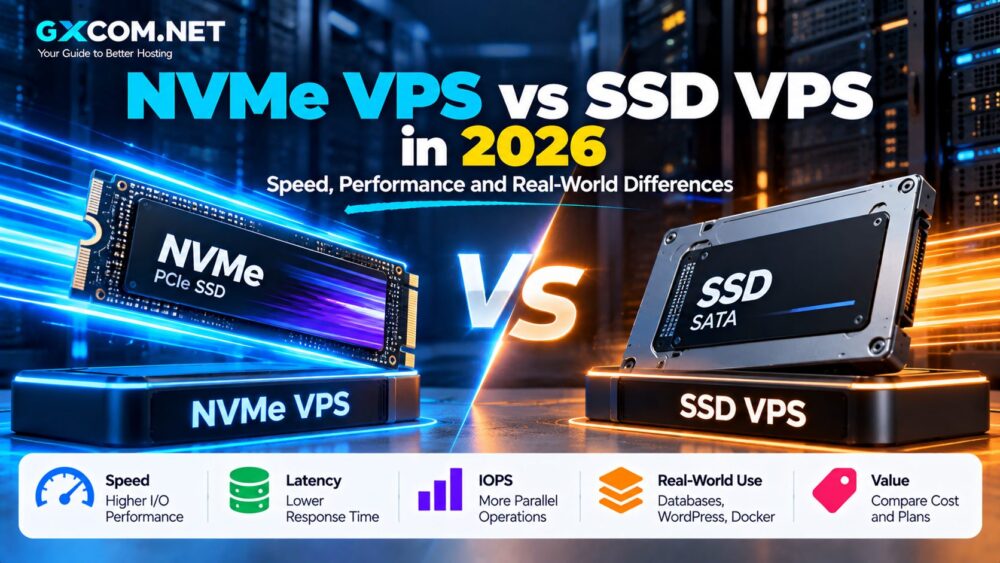
NVMe VPS vs SSD VPS: Quick Comparison
| Feature | NVMe VPS | Traditional SATA SSD VPS |
|---|---|---|
| Storage Technology | Solid-state | Solid-state |
| Typical Interface | PCIe / NVMe | SATA |
| Latency Potential | Lower | Higher |
| Parallel I/O | Designed for high parallelism | More limited |
| I/O Potential | Higher | Lower |
| Best For | Databases, apps, busy websites | General websites and light workloads |
| Cost | Increasingly affordable | Often inexpensive |
The table describes the technologies in general. Actual VPS performance depends on the hosting provider's hardware, virtualization layer and resource allocation.
First: NVMe Is Also an SSD
One of the biggest sources of confusion in hosting comparisons is the phrase “NVMe vs SSD.”
NVMe does not replace solid-state storage with a completely different storage medium. An NVMe drive is itself an SSD.
The meaningful comparison is normally:
NVMe SSD using PCIe vs SATA SSD using the older SATA interface.
NVMe was designed specifically for non-volatile solid-state storage and communicates through technologies such as PCI Express. SATA comes from an older storage architecture and imposes limitations that modern flash storage can exceed.
This is why a hosting company advertising “SSD VPS” has not necessarily told you whether the server uses SATA SSD or NVMe SSD.
What Is an NVMe VPS?
An NVMe VPS is a virtual private server whose underlying storage is backed by NVMe technology.
The virtual machine still receives familiar resources:
- vCPU
- RAM
- Storage
- Bandwidth
- Network connectivity
- Operating system
The difference is in the underlying storage architecture.
NVMe was designed around modern flash storage and supports an efficient command and queue architecture capable of handling substantial parallel I/O activity.
What Is an SSD VPS?
“SSD VPS” is a broader term.
It simply tells you that solid-state storage is involved. It does not necessarily identify the storage interface.
In hosting marketing, an SSD VPS often refers to a VPS backed by SATA SSD storage, particularly when a provider separately advertises more expensive “NVMe VPS” plans.
But this terminology is not universal.
Before comparing two providers, check whether “SSD” actually means SATA SSD and whether “NVMe” is explicitly stated in the technical specifications.
Why Is NVMe Faster Than SATA SSD?
The fundamental difference is the storage interface and architecture.
SATA was developed around earlier generations of storage hardware. Even after SSDs replaced mechanical drives, SATA remained constrained by an interface that was not originally designed around highly parallel flash storage.
NVMe was designed specifically for non-volatile memory and modern SSDs.
That allows NVMe to process storage operations much more efficiently and makes it better suited to highly parallel workloads.
The result can include:
- Lower storage latency
- Higher I/O throughput
- More parallel operations
- Better performance under storage-heavy workloads
Sequential Speed Is Not the Whole Story
Consumer SSD advertising often focuses on sequential read and write speeds.
For VPS hosting, that is only part of the story.
Web servers and databases frequently perform many smaller operations rather than continuously reading one enormous file.
Metrics such as these can therefore matter:
- Random read performance
- Random write performance
- IOPS
- Latency
- Queue depth
- Performance consistency
A storage system capable of processing many simultaneous small requests can be more valuable to a busy database than impressive sequential benchmark numbers.
NVMe VPS vs SSD VPS for WordPress
Will NVMe make WordPress faster?
It can, but the answer depends on the site.
A small cached WordPress blog may spend relatively little time waiting for disk I/O. Page caching and a CDN can serve much of its content without repeatedly accessing storage.
A dynamic site may behave differently.
Examples include:
- WooCommerce stores
- Membership websites
- Large publishing sites
- Sites with frequent searches
- Sites with heavy database activity
These workloads can perform more database and file operations, increasing the potential benefit of faster storage.
Even then, NVMe should be combined with sufficient CPU, RAM, PHP optimization, database tuning and caching.
NVMe VPS vs SSD VPS for Databases
Databases are one of the strongest cases for NVMe storage.
MySQL, MariaDB and PostgreSQL workloads can generate large numbers of reads and writes. Lower storage latency can become valuable when the database must frequently access disk.
However, database performance also depends heavily on memory.
If frequently accessed data can be cached in RAM, disk performance becomes less important for those requests. An undersized server with NVMe storage can therefore perform worse than a properly sized server using slower storage.
For database hosting, evaluate:
- RAM
- CPU performance
- Storage latency
- IOPS
- Database configuration
- Backup architecture
NVMe VPS vs SSD VPS for WooCommerce
WooCommerce adds substantially more dynamic database activity than a simple static website.
Products, inventory, customer sessions, carts and orders can all generate database operations.
For a busy WooCommerce site, NVMe can be worthwhile when storage I/O has become part of the performance bottleneck.
But moving an unoptimized WooCommerce store from SATA SSD to NVMe will not automatically fix slow PHP execution, excessive plugins or inefficient database queries.
NVMe VPS vs SSD VPS for Docker
Docker environments can also benefit from fast storage.
Common disk activity includes:
- Pulling container images
- Creating containers
- Writing application logs
- Persistent volumes
- Database containers
- Application builds
A development server running multiple containers may therefore feel more responsive with fast NVMe storage.
RAM is equally important. Multiple containers can consume memory quickly, so do not choose an undersized VPS just to obtain NVMe.
NVMe VPS vs SSD VPS for Web Hosting
For ordinary web hosting, the performance difference can be less dramatic than storage marketing suggests.
A small static site or heavily cached WordPress site may be limited by network latency, CPU processing or application configuration rather than storage.
In this situation, spending more for:
- A faster CPU
- More RAM
- A better server location
- A CDN
- Better caching
may produce a larger real-world improvement than moving from SATA SSD to NVMe.
Can NVMe Improve Website Loading Speed?
Yes, but only the storage-dependent portion of the request can benefit directly.
A webpage request can involve:
- Network latency
- Web server processing
- PHP or application execution
- Database queries
- Storage access
- Content delivery to the visitor
NVMe mainly improves the storage-related parts of that chain.
If storage accounts for only a small fraction of the total response time, the visitor may notice little difference.
Does NVMe Improve VPS Boot Time?
Faster storage can reduce the time required to read operating-system and application data during boot.
But VPS boot time is rarely an important SEO or production performance metric because a healthy production server should not be rebooting continuously.
Application startup, deployment and package installation can be more practically relevant areas where fast storage saves time.
NVMe VPS Does Not Automatically Mean Faster Hosting
This point deserves emphasis.
Imagine two VPS plans:
| Server A | Server B |
|---|---|
| NVMe storage | SATA SSD |
| 1 weak shared vCPU | 2 stronger vCPUs |
| 1 GB RAM | 4 GB RAM |
| Heavy host contention | Stable resource allocation |
Server A cannot automatically be considered faster just because it uses NVMe.
VPS performance is the result of the complete infrastructure stack.
Shared Storage Can Change the Result
Virtual servers add another complication that desktop SSD benchmarks do not capture.
You may not have exclusive access to the physical storage device.
Depending on the provider's architecture, multiple virtual machines can share storage resources.
That means actual performance may depend on:
- Host utilization
- Storage contention
- Provider I/O limits
- Virtualization overhead
- Storage architecture
A provider with well-managed SSD infrastructure can sometimes deliver more consistent application performance than an overloaded server that happens to advertise NVMe.
IOPS Limits Matter
Some cloud platforms apply storage-performance limits independently of the physical drive's maximum capability.
This is why knowing that a host uses NVMe does not tell you the maximum IOPS available to your individual VPS.
When storage performance is mission-critical, look for provider documentation covering:
- IOPS limits
- Throughput limits
- Local vs network storage
- Dedicated vs shared storage resources
Local NVMe vs Network Storage
Not all cloud storage architectures are identical.
A VPS may use local NVMe attached to the physical host, or storage may be delivered through a distributed network architecture.
Local NVMe can offer excellent latency, while distributed storage may provide different advantages such as redundancy, migration and infrastructure flexibility.
Do not compare cloud servers purely by the physical drive label without understanding how storage is delivered to the virtual machine.
NVMe VPS Pricing in 2026
NVMe is no longer limited to expensive enterprise hosting.
Budget VPS providers now offer NVMe-backed configurations at prices that overlap heavily with traditional SSD VPS plans.
This changes the buying decision.
If an NVMe configuration costs approximately the same as a comparable SATA SSD VPS and all other specifications are similar, NVMe is generally the more attractive storage technology.
Our Cheap NVMe VPS Hosting guide compares current affordable high-speed VPS options and explains promotional and renewal pricing.
When Should You Choose NVMe VPS?
NVMe is particularly worth considering for:
- Database servers
- WooCommerce
- Busy WordPress sites
- Docker environments
- Development and build servers
- High-I/O applications
- Search applications
- Log processing
The advantage becomes more relevant as the workload performs more storage operations.
When Is SATA SSD VPS Enough?
A conventional SSD VPS can remain perfectly suitable for:
- Small blogs
- Static websites
- Low-traffic WordPress sites
- Personal projects
- Learning Linux
- Lightweight APIs
- Small development servers
If the SSD VPS offers substantially more RAM or better CPU performance for the same budget, it may even be the better overall server.
Should You Upgrade an Existing SSD VPS to NVMe?
Do not migrate purely because NVMe sounds newer.
Check your existing server first.
Useful questions include:
- Is disk I/O actually saturated?
- Is I/O wait high?
- Is the database waiting on storage?
- Is RAM exhausted?
- Is CPU utilization the real bottleneck?
- Is network latency responsible for slow responses?
If storage is not the bottleneck, an NVMe migration may produce little visible improvement.
How to Test VPS Storage Performance
Linux administrators can use tools such as fio to test storage workloads.
However, benchmarking should be performed carefully. Aggressive disk benchmarks can affect other virtual machines on shared infrastructure and may violate a provider's acceptable-use rules.
For production servers, application-level monitoring is often more useful than chasing the largest synthetic benchmark number.
Look at actual database latency, application response time and I/O wait under realistic workloads.
NVMe VPS vs SSD VPS for SEO
Google does not rank a website simply because its server uses NVMe.
Storage technology can contribute indirectly when it improves real application response times, but website performance depends on the complete stack.
For WordPress, that includes:
- Hosting infrastructure
- CPU
- RAM
- PHP
- Database optimization
- Caching
- CDN
- Theme and plugins
Buying NVMe hosting should therefore be treated as an infrastructure decision, not an SEO shortcut.
NVMe VPS vs SSD VPS: Which Offers Better Value?
Value depends on price and the complete server configuration.
If two otherwise similar plans have comparable prices, NVMe provides the more modern storage architecture and greater performance potential.
But consider this example:
4 GB RAM + NVMe may be better for an I/O-heavy application, while 8 GB RAM + SATA SSD could be better for a memory-intensive workload.
The correct choice depends on what is actually limiting the application.
For current provider options, see our NVMe VPS Hosting Providers comparison.
How to Choose Between NVMe and SSD VPS
Choose NVMe when:
- The price difference is small
- Your application performs frequent disk I/O
- You run databases or dynamic ecommerce
- You use multiple containers
- You expect the workload to grow
Consider SATA SSD when:
- The workload is lightweight
- The SSD plan is substantially cheaper
- You receive significantly more RAM or CPU for the budget
- Storage is not currently a bottleneck
If you are new to virtual servers, read our VPS Hosting for Beginners guide before comparing individual storage technologies.
NVMe VPS vs SSD VPS 2026: Final Thoughts
NVMe is the more modern storage architecture and provides clear technical advantages over traditional SATA SSD interfaces, including lower latency, greater parallelism and higher I/O performance potential.
But those advantages do not mean every NVMe VPS will outperform every SSD VPS.
CPU performance, RAM, virtualization, storage contention, I/O limits, network latency and application optimization all affect the real result.
For databases, busy ecommerce sites, Docker environments and I/O-heavy applications, NVMe can be a meaningful upgrade. For a small cached website or lightweight application, a good SATA SSD VPS may already provide all the storage performance you need.
When prices are similar and the rest of the specifications are comparable, NVMe is generally the more future-ready choice. When budgets are tight, choose the server that best matches the actual bottleneck rather than buying one specification in isolation.