


ScalaHosting Managed Cloud Review: SPanel, Server Isolation and Business Hosting
Moving a growing business website away from shared hosting often creates a new problem: who will manage the server? A virtual private server offers more control and resources, but operating system updates, security, backups, and…

Shared Hosting for Small Business Websites: When It’s Enough and When to Upgrade
Small business owners often face a difficult hosting decision: start with an affordable shared hosting plan or invest immediately in a more powerful server. For many company websites, shared hosting can be a practical starting…

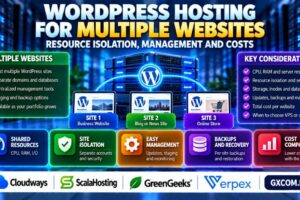
WordPress Hosting for Multiple Websites: Resource Isolation, Management and Costs
Running several WordPress websites under one hosting plan can reduce administrative work and simplify billing. However, a plan that supports multiple domains does not necessarily provide independent server resources, security boundaries, or backups for every…

Fully Managed vs Semi-Managed Hosting: What’s Included and Who Handles What?
Choosing managed hosting sounds straightforward until you compare the services included in different plans. One provider may handle operating system updates, monitoring, and backups, while another offers technical assistance only for selected infrastructure tasks. Understanding…
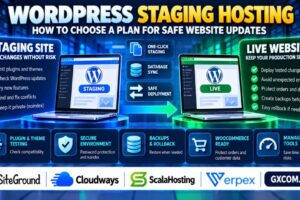
WordPress Staging Hosting: How to Choose a Plan for Safe Website Updates
Updating WordPress plugins, themes, or core software directly on a live website can introduce unexpected problems. A plugin conflict may break a contact form, a theme update may change page layouts, and a WooCommerce extension…

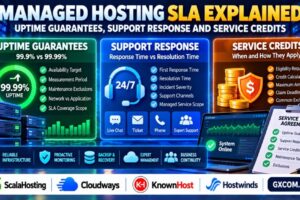
Managed Hosting SLA Explained: Uptime Guarantees, Support Response and Service Credits
A hosting provider may advertise 99.9% uptime, around-the-clock support, and reliable managed services. However, these claims do not automatically tell you what happens when your website goes offline or a critical support ticket remains unresolved.…
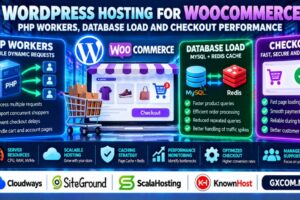
WordPress Hosting for WooCommerce: PHP Workers, Database Load and Checkout Performance
Choosing WordPress Hosting for WooCommerce requires more than checking storage space, bandwidth, or an advertised visitor allowance. An online store handles product searches, shopping carts, customer accounts, inventory updates, and payment requests that behave differently…
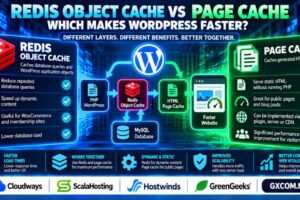
Redis Object Cache vs Page Cache: Which Makes WordPress Faster?
Caching is one of the most effective ways to improve WordPress performance, but not every caching method solves the same problem. Redis object caching and page caching operate at different layers of the application. Understanding…


WordPress Two-Factor Authentication: How to Secure Admin Logins
A strong password is important, but it may not be enough to protect your WordPress administrator account. Phishing, credential reuse, and stolen passwords can allow attackers to access websites even when the password itself appears…
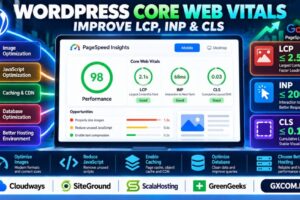
How to Improve WordPress Core Web Vitals: LCP, INP and CLS Optimization
A WordPress website can look fast on your computer but still deliver a frustrating experience to real visitors. Large hero images, heavy JavaScript, unstable layouts, and slow server responses can all affect Google’s Core Web…
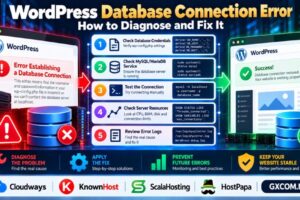
WordPress Database Connection Error: How to Diagnose and Fix It
Seeing “Error Establishing a Database Connection” on your WordPress website? This message usually means WordPress cannot connect to its MySQL or MariaDB database. The cause may be incorrect database credentials, an unavailable database server, exhausted…
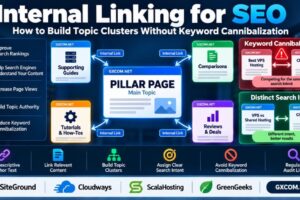
Internal Linking for SEO: How to Build Topic Clusters Without Keyword Cannibalization
Internal linking is one of the most practical ways to improve website navigation, help search engines discover related content, and organize pages around clear topics. However, adding links without a strategy can create confusing site…

Let’s Encrypt SSL Auto-Renewal Failed: How to Diagnose and Fix It
Did your Let’s Encrypt SSL auto-renewal fail? An expired certificate can trigger browser security warnings, interrupt HTTPS connections, and undermine visitor trust. Common causes include failed ACME challenges, incorrect DNS records, blocked ports, broken Certbot…
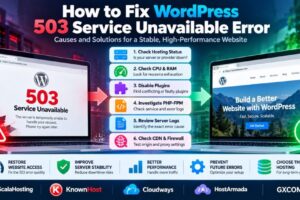
How to Fix WordPress 503 Service Unavailable Error: Causes and Solutions
Is your WordPress website showing a 503 Service Unavailable error? This HTTP status code means the server cannot temporarily handle the request. Visitors may see a blank page, an error message, or a website that…
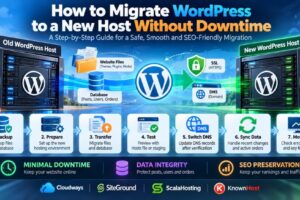
How to Migrate WordPress to a New Host Without Downtime
Moving a WordPress website to a new hosting provider can improve performance, support, scalability, or operating costs. But a poorly planned migration can also cause downtime, broken pages, missing images, lost orders, email disruption, and…