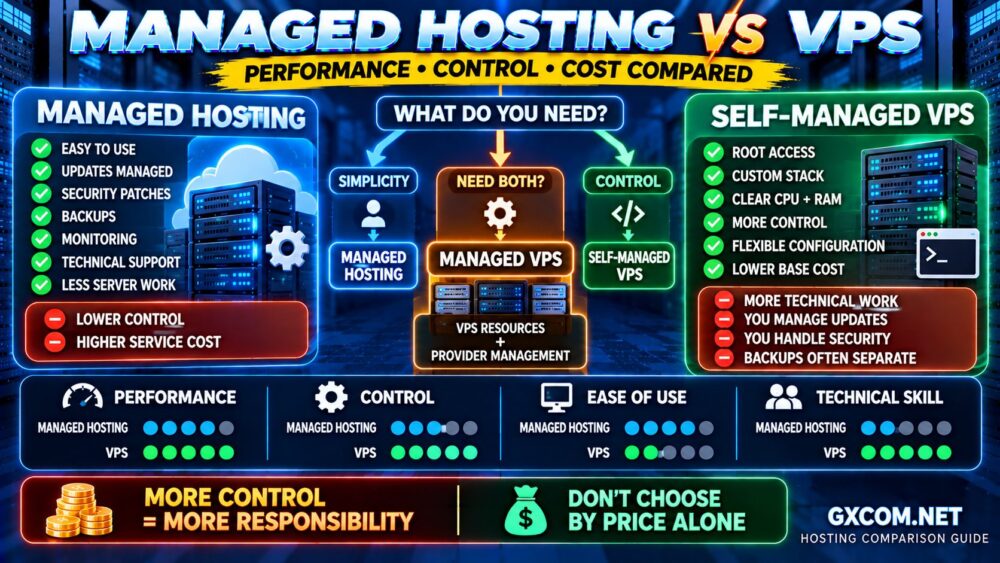
A hosting provider may advertise 99.9% uptime, around-the-clock support, and reliable managed services. However, these claims do not automatically tell you what happens when your website goes offline or a critical support ticket remains unresolved.
A Managed Hosting SLA, or Service Level Agreement, defines specific service commitments, measurement rules, exclusions, and potential remedies. Understanding these terms can help businesses compare hosting plans more accurately and avoid unrealistic expectations.
This guide explains uptime guarantees, support response times, service credits, and the contract details worth checking before purchasing managed hosting.
What Is a Managed Hosting SLA?
A Managed Hosting Service Level Agreement is a contractual document describing the service levels a hosting provider commits to deliver.
Depending on the provider and product, an SLA may address network availability, infrastructure uptime, support response targets, maintenance exclusions, and service-credit eligibility.
Importantly, an SLA is not necessarily a promise that your website will never experience downtime.
Managed hosting also does not mean every application problem falls under the provider's responsibility. The management scope and the SLA should be reviewed together.
For a broader explanation of service responsibilities, see our Managed Hosting vs Unmanaged Hosting Guide.
1. Understanding Managed Hosting Uptime Guarantees
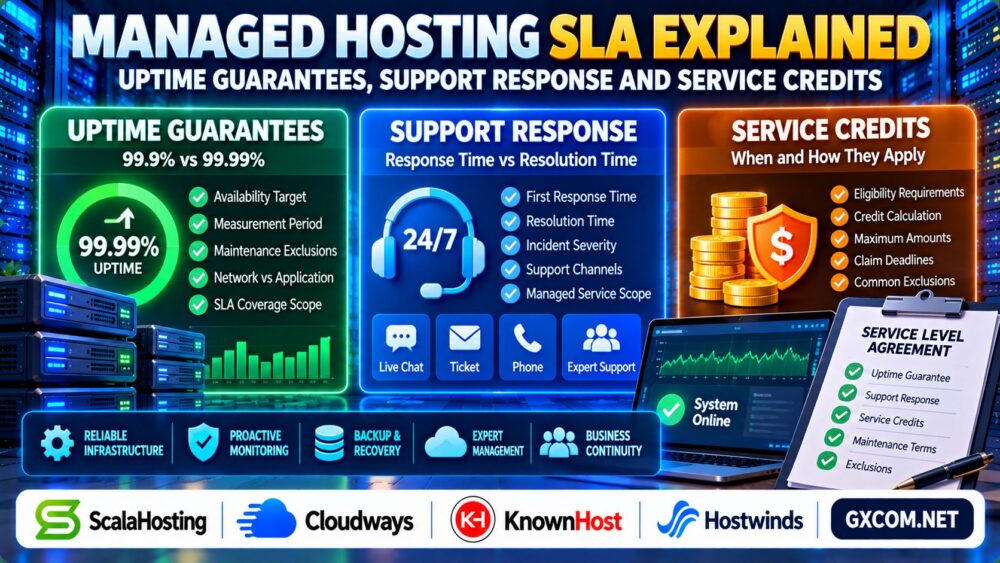
An uptime guarantee usually expresses a target availability percentage over a defined measurement period.
Common advertised figures include 99.9% and 99.99%, but the contractual definition of availability matters more than the headline percentage alone.
99.9% vs 99.99% Uptime: What Is the Difference?
| Uptime Target | Approximate Downtime in 30 Days | Approximate Downtime in 365 Days |
|---|---|---|
| 99.9% | 43 minutes 12 seconds | 8 hours 45 minutes 36 seconds |
| 99.95% | 21 minutes 36 seconds | 4 hours 22 minutes 48 seconds |
| 99.99% | 4 minutes 19 seconds | 52 minutes 34 seconds |
These are mathematical equivalents assuming continuous measurement. They are not actual downtime results for any hosting company.
A monthly SLA may exclude scheduled maintenance, customer configuration errors, third-party failures, or other events specified in its terms.
Before comparing percentages, determine whether the guarantee applies to the network, physical server, virtual infrastructure, or the availability of your complete application.
2. Network Uptime Is Not the Same as Website Availability
Your hosting network can remain operational while your website becomes inaccessible because of a database failure, exhausted PHP workers, application errors, or a misconfigured plugin.
Some SLAs cover only defined infrastructure components. Others may include additional managed services, depending on the contract.
Ask the provider these questions:
- What exact service is covered by the uptime guarantee?
- How is downtime detected and measured?
- Are scheduled maintenance periods excluded?
- Are application-level failures covered?
- What evidence is required for a service-credit claim?
Independent monitoring can help establish a reliable incident timeline. Our Server Performance Monitoring Guide explains useful infrastructure metrics.
3. Support Response Time vs Resolution Time
One of the most important distinctions in a hosting SLA is the difference between response time and resolution time.

Response time generally describes how quickly the provider acknowledges or begins handling a support request under its defined measurement rules.
Resolution time describes how long it takes to resolve the underlying issue or restore the affected service.
A fast first response does not guarantee a fast repair.
How Support Priority Levels Work
Managed hosting providers may classify incidents according to severity:
- Critical: A production service is unavailable or severely disrupted.
- High: Major functionality is impaired without a practical workaround.
- Normal: A noncritical feature or configuration requires assistance.
- Low: General questions, routine changes, or advisory requests.
These categories are illustrative. Actual severity definitions and response commitments vary between providers.
Also check whether response targets apply to tickets, live chat, telephone support, or only designated emergency channels.
4. What Does 24/7 Managed Hosting Support Actually Include?
Round-the-clock support availability does not necessarily mean every technical task is included.
Some managed services cover operating system maintenance, control panels, security updates, and infrastructure troubleshooting. Application development, custom code debugging, or third-party plugin conflicts may fall outside the service scope.
For example, KnownHost and ScalaHosting are relevant providers to compare when evaluating managed hosting responsibilities and technical assistance.
Review the specific plan's support documentation instead of assuming that every service labeled “managed” includes identical work.
5. Hosting SLA Service Credits Explained
A service credit is a contractual remedy that may become available when a provider fails to meet an eligible service commitment.
Credits typically reduce a future invoice or account balance rather than provide direct compensation for lost revenue.
However, credit calculation methods, maximum amounts, eligibility requirements, and deadlines differ significantly.
How to Request a Hosting SLA Credit
- Record the incident start and end times.
- Collect monitoring results and relevant error logs.
- Open a support ticket through the required channel.
- Confirm whether the incident meets the SLA definition.
- Submit a credit request before the contractual deadline.
- Retain the provider's decision and billing adjustment.
Some agreements require customers to submit claims proactively. Do not assume credits are automatically applied after downtime.
An SLA may also state that service credits are the customer's exclusive contractual remedy for specified failures, subject to applicable law.
6. Common SLA Exclusions and Hidden Limitations
An impressive uptime percentage can provide limited practical protection if the agreement contains broad exclusions.
Review clauses covering:
- Scheduled and emergency maintenance.
- Customer-created configuration problems.
- Unsupported applications or third-party software.
- External network and DNS dependencies.
- Security incidents and force majeure events.
- Account suspension or billing disputes.
- Maximum service credits and claim deadlines.
Pay particular attention to responsibility boundaries in cloud hosting, where the managed platform and underlying infrastructure may be operated by different organizations.
7. How to Compare Managed Hosting Providers by SLA
A useful provider comparison examines more than the advertised availability percentage.
| Evaluation Area | What to Verify |
|---|---|
| Uptime | Covered components and measurement period |
| Support | Response targets by incident severity |
| Resolution | Whether restoration commitments exist |
| Credits | Eligibility, calculation, caps, and deadlines |
| Management | Included administration and application support |
| Recovery | Backup scope and any documented RTO or RPO |
Cloudways is relevant when comparing managed cloud platforms, while Hostwinds can be considered when evaluating VPS hosting and available management services.
Compare current product-specific agreements carefully. A provider's SLA for one service may not apply to another hosting product.
For additional commercial context, read our Managed Cloud Hosting Comparison.
8. SLA vs Backup and Disaster Recovery Commitments
Uptime guarantees and disaster recovery commitments address different risks.
Recovery Time Objective (RTO) describes a targeted duration for restoring a service after disruption. Recovery Point Objective (RPO) describes the acceptable amount of data loss measured in time.
These objectives should not be treated as guaranteed outcomes unless they are explicitly incorporated into the relevant agreement.
Even strong infrastructure availability does not replace independent backups and tested restoration procedures.
Our Dedicated Server Backup Strategy Guide explains practical recovery planning.

Managed Hosting SLA Buying Checklist
- Read the complete SLA before purchasing.
- Confirm exactly which services the uptime target covers.
- Separate first-response targets from resolution commitments.
- Check emergency support channels and severity definitions.
- Review maintenance exclusions and third-party dependencies.
- Understand service-credit limits and claim deadlines.
- Verify management scope, backups, and recovery responsibilities.
- Compare renewal costs alongside contractual protections.
Frequently Asked Questions
What does a 99.9% managed hosting SLA mean?
It generally refers to a 99.9% availability target for a defined service and measurement period, subject to the agreement's exclusions and calculation rules.
Does 24/7 support guarantee immediate problem resolution?
No. Support availability and response targets do not automatically establish a guaranteed repair time.
Will a hosting provider refund me for downtime?
Not necessarily. Eligible incidents may result in service credits rather than cash refunds, depending on the agreement.
Are application failures covered by hosting SLAs?
Coverage varies. Some agreements address infrastructure availability but exclude customer applications, custom code, or unsupported software.
What is the difference between RTO and an uptime SLA?
RTO concerns a recovery-time target after disruption, while an uptime SLA defines an availability commitment and associated contractual conditions.
Is a 99.99% uptime guarantee always better than 99.9%?
Not automatically. Coverage definitions, exclusions, support quality, remedies, and real operational requirements matter alongside the percentage.
Final Verdict: Evaluate the SLA, Not Just the Headline
A strong Managed Hosting SLA should make service commitments understandable, measurable, and relevant to your business.
Before choosing a provider, verify what uptime guarantees cover, how support incidents are prioritized, and whether service credits offer meaningful protection.
The right managed hosting service combines suitable infrastructure, clearly defined responsibilities, responsive support, and realistic recovery planning—not simply an impressive uptime claim.