Moving to a new hosting provider can improve your website's infrastructure, support options, and long-term flexibility. However, transferring a live website involves more than copying files to another server.
Managed hosting migration services can reduce the technical workload, but the meaning of “free migration” or “fully managed migration” varies between providers.
Some services focus on website files and databases, while email transfer, DNS configuration, application troubleshooting, and post-migration support may require separate arrangements.
This guide explains what migration services commonly include, which tasks may cost extra, and what to verify before purchasing a hosting plan.
What Are Managed Hosting Migration Services?
Managed hosting migration services involve technical assistance with transferring a website, application, or hosting account from one environment to another.
Depending on the provider and selected package, migration may involve website files, databases, configuration changes, DNS planning, and basic functionality checks.
However, migration support is not standardized. One provider may offer a WordPress migration plugin, while another may perform the transfer through its technical support team.
Always distinguish between automated migration tools, assisted migration, and a more comprehensive managed migration project.
1. What's Usually Included in Website Migration?
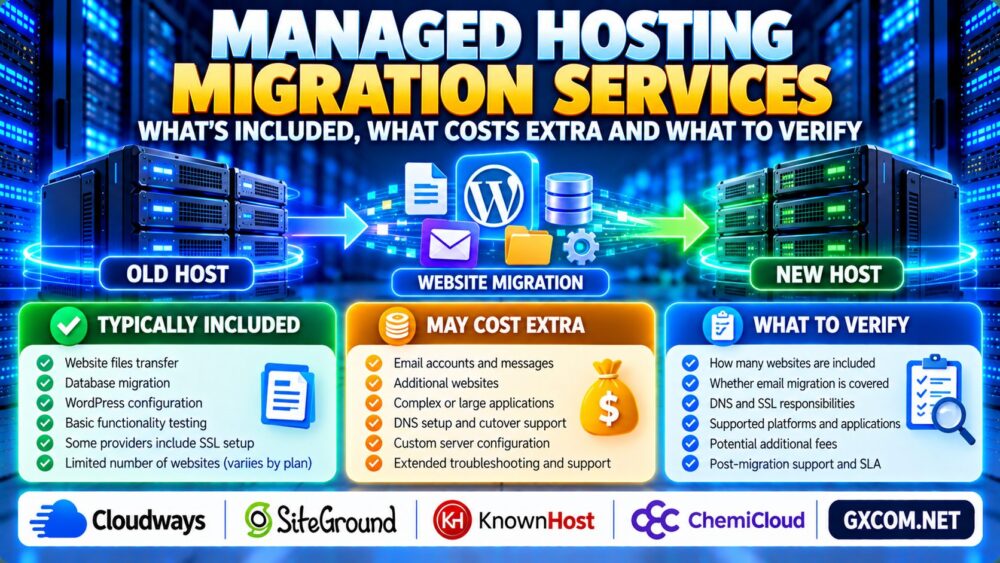
A typical website migration may involve copying website files, transferring a database, and configuring the application on the destination server.
For WordPress, this can include the wp-content directory, database tables, configuration settings, and adjustments to the destination environment.
Some providers also help with temporary testing URLs, SSL setup, or final DNS changes.
However, the exact service depends on the migration method and the hosting plan.
| Migration Task | Common Service Scope | What to Verify |
|---|---|---|
| Website files | Often included | File size and access requirements |
| Database transfer | Often included for supported applications | Database engine and version compatibility |
| WordPress configuration | May be included | Plugin and theme compatibility |
| DNS changes | May require customer action | Who updates records and when |
| SSL certificates | Varies | Issuance, installation, and validation |
| Email migration | Frequently separate or limited | Mailbox count, size, and message history |
| Post-migration testing | Scope varies | What the provider actually checks |
For the technical process of transferring WordPress, see our WordPress Website Migration Guide.
2. Free Website Migration: What Does Free Mean?
Free migration usually means the provider waives certain transfer charges for eligible customers or supported websites.
It does not necessarily mean every website, mailbox, database, or application can be transferred without additional cost.
Before accepting a free migration offer, ask:
- How many websites qualify?
- Are WordPress and non-WordPress websites supported?
- Are there size or complexity restrictions?
- Does the offer require a specific hosting plan?
- Are email accounts and DNS changes included?
- Are additional migrations billed separately?
Also check whether the provider requires administrative access to the existing hosting account or limits transfers from unsupported platforms.

3. Website Files and Database Compatibility
A successful file transfer does not guarantee that the application will work correctly on the destination server.
Differences in PHP versions, database engines, web server configuration, filesystem permissions, and installed extensions can cause problems.
Before migration, verify the destination environment's compatibility with your application.
For WordPress websites, review plugin requirements, database connectivity, scheduled tasks, and any custom server configuration.
Complex applications may require additional development or troubleshooting beyond standard migration assistance.
4. Does Managed Migration Include Email Accounts?
Email migration is one of the most important items to confirm before changing hosting providers.
Website files and email messages may be stored in separate systems. A provider that transfers your website may not automatically transfer mailboxes or historical messages.
Check whether the service includes mailbox creation, message synchronization, aliases, forwarding rules, and account settings.
Also verify MX, SPF, DKIM, and DMARC records when email services or sending infrastructure change.
DNS changes can affect email delivery, so avoid assuming that moving a website automatically requires changing its mail provider.
Our Web Hosting with Email Guide explains the email features and configuration details worth reviewing.
5. DNS Cutover, Downtime and Data Loss Risks
DNS cutover directs visitors toward the new hosting environment after migration.
Because DNS records may be cached, different users can temporarily reach different destinations during the transition.
Lowering DNS TTL values in advance can help reduce some caching delays, but it does not guarantee an immediate worldwide switch.
For frequently changing websites, especially ecommerce stores, plan how new orders, customer registrations, and form submissions will be handled during cutover.
Depending on the application, a temporary maintenance window or controlled data synchronization process may be necessary.
No migration provider should be assumed to guarantee zero downtime or zero data loss unless the specific service agreement supports that commitment.
6. Testing, Staging and Post-Migration Verification
Before directing production traffic to the destination server, test the migrated website wherever possible.
Check:
- Homepage and important landing pages.
- WordPress administrator access.
- Contact forms and transactional emails.
- Database connections and dynamic content.
- SSL certificates and HTTPS redirects.
- Checkout, logins, and account functionality.
A temporary test environment can help identify compatibility issues before the final cutover.
For safer deployment planning, read our WordPress Staging Hosting Guide.
7. Hidden Costs and Services That May Cost Extra
The migration itself may be free while related services remain billable.
Potential additional charges include:
- Extra websites beyond the included allowance.
- Large or complex application transfers.
- Email mailbox and message migration.
- Custom server configuration or development.
- Control panel or software licensing.
- Additional backup storage.
- Extended troubleshooting after migration.
Also account for temporary overlap between old and new hosting subscriptions.
Keeping the old hosting environment active during verification may be sensible, but it can increase short-term costs.
Request a written explanation of included services and any fees that may apply.
8. Who Is Responsible If Migration Fails?
Responsibility depends on the service agreement, the migration scope, and the cause of the problem.
The provider may handle supported infrastructure transfer tasks while the customer remains responsible for custom application code, external integrations, or unavailable source credentials.
Before migration, clarify who handles troubleshooting, backup restoration, DNS rollback, and communication during an incident.
Support response commitments are also different from guaranteed resolution times.
Our Managed Hosting SLA Guide explains support response targets, uptime commitments, and service credits.
9. Comparing Managed Hosting Migration Providers
When comparing hosting companies, evaluate migration eligibility, supported applications, technical assistance, and post-transfer support.
Cloudways is a relevant option to investigate for managed cloud hosting and WordPress migration workflows.
SiteGround is another candidate when researching WordPress migration tools and hosting support.
KnownHost and ChemiCloud are additional providers worth comparing for hosting migration assistance and support requirements.
Do not assume these companies include the same number of free transfers or support identical source platforms. Verify the current migration terms for the exact hosting product before purchasing.
10. When Is Managed Migration Worth Paying For?
Managed migration may be valuable when a website is business-critical, technically complex, or difficult to transfer without disrupting users.
It can also reduce the workload for organizations without dedicated server administrators.
However, simple WordPress websites may be transferred successfully using supported migration tools when the owner understands backups, DNS, and testing.

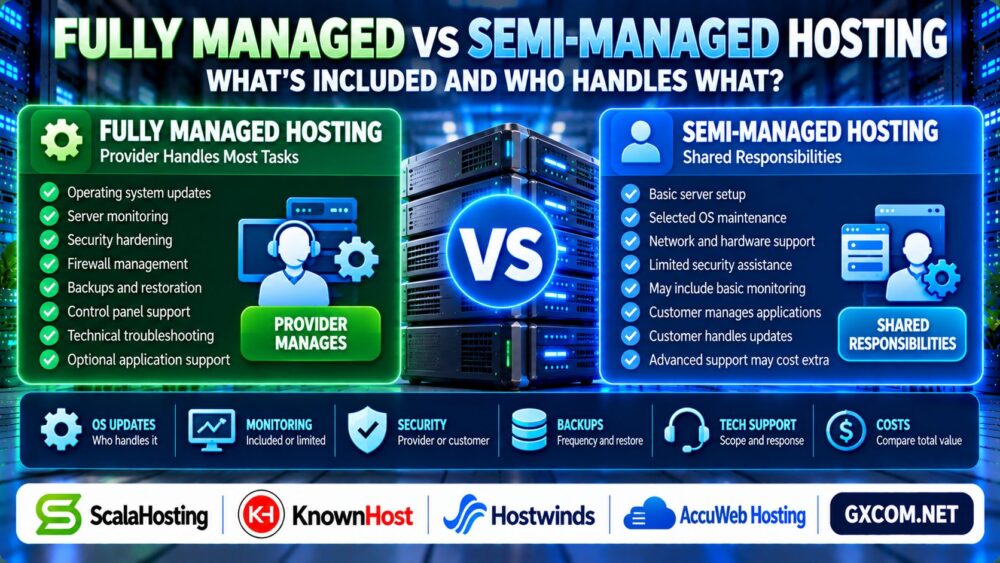
For broader hosting management responsibilities, see our Fully Managed vs Semi-Managed Hosting Comparison.
Managed Hosting Migration Checklist
- Confirm how many websites are included.
- Check supported applications and source platforms.
- Verify database and PHP compatibility.
- Ask whether email migration is included.
- Clarify DNS, SSL, and cutover responsibilities.
- Plan backups, testing, and rollback procedures.
- Request a written list of additional fees.
- Keep the old hosting account available until verification is complete.
Frequently Asked Questions
What is included in managed hosting migration?
It commonly includes transferring supported website files and databases, but DNS, email, SSL, testing, and troubleshooting coverage vary by provider.
Is free website migration really free?
It may be free for eligible websites and plans. Additional websites, complex transfers, or excluded services can carry separate charges.
Does website migration include email accounts?
Not necessarily. Mailbox creation, historical messages, aliases, and email DNS settings should be confirmed separately.
Will my website experience downtime during migration?
Downtime can often be reduced with planning and testing, but a zero-downtime outcome is not guaranteed for every application.
Can I keep my existing domain name?
Usually yes. Website hosting and domain registration are separate services, and changing hosts does not inherently require transferring domain registration.
Should I cancel my old hosting immediately?
No. Keep the old environment available until website functionality, email, DNS, and important data have been verified on the new hosting platform.
Final Verdict: Verify the Migration Scope Before You Buy
The best managed hosting migration services provide a clearly defined transfer process, realistic support commitments, and transparent information about exclusions and extra charges.
Before choosing a provider, confirm what happens to website files, databases, email accounts, DNS records, SSL certificates, and backups.
A well-planned migration should prioritize data integrity, application compatibility, and a reliable rollback strategy rather than relying solely on a “free migration” marketing claim.