Website performance has become an important part of modern SEO. A website that loads quickly and provides a smooth browsing experience can help visitors stay longer and interact more effectively.
Google introduced Core Web Vitals to measure important user experience signals related to loading speed, responsiveness and visual stability.
This Core Web Vitals Optimization Guide explains how to improve website performance through hosting, technical optimization, caching and better infrastructure.
What Are Core Web Vitals?
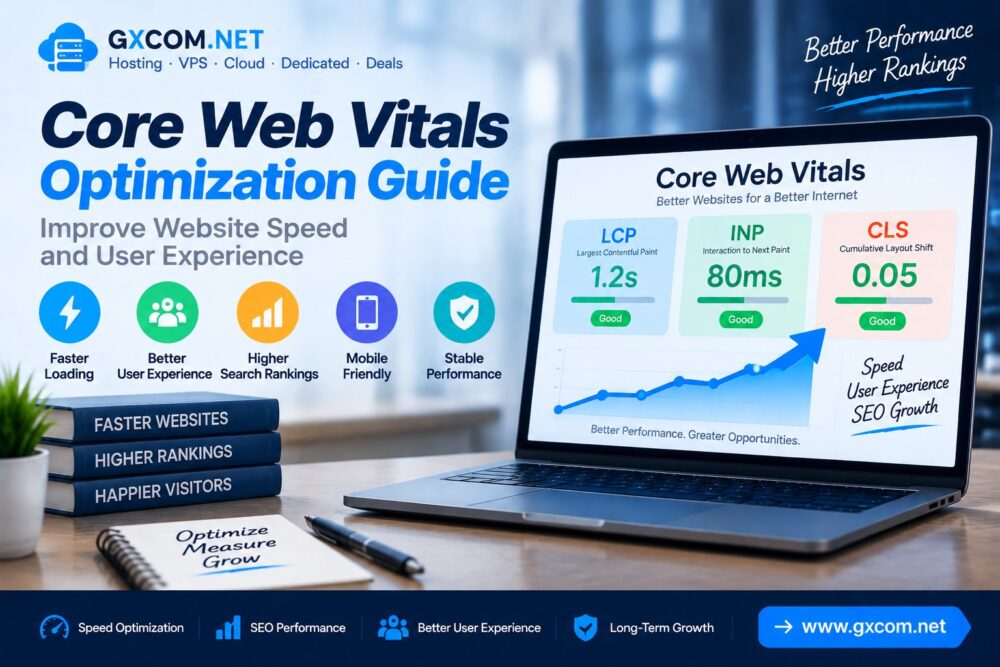
Core Web Vitals are a group of performance measurements designed to evaluate real user experience on websites.
The three main Core Web Vitals metrics include:
| Metric | Meaning |
|---|---|
| LCP (Largest Contentful Paint) | Measures loading performance |
| INP (Interaction to Next Paint) | Measures website responsiveness |
| CLS (Cumulative Layout Shift) | Measures visual stability |
Why Core Web Vitals Matter for SEO
User experience is an important consideration for modern websites. Slow pages and unstable layouts can affect visitor satisfaction.
Poor Core Web Vitals performance may lead to:
- Higher bounce rates
- Lower user engagement
- Poor mobile experience
- Reduced website quality signals
Core Web Vitals Performance Overview
| Metric | Optimization Goal |
|---|---|
| LCP | Improve page loading speed |
| INP | Improve interaction response |
| CLS | Prevent unexpected layout movement |
1. Optimize Hosting Performance
Hosting infrastructure directly affects website loading speed and server response time.
A slow hosting environment can increase:
- Server response delays
- Page loading time
- Resource limitations
- User waiting time
Choosing suitable hosting resources is an important step in Core Web Vitals optimization.
Learn more about infrastructure performance in our technical SEO hosting guide.
2. Improve Largest Contentful Paint (LCP)
LCP measures how quickly the largest visible content element loads on a webpage.

Common causes of poor LCP include:
- Slow servers
- Large images
- Unoptimized themes
- Too many scripts
Ways to improve LCP:
- Use faster hosting
- Optimize images
- Enable caching
- Reduce unnecessary resources
- Use CDN services
3. Improve Interaction to Next Paint (INP)
INP measures how quickly a website responds after user interaction.
Poor INP performance may come from:
- Heavy JavaScript files
- Too many plugins
- Complex website functions
- Slow browser processing
Optimization methods include:
- Reduce unnecessary scripts
- Optimize JavaScript loading
- Remove unused code
- Improve server processing
4. Reduce Cumulative Layout Shift (CLS)
CLS measures unexpected movement of page elements during loading.
Common CLS problems include:
- Images without dimensions
- Dynamic advertisements
- Late-loading fonts
- Unstable page elements
Improve CLS by:
- Setting image sizes
- Optimizing font loading
- Using stable layouts
- Reducing unexpected content changes
5. Enable Website Caching
Caching reduces repeated server processing and helps deliver pages faster.
Common caching methods include:
- Page caching
- Browser caching
- Object caching
- Database caching
WordPress users can also improve performance through our WordPress speed optimization guide.
6. Optimize Images for Better Performance
Images often represent a large percentage of webpage size.
Image optimization techniques include:
- Compressing images
- Using WebP format
- Adding lazy loading
- Choosing correct image sizes
7. Use a Content Delivery Network (CDN)
A CDN improves content delivery by distributing website resources across multiple locations.
Benefits include:
- Faster global access
- Lower server pressure
- Improved loading speed
- Better user experience
8. Optimize WordPress Plugins and Themes
WordPress websites can experience performance problems when using excessive plugins or poorly optimized themes.
Recommended practices:
- Remove unused plugins
- Use lightweight themes
- Keep software updated
- Review plugin performance
9. Upgrade Server Resources When Needed
Growing websites may require additional resources to maintain stable performance.
| Website Type | Recommended Solution |
|---|---|
| Small Website | Optimized Hosting |
| Business Website | Managed Hosting |
| Growing Website | VPS Hosting |
| Large Application | Cloud or Dedicated Server |
Explore server options through our best VPS reviews.
Core Web Vitals Optimization Checklist
| Optimization | Recommended |
|---|---|
| Fast Hosting | ✓ |
| Image Optimization | ✓ |
| Caching | ✓ |
| CDN | ✓ |
| Mobile Optimization | ✓ |
How To Test Core Web Vitals
Website owners can use performance testing tools to analyze:

- Loading speed
- Interaction performance
- Layout stability
- Technical issues
Common Core Web Vitals Mistakes
- Using slow hosting
- Uploading large images
- Ignoring mobile performance
- Using excessive scripts
- Not monitoring website speed
Frequently Asked Questions
Are Core Web Vitals important for SEO?
Core Web Vitals are important website performance signals that help measure user experience.
How can I improve Core Web Vitals quickly?
Improving hosting, caching, images and website resources can create noticeable performance improvements.
Does hosting affect Core Web Vitals?
Yes. Hosting affects server response time, loading performance and overall website speed.
Which Core Web Vital is most important?
Each metric measures a different part of user experience, so websites should optimize LCP, INP and CLS together.
Final Thoughts
Core Web Vitals optimization requires improvements across hosting, website resources and technical configuration.
Fast servers, optimized content delivery and stable page layouts create a better experience for visitors.
By improving Core Web Vitals performance, website owners can build faster, more reliable websites prepared for long-term SEO growth.