Choosing cloud hosting is not simply a question of buying the most CPU cores or RAM for the lowest monthly price. The bigger decision is how much infrastructure responsibility you want to retain.
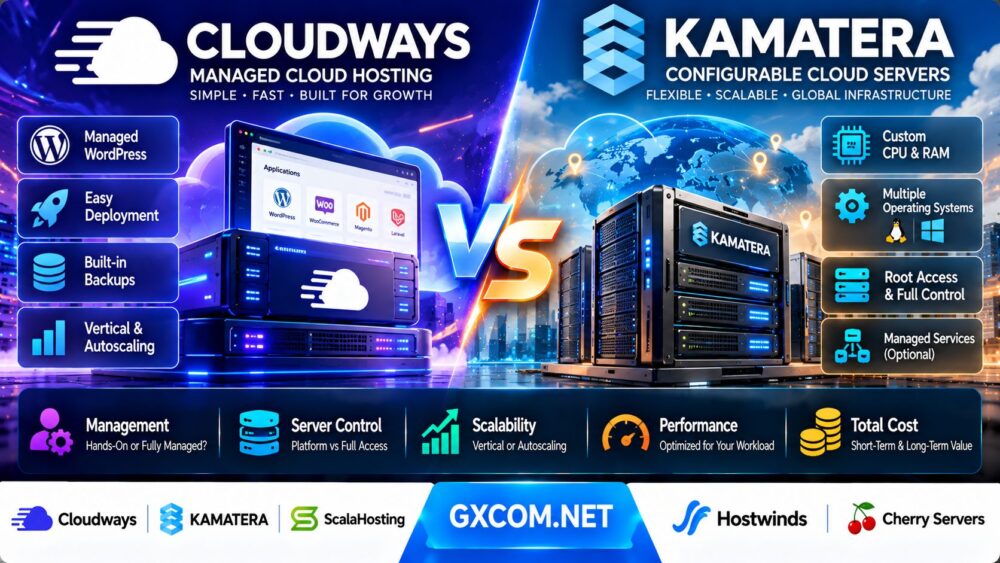
Cloudways and Kamatera represent two different approaches to cloud hosting. Cloudways focuses on simplifying application deployment and ongoing server management. Kamatera emphasizes configurable cloud infrastructure, allowing customers to select resources, operating systems, and additional services according to their requirements.
Both can host websites and business applications, but the cost of running those applications involves much more than the advertised server price.
In this Cloudways vs Kamatera comparison, we examine managed cloud convenience, server flexibility, WordPress performance, scaling, backups, security, developer control, and total cost of ownership.
We also consider when alternatives such as ScalaHosting, Hostwinds, and Cherry Servers may better match particular workloads.
Editorial methodology: This article evaluates publicly documented product capabilities, service responsibilities, and infrastructure cost models. GXCOM.NET has not independently benchmarked equivalent Cloudways and Kamatera deployments. Product features, service terms, available resources, and prices can change. Illustrative calculations are hypothetical rather than live provider quotations.
Cloudways vs Kamatera: Quick Verdict
Choose Cloudways when you want managed cloud hosting that reduces routine server administration, especially for WordPress, WooCommerce, and supported PHP applications.
Choose Kamatera when you need more direct control over cloud server configuration, operating systems, networking, and the underlying software environment.
Kamatera can also provide managed services, so the choice is not strictly between managed and unmanaged hosting.
For WordPress sites experiencing unpredictable traffic spikes, Cloudways Autonomous deserves separate consideration because its scaling model differs from traditional single-server VPS hosting.
For custom software, specialized services, or infrastructure requiring broader operating system control, Kamatera may provide greater flexibility.
| Comparison Factor | Cloudways | Kamatera |
|---|---|---|
| Primary positioning | Managed application and cloud hosting | Configurable cloud infrastructure |
| Core products | Flexible and Autonomous | Cloud servers and optional managed services |
| WordPress convenience | Strong application-focused tooling | Depends on chosen configuration and management |
| Server customization | Within supported platform configurations | Broad CPU, RAM, storage, OS, and network selection |
| Root-level control | Restricted on managed platform | Available on self-managed cloud servers |
| Scaling | Vertical scaling on Flexible; autoscaling on Autonomous | Configurable vertical and horizontal infrastructure scaling |
| Server maintenance | Substantial platform-level assistance | Customer responsibility unless managed services are selected |
| Billing | Usage-based, product-dependent | Hourly or monthly cloud resource billing |
| Best fit | Managed websites and supported applications | Custom infrastructure and configurable workloads |
What Is Cloudways?
Cloudways is a managed cloud hosting platform designed to simplify the deployment and operation of websites and supported applications.
Rather than requiring customers to administer every component of a cloud server manually, Cloudways provides an application-oriented control panel, management features, and technical support.
However, Cloudways currently offers two distinct hosting approaches.
Cloudways Flexible
Cloudways Flexible provides managed hosting on supported cloud infrastructure.
Customers can deploy supported applications, select server resources, configure domains, manage SSL certificates, create staging environments, and scale resources through the Cloudways platform.
It is particularly relevant for WordPress, WooCommerce, Magento, Laravel, and compatible PHP applications.
Flexible provides server-level configuration options through its managed interface, but it is not equivalent to unrestricted root access on a self-managed virtual machine.
Cloudways Autonomous
Cloudways Autonomous is designed around managed WordPress hosting with automatic resource scaling.
Its architecture uses application containers and adjusts capacity in response to workload demand.
This can be useful for websites with unpredictable traffic, promotional campaigns, or rapidly changing resource requirements.
Autonomous has its own plan structure, scaling charges, resource allowances, and application compatibility considerations.
Who Should Consider Cloudways?
Cloudways is worth evaluating for businesses that want to concentrate on website operations rather than routine infrastructure administration.
For a detailed examination of its products, see our Cloudways Review.
What Is Kamatera?
Kamatera provides configurable cloud infrastructure for websites, applications, development environments, and business workloads.
Customers can build cloud servers by selecting resources and system configurations according to their requirements.
Custom Cloud Servers
Kamatera allows customers to configure virtual CPU resources, RAM, storage, operating systems, and data center locations.
Its cloud infrastructure is designed for customers who want more control over how server resources are allocated.
Operating System Flexibility
Kamatera offers supported Linux and Windows operating system choices.
Software licensing and related charges depend on the selected operating system and configuration.
Self-Managed Infrastructure
With an unmanaged Kamatera cloud server, the customer is responsible for operating system maintenance, software installation, security configuration, and application administration.
Infrastructure-level support does not automatically mean that the provider will troubleshoot every application.
Optional Managed Cloud Services
Kamatera also offers managed services for customers who want assistance with server monitoring, operating system management, and other defined infrastructure tasks.
The scope of service depends on the selected management tier and contract.
Who Should Consider Kamatera?
Kamatera is particularly relevant for developers, system administrators, and organizations that need custom cloud configurations or operating system-level control.
Cloudways vs Kamatera: Managed Hosting vs Infrastructure Control
The biggest difference between Cloudways and Kamatera is not a particular processor or storage technology.
It is the balance between convenience and control.
Cloudways: Reduce Infrastructure Work
Cloudways provides a managed interface and application-oriented services that can reduce the time spent configuring common hosting components.
This may include server provisioning, application deployment, caching configuration, SSL management, backups, and staging workflows.
Customers still remain responsible for their websites, applications, content, plugins, business logic, and other tasks outside the provider's service scope.
Kamatera: Configure the Environment Yourself
Kamatera gives customers broader flexibility over server setup and software installation.
This can be important when an application requires specific operating system packages, network settings, background services, or custom software.
However, greater control also creates more operational responsibility.
Kamatera Managed Services
Customers who want Kamatera's infrastructure flexibility without handling every maintenance task can evaluate its optional managed cloud services.
This introduces an additional cost and requires careful review of what the provider actually manages.
Which Model Is Better?
Choose Cloudways when the supported managed environment meets your application requirements and operational simplicity is valuable.
Choose Kamatera when custom infrastructure requirements outweigh the convenience of a managed application platform.
For a deeper explanation of the operational trade-offs, read our Managed Hosting vs Unmanaged Hosting Guide.
Cloudways vs Kamatera for WordPress Hosting
WordPress is one of the most important use cases in this comparison.
WordPress Deployment
Cloudways offers a streamlined workflow for deploying and managing WordPress applications.
Kamatera can host WordPress on a compatible cloud server, but self-managed customers may need to install and configure the web server, PHP, database, caching, and security components.
PHP and Database Management
WordPress performance depends on PHP processing, database responsiveness, caching, and storage latency.
Cloudways provides a managed software environment for supported applications.
Kamatera customers can build a custom software stack, but must ensure the components are correctly configured and maintained.
Page Caching
Page caching can reduce the amount of PHP and database work required to serve repeatable website content.
Cloudways offers caching-related features within its managed hosting environment.
On Kamatera, customers can install and configure suitable caching tools themselves.
Object Caching
Object caching can reduce repeated database queries for compatible WordPress workloads.
Its effectiveness depends on the application, plugins, configuration, and traffic patterns.
WooCommerce
WooCommerce stores frequently process dynamic pages such as carts, checkouts, and customer accounts.
These pages cannot always use the same caching strategies as static content.
Cloudways may appeal to store owners who want a managed environment with WordPress-oriented tooling.
Kamatera may appeal to developers building a customized WooCommerce infrastructure.
WordPress Verdict
For a typical WordPress business website, Cloudways may provide a more convenient operational experience.
For a specialized deployment with unusual system requirements, Kamatera may offer greater technical freedom.
Cloudways Flexible vs Cloudways Autonomous
Buyers should not treat every Cloudways plan as the same type of cloud hosting.
| Feature | Cloudways Flexible | Cloudways Autonomous |
|---|---|---|
| Primary focus | Managed servers and supported PHP applications | Managed WordPress and WooCommerce |
| Resource model | Selected cloud server configuration | Application-oriented container resources |
| Scaling | Server scaling through the platform | Automatic application capacity scaling |
| Infrastructure choice | Supported cloud providers and server tiers | Managed platform architecture |
| Application flexibility | Broader supported PHP application use cases | More specialized WordPress environment |
| Cost considerations | Server runtime, add-ons, backups, and usage | Application runtime, scaling, and overages |
Cloudways Flexible is often the more relevant comparison against a conventional Kamatera cloud server.

Cloudways Autonomous is more relevant when a business specifically needs managed WordPress scaling.
Cloudways vs Kamatera: CPU, RAM and Storage Flexibility
Resource customization affects both performance and cost.
CPU Resources
Cloudways Flexible offers predefined server configurations through supported cloud infrastructure providers.
Kamatera allows more granular selection of virtual CPU resources and different CPU allocation classes.
However, CPU counts should not be compared without considering processor characteristics and resource allocation policies.
RAM Allocation
Cloudways customers choose from available server sizes or application plans.
Kamatera customers can select memory allocations according to supported configuration options.
More RAM can help memory-constrained applications, but it does not automatically improve CPU-bound workloads.
Storage Configuration
Cloudways storage options depend on the underlying infrastructure and selected product.
Kamatera provides configurable storage choices, including NVMe-backed cloud storage offerings.
Additional Storage
Kamatera may be attractive when a project needs more specific disk allocation or multiple volumes.
Cloudways customers should review the storage scaling options supported by their selected infrastructure.
Resource Verdict
Kamatera generally provides broader low-level infrastructure configuration.
Cloudways provides a more guided resource selection process within its managed platform.
Cloudways vs Kamatera: Scaling and Traffic Spikes
Scaling is a critical consideration for growing websites and SaaS applications.
Vertical Scaling
Vertical scaling increases the resources available to an existing server.
Cloudways Flexible supports server scaling through its control panel, subject to the capabilities of the selected infrastructure.
Kamatera also supports changing cloud server resource allocations.
Horizontal Scaling
Horizontal scaling adds more servers or application instances.
Kamatera customers can design architectures using multiple servers, load balancers, and related cloud infrastructure.
However, designing and maintaining that architecture may require additional expertise.
Cloudways Autonomous Scaling
Cloudways Autonomous is designed to adjust application capacity automatically through its managed container architecture.
Additional scaling capacity may create usage-based charges.
Autoscaling Is Not the Same as Vertical Scaling
Increasing the CPU and RAM of one server is not equivalent to automatically creating additional application workers or instances.
The correct scaling model depends on application architecture and traffic patterns.
Scaling Verdict
Cloudways Autonomous is worth considering for supported WordPress workloads with unpredictable traffic spikes.
Kamatera is worth considering when developers want to design a custom multi-server infrastructure.
Server Control, Root Access and Developer Freedom
Server control is one of Kamatera's strongest differentiators.
Root Access
Kamatera self-managed servers can provide administrative control over the operating system.
This allows customers to install compatible software, configure services, and manage system-level settings.
Cloudways intentionally restricts certain administrative functions to maintain its managed environment.
Custom Software
Kamatera may be more suitable for applications requiring unusual system packages, background daemons, or specialized runtimes.
Containers
Developers requiring custom container orchestration or system-level container runtime configuration may prefer a self-managed cloud server.
Networking
Kamatera provides cloud infrastructure components that can support more customized networking architectures.
Cloudways simplifies common website deployment tasks but offers less low-level infrastructure control.
Developer Verdict
Choose Kamatera for broader system-level flexibility.
Choose Cloudways when the application fits the managed platform and reduced administration is a priority.
Cloudways vs Kamatera: Website Performance
Performance should be evaluated using actual application workloads rather than promotional claims.
Time to First Byte
Time to first byte, or TTFB, measures the time until the first byte of an HTTP response is received.
It can be affected by server processing, network latency, caching, and other factors.
Dynamic Request Latency
Dynamic requests often require PHP execution, database queries, and application logic.
They may reveal bottlenecks that are hidden by full-page caching.
Database Performance
Database performance depends on CPU, memory, storage latency, query design, and concurrent workload.
Caching Configuration
Cloudways provides managed caching tools for supported applications.
Kamatera users can build a custom caching architecture with software of their choice.
Application Optimization
A poorly optimized application may remain slow on either platform.
Performance Verdict
Cloudways can reduce the effort needed to deploy an optimized hosting environment for supported applications.
Kamatera provides more freedom to tune the underlying system.
Neither platform is universally faster without equivalent workload benchmarks.
Security, Backups and Disaster Recovery
Security responsibilities differ significantly between managed platforms and self-managed infrastructure.
Cloudways Security
Cloudways provides platform-level security features, including managed firewall-related functionality and SSL tools.
Specific protections vary between Flexible and Autonomous.
Kamatera Security
Kamatera customers can configure their own operating system security, firewall rules, access controls, and monitoring tools.
Unmanaged customers are responsible for maintaining the software environment.
Cloudways Backups
Cloudways offers backup functionality, but backup charges and inclusion rules differ between its products.
For example, Flexible off-site backups have a storage-based billing model, while Autonomous backup arrangements are incorporated into its product pricing structure.
Kamatera Backups
Kamatera offers optional extended backup services for eligible cloud configurations.
Customers should verify whether backup storage and recovery capabilities are included in their chosen service.
Disaster Recovery
Backups should be evaluated alongside recovery time objectives and recovery point objectives.
Neither a snapshot nor a provider availability guarantee replaces a tested disaster recovery plan.
Cloudways vs Kamatera: Technical Support
Support is a major component of the value proposition.
Cloudways Support
Cloudways provides support for its managed platform and covered hosting functions.
Advanced assistance may depend on the support plan and issue type.
Kamatera Infrastructure Support
Kamatera provides infrastructure-related support for its cloud services.
On unmanaged servers, customers remain responsible for operating system and application administration.
Kamatera Managed Support
Kamatera's managed service offerings extend support to defined system management tasks.
Customers should confirm whether the service covers monitoring, patching, troubleshooting, and application-level work.
Support Verdict
Cloudways may be more convenient for users who want managed application hosting.
Kamatera offers greater flexibility in choosing how much server administration to retain.
Cloudways vs Kamatera: Pricing Models Explained
Comparing the advertised starting prices of Cloudways and Kamatera is not enough to determine value.
Cloudways Flexible Billing
Cloudways Flexible uses usage-based billing for running servers, with invoices generally calculated from server runtime and applicable additional services.
Backup storage, add-ons, and resource usage may affect the final invoice.
Cloudways Autonomous Billing
Cloudways Autonomous has a separate application-oriented pricing model.
Billing can include active application time, autoscaling resources, and applicable storage or bandwidth overages.
Kamatera Cloud Billing
Kamatera offers hourly and monthly cloud server billing models.
Its configurator allows customers to select CPU, RAM, storage, operating system options, and additional services.
Kamatera Managed Service Costs
Managed cloud services are a separate consideration from the base infrastructure cost.
Customers should confirm the current service tier, included tasks, and recurring management charges.
Hidden Cost vs Additional Cost
Not every extra charge is a hidden fee.
Backups, monitoring, storage, traffic, management, and software licenses are legitimate cost components that should be included in the purchasing decision.
Cloudways vs Kamatera: Total Cost of Ownership
Total cost of ownership, or TCO, includes both the provider invoice and the resources required to operate the application.
Cloudways TCO Components
- Managed hosting charges
- Additional resource usage
- Backup storage where separately billed
- Premium support or optional services
- Application maintenance
- Developer time
- Migration and recovery work
Kamatera TCO Components
- Cloud server resources
- Operating system or software licensing
- Storage and network charges
- Backup services
- Optional managed services
- System administration time
- Monitoring and security tools
- Migration and recovery work
The Cost of Server Administration
Administration time has economic value.
A business owner spending several hours each month on server maintenance may be paying an indirect cost that is absent from the hosting invoice.
Simple TCO Formula
Monthly TCO = Hosting invoice + Add-ons + Administration hours × Hourly labor cost + Expected operational overhead.
This framework is especially useful when comparing a managed platform with a self-managed cloud server.
Hypothetical Monthly Cost Comparison
Consider a small business running one production website.
Assume the following hypothetical costs:
| Cost Component | Managed Cloud Example | Self-Managed Cloud Example |
|---|---|---|
| Hosting infrastructure and platform | $65 | $30 |
| Backup and monitoring tools | $5 | $10 |
| Administration hours | 1 hour | 4 hours |
| Labor rate | $30/hour | $30/hour |
| Administration cost | $30 | $120 |
| Estimated monthly TCO | $100 | $160 |
These figures are illustrative assumptions, not current Cloudways or Kamatera prices.
In this scenario, the managed platform has a higher direct hosting cost but a lower estimated total operating cost.
When Self-Managed Hosting Becomes Cheaper
If the organization already has an experienced system administrator and the additional maintenance workload is minimal, self-managed cloud infrastructure may provide better economic value.
When Managed Hosting Becomes Cheaper
If the organization would otherwise spend substantial time on routine server administration, the managed platform may justify its additional invoice cost.
Why the Results Vary
The actual outcome depends on application complexity, staff experience, incident frequency, software requirements, and the provider's service scope.
Three-Year Cloud Hosting Cost Comparison
Long-term infrastructure planning should account for changing workloads and operational requirements.
Using the hypothetical monthly totals above:
| Period | Managed Cloud Example | Self-Managed Cloud Example |
|---|---|---|
| 12 months | $1,200 | $1,920 |
| 24 months | $2,400 | $3,840 |
| 36 months | $3,600 | $5,760 |
The example assumes unchanged costs, labor requirements, and workload characteristics.
Real-world three-year TCO should also consider application growth, migrations, downtime, staffing changes, and contract terms.
Cloudways vs Kamatera for Different Workloads
| Workload | Initial Preference | Reason |
|---|---|---|
| Small business WordPress site | Cloudways worth evaluating | Managed application convenience |
| WooCommerce store | Cloudways worth evaluating | WordPress-focused tools and scaling options |
| Custom Linux application | Kamatera worth evaluating | Operating system and software control |
| Specialized SaaS backend | Kamatera worth evaluating | Custom runtime and infrastructure requirements |
| Agency managing WordPress clients | Cloudways worth evaluating | Staging, deployment, and managed workflows |
| Windows cloud server | Kamatera | Supported Windows server configurations |
| High-traffic WordPress with unpredictable spikes | Cloudways Autonomous worth evaluating | Application-oriented autoscaling |
| Custom multi-server architecture | Kamatera worth evaluating | Broader infrastructure configuration |
Alternatives to Cloudways and Kamatera
Cloudways and Kamatera cover different parts of the cloud hosting market, but other providers may offer a better balance of management, performance, and infrastructure control.
ScalaHosting: Managed VPS and SPanel
ScalaHosting offers managed VPS solutions with its SPanel hosting management platform.
It may appeal to customers who want managed server assistance while retaining a more traditional VPS hosting workflow.
Compare the supported application environment, resource allocations, control panel functionality, and management scope.
Hostwinds: Managed and Unmanaged VPS Choices
Hostwinds provides VPS hosting products with different management arrangements.
This can be relevant for customers who want to evaluate the price difference between self-managed infrastructure and additional provider support.
Check the current resource specifications and service responsibilities for the selected plan.
Cherry Servers: Dedicated Infrastructure
Cherry Servers offers bare-metal and other infrastructure products for workloads that may require more direct hardware access.
It is not a direct replacement for managed WordPress hosting, but it may be worth considering when an application outgrows conventional virtual server configurations.
Customers should evaluate hardware availability, provisioning, networking, and administration requirements.
For a broader infrastructure perspective, see our Dedicated Server vs Cloud Server Comparison.
Cloudways vs Kamatera vs Alternatives
| Provider | Main Approach | Best Initial Fit | Primary Consideration |
|---|---|---|---|
| Cloudways | Managed cloud application hosting | WordPress, WooCommerce, supported PHP apps | Convenience and platform limitations |
| Kamatera | Configurable cloud infrastructure | Custom workloads and infrastructure control | Administration and optional management |
| ScalaHosting | Managed VPS with SPanel | Managed VPS customers | Management scope and software stack |
| Hostwinds | Managed and unmanaged VPS | Flexible support requirements | Plan and management differences |
| Cherry Servers | Dedicated and bare-metal infrastructure | Hardware-focused workloads | Provisioning and operational responsibility |
Cloudways vs Kamatera: Pros and Cons
Cloudways Advantages
- Managed hosting environment for supported applications
- WordPress-oriented deployment and management tools
- Staging, backups, and application workflows
- Reduced routine infrastructure administration
- Flexible and Autonomous product choices
- Application autoscaling available through Autonomous
Cloudways Limitations
- Less unrestricted operating system control
- Application compatibility depends on the product
- Management and platform services affect pricing
- Additional usage and optional services can increase costs
- Flexible and Autonomous have different capabilities
- Not ideal for every custom server workload
Kamatera Advantages
- Customizable cloud server configurations
- Broader operating system flexibility
- Administrative control on self-managed servers
- Hourly and monthly billing choices
- Flexible CPU, RAM, and storage selection
- Optional managed cloud services
Kamatera Limitations
- Self-managed deployments require technical expertise
- Application stack installation may take additional time
- Monitoring and backups may require separate configuration
- Managed services introduce additional charges
- Infrastructure flexibility can increase operational complexity
- Scaling and high availability may require architectural work
How to Choose Between Cloudways and Kamatera
Before selecting a cloud hosting provider, answer these questions:

- Is the workload WordPress, WooCommerce, PHP, or custom software?
- Do you need unrestricted operating system access?
- Who will install security updates and maintain the server?
- Does the application require a custom software stack?
- How much CPU, RAM, and storage will the workload need?
- Will traffic be predictable or highly variable?
- Is automatic application scaling important?
- Do you need Windows Server?
- What backup frequency and recovery time are required?
- Which technical support responsibilities must the provider handle?
- How much administration time will the environment require?
- What are the expected storage and bandwidth charges?
- Will the project need additional servers or load balancers?
- How easily can the application migrate to another provider?
- What is the estimated total cost over 12 to 36 months?
For a more detailed discussion of the underlying infrastructure models, read our Cloud Hosting vs VPS Comparison.
Frequently Asked Questions
Is Cloudways better than Kamatera?
Cloudways may be better for users who want managed hosting for supported applications. Kamatera may be better for customers requiring more control over cloud server configuration and operating systems.
Is Kamatera cheaper than Cloudways?
Kamatera's base cloud infrastructure may have a lower direct cost for some configurations, but administration, backups, management, and software licensing can change total cost. Compare equivalent workloads and responsibilities.
Is Cloudways fully managed?
Cloudways provides managed hosting services, but customers remain responsible for tasks outside the platform's support scope, including many application and business-specific activities.
Does Kamatera offer managed cloud hosting?
Yes. Kamatera offers optional managed cloud services in addition to its self-managed infrastructure products.
Can I host WordPress on Kamatera?
Yes. WordPress can run on a compatible Kamatera cloud server when the required web server, PHP, database, and related components are configured.
Is Cloudways good for WooCommerce?
Cloudways offers WordPress-oriented hosting tools that can be relevant for WooCommerce stores. Performance depends on workload, configuration, and the selected product.
Does Cloudways provide root access?
Cloudways restricts unrestricted root access within its managed hosting environment. Its control panel provides supported server and application management functions.
Does Kamatera provide root access?
Self-managed Kamatera cloud servers provide administrative access appropriate to the selected operating system.
Does Cloudways support autoscaling?
Cloudways Autonomous provides application-oriented autoscaling. Cloudways Flexible uses a different server scaling model.
Can Kamatera scale cloud servers?
Yes. Kamatera supports configurable cloud resources and infrastructure scaling, although automatic application scaling may require additional architecture and configuration.
Which is better for a SaaS application?
Kamatera may be more suitable for custom SaaS backends requiring system-level control. Cloudways may be suitable for supported web application stacks where managed hosting convenience is important.
Which is better for WordPress agencies?
Cloudways may appeal to agencies seeking managed WordPress workflows, staging, and simplified deployment. Kamatera may suit agencies with in-house infrastructure expertise.
Does Kamatera support Windows Server?
Kamatera offers Windows Server configurations. Licensing and related charges should be verified during server configuration.
Are Cloudways backups included?
Backup availability and charges depend on the Cloudways product. Flexible and Autonomous have different backup billing arrangements.
Can I migrate from Cloudways to Kamatera?
Migration is possible for compatible applications, but it may require rebuilding the server stack, moving databases and files, updating DNS, and testing functionality.
What are alternatives to Cloudways and Kamatera?
ScalaHosting, Hostwinds, and Cherry Servers are alternatives worth evaluating for different management and infrastructure requirements.
How should I compare managed cloud hosting costs?
Calculate hosting invoices, backups, add-ons, software licensing, administration time, monitoring, and expected operational overhead rather than comparing base server prices alone.
Final Verdict: Cloudways vs Kamatera
The best choice between Cloudways and Kamatera depends on whether your organization values managed application convenience or greater infrastructure flexibility.
Cloudways is particularly attractive for WordPress, WooCommerce, and supported PHP applications where simplified deployment and reduced routine server administration can save valuable time.
Kamatera is attractive for custom cloud workloads that require configurable resources, operating system control, and broader infrastructure design freedom.
Kamatera's optional managed services also make it possible to reduce administration responsibilities without abandoning its cloud infrastructure model.
Before purchasing, calculate the complete operating cost, test the intended workload, review support responsibilities, and confirm the capabilities of the exact product.
APPLICATION REQUIREMENTS → SERVER CONTROL → MANAGEMENT RESPONSIBILITY → SCALABILITY → PERFORMANCE → TOTAL COST → CLOUD HOSTING DECISION
Always verify current configurations, pricing, software compatibility, management scope, and billing conditions directly with the provider before deployment.