Choosing the best Linux distro for a dedicated server can have a lasting impact on application compatibility, security maintenance, software deployment, and operating costs. Ubuntu, Debian, AlmaLinux, and Rocky Linux are all established options for production infrastructure, but they are designed around somewhat different priorities.
Ubuntu is widely used in developer environments and modern application stacks. Debian appeals to administrators who value a conservative, community-driven distribution. AlmaLinux and Rocky Linux are often evaluated for enterprise-oriented workloads associated with the Red Hat Enterprise Linux ecosystem.
So which Linux distribution should you install on your dedicated server?
The answer depends less on which operating system is most popular and more on what your applications, administrators, and hosting provider can reliably support.
This comparison explains the differences in package management, release lifecycles, control panel compatibility, security, performance, and hosting requirements to help you make an informed decision.
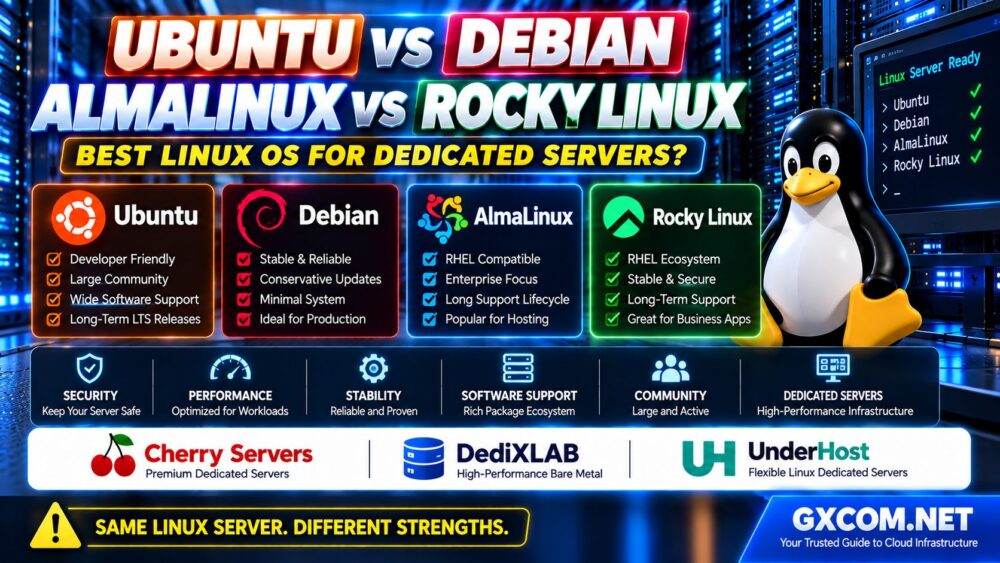
Ubuntu vs Debian vs AlmaLinux vs Rocky Linux: Quick Comparison
| Feature | Ubuntu Server | Debian | AlmaLinux | Rocky Linux |
|---|---|---|---|---|
| Distribution family | Debian-based | Independent Debian project | RHEL-compatible ecosystem | RHEL-compatible ecosystem |
| Package manager | APT / DEB | APT / DEB | DNF / RPM | DNF / RPM |
| Typical production choice | LTS release | Stable release | Supported major release | Supported major release |
| Primary strength | Developer ecosystem and documentation | Conservative stability and flexibility | Enterprise application compatibility | Enterprise-oriented compatibility |
| Common workloads | Web apps, containers, development | Web hosting, databases, self-hosting | Business applications, hosting platforms | Enterprise services, hosting platforms |
| Security framework | AppArmor commonly used | Configurable security frameworks | SELinux commonly enabled | SELinux commonly enabled |
These are general ecosystem characteristics rather than guarantees about every software package or server image. The exact distribution release and provider configuration matter.
1. Ubuntu Server: Best for Developers and Modern Application Stacks
Ubuntu Server is a popular choice for organizations deploying websites, APIs, container platforms, and development infrastructure.
Its extensive documentation and broad third-party software ecosystem can make deployment and troubleshooting easier, especially for teams already familiar with Ubuntu.
Advantages of Ubuntu Dedicated Servers
- Large developer and administrator community
- Extensive tutorials and software documentation
- APT package management
- Long-term support releases suitable for production
- Broad compatibility with modern development tools
- Strong ecosystem around containers and automation
Ubuntu LTS releases receive five years of standard security maintenance for covered packages. Additional maintenance options may be available through Ubuntu Pro and related support arrangements.
However, package coverage and support entitlements are not identical across every repository.
Potential Limitations
Some administrators prefer a more minimal installation or a distribution with a different packaging and release philosophy.
Ubuntu also uses Snap for certain software delivery scenarios, which may not align with every administrator's preferred operational model.
For production dedicated servers, an LTS release is generally a more appropriate starting point than a short-lived interim release.
Best suited for: Developers, web application teams, container-based workloads, and organizations seeking widely documented Linux administration procedures.
2. Debian: Best for Conservative and Predictable Server Environments
Debian is a community-maintained Linux distribution known for its emphasis on free software, stability, and careful package integration.
Its Stable branch is commonly selected for production systems where predictable behavior is more important than immediately adopting the newest software versions.
Advantages of Debian Dedicated Servers
- Conservative Stable release model
- APT package management
- Broad software repository
- Flexible and relatively minimal server installations
- Established community governance
- Suitable for long-running infrastructure services
Debian Stable generally follows a lifecycle of approximately three years of regular support and two additional years through its Long Term Support program.
The LTS phase has its own package and architecture coverage considerations, so administrators should review the applicable security support information.
Potential Limitations
Debian Stable may include older upstream software versions than distributions that prioritize newer application stacks.
This can be beneficial for compatibility and predictable maintenance, but applications requiring very recent runtimes may need additional repositories, containers, or carefully managed external packages.
Best suited for: Experienced administrators, long-running web services, database systems, and infrastructure where conservative software changes are desirable.
3. AlmaLinux: Best for RHEL-Oriented Hosting and Business Applications
AlmaLinux is a community-driven enterprise Linux distribution designed for compatibility with the Red Hat Enterprise Linux ecosystem.
It is frequently evaluated by organizations that use RPM-based software, enterprise management practices, or applications developed for RHEL-compatible systems.
Advantages of AlmaLinux Dedicated Servers
- Compatibility focus around the RHEL application ecosystem
- DNF and RPM package management
- SELinux security framework
- Long major-version maintenance lifecycle
- Familiar administration model for RHEL-oriented teams
- Relevant option for supported hosting control panels
AlmaLinux may be especially useful when a commercial application or control panel explicitly supports a particular AlmaLinux release.
Potential Limitations
Software written primarily for Debian-based distributions may require different installation procedures.
Administrators must also check whether a particular application supports the exact AlmaLinux major version, not merely the AlmaLinux name.
Compatibility with the broader RHEL ecosystem does not mean every third-party package or proprietary application is automatically certified.
Best suited for: Enterprise-oriented applications, RPM-based infrastructure, and hosting environments requiring a supported RHEL-compatible platform.
4. Rocky Linux: Best for Enterprise Linux Consistency
Rocky Linux is another community-focused enterprise Linux distribution designed around compatibility with the RHEL ecosystem.
It is often considered by system administrators who want a familiar enterprise Linux environment without changing to a Debian-based operating system.
Advantages of Rocky Linux Dedicated Servers
- RHEL-compatible software ecosystem
- DNF and RPM package management
- SELinux support
- Long-term major-version lifecycle
- Familiar tools for enterprise Linux administrators
- Suitable for supported business and infrastructure applications
Rocky Linux provides a long support horizon for major releases, but administrators must keep systems updated to supported minor releases.

Potential Limitations
Like AlmaLinux, Rocky Linux may not be the easiest choice for software whose installation documentation assumes Ubuntu or Debian.
Application compatibility should be checked against the exact Rocky Linux release and the vendor's support matrix.
Best suited for: Enterprise-oriented server workloads, RPM-based application environments, and organizations familiar with RHEL administration.
5. Ubuntu vs Debian: Which Is Better for Dedicated Hosting?
Ubuntu and Debian share important technical foundations, including DEB packages and APT package management.
However, they differ in release strategy, package selection, and ecosystem priorities.
Ubuntu LTS can be attractive when developers want a widely documented platform with a predictable long-term release cycle.
Debian Stable can be attractive when administrators prefer a conservative software baseline and a community-managed distribution.
Neither is universally faster or more secure simply because of its name.
For an application that requires a specific version of PHP, Python, PostgreSQL, or another runtime, compare the supported package versions and maintenance policies of the actual releases you intend to deploy.
Choose Ubuntu when: Your team values Ubuntu-specific documentation, development tools, or commercial support options.
Choose Debian when: Your team prefers Debian's release philosophy, minimal deployment flexibility, and established administration practices.
6. AlmaLinux vs Rocky Linux: What Is the Real Difference?
AlmaLinux and Rocky Linux share many technical similarities because both serve organizations interested in the RHEL-compatible software ecosystem.
Both commonly use DNF, RPM, systemd, and SELinux.
For many standard web hosting or business applications, the day-to-day administration experience may be similar.
The practical differences often involve:
- Project governance and development approach
- Release engineering and update policies
- Third-party vendor certification
- Community resources
- Specific hardware and software compatibility
- Support relationships and operational preferences
Rather than declaring one distribution universally superior, check which is explicitly supported by your control panel, application vendor, security tools, and hosting provider.
If an application vendor certifies only one of them, that support requirement may be more important than minor differences in general server administration.
7. Which Linux Distribution Is Fastest?
A common question is whether Ubuntu, Debian, AlmaLinux, or Rocky Linux delivers the best dedicated server performance.
There is no universal winner.
On identical hardware, performance depends on factors such as:
- Kernel version and configuration
- Filesystem selection
- CPU scheduler behavior
- Installed background services
- Compiler and library versions
- Storage drivers
- Application configuration
- Security policies
A minimal installation of one distribution may appear faster than a heavily configured installation of another, but that is not a fair operating system comparison.
For most production workloads, choosing the right processor, RAM capacity, storage system, and application configuration will have a larger practical impact than switching distributions without identifying a specific bottleneck.
Our Dedicated Server Hardware Selection Guide explains how CPU generations, RAM, NVMe storage, and network specifications influence real-world server performance.
8. Security and Update Management Compared
All four distributions can support secure production environments when they are properly configured and maintained.
Security depends on update practices, access controls, software exposure, monitoring, and the applications installed on the server.
Ubuntu Security
Ubuntu commonly uses AppArmor and provides security maintenance for supported packages according to the selected release and subscription coverage.
Debian Security
Debian maintains security updates for supported releases, with a transition to the Debian LTS program during the later lifecycle phase.
AlmaLinux and Rocky Linux Security
Both commonly use SELinux and enterprise-oriented package management practices.
Administrators should maintain current supported minor releases and verify security advisories for the exact installed version.
Regardless of distribution, dedicated server security should include:
- SSH key authentication
- Restricted administrative access
- Firewall rules
- Regular security updates
- Service and log monitoring
- Independent backups
- Recovery testing
For practical deployment guidance, see our Unmanaged Dedicated Server Setup Checklist.
9. Linux Distribution Support for Docker and Containers
Ubuntu, Debian, AlmaLinux, and Rocky Linux can all be used for container workloads when the required container software and kernel features are supported.
However, installation procedures, repository availability, security defaults, and maintenance policies may differ.
Ubuntu and Debian are frequently used in developer-oriented Docker environments because of their widespread documentation and familiarity.
AlmaLinux and Rocky Linux are also relevant for enterprise container environments, including workflows that use Podman and other compatible container tools.
Before choosing a distribution for containers, confirm:
- Supported container runtime versions
- Kernel and cgroup compatibility
- Storage driver requirements
- SELinux or AppArmor behavior
- Networking requirements
- Update and restart procedures
The best choice is the distribution that supports your container platform and fits your team's operational expertise.
10. Control Panel Compatibility: cPanel, Plesk and Other Tools
Hosting control panel compatibility can be a decisive factor when choosing a Linux distribution.
Different control panels support different operating system families, major versions, and architectures.
For example, a hosting business planning to deploy cPanel should verify the official operating system support matrix before ordering a dedicated server.
The same principle applies to Plesk, DirectAdmin, and other commercial server management platforms.
Do not assume that a control panel supports every release of Ubuntu, Debian, AlmaLinux, or Rocky Linux.
Check the exact supported version, required architecture, license conditions, and installation restrictions.
11. Which Linux Distribution Is Best for Web Hosting?
The best Linux distribution for web hosting depends on the applications and management tools you intend to use.
| Workload | Good Starting Options | Main Consideration |
|---|---|---|
| WordPress and PHP | Ubuntu LTS, Debian Stable | PHP versions, database support, caching |
| Hosting control panel | Supported AlmaLinux, Rocky Linux, or other approved releases | Official control panel compatibility |
| Docker applications | Ubuntu, Debian, AlmaLinux, Rocky Linux | Runtime and kernel support |
| Enterprise applications | AlmaLinux, Rocky Linux, or vendor-certified alternatives | Application certification |
| Minimal self-managed server | Debian Stable, Ubuntu Server | Administrator experience |
| Database hosting | Any appropriately supported distribution | Database compatibility, memory, storage |
These are starting points, not exclusive recommendations. A well-configured and supported distribution from any of these families can be appropriate for many workloads.
12. Choosing a Dedicated Server Provider for Your Linux Distribution
After choosing an operating system, verify that your hosting provider can deploy and support the required distribution.
A dedicated server may offer root access while still restricting available installation images or remote recovery methods.
Three providers worth evaluating for relevant Linux dedicated infrastructure are Cherry Servers, DediXLAB, and UnderHost.
Cherry Servers: Linux Bare Metal Deployment Flexibility
Cherry Servers is a candidate for buyers evaluating configurable bare metal infrastructure and Linux deployment requirements.
Before ordering, verify which Ubuntu, Debian, AlmaLinux, or Rocky Linux images are available for the selected product.
Also confirm whether custom installation media, rescue access, and remote management features meet your needs.
DediXLAB: Self-Managed Linux Dedicated Infrastructure
DediXLAB can be included when comparing dedicated server hardware and self-managed Linux environments.
For cost-conscious buyers, evaluate the exact processor model, RAM, storage configuration, and operating system installation options rather than relying on headline specifications alone.
Ask which distributions are supported on the proposed server and who is responsible for operating system troubleshooting.
UnderHost: Verify Linux Deployment and Hosting Policies
UnderHost is another candidate to investigate when comparing Linux hosting infrastructure and deployment requirements.
Review the selected product's supported operating systems, installation options, acceptable use terms, and administration responsibilities.
Do not assume that every Linux distribution is available on every hosting plan.
13. Linux Dedicated Server Provider Checklist
Before buying, ask the hosting provider the following questions:
- Which Linux distributions and versions are available?
- Can I install a custom operating system image?
- Is full root access provided?
- Does the server support remote console or rescue access?
- Can the provider reinstall the operating system?
- Are software updates and security patches my responsibility?
- Does the selected control panel support this Linux release?
- What hardware and network specifications are included?
- What happens if the server fails to boot?
- What backup and recovery options are available?
For a broader provider selection framework, read our Best Linux Dedicated Server Hosting Guide, which covers hardware, root access, network quality, and operating system support.
14. Should You Choose Managed or Unmanaged Linux Hosting?
The choice of Linux distribution also affects the administration skills required to maintain the server.

With unmanaged dedicated hosting, customers generally handle software installation, updates, security configuration, monitoring, and troubleshooting.
Managed hosting may include selected administration services, but the scope varies by provider and contract.
If your team has extensive Debian or Ubuntu experience, adopting AlmaLinux or Rocky Linux may introduce additional training and operational work.
Similarly, a team familiar with RHEL-oriented administration may prefer AlmaLinux or Rocky Linux over a Debian-based system.
For long-term planning, our Unmanaged Dedicated Server Maintenance Guide covers patch management, monitoring, backups, and recovery procedures.
15. How to Choose the Best Linux Distro for Your Dedicated Server
Use the following decision framework:
- Choose Ubuntu LTS when your development stack, documentation, and administration experience align with Ubuntu.
- Choose Debian Stable when you prioritize conservative package updates and a community-maintained production platform.
- Choose AlmaLinux when your application or hosting tools require a supported RHEL-compatible environment.
- Choose Rocky Linux when your team prefers its RHEL-compatible ecosystem and the software vendor supports the selected release.
Then validate your decision against the actual application stack, support lifecycle, hosting provider, and operational budget.
APPLICATION COMPATIBILITY → SUPPORT LIFECYCLE → ADMIN EXPERIENCE → SERVER HARDWARE.
Frequently Asked Questions
Which Linux distribution is best for a dedicated server?
Ubuntu LTS, Debian Stable, AlmaLinux, and Rocky Linux are all strong candidates. The best option depends on application compatibility, security maintenance, administrator expertise, and hosting-provider support.
Is Ubuntu better than Debian for server hosting?
Ubuntu may be preferable for teams using Ubuntu-specific tools and documentation. Debian may be preferable for administrators who value its conservative Stable release model. Neither is universally better.
Is AlmaLinux better than Rocky Linux?
Both target the RHEL-compatible ecosystem. The better choice depends on the exact release, vendor certification, project preferences, and operational requirements.
Which Linux distro is fastest for a dedicated server?
There is no universal fastest distribution. Hardware, kernel configuration, installed services, and application optimization often have a greater effect on practical performance.
Which Linux distro is best for WordPress hosting?
Ubuntu LTS and Debian Stable are common choices for self-managed WordPress environments. Other distributions may also be appropriate when supported by the chosen hosting stack and control panel.
Can I run Docker on AlmaLinux or Rocky Linux?
Container workloads can run on supported AlmaLinux and Rocky Linux releases, subject to runtime, kernel, repository, and security configuration requirements.
Which Linux distribution has the longest support?
Support lifecycles vary by major release and maintenance arrangement. Ubuntu LTS offers five years of standard maintenance with additional options, Debian provides regular and LTS phases, and AlmaLinux and Rocky Linux target long enterprise-oriented major-version lifecycles.
Can I change Linux distributions after buying a dedicated server?
Usually, changing distributions requires reinstalling the operating system or migrating applications to a new installation. Confirm provider reinstall options and back up all required data before making changes.
Do Linux dedicated server providers support all four distributions?
Not necessarily. Operating system images, custom installation options, and support policies vary by provider and product.
Final Verdict: Choose the Linux Distribution That Fits Your Workload
Ubuntu, Debian, AlmaLinux, and Rocky Linux can all provide reliable foundations for dedicated server hosting.
Ubuntu LTS is a practical choice for modern application development and widely documented server administration. Debian Stable offers a conservative production platform. AlmaLinux and Rocky Linux are relevant for enterprise-oriented environments and RHEL-compatible applications.
Before purchasing hardware, verify software compatibility, supported release lifecycles, control panel requirements, and the operating system images available from your provider.
Cherry Servers, DediXLAB, and UnderHost are candidates to include in your infrastructure research, but the final decision should be based on the exact server configuration and deployment terms.
THE BEST LINUX DISTRO IS THE ONE YOUR APPLICATIONS AND TEAM CAN SUPPORT RELIABLY.