Choosing a Linux dedicated server for PostgreSQL requires balancing memory capacity, processor performance, NVMe storage, and reliable recovery options. A database server with impressive specifications can still perform poorly when its storage latency, memory configuration, or backup strategy does not match the workload.
PostgreSQL powers transactional applications, SaaS platforms, analytics systems, and business databases. Dedicated hardware can provide predictable resource allocation and greater control over operating system and storage configuration.
This guide explains how to size PostgreSQL infrastructure and compare dedicated hosting candidates including Cherry Servers, ServerMania, NovoServe, and Bacloud.
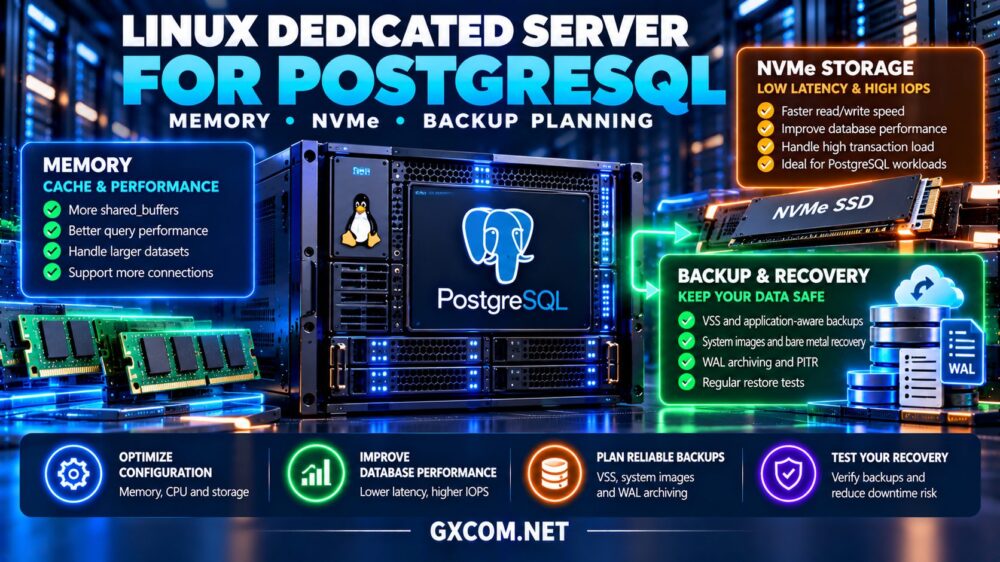
Why Choose a Dedicated Server for PostgreSQL?
Dedicated servers provide exclusive access to physical CPU, memory, and storage resources. This can benefit databases requiring sustained disk activity, predictable latency, or custom operating system configuration.
However, dedicated hosting also places responsibility for database administration, backups, security, and recovery on the customer unless additional services are explicitly included.
Before purchasing, review our dedicated server hardware guide to understand processor, memory, and storage tradeoffs.
1. Size RAM Around PostgreSQL Workloads
Memory is often one of the most valuable resources for PostgreSQL because frequently accessed data can remain cached rather than requiring repeated disk reads.
PostgreSQL uses shared buffers alongside the operating system’s filesystem cache. Increasing RAM may improve performance when the active dataset repeatedly exceeds available cache capacity.
However, more memory does not automatically improve every query. Inefficient indexes, poor execution plans, and lock contention may remain significant bottlenecks.
For planning, examine active dataset size, concurrent connections, query patterns, and memory consumed by other services.
2. Understand shared_buffers and effective_cache_size
The shared_buffers setting controls memory allocated to PostgreSQL’s shared buffer cache. A common initial tuning approach for a dedicated database server is approximately 25% of system RAM, followed by workload testing.
This is a starting point, not a universal optimum.
The effective_cache_size parameter estimates memory available for caching when PostgreSQL’s planner evaluates query execution strategies. It does not reserve that amount of memory.
Administrators must also account for work_mem, maintenance operations, connection counts, and the operating system.
A 128GB server should not allocate all available memory to database caches. Leave sufficient headroom for query execution and background processes.
3. Compare CPU Cores and Single-Thread Performance
PostgreSQL performance depends on the mix of concurrent sessions, query complexity, and supported parallel execution.
More CPU cores can help when numerous queries execute simultaneously. Faster individual cores may be more valuable for latency-sensitive transactions or workloads that cannot effectively use parallel workers.

Compare processor generation, sustained clock behavior, cache capacity, and memory bandwidth.
Do not assume a processor with twice as many cores will complete an individual query twice as quickly.
4. Why NVMe Storage Matters for PostgreSQL
NVMe SSDs can reduce storage latency and improve random I/O performance compared with slower storage technologies.
PostgreSQL workloads may generate substantial random reads, transaction log writes, checkpoints, and background maintenance activity.
Evaluate sustained random IOPS, write latency, endurance, and power-loss protection rather than relying solely on advertised sequential throughput.
Enterprise-oriented drives may be preferable for write-intensive production databases when their specifications match the workload.
RAID can protect against certain drive failures, but it cannot replace independent database backups.
5. Compare PostgreSQL Dedicated Server Profiles
| Workload | Memory Priority | CPU Priority | Storage Priority |
|---|---|---|---|
| Small business database | Moderate RAM | Modern processor | Reliable NVMe |
| SaaS transactional database | Large working-set cache | Strong per-core speed | Low write latency |
| Analytics and reporting | High memory capacity | Parallel processing capacity | High sustained throughput |
| High-concurrency application | Connection-aware sizing | Multiple capable cores | Consistent random I/O |
These profiles are purchasing priorities, not fixed hardware requirements. Benchmark representative queries before selecting a production configuration.
6. Plan WAL, Backups and Point-in-Time Recovery
PostgreSQL uses write-ahead logging (WAL) to support transactional durability and crash recovery.
For disaster recovery, combine suitable base backups with continuous WAL archiving when point-in-time recovery (PITR) is required.
Tools such as pgBackRest can help manage database backups, retention, and restoration workflows.
Define a recovery point objective (RPO) based on acceptable data loss and a recovery time objective (RTO) based on business requirements.
Store backup copies independently of the production server and test complete restoration, including WAL replay.
Our unmanaged dedicated server backup strategy covers offsite copies and restore testing.
7. Compare Dedicated Server Providers for PostgreSQL
The following providers are relevant candidates for Linux database infrastructure. Specific CPU models, NVMe options, locations, and support services must be verified for each configuration.
Cherry Servers: Configurable Database Infrastructure
Cherry Servers is worth evaluating for technical teams seeking configurable bare metal resources.
Compare processor generations, available RAM, NVMe drive options, and remote management capabilities.
Best for: Database administrators requiring detailed hardware selection.
ServerMania: Business Database Hosting
ServerMania deserves consideration for organizations with defined infrastructure and operational requirements.
Review hardware configurations, replacement procedures, networking, and the boundary between hardware support and database administration.
Best for: Businesses planning dedicated database infrastructure.
NovoServe: Network-Intensive Deployments
NovoServe is relevant when server location, bandwidth, and network performance affect application architecture.
Confirm available storage configurations, transfer policies, and connectivity options before planning replication or large database transfers.
Best for: Database environments with substantial network requirements.
Bacloud: Cost-Conscious Linux Hosting
Bacloud is another candidate for experienced administrators comparing dedicated hardware costs.
Check RAM capacity, CPU generation, NVMe availability, rescue access, and replacement arrangements.
Best for: Self-managed PostgreSQL deployments with defined budgets.
8. Separate Replication from Backup
Streaming replication can maintain a standby PostgreSQL server and support availability strategies, but it does not replace historical backups.
Accidental deletions or damaging application changes may also reach replicas.
For important databases, consider a standby server, monitored replication lag, tested promotion procedures, and independently retained backups.
Automatic failover introduces additional requirements, including reliable failure detection and protection against split-brain scenarios.
9. Secure the Linux Database Server
Restrict PostgreSQL network access to authorized application hosts and administrative networks.

Use appropriate authentication, encrypted connections where required, least-privilege database roles, and regular operating system updates.
Monitor database logs, storage capacity, failed backups, and unexpected configuration changes.
Our Linux dedicated server security hardening guide explains SSH protection, firewall configuration, and kernel maintenance.
10. Calculate the Real PostgreSQL Hosting Cost
Monthly rental is only one part of the database infrastructure budget.
Consider a hypothetical server costing $140 monthly, with $35 for independent backup storage and $25 for monitoring. The recurring infrastructure total becomes $200 monthly before administration, licensing, and recovery labor.
Adding a standby server increases cost but may improve availability when properly designed.
Before purchasing, compare dedicated server deals and evaluate storage reliability, memory capacity, and recovery access alongside price.
11. Prepare for Database Growth
Monitor query latency, cache effectiveness, CPU utilization, WAL generation, storage growth, and backup duration.
Plan expansion before available disk space or memory becomes critically constrained.
Hardware upgrades may require downtime or migration to another server. Review our dedicated server upgrade paths guide when planning future RAM, NVMe, or processor changes.
Final Verdict
The right Linux dedicated server for PostgreSQL balances sufficient memory, modern CPU performance, dependable NVMe storage, and a tested recovery strategy.
Cherry Servers, ServerMania, NovoServe, and Bacloud are relevant infrastructure candidates to investigate. Verify actual configurations, support boundaries, and full operating costs before ordering.
Choose hardware based on measured database behavior, not theoretical specifications alone.