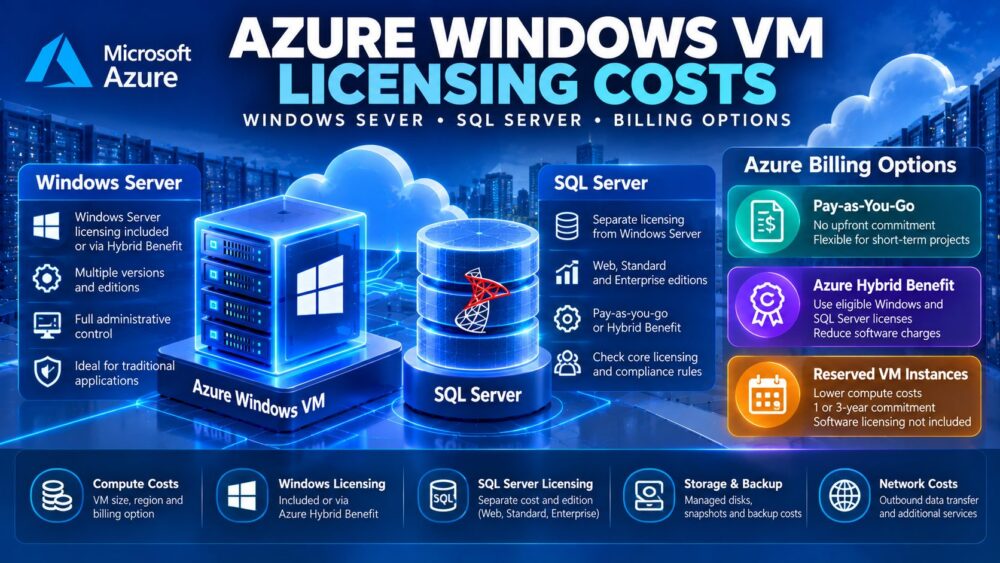
Choosing Azure SQL Database vs SQL Server on VM involves more than comparing database performance. Licensing, automated backups, operating system control, high availability, and administration expenses can significantly change the total monthly cost.
Azure SQL Database provides a managed database platform, while SQL Server on an Azure Virtual Machine offers greater control over the operating system and database engine. Each approach suits different application requirements.
This guide compares their licensing models, recovery options, operational responsibilities, and cloud hosting costs.
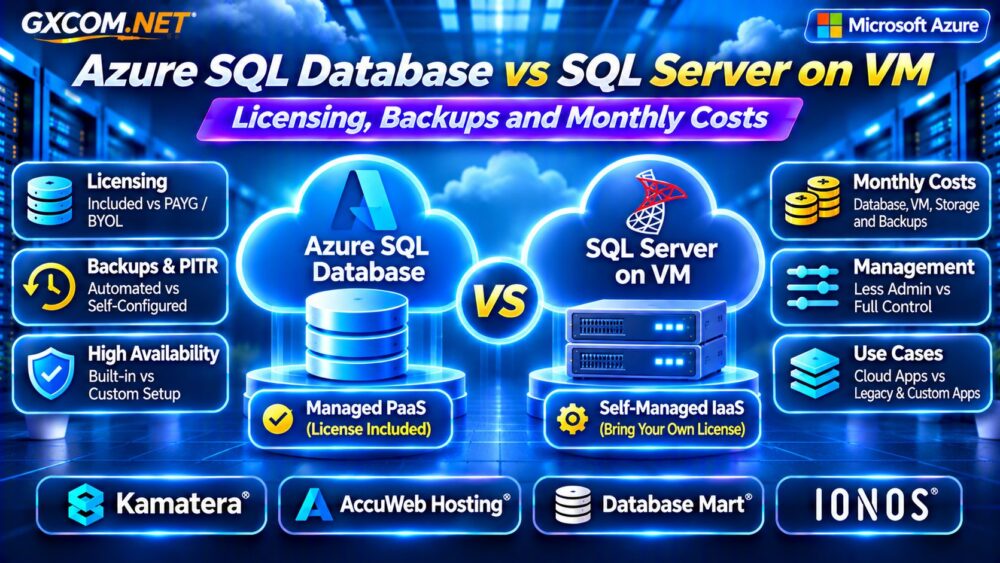
Azure SQL Database vs SQL Server on VM: Key Differences
Azure SQL Database is a Platform-as-a-Service (PaaS) offering. Microsoft manages the underlying infrastructure, database engine updates, and routine backups.
SQL Server on Azure VM is an Infrastructure-as-a-Service (IaaS) deployment. Administrators control the operating system, SQL Server installation, database configuration, and maintenance policies.
The VM approach supports applications requiring instance-level features or operating system access that Azure SQL Database does not provide.
However, additional control means greater responsibility for security, monitoring, recovery, and ongoing administration.
SQL Server Licensing: What Are You Paying For?
Licensing is one of the most important differences between these deployment models.
Azure SQL Database offers license-included pricing for eligible configurations. Customers with qualifying SQL Server licenses and active Software Assurance may also use Azure Hybrid Benefit on supported purchasing models.
SQL Server on Azure VM can use pay-as-you-go licensing for supported editions or qualifying existing licenses.
Importantly, Windows Server licensing and SQL Server licensing are separate considerations. A Windows VM does not automatically include a production SQL Server Standard or Enterprise license.
SQL Server Express and Developer Editions
SQL Server Express may suit smaller production workloads that remain within its resource and feature limits.
Developer Edition is intended for development and testing, not production use.
Before selecting a lower-cost edition, verify database size, memory limits, processor restrictions, and required high-availability features.
How Azure Hybrid Benefit Changes Costs
Azure Hybrid Benefit can reduce eligible SQL Server licensing expenses when organizations have qualifying licenses and meet Microsoft’s requirements.
However, the benefit does not eliminate virtual machine compute, storage, networking, backup, or administration costs.
Eligibility also differs by deployment model and purchasing tier. For example, Azure SQL Database serverless compute does not support the same Hybrid Benefit application as eligible provisioned vCore configurations.
Validate licensing entitlements before treating projected savings as guaranteed.
Azure SQL Database Pricing Explained
Azure SQL Database pricing depends on the selected service tier, region, compute model, provisioned resources, storage, and backup retention.
Provisioned compute charges are generally based on allocated resources and running time. Eligible serverless configurations can adjust compute consumption according to workload behavior and configured limits.

General Purpose, Business Critical, and Hyperscale configurations have different performance and storage characteristics.
Long-term backup retention, additional storage, and geo-replication may introduce further charges.
SQL Server on Azure VM: Monthly Cost Components
A SQL Server virtual machine bill may include:
- Virtual machine compute and applicable operating system licensing.
- SQL Server licensing, unless covered by an eligible arrangement.
- Managed disks and provisioned storage performance.
- Backup storage and recovery services.
- Networking, monitoring, and administration.
VM sizing also affects SQL Server licensing costs under applicable pay-as-you-go models. Oversized instances can therefore increase both infrastructure and software expenses.
For related Windows infrastructure comparisons, read our Azure VM vs Windows VPS Guide.
Monthly Cost Comparison: An Illustrative Example
Consider two hypothetical deployments for a small business application. These are budgeting examples, not current Microsoft quotations.
| Cost Category | Managed SQL Database | SQL Server VM |
|---|---|---|
| Database service or VM compute | $145 | $85 |
| SQL Server licensing | Included in service | $90 |
| Storage | $20 | $20 |
| Backup allowance | $10 | $15 |
| Administration labor | $20 | $65 |
| Estimated monthly total | $195 | $275 |
The figures illustrate how licensing and labor can outweigh apparent compute savings. Actual Azure prices vary by region, edition, VM size, commitment, and workload.
Automated Backups and Point-in-Time Recovery
Azure SQL Database includes automated backups and point-in-time restore capabilities within supported retention policies.
Additional backup storage or extended retention can affect costs, depending on the configuration.
SQL Server on Azure VM requires an appropriate backup strategy. Supported Azure automation features can simplify backups, but administrators must confirm configuration, retention, restore testing, and database consistency.
Neither approach removes the need to test application-level recovery.
See our VPS Snapshot Backup and Recovery Guide for broader recovery planning.
High Availability and Disaster Recovery
Azure SQL Database provides built-in high availability, with additional resilience options depending on service tier and configuration.
SQL Server on Azure VM allows customized architectures using supported SQL Server availability technologies and Azure infrastructure.
However, multiple VMs, replication, load balancing, and secondary storage can significantly increase costs.
High availability also differs from disaster recovery. A redundant system does not automatically protect against accidental deletion or application-level corruption.
Explore the architecture tradeoffs in our High-Availability Cloud Servers Guide.
Administration, Security and Maintenance
Azure SQL Database reduces operating system and database engine maintenance responsibilities. Customers still manage database permissions, application security, queries, and appropriate data protection settings.
SQL Server on VM provides deeper administrative access but requires operating system patching, SQL Server maintenance, monitoring, and recovery planning.
For businesses without dedicated database administrators, these ongoing tasks can become a substantial operating expense.
Four Infrastructure Providers to Compare
Organizations considering self-hosted SQL Server can also compare approved cloud and Windows hosting providers. These options are infrastructure alternatives, not direct replacements for Azure SQL Database’s managed features.
1. Kamatera: Configurable Cloud Servers
Kamatera is relevant for teams evaluating customizable cloud server resources for database applications.
Confirm Windows availability, storage performance, management options, and SQL Server licensing requirements before deployment.
2. AccuWeb Hosting: Windows VPS Options
AccuWeb Hosting can be considered for Windows-based workloads requiring VPS resources.
Compare RAM, CPU, disk capacity, backup services, and whether the required SQL Server edition is available and correctly licensed.
3. Database Mart: Database-Oriented Infrastructure
Database Mart is relevant when comparing Windows VPS and dedicated server options for database workloads.

Review database software licensing, storage configuration, support boundaries, and total monthly costs for the selected package.
4. IONOS: Business Cloud Infrastructure
IONOS provides another infrastructure option for organizations comparing cloud server configurations and Windows environments.
Verify operating system availability, SQL Server licensing, backup coverage, and administrative responsibilities.
Which Deployment Should You Choose?
Choose Azure SQL Database when reduced infrastructure administration, integrated database maintenance, and managed recovery features align with application requirements.
Consider SQL Server on VM when applications require operating system access, specialized SQL Server configurations, or migration compatibility that the managed database service cannot provide.
For other management models, see our Managed Cloud Hosting Comparison.
Frequently Asked Questions
Is SQL Server Licensing Included With Azure SQL Database?
License-included pricing is available, while eligible customers may qualify for reduced pricing through Azure Hybrid Benefit.
Can I Install SQL Server on a Windows VPS?
Technically, compatible Windows servers can run SQL Server, but production licensing, resource requirements, and provider policies must be verified.
Does Azure SQL Database Eliminate Backup Costs?
No. Included backup allowances and additional retention or storage charges depend on the selected service configuration.
Final Verdict
Azure SQL Database offers managed convenience, while SQL Server on VM delivers greater control with additional licensing and administration responsibilities.
Compare complete monthly costs, backup recovery, software compatibility, and operational requirements before choosing.
For self-hosted database infrastructure, evaluate Kamatera, AccuWeb Hosting, Database Mart, and IONOS using verified plan-specific capabilities.