Azure VM cost optimization is about reducing unnecessary infrastructure spending without compromising application performance, security, or availability. Whether you operate Windows Server workloads, Linux application servers, or a combination of both, Microsoft Azure offers several ways to improve compute efficiency.
However, virtual machine costs extend beyond the advertised compute rate. Managed disks, operating system licensing, backups, public IP addresses, network traffic, and supporting services can all affect the total bill.
The most effective strategy starts with understanding your workload. Right-sizing an oversized VM, shutting down unused development servers, or selecting a suitable purchasing model can often deliver more sustainable savings than simply choosing a cheaper instance.
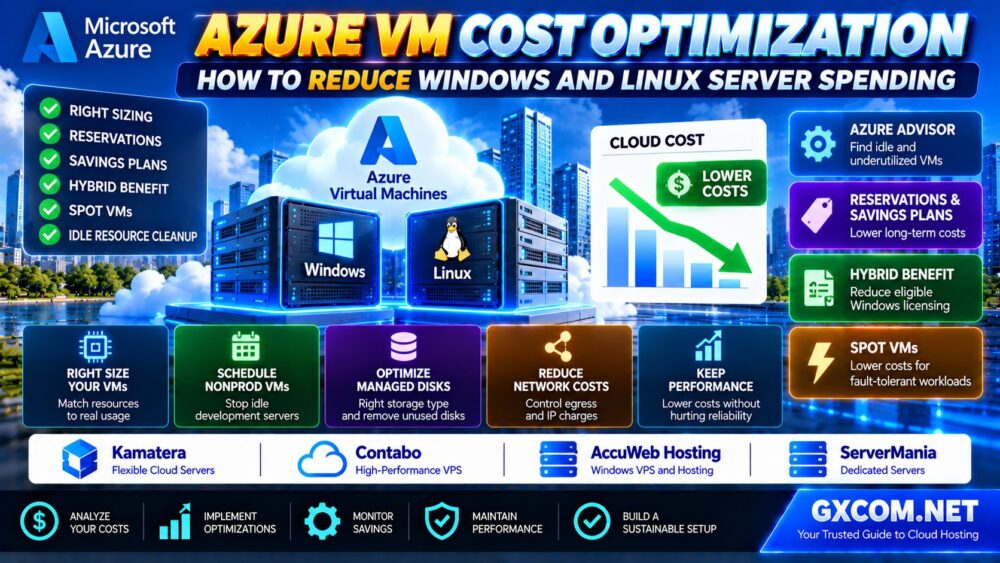
This guide explains how to reduce Azure VM costs through Azure Advisor, Reservations, Savings Plans, Azure Hybrid Benefit, Spot VMs, storage optimization, and practical Windows and Linux server management.
Azure VM Cost Optimization: Quick Comparison
| Optimization Method | Main Benefit | Important Consideration |
|---|---|---|
| VM right sizing | Reduce oversized CPU and memory capacity | Test performance before changing size |
| Azure Reservations | Discount qualifying predictable usage | Long-term commitment |
| Azure Savings Plan | Flexible discounts on eligible compute usage | Hourly spending commitment |
| Azure Hybrid Benefit | Reduce eligible Windows licensing costs | License eligibility requirements |
| Spot VMs | Discounted interruptible compute | Eviction risk |
| VM scheduling | Reduce unnecessary running hours | Requires acceptable downtime |
| Managed disk optimization | Reduce storage spending | Maintain required IOPS and throughput |
| Autoscaling | Match capacity to demand | Requires appropriate architecture |
| Network optimization | Identify avoidable transfer and IP costs | Review network dependencies |
Quick verdict: Measure resource usage, remove idle capacity, right-size workloads, optimize licensing, and only then purchase longer-term compute commitments.
1. Understand Your Azure VM Cost Breakdown
Before reducing Azure VM spending, identify which resources generate the largest charges.
A typical Azure VM deployment may include:
- Virtual machine compute
- Windows Server or other applicable software licensing
- Managed disks
- Disk snapshots and backups
- Public IP addresses
- Outbound network traffic
- Load balancers
- Monitoring and logging
- Other integrated Azure services
Use Microsoft Cost Management to analyze spending by subscription, resource group, service, Region, and cost allocation tags.
Separate production, staging, development, and temporary environments. These workloads often have very different availability and purchasing requirements.
2. Right-Size Azure Virtual Machines
Right sizing means matching VM resources to actual workload requirements.
Oversized virtual machines can waste money, but reducing resources too aggressively can create application slowdowns or reliability problems.
Measure Real Resource Usage
Review:
- Average and peak CPU utilization
- Memory usage and paging
- Disk latency, IOPS, and throughput
- Network utilization
- Application response times
- Database performance
- Seasonal traffic patterns
Do not make decisions based only on average CPU usage. A server with low average utilization may still require significant capacity during business peaks.
Use Azure Advisor Recommendations
Azure Advisor can identify underutilized VMs and recommend resizing or shutdown actions.
Its recommendations are useful starting points, but they are not substitutes for workload testing.
Check whether projected savings reflect your organization's existing Reservations, Savings Plans, and contractual discounts.
Test Before Resizing
- Collect representative workload metrics.
- Identify a suitable alternative VM size.
- Check regional capacity and compatibility.
- Test the workload under realistic demand.
- Plan maintenance and rollback procedures.
- Monitor application performance after the change.
Best practice: Optimize resource efficiency while maintaining enough performance headroom for expected traffic spikes.
3. Choose the Right Azure VM Family
Azure provides different VM families for different workload characteristics.
B-Series: Burstable Workloads
Eligible B-series VMs can be useful for workloads with low baseline CPU usage and occasional bursts.
However, their CPU credit model makes them less suitable for applications requiring consistently high CPU performance.
D-Series: General-Purpose Applications
D-series configurations are commonly evaluated for balanced compute and memory requirements, including many application servers and business workloads.
E-Series: Memory-Intensive Applications
E-series VMs provide higher memory capacity relative to compute resources and may be appropriate for selected databases and memory-intensive applications.
F-Series and Other Compute-Focused Options
Compute-focused VM families may be more appropriate for workloads that need relatively more processing capacity than memory.
The most economical option is the one that meets workload requirements with the least unnecessary capacity, not automatically the smallest VM.
4. Azure Reservations vs Savings Plans
Azure Reservations and Azure Savings Plans can reduce eligible compute costs through longer-term commitments.
However, they are designed for different usage patterns.
Azure Reserved VM Instances
Reservations are often suitable for predictable workloads that use stable VM configurations in defined regions.
Eligible reservations can provide discounted compute usage over one-year or three-year terms.
Reservation flexibility and exchange conditions depend on the applicable product rules.
Azure Savings Plan for Compute
Azure Savings Plans involve committing to a fixed hourly amount of eligible compute spending for one or three years.
They can be attractive when workloads change between VM families, regions, or other eligible compute services.
However, unused hourly commitments do not automatically roll over into future hours.
Which Is Better?
| Workload Pattern | Option to Evaluate |
|---|---|
| Stable, continuously running VM configuration | Azure Reservations |
| Changing instance families or regions | Azure Savings Plan |
| Short-term or uncertain workload | Pay-as-you-go |
| Interruptible processing | Spot VMs |
Right-size workloads before purchasing commitments. Otherwise, a discount may simply lock in spending on resources you do not need.

5. Reduce Windows Server Costs With Azure Hybrid Benefit
Windows Server licensing can be an important part of Azure VM spending.
Azure Hybrid Benefit allows eligible customers to apply qualifying existing licenses toward supported Azure deployments.
Eligibility depends on Microsoft licensing requirements, including applicable Software Assurance or subscription conditions.
Before using Azure Hybrid Benefit, verify:
- Windows Server license eligibility
- Required license quantities
- Virtual core requirements
- Applicable deployment restrictions
- License reassignment rules
- Current Microsoft product terms
Azure Hybrid Benefit does not make every Windows VM free of licensing costs, and it should not be assumed to cover unrelated software licenses.
For businesses already maintaining qualifying Windows Server licenses, it can be an important optimization opportunity.
6. Optimize Linux VM Spending
Linux VMs may avoid certain Windows Server licensing charges when using eligible operating system images.
However, Linux infrastructure still generates compute, storage, networking, monitoring, and management costs.
Choose an Appropriate Linux Image
Review whether your workload requires a premium Linux distribution or commercial support subscription.
Some enterprise Linux images may include additional software charges.
Reduce Unnecessary Services
Disable unused background services and monitor resource consumption.
Keep software packages updated and avoid installing unnecessary components.
Use Lightweight Application Architectures
For supported workloads, containers and managed application platforms may reduce operational complexity.
However, moving to containers does not automatically reduce compute costs.
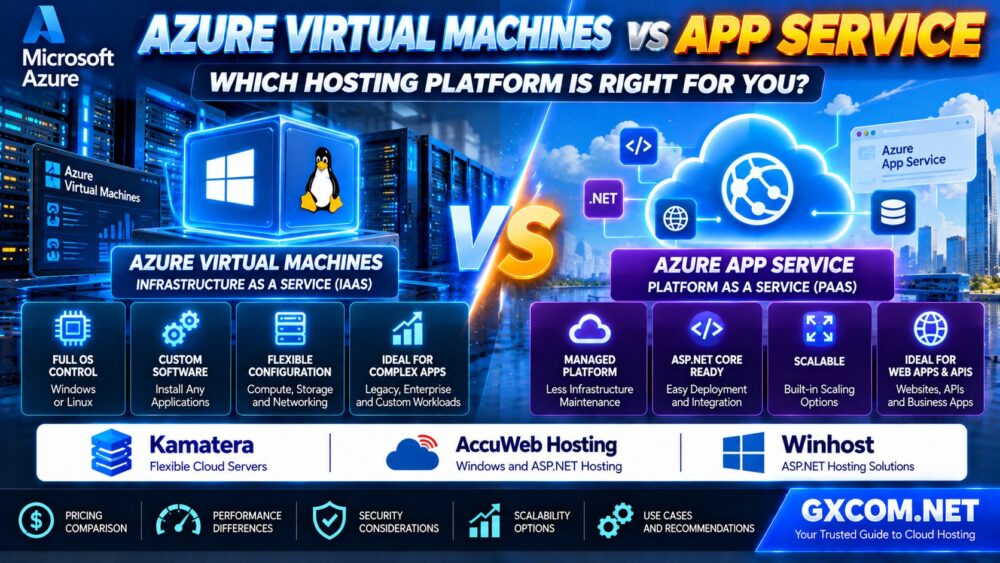
For applications that do not need complete operating system control, read our Azure Virtual Machines vs App Service Comparison to evaluate whether a managed application platform is more appropriate.
7. Schedule Nonproduction Azure VMs
Development, testing, and staging environments are common sources of avoidable cloud spending.
Some servers run continuously even when they are needed only during working hours.
For suitable environments, automatic start and stop schedules can reduce running compute time.
Potential candidates include:
- Development servers
- Testing environments
- Temporary demonstration systems
- Internal training environments
- Nonproduction application servers
Make sure the automation deallocates the VM when the goal is to stop compute billing. A guest operating system shutdown alone should not be assumed to release all allocated infrastructure charges.
Managed disks, backups, public IP resources, and other retained services may continue to incur charges after deallocation.
8. Use Azure Spot VMs for Fault-Tolerant Workloads
Azure Spot Virtual Machines use spare Azure capacity and can offer lower compute costs than standard pay-as-you-go usage.
However, Azure can evict Spot VMs when capacity is needed or when applicable pricing conditions are met.
Spot VMs are appropriate for workloads that can tolerate interruption, including:
- Batch processing
- CI/CD tasks
- Restartable data processing
- Fault-tolerant worker applications
- Development and testing
Applications should use durable storage, retries, checkpointing, and recovery mechanisms.
Do not use a single Spot VM as the only instance supporting a critical production service that cannot tolerate interruption.
9. Optimize Azure Managed Disk Costs
Managed disks can represent a significant part of total VM spending, especially when large storage volumes or high-performance disk tiers are provisioned.
Review:
- Disk type
- Provisioned capacity
- Required IOPS
- Required throughput
- Snapshot retention
- Unattached disks
Choose Storage Based on Performance Needs
Standard HDD, Standard SSD, Premium SSD, and other supported disk options have different performance and pricing characteristics.
Do not choose premium storage solely because it sounds faster. Measure the application's real storage requirements.
Review Premium SSD v2 Where Appropriate
For supported workloads, Premium SSD v2 can provide configurable performance characteristics.
Evaluate capacity, provisioned IOPS, throughput, regional availability, and compatibility before migration.
Remove Unused Disks Carefully
Unattached managed disks can continue generating charges after a VM is deleted.
Identify ownership and recovery requirements before removing them.
10. Reduce Network and Public IP Costs
Network charges can make a seemingly affordable Azure VM more expensive than expected.
Potential costs include:
- Outbound internet traffic
- Cross-region data transfer
- Public IP resources
- Load balancing services
- NAT gateways
- Other networking components
Not every network transfer is charged in the same way. Pricing depends on the services, regions, and traffic paths involved.
Use actual network usage to identify expensive traffic patterns.
For applications with predictable resource requirements, it may also be useful to compare the total cost of alternative VPS or cloud server configurations.
Contabo is one candidate for evaluating bundled Linux VPS resources, while Kamatera may be worth investigating for configurable Windows and Linux cloud server infrastructure.
These services should be compared against the complete Azure deployment, including networking, support, backup, and administration requirements.
11. Optimize Azure VM Scale Sets
Azure Virtual Machine Scale Sets can help manage multiple VM instances and adjust capacity according to workload requirements.
Autoscaling can reduce unnecessary running instances during periods of lower demand.
However, scaling is effective only when the application architecture supports it.
Review:
- Minimum and maximum instance counts
- CPU and application scaling metrics
- Instance startup time
- Session management
- Database connections
- Load balancing
- Availability requirements
Scaling down too aggressively may reduce costs temporarily while increasing latency or application errors.
Use realistic load testing and monitor the results after changing scaling policies.
12. Compare Azure VM Costs With Alternative Hosting
Some organizations use Azure because they depend on Microsoft cloud services, identity systems, networking, and enterprise integrations.
For these workloads, migration to another provider may introduce significant complexity.
Other applications are relatively portable, including basic Linux websites, standalone Windows applications, and conventional VPS workloads.
For these cases, comparing third-party hosting providers can help clarify the total cost of infrastructure ownership.
Kamatera: Configurable Cloud Servers
Kamatera is relevant for businesses evaluating customizable virtual server infrastructure.
It may be worth considering when an application requires operating system control and configurable compute resources.
Compare supported Windows and Linux images, storage, networking, and management responsibilities.
Contabo: VPS Resources for Predictable Workloads
Contabo may be worth evaluating for Linux and Windows-compatible workloads where bundled VPS resources are suitable.
Review actual plan availability, operating system options, licensing, performance requirements, and traffic policies before purchasing.
AccuWeb Hosting: Windows Server and ASP.NET Workloads
AccuWeb Hosting is relevant for organizations comparing Windows hosting and ASP.NET application infrastructure.
It may be a useful candidate when an application does not require Azure-specific platform services.
Verify the exact plan's supported Windows versions, .NET compatibility, database options, and management scope.
ServerMania: Dedicated Infrastructure for Sustained Workloads
ServerMania is another option to investigate for sustained workloads that may benefit from dedicated server resources.
Dedicated infrastructure can provide a different cost and management model from cloud VMs, but it does not automatically provide the same scaling or availability features.
Compare hardware configuration, network requirements, support, redundancy, and operational costs.
For more infrastructure options, see our Best Cloud Hosting Solutions Guide.
13. Azure VM vs Alternative Hosting: Comparison Framework
| Provider | Primary Evaluation Angle | Important Consideration |
|---|---|---|
| Microsoft Azure VMs | Windows/Linux cloud infrastructure | Compute, licensing, storage, network costs |
| Kamatera | Configurable cloud servers | Resource flexibility and management |
| Contabo | Bundled VPS infrastructure | Workload suitability and plan limits |
| AccuWeb Hosting | Windows and ASP.NET hosting | Software compatibility and support |
| ServerMania | Dedicated server infrastructure | Hardware control and operating costs |
Compare equivalent application requirements rather than assuming identical vCPU and RAM specifications produce identical performance.
For a broader understanding of infrastructure operating models, read our Managed vs Unmanaged Hosting Guide.
14. A Practical Azure VM Cost Optimization Plan
Step 1: Establish a Spending Baseline
Use Microsoft Cost Management to identify major cost categories and expensive resource groups.
Step 2: Identify Idle and Oversized Resources
Review Azure Advisor recommendations, VM utilization, and unnecessary storage resources.
Step 3: Measure Application Performance
Collect CPU, memory, disk, network, and application response-time metrics.
Step 4: Test VM Right Sizing
Evaluate smaller or more suitable machine families while maintaining performance headroom.
Step 5: Optimize Windows Licensing
Check whether qualifying Windows Server workloads can use Azure Hybrid Benefit.

Step 6: Schedule Eligible Nonproduction VMs
Automate shutdown and deallocation where workloads can tolerate downtime.
Step 7: Review Storage and Networking
Optimize disk types, snapshots, public IP resources, and data transfer patterns.
Step 8: Evaluate Commitments
Compare Reservations and Savings Plans after the workload has been optimized.
Step 9: Evaluate Portable Workloads
For applications without strong Azure dependencies, compare alternative infrastructure models.
Step 10: Monitor Savings and Performance
Track actual billed costs alongside latency, availability, and application health.
15. Common Azure VM Cost Optimization Mistakes
- Buying Reservations before right sizing.
- Assuming Savings Plans and Reservations are interchangeable.
- Ignoring Windows Server licensing costs.
- Assuming every Windows license qualifies for Azure Hybrid Benefit.
- Using Spot VMs for workloads that cannot tolerate eviction.
- Stopping VMs without checking retained resource charges.
- Deleting unattached disks without verifying backup requirements.
- Choosing smaller VMs based only on average CPU usage.
- Ignoring network egress and public IP costs.
- Comparing cloud providers without considering operational differences.
For businesses still deciding between infrastructure-level control and managed application hosting, our Azure VM vs App Service Guide explains the architectural tradeoffs.
Frequently Asked Questions
What is the best way to reduce Azure VM costs?
Start with utilization analysis, idle resource cleanup, and right sizing. Then evaluate VM scheduling, licensing benefits, storage optimization, and suitable purchasing commitments.
Are Azure Reserved Instances cheaper than pay-as-you-go?
Reservations can reduce eligible compute costs for predictable workloads, but the actual benefit depends on utilization, configuration, and commitment terms.
What is the difference between Azure Savings Plans and Reservations?
Reservations generally target qualifying stable resource configurations, while Savings Plans offer more flexible discounts across eligible compute usage in exchange for an hourly spending commitment.
Does Azure Hybrid Benefit reduce Windows VM costs?
Yes, for eligible customers using qualifying Windows Server licenses under applicable Microsoft licensing terms.
Are Linux VMs cheaper than Windows VMs on Azure?
Linux VMs may avoid certain Windows Server licensing charges, but total costs still depend on compute, storage, network usage, and any premium software subscriptions.
Does stopping an Azure VM stop billing?
Compute billing generally stops when the VM is properly deallocated, but managed disks, backups, public IP resources, and other retained services may continue to incur charges.
Can Azure Spot VMs be used in production?
Yes, for production workloads designed to tolerate eviction and recovery. They are not appropriate as the only capacity for critical applications that cannot tolerate interruption.
Can Azure Advisor automatically reduce VM costs?
Azure Advisor provides recommendations for cost optimization. Implementing them safely requires reviewing existing discounts, application requirements, and performance implications.
Should I move Windows or Linux workloads away from Azure?
Only when a complete cost and compatibility analysis supports migration. Compare licensing, performance, support, networking, availability, and operational responsibilities.
Final Verdict: Optimize Azure VMs Without Sacrificing Performance
Azure VM cost optimization requires a combination of resource efficiency, licensing management, purchasing strategy, and operational discipline.
Right sizing and idle resource cleanup should come before long-term purchasing commitments.
For eligible Windows Server workloads, Azure Hybrid Benefit may reduce licensing expenses. For predictable compute usage, Reservations or Savings Plans can improve pricing. For interruptible workloads, Spot VMs may offer additional savings.
Organizations with portable applications can also compare Kamatera, Contabo, AccuWeb Hosting, and ServerMania, provided the evaluation includes equivalent performance, security, support, and operational requirements.
MEASURE → RIGHTSIZE → OPTIMIZE LICENSES → AUTOMATE → COMMIT → MONITOR.
The best Azure cost strategy is not to choose the cheapest VM. It is to pay for the resources your applications actually need while preserving reliability and business performance.