Cloud VPS CPU throttling can explain why a virtual server performs well during short tasks but slows down under sustained workloads. A VPS advertised with four vCPUs does not necessarily provide four dedicated physical CPU cores or unlimited processing time.
Shared CPU scheduling, provider resource policies, burst limits, and application-level restrictions can all influence performance. However, high CPU utilization alone does not prove throttling.
This guide explains how CPU throttling works, how to distinguish it from other performance problems, and when upgrading to a different cloud VPS configuration makes financial sense.
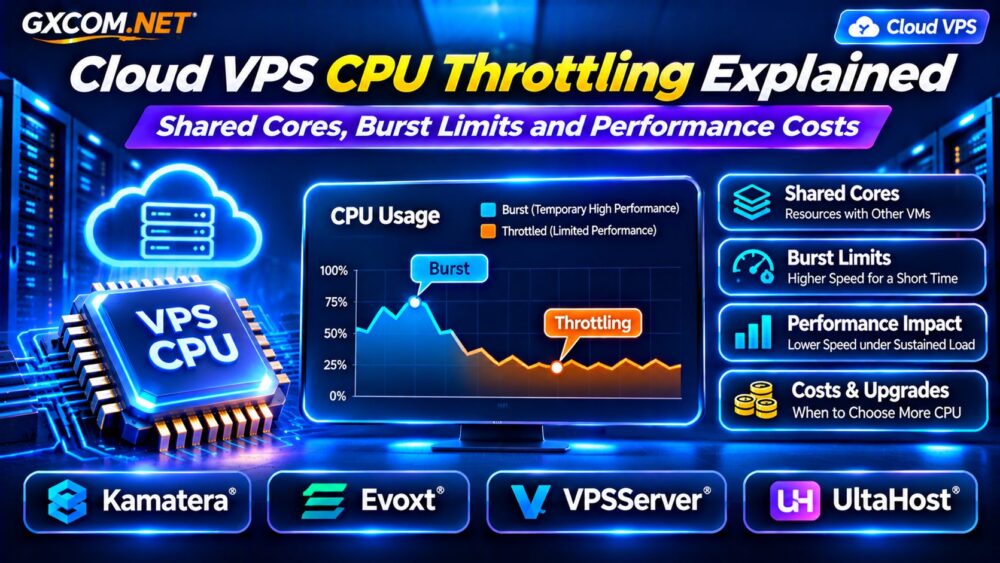
What Is Cloud VPS CPU Throttling?
CPU throttling occurs when a workload’s access to processing capacity is restricted by an enforced limit or scheduling policy.
On a Linux VPS, restrictions may originate from the hosting platform, a virtual machine’s allocated CPU resources, or container-level controls such as cgroup CPU quotas.
Some providers also offer burstable CPU resources, allowing higher performance temporarily before returning to a lower sustained allocation.
Importantly, not every shared VPS uses CPU credits, and not every performance slowdown is caused by an explicit throttle.
Shared vCPU vs Dedicated CPU: What’s the Difference?
A vCPU represents virtual processing capacity presented to a guest operating system. Its relationship to physical cores depends on the hypervisor and hosting architecture.
Shared vCPU plans typically allow multiple virtual machines to use the same underlying processor resources. Performance may vary when other workloads compete for capacity.
Dedicated CPU offerings generally provide stronger scheduling guarantees or reserved processing resources, but the exact meaning differs by provider.
A dedicated vCPU does not automatically mean exclusive ownership of a complete physical CPU core.
For purchasing guidance, compare the available configurations in our Best VPS Providers Comparison.
How CPU Burst Limits Affect VPS Performance
Burstable CPU plans can be attractive for websites with occasional traffic spikes and applications that remain mostly idle.
However, sustained processing tasks may exceed the plan’s intended baseline. Depending on the provider, performance can decrease when credits are depleted or sustained-use restrictions apply.
For example, a hypothetical VPS might deliver strong CPU performance during a five-minute benchmark but noticeably lower throughput during an hour-long workload.
This example illustrates a possible burst limitation, not a universal rule for cloud VPS hosting.
Always verify whether the selected plan has a documented CPU baseline, credit system, or fair-use policy.
CPU Throttling vs CPU Steal Time
CPU throttling and CPU steal time are related performance concerns, but they measure different conditions.

CPU steal time indicates time during which a virtual CPU was ready to run but the hypervisor scheduled other work instead.
CPU throttling generally refers to an enforced CPU usage restriction, such as a cgroup quota or provider-imposed limit.
High steal time can indicate host-level contention, while container throttling counters can reveal quota enforcement within the guest.
Neither metric should be interpreted without considering workload behavior and the virtualization environment.
For deeper troubleshooting, read our VPS CPU Steal Time Troubleshooting Guide.
How to Detect CPU Performance Limits on Linux
Begin by observing CPU utilization, load average, application response time, and steal time during the same workload.
Useful commands include:
top
vmstat 1
mpstat -P ALL 1
cat /sys/fs/cgroup/cpu.stat
The last command applies to systems exposing the relevant cgroup v2 interface. The reported counters describe that cgroup’s CPU restrictions, not necessarily the hosting provider’s underlying hypervisor policy.
Look for increasing throttling counters while the affected workload is active. Also check application logs, database activity, and memory pressure.
A VPS can appear CPU-bound because of inefficient code, excessive PHP workers, or database queries rather than provider throttling.
Why Short CPU Benchmarks Can Be Misleading
Short benchmarks may capture temporary boost behavior without revealing sustained performance.
For workloads such as video encoding, compilation, continuous API processing, or background jobs, longer representative tests are more informative.
Measure completed work, execution time, latency, and CPU behavior over several intervals.
Avoid running aggressive stress tests on production servers or in violation of a provider’s acceptable-use policy.
Compare results under similar conditions, including CPU architecture, software versions, and workload size.
Four Cloud VPS Providers to Evaluate
1. Kamatera: Configurable Cloud Resources
Kamatera is relevant for businesses that want flexible cloud server configurations and the ability to adjust computing resources.
When comparing plans, examine the selected CPU allocation, RAM, storage, operating system, and expected monthly costs.
Ask how sustained CPU workloads are handled and whether the chosen configuration provides suitable performance guarantees.
2. Evoxt: Budget-Oriented VPS Hosting
Evoxt can be considered for smaller applications and buyers evaluating lower-cost VPS configurations.
Compare processor resources, memory, storage performance, and upgrade options rather than relying on the advertised vCPU count alone.
For continuous compute-heavy workloads, confirm any CPU usage restrictions before purchasing.
3. VPSServer: Cloud VPS Configuration Options
VPSServer is another option for comparing cloud VPS resources and deployment requirements.
Evaluate CPU allocation, available server locations, storage specifications, and scalability.
Request clarification about sustained CPU performance if the application requires predictable processing capacity.
4. UltaHost: Managed VPS Requirements
UltaHost is relevant when buyers want VPS infrastructure alongside management or technical support options.
Check the exact plan’s CPU resources, management scope, backup services, and upgrade path.
Managed support may help diagnose application bottlenecks, but it does not automatically eliminate underlying CPU allocation limits.
When Is a Dedicated CPU VPS Worth the Upgrade?
An upgrade becomes more attractive when representative workloads repeatedly encounter CPU restrictions and software optimization cannot resolve the problem.
Consider a hypothetical shared VPS costing $12 monthly and a dedicated-CPU alternative costing $28 monthly.
The additional $16 per month equals $192 annually. If improved processing consistency saves several hours of operational work or prevents meaningful business disruption, the upgrade may be justified.
These are illustrative prices, not current provider quotations.
Before paying more, determine whether the bottleneck is actually CPU-related. Additional memory or faster storage may deliver better results for certain applications.
Reduce CPU Bottlenecks Before Buying More Resources
Review slow database queries, background processes, cron schedules, and application caching.
For WordPress workloads, inspect PHP worker saturation and inefficient plugins. For API servers, measure request concurrency and processing time.

Moving scheduled jobs away from peak traffic periods may improve responsiveness without changing the hosting plan.
If storage latency is contributing to poor performance, consult our NVMe VPS Storage Performance Guide.
Shared CPU, Dedicated CPU, or a Larger Cloud Server?
Choose shared CPU resources when workloads are intermittent and some performance variability is acceptable.
Consider dedicated CPU allocations for sustained processing, latency-sensitive services, or workloads requiring stronger resource predictability.
A larger cloud server may be appropriate when CPU, RAM, and storage requirements are growing together.
Compare the architectural differences in our Cloud Hosting vs VPS Comparison.
Frequently Asked Questions
Does 100% CPU Usage Mean My VPS Is Being Throttled?
No. It can simply mean the application is fully using its allocated processing capacity. Additional evidence is required to identify throttling.
Can a Dedicated CPU VPS Still Have Limits?
Yes. Dedicated CPU products may still have contractual, virtualization, or resource allocation restrictions. Review the specific plan terms.
Will Adding More vCPUs Fix CPU Throttling?
Not necessarily. More vCPUs may improve parallel processing, but workload limits, host contention, or application inefficiencies can remain.
Final Verdict
Cloud VPS CPU throttling should be diagnosed before upgrading. Distinguish CPU quotas, burst restrictions, steal time, and ordinary CPU saturation using representative monitoring data.
Compare Kamatera, Evoxt, VPSServer, and UltaHost according to sustained workload requirements, documented CPU policies, scalability, and total costs.
The best VPS is not always the one advertising the most cores. It is the configuration that delivers appropriate, predictable performance for your application and budget.