Choosing the best VPS for developers is about more than buying CPU cores and RAM. Developers need an environment where they can install dependencies, run containers, access servers through SSH, test changes safely, and deploy applications without unnecessary restrictions.
A suitable VPS provides control over the software stack while keeping infrastructure costs predictable. However, not every virtual server offers the same deployment flexibility, resource allocation, or management experience.
This guide compares five VPS providers and explains how to choose infrastructure for staging, Docker, CI/CD, and production applications.
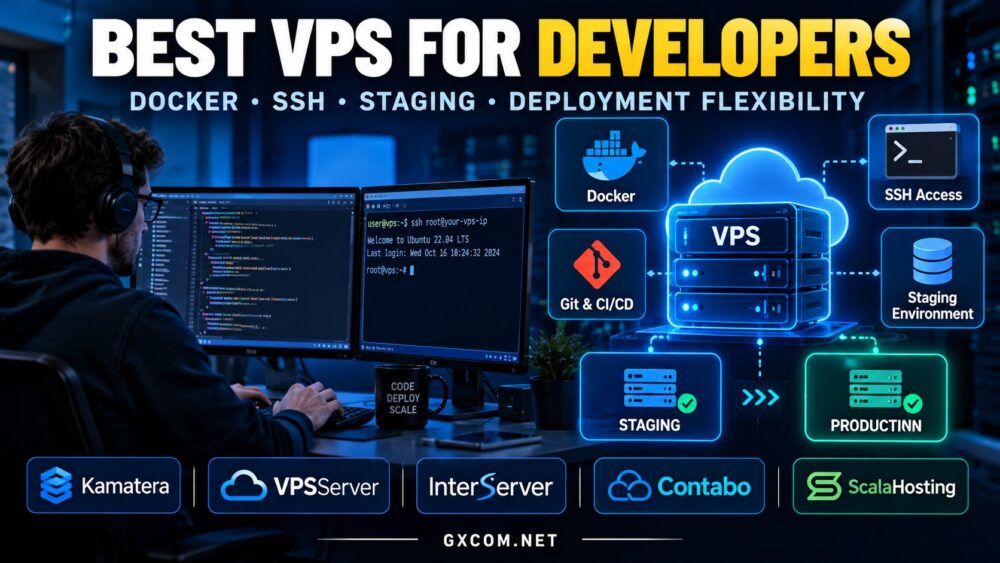
What Makes a VPS Good for Developers?
Unlike conventional shared hosting, a VPS typically provides administrative access to an isolated virtual environment. That freedom matters when your project requires custom software, background workers, or specialized networking.
Prioritize these capabilities:
- SSH and root access: Install packages, configure services, and automate maintenance.
- Docker compatibility: Run containers and manage application dependencies.
- Staging environments: Test releases before production deployment.
- Deployment flexibility: Use Git, CI/CD pipelines, scripts, and container registries.
- Resource scalability: Increase CPU, RAM, or storage as workloads grow.
- Backup options: Recover from failed updates and configuration mistakes.
For a broader infrastructure comparison, see our best VPS hosting providers guide.
Best VPS Providers for Developers Compared
| Provider | Best For | Developer Advantage |
|---|---|---|
| Kamatera | Custom Cloud Environments | Configurable compute resources |
| Vultr | Global App Deployment | Location and compute choices |
| InterServer | Budget Development Servers | Flexible self-managed VPS options |
| Contabo | Resource-Heavy Staging | Memory and storage-oriented configurations |
| ScalaHosting | Managed Development Workloads | Management and hosting support options |
Provider features, prices, locations, and management levels vary by plan. Confirm Docker compatibility, access permissions, and backup availability before ordering.
1. Kamatera — Best for Custom Development Infrastructure
Kamatera is worth comparing when development workloads require unusual combinations of CPU, memory, and storage.
For example, a compilation server may need stronger compute resources, while a staging database may benefit more from additional RAM.
Configurable cloud infrastructure helps developers avoid purchasing a fixed package simply to obtain one resource.
Best use cases: Custom application stacks, temporary testing environments, API backends, and projects with changing resource requirements.
Consideration: Review ongoing usage costs and management responsibilities before deploying multiple instances.
2. Vultr — Best for Geographic Deployment Flexibility
Vultr offers cloud compute options that developers can evaluate when deploying applications closer to different audiences.
Location selection matters for latency-sensitive APIs, regional testing, and applications serving international customers.
Developers should compare available operating systems, compute classes, storage options, and network policies for each region.
Best use cases: Web applications, regional staging, API testing, and geographically distributed projects.
Consideration: A convenient deployment location does not automatically guarantee consistent CPU or storage performance.

3. InterServer — Best for Budget Development VPS
InterServer is a practical candidate for developers seeking VPS infrastructure without immediately adopting a complex cloud architecture.
A self-managed Linux VPS can support SSH administration, web servers, development tools, and application deployments when the selected plan permits them.
For smaller projects, keeping the environment simple can reduce operational complexity.
Best use cases: Personal projects, lightweight staging servers, learning Linux, and small application backends.
Consideration: Check resource limits, operating-system availability, and the support responsibilities associated with your plan.
4. Contabo — Best for Resource-Heavy Staging
Contabo is relevant when developers need comparatively substantial RAM or storage allocations for staging databases, multiple services, or development environments.
However, advertised resource quantities should not be confused with guaranteed application performance.
Shared CPU contention and storage I/O limits may influence compilation times, database operations, and container responsiveness.
Best use cases: Multi-service staging, development databases, and memory-oriented workloads.
Consideration: Evaluate real workload requirements and review our Contabo VPS performance review before choosing a configuration.
5. ScalaHosting — Best for Developers Wanting Managed Support
ScalaHosting deserves consideration when developers want VPS flexibility but prefer assistance with parts of server administration.
Managed hosting can reduce the time spent on routine maintenance, allowing smaller teams to concentrate on application development.
However, managed plans may restrict certain administrative operations or software configurations.
Best use cases: Business websites, client projects, production applications, and teams with limited infrastructure staff.
Consideration: Confirm root access, supported software, container permissions, and the exact scope of management services.
Docker VPS Hosting: What Developers Should Check
Docker simplifies application packaging, but container workloads still consume the VPS’s underlying CPU, memory, storage, and network resources.
Before choosing a Docker VPS, verify:
- Supported Linux distribution and kernel features
- Root or appropriate administrative access
- Compatibility with Docker Engine and Compose
- Enough RAM for application containers
- Storage capacity for images, volumes, and logs
- Firewall and networking configuration options
A small VPS may handle a simple application and reverse proxy. Multiple databases, background workers, and build processes can require considerably more resources.
Do not assume that running several containers means the server has enough capacity to run them efficiently.
Staging vs Production: Should You Use Separate VPS Instances?
Separating staging from production reduces the risk that experimental changes disrupt a live application.
A staging environment should resemble production closely enough to reveal configuration, dependency, and deployment problems.
For small projects, a separate low-cost VPS may provide sufficient isolation. Larger teams may prefer multiple instances, infrastructure templates, and automated environment provisioning.
Avoid using production credentials or real customer data in staging unless appropriate safeguards are in place.
SSH, Git and CI/CD Deployment Flexibility
SSH access enables developers to configure servers, inspect logs, transfer files securely, and automate deployments.
A typical workflow includes pushing code to a Git repository, running automated tests, building an application, and deploying the validated release.
Use SSH keys instead of password-only authentication where practical. Restrict privileged access, configure a firewall, and keep operating-system packages updated.
For CI/CD, consider whether builds should run on the VPS or on a separate runner. Resource-intensive builds can affect live application performance.
How Much CPU, RAM and Storage Do Developers Need?
| Workload | Suggested Starting Point |
|---|---|
| SSH, Git and Small Test Apps | 1–2 vCPU, 1–2 GB RAM |
| Small Docker Application | 2 vCPU, 2–4 GB RAM |
| Multi-Container Staging | 2–4 vCPU, 4–8 GB RAM |
| Database-Heavy Development | 4+ vCPU, 8+ GB RAM |
These are planning estimates, not guaranteed requirements. Frameworks, databases, container counts, and build workloads can change resource needs substantially.
Storage performance also matters. NVMe may improve database and build operations, but actual results depend on I/O limits and contention.
Shared CPU, Noisy Neighbors and Development Performance
Budget VPS plans often use shared physical CPU resources. This can be appropriate for lightweight development, but sustained builds or busy applications may experience inconsistent performance.
Compare CPU allocation policies rather than relying only on vCPU counts.
For a deeper explanation, read our cheap VPS overselling guide.
Managed vs Unmanaged VPS for Developers
An unmanaged VPS generally offers greater responsibility for operating-system maintenance, security, backups, and troubleshooting.

Managed hosting may save time, but its service scope and software permissions must match the development workflow.
Experienced developers may prefer unmanaged infrastructure. Agencies and smaller businesses may benefit from managed assistance.
How to Avoid Overpaying for Developer VPS Hosting
Calculate the complete cost of your environment, including additional instances, backups, storage, IP addresses, bandwidth, and software licenses.
Temporary staging servers should be shut down or deleted when no longer needed, subject to the provider’s billing model.
Compare relevant promotions in our affordable cloud VPS deals guide before committing to a plan.
Find a VPS That Fits Your Development Workflow
Compare VPS providers, resource configurations, and deployment options before choosing infrastructure for Docker, staging, or production.
Best VPS for Developers FAQ
Is a VPS good for Docker?
Yes, provided the operating system, virtualization environment, permissions, and resources support Docker.
Do developers need root access?
Root or equivalent administrative access is useful for custom software and system configuration, although some managed environments intentionally restrict it.
Can I use one VPS for staging and production?
Technically yes, but separate environments generally provide better isolation and reduce deployment risks.
Is a cheap VPS enough for development?
Often yes for lightweight projects. Larger container stacks, databases, and continuous builds may require more predictable resources.
Final Verdict: Choose Deployment Freedom, Not Just Specifications
The best developer VPS supports your actual workflow without unnecessary complexity or cost.
Kamatera suits configurable infrastructure, Vultr supports location-oriented deployments, InterServer offers a budget-focused option, Contabo is worth comparing for larger resource requirements, and ScalaHosting addresses teams seeking management assistance.
Start with the application, identify its resource requirements, confirm access and deployment compatibility, and select a provider whose infrastructure can grow with the project.