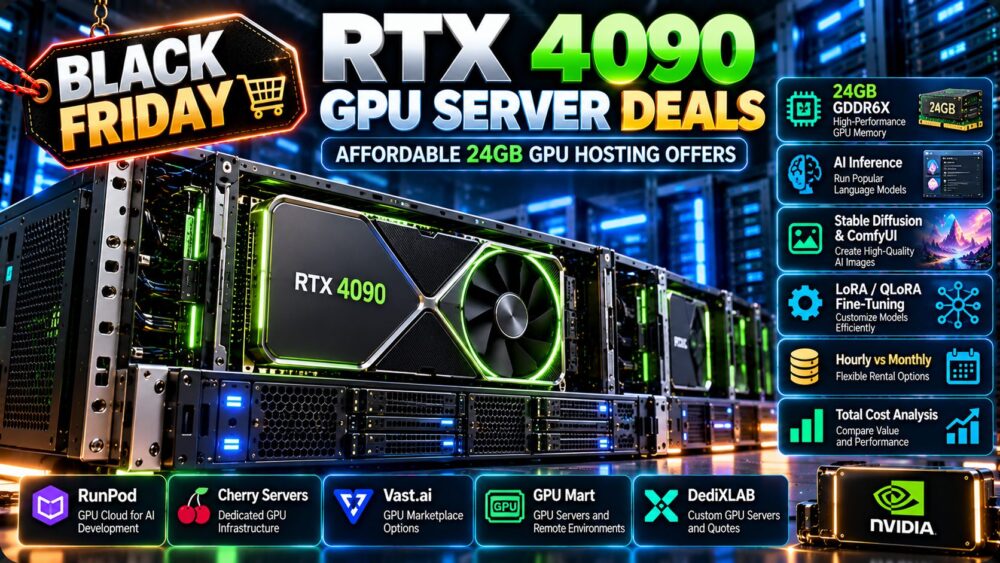
RTX 4090 GPU server deals can be an attractive option for developers, AI researchers, creators, and small businesses that need powerful GPU computing without paying for a high-memory enterprise accelerator. With 24GB of GDDR6X memory, the NVIDIA GeForce RTX 4090 can handle many AI inference, image generation, rendering, and development workloads at a potentially competitive rental cost.
However, affordable GPU hosting is not just about finding the lowest hourly rate. A cheap RTX 4090 instance may have limited storage, slow networking, inconsistent availability, additional disk charges, or restrictions that make it unsuitable for production workloads.
This guide explains how to compare RTX 4090 GPU hosting offers, choose between hourly and monthly rental, evaluate GPU cloud and dedicated server providers, and calculate the real cost of 24GB GPU infrastructure.
Deal verification note: GPU rental rates, available regions, hardware configurations, and promotional offers change frequently. The providers discussed below are research candidates, not a verified list of currently available RTX 4090 discounts. Confirm the exact GPU, allocation, price, and terms on the provider's official platform before ordering.
Best RTX 4090 GPU Server Deals: What Should You Look For?
The best RTX 4090 GPU server deals combine suitable GPU performance, dependable infrastructure, and transparent billing. A low advertised price offers little value if the environment cannot run your workload reliably.
Before selecting a GPU rental, compare these factors:
- GPU allocation: Confirm whether you receive access to a full RTX 4090 or a restricted virtualized environment.
- VRAM: Verify that the available GPU memory meets the model's actual requirements.
- CPU and RAM: Check whether the host has enough resources for data preparation, model loading, and application services.
- Storage: Review local NVMe performance, persistent storage charges, and checkpoint retention.
- Networking: Consider download speed, latency, and outbound transfer policies.
- Availability: Determine whether capacity is reliably available in your preferred region.
- Billing: Compare hourly charges, monthly commitments, idle allocation, and minimum rental periods.
- Reliability: Evaluate host quality, interruption risks, and recovery options.
- Security: Understand isolation, data handling, and access controls.
- Support: Identify what the provider will troubleshoot and what you must manage yourself.
For AI workloads, cost per completed job is often a more useful purchasing metric than cost per GPU-hour.
NVIDIA RTX 4090 Specifications for GPU Hosting
The RTX 4090 is a high-performance consumer GPU based on NVIDIA's Ada Lovelace architecture. Its combination of CUDA processing, Tensor Cores, and 24GB of memory makes it relevant to many GPU-accelerated applications.
| Specification | NVIDIA GeForce RTX 4090 | Hosting Consideration |
|---|---|---|
| Architecture | Ada Lovelace | CUDA and compatible AI software support |
| GPU memory | 24GB GDDR6X | Model weights, activations, and inference cache |
| Memory bandwidth | Approximately 1,008GB/s | Memory-intensive workload performance |
| CUDA cores | 16,384 | Parallel processing capability |
| Tensor Cores | Fourth generation | Acceleration for supported AI operations |
| Board power reference | 450W | Power, cooling, and server design |
| ECC GPU memory | Not a standard RTX 4090 feature | Consider reliability requirements |
| NVLink | Not supported | Limits high-bandwidth multi-GPU interconnect options |
Specifications describe the reference GPU. Rental performance can vary with power limits, cooling, host hardware, drivers, and virtualization arrangements.
Why 24GB VRAM Is Important
GPU memory determines how much model data and intermediate state can remain on the accelerator. The RTX 4090's 24GB capacity is useful for selected quantized language models, image generation pipelines, computer vision, and parameter-efficient fine-tuning.
It is not sufficient for every large model or training workload. Model weights, activations, optimizer state, key-value cache, and framework overhead must all be considered.
RTX 4090 Performance Is Not Just About CUDA Cores
CUDA core counts alone do not provide a reliable comparison across different GPU architectures.
Actual application performance depends on precision, Tensor Core utilization, memory bandwidth, software kernels, batch size, and thermal or power restrictions.
When possible, benchmark the exact workload rather than relying on theoretical specifications.
Consumer GPU vs Data Center GPU
The RTX 4090 is not a direct replacement for enterprise accelerators in every environment.
Data center GPUs may offer different memory technologies, platform validation, reliability features, deployment options, and high-speed interconnect capabilities.
For continuously operating business-critical applications, compare operational requirements as carefully as raw performance.
RTX 4090 vs RTX 3090: Which 24GB GPU Offers Better Rental Value?
Both the RTX 3090 and RTX 4090 provide 24GB of GPU memory, but they use different architectures and have different compute characteristics.
| Feature | RTX 3090 | RTX 4090 |
|---|---|---|
| Architecture | Ampere | Ada Lovelace |
| VRAM | 24GB GDDR6X | 24GB GDDR6X |
| CUDA cores | 10,496 | 16,384 |
| Memory bandwidth | Approximately 936GB/s | Approximately 1,008GB/s |
| Tensor Core generation | Third | Fourth |
| NVLink support | Supported on compatible configurations | Not supported |
| Best rental decision | Lower-cost workloads where performance is sufficient | Workloads that benefit from newer compute capabilities |
When RTX 3090 Can Be the Better Deal
Because both GPUs have 24GB of memory, a substantially cheaper RTX 3090 rental may offer better value for workloads that fit comfortably within that memory capacity.
Examples include certain image generation pipelines, smaller inference deployments, and development jobs where completion time is not critical.
When RTX 4090 Is Worth Paying More For
The RTX 4090 may justify a higher rental rate when its architecture and compute capabilities significantly reduce job completion time.
For example, if a workload completes materially faster on an RTX 4090, its total job cost may be lower even when the hourly rate is higher.
Read our RTX 3090 vs RTX 4090 affordable 24GB GPU server comparison for a more detailed hardware-focused discussion.
RTX 4090 GPU Hosting Providers to Compare
GPU hosting companies operate under different service models. Some provide cloud GPU instances, others offer marketplace capacity, and some focus on dedicated physical infrastructure.
The following five providers are relevant to research when evaluating affordable GPU server hosting. Inclusion does not establish that an RTX 4090 configuration is currently available.
1. RunPod: GPU Cloud for AI Development
RunPod is a relevant option for developers evaluating GPU cloud computing, AI experimentation, model inference, and container-based workloads.
For RTX 4090 hosting, check the current GPU catalog, available regions, GPU allocation model, persistent storage charges, and billing conditions.
Cloud-style infrastructure can be useful when compute demand changes frequently or jobs do not require a continuously running server.
Best fit to evaluate: Developers seeking flexible GPU deployment for AI experiments, inference, and development.
2. Vast.ai: GPU Marketplace for Price Comparison
Vast.ai uses a marketplace-oriented approach to GPU compute sourcing.
Listings can vary in host hardware, network connectivity, storage, availability, and operating conditions.
When comparing RTX 4090 listings, examine more than the GPU hourly price. Review host reliability indicators, system RAM, CPU allocation, storage, and the conditions under which an instance may become unavailable.
Best fit to evaluate: Cost-sensitive experimentation and flexible batch workloads where individual hosts can be assessed carefully.
3. GPU Mart: GPU Server and Remote Computing Options
GPU Mart is a relevant candidate when researching GPU server hosting and remote GPU computing environments.
Confirm the exact graphics card offered, GPU memory, operating system, remote access method, CPU and RAM allocation, and whether the GPU is physically dedicated.
For Windows-based workloads, also verify the operating system license, driver compatibility, and any additional charges.
Best fit to evaluate: Buyers comparing GPU server configurations and remote GPU environments.

4. Cherry Servers: Dedicated GPU Infrastructure
Cherry Servers is relevant for organizations considering dedicated infrastructure and GPU-equipped servers.
For an RTX 4090 requirement, confirm whether that specific GPU is offered, the available server configuration, storage, networking, deployment lead time, and contract terms.
A dedicated GPU server may be attractive for sustained workloads where consistent hardware access matters more than short-term flexibility.
Best fit to evaluate: Businesses planning longer-running GPU infrastructure with dedicated hardware requirements.
5. DediXLAB: Dedicated GPU Hardware Inquiries
DediXLAB can be considered for dedicated hardware research and customized server inquiries.
Ask whether an RTX 4090 configuration can be supplied and confirm the CPU, RAM, storage, GPU cooling, operating system support, and rental commitment.
Do not assume that a dedicated server provider automatically offers every consumer GPU model.
Best fit to evaluate: Teams evaluating specialized physical server configurations and longer-term procurement.
Provider Comparison by Hosting Model
| Provider | Relevant Service Model | What to Verify |
|---|---|---|
| RunPod | GPU cloud | RTX 4090 availability, storage, regions, billing |
| Vast.ai | GPU marketplace | Host reliability, configuration, rental conditions |
| GPU Mart | GPU server hosting | Exact GPU, remote access, license, management |
| Cherry Servers | Dedicated infrastructure | GPU model, contract, provisioning, network |
| DediXLAB | Dedicated hardware inquiry | Custom configuration, lead time, availability |
Purchasing reminder: Only describe a provider as having an active RTX 4090 deal after verifying the exact product and commercial terms.
Hourly vs Monthly RTX 4090 GPU Rental
Hourly rental is often attractive for occasional AI jobs, while monthly GPU hosting can make sense for continuous workloads.
The best billing model depends on utilization, contract conditions, and additional costs.
Hourly RTX 4090 Hosting
Hourly billing may suit developers who need GPU capacity for experiments, model testing, image generation batches, or intermittent inference.
However, the total bill can include idle time, persistent storage, and network transfer charges.
Monthly RTX 4090 Server Rental
Monthly hosting may be appropriate for sustained AI inference, dedicated rendering, or continuous development environments.
Check whether the contract includes a full physical GPU, sufficient host resources, and acceptable cancellation conditions.
Hypothetical Rental Cost Comparison
Consider two fictional offers for comparable RTX 4090 resources:
| Usage | Hourly Plan at $0.50/GPU-hour | Monthly Plan at $250/month |
|---|---|---|
| 100 hours | $50 | $250 |
| 250 hours | $125 | $250 |
| 400 hours | $200 | $250 |
| 500 hours | $250 | $250 |
| 650 hours | $325 | $250 |
These figures are hypothetical calculations, not current RTX 4090 market prices or verified provider offers. Storage, transfer, taxes, and additional services are excluded.
In this example, the simplified break-even point is 500 GPU-hours per month.
Actual break-even calculations must use current quotations for comparable GPU allocations and server resources.
For a broader analysis of billing models, read our cheap GPU server rental guide.
RTX 4090 GPU Hosting for AI Inference
AI inference is one of the most common reasons to rent a 24GB GPU.
The RTX 4090 can support selected language models, embeddings, image generation, computer vision, and other accelerated inference workloads.
Can RTX 4090 Run a 7B or 8B Language Model?
Many 7B- and 8B-class language models can fit within 24GB of VRAM using appropriate inference frameworks and numerical precision.
For example, an 8-billion-parameter model stored at two bytes per parameter requires approximately 16 billion bytes for weights alone.
Runtime buffers, context length, key-value cache, and batching require additional memory, so model fit should be tested with the actual deployment settings.
Can RTX 4090 Run a 13B Model?
Some 13B-class models may fit with suitable quantization or memory-saving techniques.
An unquantized 13-billion-parameter model stored at two bytes per parameter requires approximately 26 billion bytes for weights alone, exceeding 24GB before runtime overhead.
Quantization can reduce memory requirements, but actual model quality and speed depend on the method used.
What About 70B Models?
A single RTX 4090 is generally not the straightforward choice for serving large 70B-class models entirely in GPU memory.
Quantization, CPU offloading, or multi-GPU approaches may be possible, but they introduce performance and operational trade-offs.
For larger memory requirements, compare high-memory accelerators through our NVIDIA H200 GPU rental deals guide.
Measure Tokens per Second, Not Just GPU Utilization
For language model inference, measure prompt processing speed, output tokens per second, latency, concurrency, and total cost per million tokens.
These metrics are more useful than relying on GPU specifications alone.
RTX 4090 for LoRA and QLoRA Fine-Tuning
The RTX 4090 can be a practical option for parameter-efficient fine-tuning of selected models.
LoRA Fine-Tuning
Low-Rank Adaptation reduces the number of trainable parameters compared with full-model training.
This can lower memory requirements and make certain fine-tuning jobs practical on 24GB GPUs.
QLoRA Fine-Tuning
QLoRA combines quantized base-model representations with parameter-efficient adaptation techniques.
It may allow fine-tuning of models that would otherwise exceed available memory, although feasibility depends on model architecture, sequence length, batch size, optimizer, and software implementation.
When 24GB Is Not Enough
Long training sequences, larger models, full-parameter fine-tuning, and demanding batch configurations may exceed RTX 4090 memory.
In those cases, reducing batch size, using gradient checkpointing, or selecting a larger-memory GPU may be necessary.
Always test the actual training configuration before committing to a long rental.
RTX 4090 for Stable Diffusion, ComfyUI and Image Generation
Image generation is another workload category where RTX 4090 hosting may provide useful value.
GPU requirements depend on the model, image resolution, batch size, extensions, and generation pipeline.
Stable Diffusion Workloads
Many Stable Diffusion workflows can run within 24GB of VRAM, although memory consumption varies substantially.
Higher resolutions, multiple conditioning models, and complex pipelines can increase memory requirements.
ComfyUI Workflows
ComfyUI supports configurable image generation workflows that may combine several models and processing stages.
When renting an RTX 4090 for ComfyUI, evaluate VRAM use, model-loading time, persistent storage, and the cost of keeping the GPU available between jobs.
Batch Image Generation
For high-volume generation, compare images produced per hour and the cost per usable image.
A faster GPU may offer lower total costs even when its hourly rental rate is higher.
RTX 4090 for Rendering, Video and Computer Vision
Beyond language models and image generation, RTX 4090 hosting can support compatible GPU rendering, video processing, and computer vision applications.
3D Rendering
Applications that support NVIDIA GPU acceleration may benefit from RTX 4090 compute performance and hardware ray-tracing capabilities.
However, rendering performance depends on the application, scene complexity, memory requirements, and software configuration.
Video Processing
GPU-accelerated encoding, decoding, and AI-enhanced video workflows can benefit from compatible NVIDIA hardware features.
Verify codec support, video processing software, storage throughput, and whether the host environment exposes the required hardware capabilities.
Computer Vision
Object detection, segmentation, image classification, and video analytics may be suitable for RTX 4090 hosting.
For production deployments, evaluate inference latency, concurrent streams, model precision, and reliability requirements.
RTX 4090 Cloud vs Dedicated GPU Server
The choice between GPU cloud and dedicated hosting depends on utilization, management requirements, and the need for consistent physical hardware.
| Factor | GPU Cloud / Marketplace | Dedicated GPU Server |
|---|---|---|
| Billing | May offer hourly usage | Often monthly or contractual |
| Deployment | Depends on instance availability | Depends on hardware inventory |
| Hardware access | Platform-defined | Potentially greater server-level control |
| Flexibility | Useful for changing workloads | Useful for stable workloads |
| Storage | May be billed separately | Depends on contract |
| Administration | Platform and customer responsibilities vary | Managed or unmanaged options |
| Best use case | Intermittent jobs and experimentation | Sustained workloads and custom environments |
Do not assume that dedicated hosting always delivers better performance. A cloud instance with suitable host resources may perform well, while an inadequately configured dedicated server may become bottlenecked by its CPU, storage, or networking.
Single RTX 4090 vs Multiple RTX 4090 GPUs
Multiple RTX 4090 GPUs can increase aggregate compute capacity, but their memory does not automatically combine into one shared VRAM pool.
| Configuration | Aggregate Installed VRAM | Important Limitation |
|---|---|---|
| 1 × RTX 4090 | 24GB | Single-device memory capacity |
| 2 × RTX 4090 | 48GB | Software must distribute workloads or model data |
| 4 × RTX 4090 | 96GB | Communication and system architecture matter |
The RTX 4090 does not support NVLink, so multi-GPU communication relies on other available system pathways and software mechanisms.
For independent inference workers or batch jobs, multiple GPUs may scale more efficiently than tightly coupled workloads requiring frequent communication.
Before renting a multi-GPU server, confirm PCIe topology, CPU resources, system RAM, cooling, and application support.
Hidden Costs of Affordable RTX 4090 GPU Hosting
Low-cost GPU hosting can become expensive when important operational charges are excluded from the advertised rate.
Idle GPU Allocation
A GPU may continue generating charges while waiting for datasets, downloading models, or remaining unused between experiments.
Automated shutdown procedures can help control these costs where supported.
Persistent Storage
Model weights, datasets, generated images, checkpoints, and container environments can require substantial disk capacity.
Check whether persistent storage remains billable after the GPU instance stops.
Data Transfer
Moving large datasets and generated outputs can introduce additional charges or consume time that reduces productive utilization.
Review egress policies and the available network throughput.
CPU and RAM Bottlenecks
GPU-intensive applications may still require significant CPU processing, memory, and fast storage.
An underpowered host can reduce overall throughput even when the GPU itself is capable.
Windows Licensing and Remote Access
Some GPU workflows require Windows applications or remote desktop environments.
Verify whether Windows licensing, remote access, compatible drivers, and graphical acceleration are supported and included in the quoted price.
Recovery and Migration
Provider changes can involve copying models, rebuilding environments, validating drivers, and restoring application settings.
Include these operational costs when comparing short-term rental savings.
How to Calculate RTX 4090 GPU Cost per Completed Job
The most useful comparison is often the cost of completing the same workload at an acceptable quality and reliability level.
Example: AI Image Generation
Suppose a fictional GPU environment costs $0.60 per hour and produces 120 usable images per hour.
The infrastructure cost per usable image is:
$0.60 / 120 = $0.005 per image
If a different GPU costs $0.40 per hour but produces only 60 usable images per hour, its infrastructure cost is approximately $0.0067 per image.
The more expensive hourly GPU is cheaper per completed output in this hypothetical scenario.
These figures are illustrative calculations, not measured RTX 4090 benchmarks or current rental quotations.
Example: Model Fine-Tuning
For fine-tuning, compare total training time, checkpointing overhead, GPU rental charges, and the resulting model quality.
Lower hourly prices are not necessarily better when the workload takes substantially longer to complete.

Example: Continuous Inference
For continuously running inference services, measure cost per million tokens, latency, throughput, and average utilization.
Also include the cost of periods when the server remains allocated but demand is low.
When Should You Avoid RTX 4090 GPU Hosting?
RTX 4090 rental is not the ideal solution for every workload.
- Very large models: A 24GB GPU may require aggressive quantization, offloading, or distributed execution.
- Large-scale distributed training: Interconnect limitations may make other platforms more suitable.
- Strict enterprise requirements: Validated data center hardware and operational controls may be more important than low rental cost.
- Lightweight inference: Smaller or cheaper GPUs may provide better economics.
- Low utilization: Continuous monthly rental may waste money when the GPU is rarely used.
- Specialized software: Some applications require features or configurations not available on consumer GPUs.
For interruption-tolerant jobs, compare the economics and risks of spot GPU instances versus on-demand GPU servers.
RTX 4090 GPU Server Deals: Buying Checklist
- Define your workload: Identify the model, software, memory requirements, and expected usage.
- Confirm GPU specifications: Verify the RTX 4090 model and available 24GB memory.
- Check GPU allocation: Determine whether access is dedicated or subject to platform restrictions.
- Review CPU and RAM: Avoid host-side performance bottlenecks.
- Inspect storage: Compare NVMe capacity, persistence, and additional charges.
- Check software compatibility: Verify CUDA, drivers, frameworks, and operating system support.
- Evaluate networking: Consider transfer policies and latency.
- Compare rental terms: Calculate hourly, monthly, and minimum-commitment costs.
- Assess reliability: Understand interruption, recovery, and host replacement policies.
- Review security: Confirm data isolation and access controls.
- Benchmark performance: Measure actual throughput and completion time.
- Verify the offer: Confirm current price, availability, and promotional eligibility.
Frequently Asked Questions
How much VRAM does the RTX 4090 have?
The NVIDIA GeForce RTX 4090 has 24GB of GDDR6X memory. This makes it relevant for selected AI inference, image generation, rendering, and fine-tuning workloads.
Is RTX 4090 good for AI hosting?
Yes, for many workloads that fit within 24GB of GPU memory. Its value depends on the model, software framework, required throughput, and rental price.
Is RTX 4090 better than RTX 3090 for GPU rental?
The RTX 4090 has newer architecture and higher compute capabilities, but the RTX 3090 may provide better value when its lower rental price outweighs the performance difference.
Can RTX 4090 run large language models?
It can run selected language models, particularly when suitable quantization and inference frameworks are used. Very large models may exceed the available GPU memory.
Can I fine-tune an LLM on an RTX 4090?
Parameter-efficient techniques such as LoRA and QLoRA can make selected fine-tuning workloads practical on 24GB GPUs. Feasibility depends on model size and training configuration.
Is RTX 4090 suitable for Stable Diffusion and ComfyUI?
Yes, many compatible image generation workflows can use an RTX 4090. Memory requirements vary with model size, resolution, extensions, and batch settings.
Is hourly or monthly RTX 4090 hosting cheaper?
Hourly billing can be economical for occasional workloads, while monthly rental may offer better value at sustained utilization. Compare total costs using current provider rates.
Can multiple RTX 4090 GPUs share memory?
Multiple GPUs do not automatically create one unified memory pool. Software must distribute models or workloads, and the RTX 4090 does not support NVLink.
Does RTX 4090 GPU hosting support Windows?
Support depends on the provider and specific service. Verify Windows licensing, driver compatibility, remote access, and any additional fees.
Which RTX 4090 GPU hosting provider is the cheapest?
There is no permanently cheapest provider. Prices and availability change, and offers may differ in host resources, storage, reliability, billing terms, and support. Compare verified listings for equivalent configurations.
Final Verdict: RTX 4090 GPU Server Deals
The best RTX 4090 GPU server deals offer a practical balance between 24GB GPU memory, compute performance, hosting reliability, and total rental cost.
RunPod and Vast.ai are relevant platforms to investigate for flexible GPU sourcing. GPU Mart is worth evaluating for GPU server environments, while Cherry Servers and DediXLAB are candidates for dedicated hardware inquiries. Exact RTX 4090 availability must be confirmed for each provider.
For AI inference, image generation, LoRA or QLoRA fine-tuning, and selected rendering workloads, RTX 4090 hosting can offer useful performance without requiring a high-memory enterprise accelerator.
However, buyers should compare RTX 3090 alternatives, evaluate memory requirements, benchmark actual workloads, and include storage, networking, idle time, and contract terms in their calculations.
The strongest GPU rental decision is the configuration that completes the intended workload reliably at the lowest acceptable total cost—not simply the server with the lowest advertised hourly rate.
WORKLOAD → VRAM REQUIREMENTS → GPU PERFORMANCE → HOST RESOURCES → UTILIZATION → TOTAL COST → REAL VALUE