Artificial intelligence has transformed modern computing, creating demand for powerful infrastructure capable of training models, running AI applications, and processing large amounts of data. Traditional servers designed for websites and business applications are often not enough for advanced AI workloads.
The Best AI Servers combine powerful CPUs, NVIDIA GPUs, high-speed memory, NVMe storage, and optimized networking to support artificial intelligence, machine learning, deep learning, and large language models.
This guide compares AI server solutions, explains important hardware factors, and helps developers, startups, and enterprises choose the right AI infrastructure.
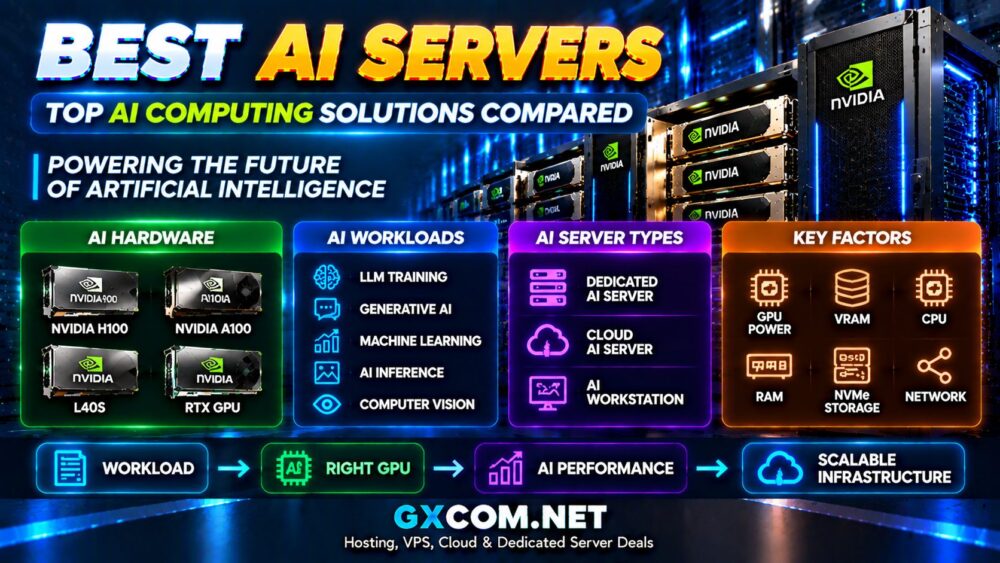
Best AI Servers Compared
| AI Server Solution | Best For | Hardware Focus |
|---|---|---|
| NVIDIA DGX Systems | Enterprise AI training | NVIDIA H100 / Blackwell GPUs |
| GPU Cloud AI Servers | Flexible AI workloads | Cloud GPU infrastructure |
| Dedicated AI Servers | Private AI infrastructure | Dedicated GPU hardware |
| AI Workstations | Developers and researchers | Professional GPUs |
| Custom AI Servers | Specialized workloads | Custom GPU configurations |
What Is an AI Server?
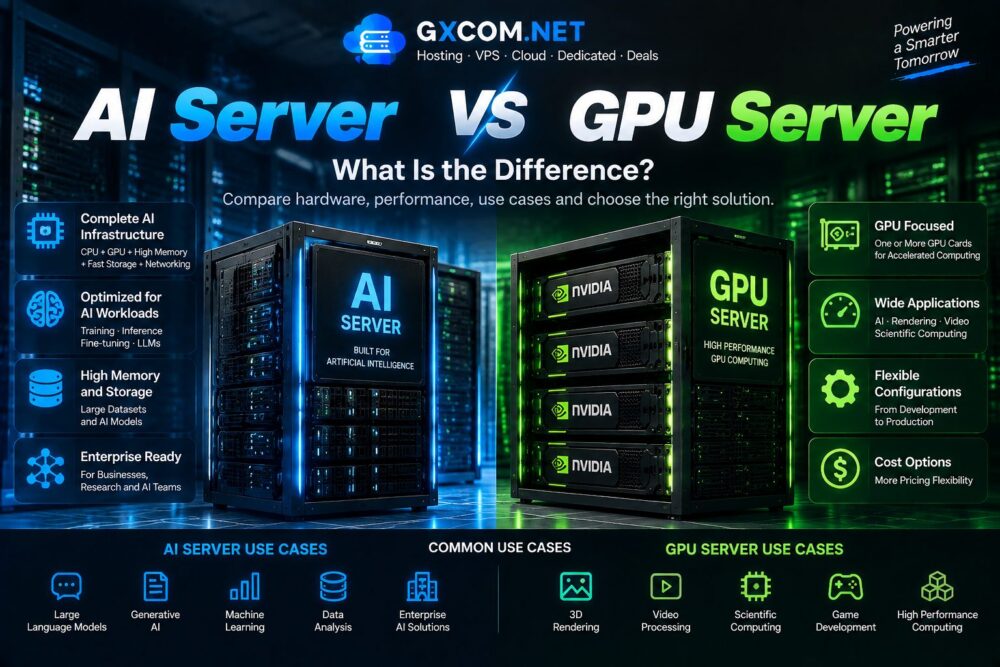
An AI server is a high-performance computing system specifically designed to accelerate artificial intelligence workloads.
Unlike conventional servers, AI servers are optimized for parallel computing and large-scale data processing.
Typical AI server components include:
- NVIDIA GPUs
- High-performance CPUs
- Large RAM capacity
- NVMe storage
- High-speed networking
- Advanced cooling systems
Why Do AI Workloads Need Specialized Servers?
Modern AI models require enormous computing power. Training and running large neural networks involves billions or trillions of mathematical operations.
AI servers provide advantages such as:
- Massive parallel processing
- Faster model training
- Lower AI inference latency
- Higher computational efficiency
- Scalable AI deployment
AI Server vs Traditional Server
| Feature | Traditional Server | AI Server |
|---|---|---|
| Main Processor | CPU | CPU + GPU |
| Main Workload | Websites and applications | AI and machine learning |
| Parallel Computing | Limited | Excellent |
| Memory Requirement | Moderate | High |
| Storage | SSD/NVMe | High-speed NVMe |
NVIDIA GPU Options for AI Servers
NVIDIA GPUs dominate modern AI computing because they provide optimized acceleration for deep learning frameworks.

NVIDIA H100 AI Servers
H100 servers are designed for demanding AI workloads including large language models and enterprise-scale training.
Best for:
- LLM training
- Generative AI
- Large neural networks
- Enterprise AI platforms
NVIDIA A100 AI Servers
A100 remains widely used in professional AI research and machine learning environments.
Suitable for:
- Deep learning
- AI development
- Data science
- Research workloads
NVIDIA L40S AI Servers
L40S provides a balance between AI inference performance and cost efficiency.
Common applications:
- AI applications
- Inference services
- Graphics workloads
- Enterprise AI deployment
NVIDIA RTX AI Servers
RTX-based AI servers provide a more affordable entry point for developers and smaller projects.
Best for:
- AI experiments
- Image generation
- Development environments
- Creative AI applications
Types of AI Servers
1. Dedicated AI Servers
Dedicated AI servers provide complete hardware control with dedicated GPUs and resources.
Advantages:
- Maximum performance
- Full hardware access
- Predictable performance
- Enterprise security
2. Cloud AI Servers
Cloud AI servers provide flexible access to GPU computing without purchasing physical hardware.
Benefits:
- Fast deployment
- Flexible scaling
- Pay-as-needed models
- Global availability
3. AI Workstations
AI workstations are designed for developers, researchers, and professionals who need local AI computing.
AI Server Use Cases
AI servers support many modern applications.
- Large language models
- Generative AI
- Machine learning
- Computer vision
- Natural language processing
- Recommendation systems
- AI assistants
- Scientific research
AI Server for Large Language Models (LLM)
Large language models require significant GPU memory and computing power.
AI servers used for LLM workloads typically require:
- High VRAM GPUs
- Large system memory
- Fast storage
- High-speed networking
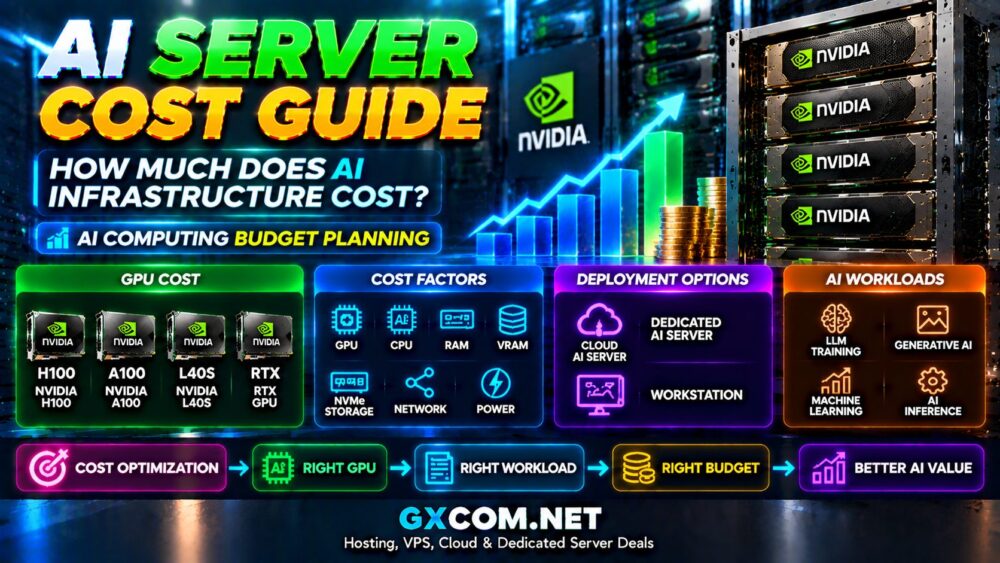
AI Server Cost Factors
AI server pricing varies significantly depending on hardware configuration.
Major cost factors include:
- GPU model
- Number of GPUs
- GPU memory
- CPU performance
- RAM capacity
- Storage
- Networking
- Cooling requirements
AI Server vs GPU Server
| Feature | GPU Server | AI Server |
|---|---|---|
| Main Purpose | GPU acceleration | Complete AI infrastructure |
| Workload | Rendering and computing | AI training and deployment |
| Optimization | GPU performance | AI software and hardware stack |
| Target Users | Developers | Businesses and enterprises |
For GPU hardware comparisons, see our
NVIDIA GPU Server Providers
guide.

How to Choose the Best AI Server
Choosing the right AI server depends on workload requirements.
Important factors include:
- AI model size
- GPU memory requirements
- Training or inference workload
- Performance requirements
- Budget
- Scalability needs
- Deployment location
AI Server Buying Mistakes
Choosing GPU Based Only on Brand
The most expensive GPU is not always the best choice. Workload requirements should determine hardware selection.
Ignoring VRAM
AI models depend heavily on GPU memory capacity.
Underestimating Storage
Large AI datasets require fast storage solutions.
Ignoring Networking
Distributed AI workloads require high-performance networking.
AI Server Checklist
- Define your AI workload.
- Estimate GPU memory needs.
- Select suitable GPUs.
- Balance CPU and RAM.
- Choose storage performance.
- Evaluate scalability.
- Compare total infrastructure costs.
Final Thoughts
The best AI servers combine powerful GPU acceleration, high-speed storage, and scalable infrastructure to support modern artificial intelligence workloads.
Enterprise users may require dedicated AI servers with advanced NVIDIA GPUs, while developers and startups can benefit from flexible cloud AI solutions.
Before selecting an AI server, focus on your actual workload requirements rather than simply choosing the most powerful hardware. The right AI infrastructure should deliver the best balance of performance, scalability, and cost.