GPU-powered cloud infrastructure has made artificial intelligence, machine learning, image generation, and accelerated computing accessible to developers without requiring the purchase of expensive physical GPU servers. However, GPU hosting can still become costly when high-end accelerators run continuously.
The best Cheap GPU VPS solutions balance GPU performance, VRAM, CPU resources, storage, networking, and billing flexibility. Instead of automatically choosing premium NVIDIA hardware, many developers can reduce costs by matching the GPU to the actual workload.
This guide compares low-cost NVIDIA GPU VPS hosting options and explains how to find affordable GPU computing for AI inference, machine learning, Stable Diffusion, development, and other accelerated workloads.
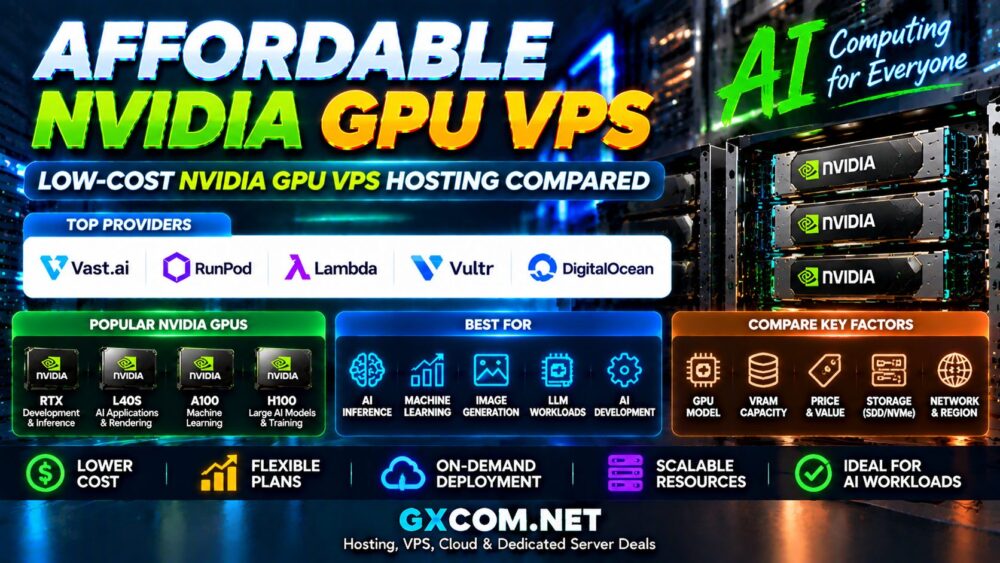
Cheap GPU VPS Providers Compared
| Provider | Best For | Cost Strategy |
|---|---|---|
| Vast.ai | Budget GPU computing | Marketplace pricing |
| RunPod | AI developers | Flexible GPU instances |
| Lambda | Machine learning | AI-focused GPU cloud |
| Vultr | Cloud applications | Integrated cloud GPU infrastructure |
| DigitalOcean | Developer AI applications | Developer-focused GPU cloud |
GPU models, availability, regions, and pricing can change frequently. Compare the current configuration and total workload cost before deploying a production application.
What Is a Cheap GPU VPS?
A GPU VPS is cloud or virtualized computing infrastructure that combines CPU, RAM, storage, networking, and GPU acceleration.
Unlike a conventional VPS, a GPU-powered instance can accelerate workloads designed for massively parallel computing.
Common applications include:
- AI inference
- Machine learning development
- Stable Diffusion
- Generative AI
- Computer vision
- Video processing
- 3D rendering
- AI APIs
Why Use Low-Cost GPU VPS Hosting?
Purchasing and maintaining physical GPU hardware can require a significant upfront investment. A GPU VPS allows developers to rent accelerated computing resources only when needed.
Potential advantages include:
- Lower entry cost
- No physical GPU purchase
- Fast deployment
- Multiple GPU options
- Flexible billing
- Easy experimentation
- Scalable resources
For users comparing a broader range of providers, our AI GPU VPS Providers guide covers the major factors to consider.
Best Cheap GPU VPS Providers
1. Vast.ai
Vast.ai uses a marketplace model where GPU resources from different hosts can be listed at different prices and configurations.
This model can make Vast.ai attractive to cost-sensitive developers because users can compare available hardware rather than relying on a single standardized configuration.
Key considerations include:
- GPU model
- VRAM
- Host reliability
- Storage
- Network performance
- Instance availability
Marketplace pricing can provide strong value, but users should evaluate the complete configuration instead of choosing the cheapest listing automatically.
2. RunPod
RunPod is designed around GPU computing and AI workloads, making it a popular option for developers who need flexible access to NVIDIA GPUs.
Typical advantages include:
- Multiple GPU classes
- AI-oriented environments
- On-demand deployment
- Flexible compute options
- Developer-focused workflows
RunPod can work well for inference, image generation, experimentation, and workloads where a GPU does not need to run continuously.
3. Lambda
Lambda focuses heavily on artificial intelligence and machine learning infrastructure.
It can be suitable for users who prioritize an AI-oriented platform and need GPU resources for development, training, research, or inference.
When comparing Lambda with lower-cost marketplace options, consider whether the additional AI-focused infrastructure and environment justify the total workload cost.
4. Vultr GPU Cloud
Vultr combines GPU computing with broader cloud infrastructure, allowing users to deploy accelerated workloads alongside conventional cloud resources.
Compare:
- Available GPU hardware
- Regions
- CPU allocation
- Storage
- Network resources
- Billing structure
This type of platform can be useful when a project requires both GPU acceleration and other cloud infrastructure.
5. DigitalOcean GPU Infrastructure
DigitalOcean provides GPU infrastructure aimed at developers building AI applications and accelerated cloud workloads.
Its broader developer ecosystem can appeal to teams that want to combine GPU computing with application hosting, storage, networking, and other cloud services.
Check current GPU availability and regional deployment options before selecting a configuration.
Which NVIDIA GPU Is Best for a Cheap GPU VPS?
One of the easiest ways to overspend on GPU hosting is to select more computing power than the application actually needs.
| GPU Class | Best For | Cost Position |
|---|---|---|
| RTX-class GPU | Development, image generation, smaller AI workloads | Budget-friendly |
| L40S-class GPU | Inference, AI applications, graphics | Mid-to-high |
| A100-class GPU | Professional ML and AI workloads | High |
| H100-class GPU | Large models and demanding AI training | Premium |
Not every AI workload needs an H100. Smaller inference, image-generation, and development projects may achieve much better cost efficiency with less expensive GPU hardware.
Cheap GPU VPS for Stable Diffusion
Stable Diffusion and similar image-generation workloads are popular use cases for affordable GPU hosting.
Important factors include:
- GPU VRAM
- GPU generation
- Storage speed
- Model size
- Image resolution
- Batch size
RTX-class GPUs can be attractive for many image-generation workloads because they provide GPU acceleration without automatically moving into enterprise AI pricing.
Cheap GPU VPS for AI Inference
Inference can often require less infrastructure than training a large model from scratch.
That makes GPU VPS hosting particularly useful for:
- AI chat applications
- AI APIs
- Image recognition
- Recommendation systems
- Generative AI services
The best GPU depends on model size, required latency, concurrency, and VRAM consumption.
Cheap GPU VPS for Machine Learning
Developers and students can use low-cost GPU instances to experiment with machine learning without purchasing dedicated hardware.
A flexible GPU platform allows resources to be started for training or testing and stopped when the work is complete, potentially reducing idle infrastructure costs.
GPU VPS vs Dedicated GPU Server
| Feature | GPU VPS / Cloud GPU | Dedicated GPU Server |
|---|---|---|
| Upfront Cost | Low | Higher |
| Flexibility | High | Medium |
| Deployment | Fast | May require provisioning |
| Hardware Control | Depends on platform | High |
| Variable Workloads | Excellent | Less efficient |
| Continuous Heavy Usage | Can become expensive | Potentially better value |
For long-running workloads, compare the total monthly cost with the Affordable GPU Servers available from dedicated and cloud providers.
GPU VPS vs CPU VPS
A conventional CPU VPS is significantly cheaper for workloads that do not use GPU acceleration.
For websites, databases, control panels, and general applications, paying for GPU hardware usually provides little benefit.
GPU infrastructure makes more sense when the software can actually use parallel GPU processing. Our GPU Server vs CPU Server guide explains these workload differences in more detail.
How to Find a Cheap GPU VPS
Do not compare GPU VPS plans using the advertised GPU price alone.
Check:
- GPU model
- VRAM capacity
- CPU resources
- System RAM
- SSD or NVMe storage
- Bandwidth charges
- Region
- Billing increments
- Persistent storage costs
- Idle resource charges
Hourly vs Monthly GPU VPS Pricing
Hourly GPU billing is attractive for temporary workloads because users can potentially pay only for the computing time they need.
However, a low hourly price can become expensive when an instance runs continuously throughout the month.
Before choosing a plan, estimate:
Hourly GPU Cost × Expected Usage Hours + Storage + Bandwidth + Other Resources
This provides a more realistic comparison than looking only at the advertised hourly GPU rate.
How to Reduce GPU VPS Costs
- Choose the GPU based on the workload rather than prestige.
- Stop unused instances.
- Avoid excessive VRAM if the model does not need it.
- Compare marketplace and standardized cloud platforms.
- Monitor GPU utilization.
- Optimize models before upgrading hardware.
- Compare storage and bandwidth charges.
A poorly optimized workload can waste expensive GPU resources. More GPU power cannot automatically fix inefficient software or unnecessary resource usage.
Common Cheap GPU VPS Buying Mistakes
Choosing Only by Price
A cheap instance with slow storage, weak networking, insufficient RAM, or unreliable availability may provide poor overall value.
Ignoring VRAM
VRAM is critical for AI workloads. If the model does not fit into available GPU memory, raw GPU performance alone may not solve the problem.
Buying an H100 for a Small Workload
Premium accelerators are designed for demanding workloads. Smaller projects may run efficiently on much less expensive hardware.
Leaving GPU Instances Running
Unused hourly instances can quickly turn a cheap GPU VPS into an expensive monthly bill.
Cheap GPU VPS Buying Checklist
- Define the workload.
- Estimate required VRAM.
- Select the appropriate GPU class.
- Compare CPU and system RAM.
- Check storage and bandwidth costs.
- Compare hourly and long-term usage.
- Review region and GPU availability.
- Calculate the total workload cost.
Final Thoughts
Cheap GPU VPS hosting can provide an affordable entry point into AI computing, machine learning, inference, image generation, and other accelerated workloads.
Vast.ai can appeal to price-sensitive users through marketplace-based GPU resources, while RunPod focuses on flexible AI computing. Lambda provides AI-oriented infrastructure, and Vultr and DigitalOcean integrate GPU computing into broader cloud platforms.
The best low-cost GPU VPS is not necessarily the server with the lowest advertised price. Compare GPU performance, VRAM, CPU resources, storage, networking, billing, and actual utilization to find the infrastructure that delivers the best value for your AI workload.