Dedicated hardware does not always have to come with enterprise-level pricing. If you already know how to manage Linux or Windows Server, choosing an unmanaged dedicated server can reduce monthly costs by removing much of the administration normally included with fully managed hosting.
The best Cheap Unmanaged Dedicated Servers combine affordable physical hardware with root access, useful network capacity, fast storage, and enough remote management tools to let experienced administrators maintain the server themselves.
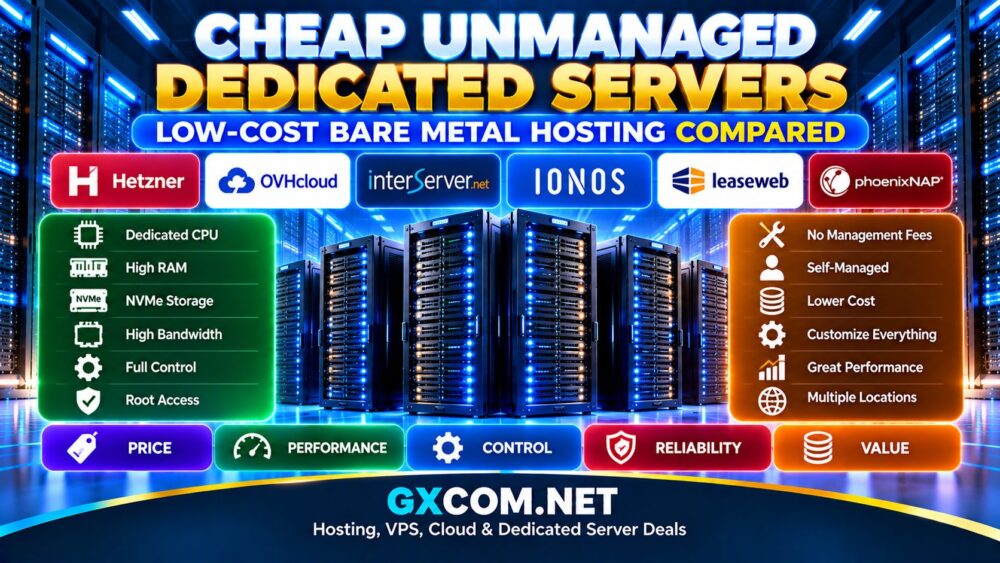
This guide compares Hetzner, OVHcloud, InterServer, IONOS, Leaseweb, and phoenixNAP for buyers looking for low-cost bare metal infrastructure. We also explain which specifications matter, where cheap servers can become expensive, and when an unmanaged server actually provides better value than a VPS or managed dedicated server.
What Is a Cheap Unmanaged Dedicated Server?
An unmanaged dedicated server is a physical machine assigned to your workload while most software administration remains your responsibility.
The provider normally handles the underlying infrastructure, including areas such as:
- Physical server hardware
- Data center power and cooling
- Network connectivity
- Failed hardware replacement
- Basic remote management infrastructure
You typically manage:
- Operating system configuration
- Security updates
- Firewall rules
- Web server software
- Databases
- Applications
- Monitoring
- Backups
- Performance optimization
Removing provider-side administration can reduce costs, but it transfers technical responsibility to you. For a broader provider comparison, see our
Best Unmanaged Dedicated Server Providers
guide.
Cheap Unmanaged Dedicated Server Providers Compared
| Provider | Best For | Cost Advantage | Key Strength |
|---|---|---|---|
| Hetzner | Budget-conscious technical users | Competitive hardware and auction servers | Hardware value |
| OVHcloud | Low-cost global bare metal | Multiple dedicated server ranges | Network and infrastructure options |
| InterServer | US-based custom servers | Flexible configurations | Hardware customization |
| IONOS | Developers and businesses | Entry-level bare metal options | Broader infrastructure ecosystem |
| Leaseweb | Network-intensive workloads | Different hardware and location options | Global infrastructure |
| phoenixNAP | Flexible bare metal deployments | Infrastructure-focused configurations | Automation and bare metal |
Server inventory, promotions, hardware generations, and pricing change frequently. Always compare the exact configuration available when you are ready to deploy.
1. Hetzner
Hetzner is frequently considered by experienced administrators looking for affordable physical servers. Its combination of standard dedicated servers and Server Auction inventory makes it particularly relevant to price-sensitive buyers.
Server Auction machines can include previously deployed hardware at prices below many newer configurations. Availability varies, so buyers need to compare individual CPU, RAM, storage, and network specifications.
Hetzner Highlights
- Competitive dedicated server pricing
- Server Auction inventory
- AMD and Intel processors
- NVMe and SSD options
- Root-level administration
- Suitable for experienced Linux administrators
Older hardware can offer excellent value for development environments, web hosting, backup systems, virtualization, and applications that do not require the newest CPU generation.
2. OVHcloud
OVHcloud offers multiple bare metal server families covering budget-oriented deployments through more powerful infrastructure.
Its large dedicated server portfolio makes it useful for customers who want affordable entry points while retaining the ability to move toward larger servers and more complex infrastructure later.
OVHcloud Highlights
- Multiple bare metal server ranges
- AMD and Intel options
- SSD and NVMe configurations
- Anti-DDoS capabilities
- Multiple data center regions
- Private networking on supported products
Compare network speed, included traffic, storage, processor generation, and server location carefully. Two similarly priced servers can deliver very different real-world value.
3. InterServer
InterServer is worth considering when you want an unmanaged or self-administered dedicated server in the United States with flexible hardware choices.
Instead of focusing only on standardized packages, customers can compare different processor, memory, storage, and network configurations.
InterServer Highlights
- Customizable dedicated hardware
- Multiple processor choices
- Flexible RAM configurations
- Storage options
- US infrastructure
- Remote server access
This flexibility can help reduce unnecessary spending because you can focus your budget on the resources your workload actually needs.
4. IONOS
IONOS combines bare metal servers with a larger portfolio of VPS, cloud, and hosting infrastructure.
Its dedicated servers can be relevant to developers and businesses that want physical resources but also value access to additional infrastructure products within the same ecosystem.
IONOS Highlights
- Dedicated physical resources
- AMD and Intel configurations
- Root access
- SSD or NVMe options depending on configuration
- DDoS protection
- Broader cloud and hosting ecosystem
When evaluating cost, check the complete configuration, including software licenses and optional services rather than relying solely on the starting price.
5. Leaseweb
Leaseweb provides dedicated server infrastructure across multiple markets and is particularly relevant to users who care about network connectivity and geographic deployment options.
Leaseweb Highlights
- Multiple server configurations
- Different geographic regions
- Network-oriented infrastructure
- Dedicated hardware options
- Suitable for bandwidth-intensive workloads
Leaseweb pricing and available hardware can differ by location, so compare the specific data center and server configuration required for your audience.
6. phoenixNAP
phoenixNAP offers bare metal infrastructure for developers and organizations that need physical servers with infrastructure automation and flexible deployment options.
phoenixNAP Highlights
- Bare metal infrastructure
- Dedicated physical resources
- Automation-focused deployment
- Suitable for custom applications
- Enterprise infrastructure options
It may be particularly relevant when you want bare metal to behave more like programmable infrastructure rather than conventional website hosting.
How Much Does a Cheap Unmanaged Dedicated Server Cost?
There is no universal price threshold that makes a dedicated server “cheap.” The cost depends heavily on processor generation, RAM, storage, network capacity, location, and server inventory.
Older self-managed hardware can sometimes cost surprisingly little compared with premium VPS plans, while newer servers equipped with current CPUs, large amounts of ECC memory, multiple NVMe drives, and high-speed networking can be substantially more expensive.
The total cost may include:
- Base server rental
- Setup fees
- Additional storage
- Extra IP addresses
- Bandwidth upgrades
- Windows licensing
- Control panel licenses
- Backup storage
The cheapest advertised monthly price is therefore not always the cheapest usable server.
Why Are Unmanaged Dedicated Servers Cheaper?
With fully managed hosting, part of your monthly payment covers technical administration. The provider may monitor the server, install supported updates, assist with security configuration, maintain a control panel, and troubleshoot operating system issues.
An unmanaged provider transfers much of this work to you.
For technically experienced customers, this can be an efficient tradeoff: you pay primarily for hardware, network, and data center infrastructure rather than administration you do not need.
For users without server management experience, however, the lower monthly bill can create additional costs later if external technical support is required.
Cheap Unmanaged Dedicated Server vs Cheap VPS
This is one of the most important comparisons for budget buyers.
| Feature | Unmanaged Dedicated Server | Unmanaged VPS |
|---|---|---|
| Infrastructure | Physical server | Virtual server |
| CPU | Physical machine resources | Virtualized allocation |
| RAM | Physical server memory | Virtual allocation |
| Hardware Control | Greater | Limited by host platform |
| Scaling | Less flexible | Usually easier |
| Entry Cost | Generally higher | Generally lower |
A VPS is usually more economical when your workload requires only modest CPU, RAM, and storage. Dedicated hardware becomes more interesting when you consistently need substantial resources or greater control over the physical environment.
Our
Dedicated Server vs VPS
guide explains the differences in more detail.
Should You Buy an Older Dedicated Server?
Older hardware is one of the main reasons low-cost bare metal servers exist.
A previous-generation CPU with sufficient RAM and SSD storage can still be highly useful for many workloads, including:
- Development environments
- Backup servers
- Small hosting platforms
- Private applications
- Test environments
- Some virtualization workloads
However, do not judge value only by core count.
A newer CPU with fewer cores may provide stronger per-core performance and better power efficiency than an older high-core-count processor. Always identify the exact CPU model before purchasing.
NVMe, SSD or HDD: Which Offers Better Value?
NVMe
NVMe storage is attractive for databases, ecommerce, virtualization, and applications with intensive disk activity. It usually provides the strongest performance but may cost more per unit of capacity.
SSD
SATA SSDs can provide a good balance of speed, capacity, and price for conventional website and application workloads.
HDD
Hard drives remain useful when large storage capacity matters more than latency, particularly for some backup and archival workloads.
The right choice depends on the application. Paying for high-performance NVMe storage provides little benefit if your workload is primarily storing infrequently accessed backup data.
Bandwidth Can Change the Real Cost
Cheap hardware does not automatically mean cheap infrastructure.
For bandwidth-intensive applications, network policies can become as important as CPU and RAM.
Check:
- Network port speed
- Monthly transfer allowance
- Traffic overage policy
- Data center location
- Network routing
- DDoS protection
A slightly more expensive server with a better bandwidth policy may provide greater total value than a cheaper machine with restrictive traffic limits.
Watch for Hidden Costs
Before ordering a budget unmanaged server, calculate the complete deployment cost.
Setup Fees
Some dedicated servers may have an initial setup charge. Consider how long you plan to keep the server when evaluating that cost.
IPv4 Addresses
Additional IPv4 addresses increasingly involve extra fees and may require justification depending on the provider.
Windows Server
Linux is commonly available without the same commercial operating system licensing costs associated with Windows Server. Windows deployments can therefore increase the monthly bill.
Control Panels
Commercial control panels can add recurring licensing costs that significantly change the economics of a low-cost server.
Backups
Unmanaged does not mean backups are automatically included. Budget for independent backup storage and a tested restoration strategy.
Linux vs Windows for a Budget Dedicated Server
Linux distributions such as Ubuntu, Debian, AlmaLinux, and others are common choices for self-managed dedicated servers because they provide extensive administrative control without a commercial operating system license in typical deployments.
Windows Server can be necessary for workloads depending on Microsoft technologies, but licensing can increase the total monthly cost.
Choose the operating system based on application requirements rather than familiarity alone.
What Specifications Should You Prioritize?
A cheap server becomes expensive if it cannot handle your workload.
Prioritize the specifications that actually affect your application:
- Exact CPU model and generation
- Single-core versus multi-core performance
- RAM capacity
- NVMe or SSD storage
- RAID requirements
- Network port speed
- Bandwidth allowance
- Data center location
- Remote console access
Avoid paying for impressive specifications that your workload will never use.
Remote Management Is Important
Remote access tools are particularly important with unmanaged servers because you are responsible for recovering from many software and operating system problems.
Look for capabilities such as a rescue environment, remote console, KVM, or IPMI-style management where available.
These tools can help when an incorrect firewall rule, boot failure, or network configuration makes the normal SSH or RDP connection unavailable.
When Is a Cheap Unmanaged Dedicated Server Worth It?
Low-cost bare metal can provide strong value when you have the technical skills to operate it and the workload can actually use dedicated physical resources.
Good use cases include:
- Experienced developers
- DevOps environments
- Web hosting
- Game servers
- Virtualization
- Databases
- Self-hosted applications
- Development and testing
- Backup infrastructure
When Should You Avoid a Cheap Unmanaged Server?
A low price should not persuade you to operate infrastructure you cannot safely maintain.
Consider managed hosting instead if you are uncomfortable with:
- Linux or Windows administration
- Security patching
- Firewall configuration
- SSH or RDP security
- Server monitoring
- Database maintenance
- Backup restoration
- Emergency troubleshooting
You can compare the financial tradeoff in our
Managed Dedicated Server Hosting Cost
guide.
How to Find the Best Low-Cost Bare Metal Server
Do not search for one provider that is permanently the cheapest. Dedicated server inventories change as providers introduce new processors, retire old hardware, and adjust promotions.
Instead, compare actual available machines when you are ready to deploy.
Use this checklist:
- Identify the exact CPU model
- Check RAM capacity and upgrade limits
- Compare NVMe, SSD, and HDD storage
- Check RAID configuration
- Review network port speed
- Confirm included bandwidth
- Choose a data center near your audience
- Check DDoS protection
- Confirm remote recovery options
- Calculate licenses and additional services
Cheap Unmanaged vs Cheap Managed Dedicated Hosting
The lowest-cost unmanaged server will usually look attractive when comparing hosting invoices alone. But management has economic value.
If you already have an administrator, unmanaged hosting can eliminate unnecessary management fees. If you do not have the required expertise, paying for external administration later can reduce or eliminate the initial savings.
That is why the correct comparison is total operating cost—not simply monthly server rental.
Which Cheap Unmanaged Dedicated Server Provider Should You Choose?
Hetzner is particularly relevant to experienced buyers prioritizing hardware value and willing to consider both newer machines and auction inventory. OVHcloud offers a broad bare metal portfolio with multiple infrastructure and networking options.
InterServer is useful when flexible US configurations matter, while IONOS combines dedicated infrastructure with a wider hosting and cloud ecosystem. Leaseweb provides additional geographic and network-oriented options, and phoenixNAP is worth considering for more infrastructure-focused bare metal deployments.
Instead of choosing by brand alone, compare the exact machine available today. Processor generation, RAM, storage, bandwidth, remote management, location, and total monthly cost determine whether a server is genuinely inexpensive.
Final Thoughts
Cheap unmanaged dedicated servers can deliver excellent performance per dollar for experienced administrators. Removing server management fees allows more of the budget to go toward CPU, RAM, storage, and network resources.
But inexpensive bare metal is not automatically good value. Older CPUs, slow storage, limited bandwidth, licensing costs, or inadequate remote management can make an apparently cheap server a poor purchase.
Compare the complete infrastructure rather than the headline price. If you have the technical skills to secure, monitor, back up, and maintain the server yourself, low-cost unmanaged bare metal can be one of the most economical ways to obtain dedicated physical resources.