A cheap VPS may cost significantly less than a premium VPS while advertising similar CPU cores, RAM and NVMe storage.
So why pay more?
The answer is not as simple as “premium VPS is faster.”
A well-chosen cheap VPS can be excellent for small websites, development environments, VPNs, lightweight applications and many production workloads. At the same time, paying more can make sense when you need stronger CPU performance, more consistent resources, better network quality, additional management or higher reliability.
The key question is not:
CHEAP VPS OR EXPENSIVE VPS?
It is:
WHAT DOES YOUR WORKLOAD ACTUALLY NEED?
This guide compares cheap VPS vs premium VPS across CPU, RAM, NVMe, network performance, reliability, support and real total cost to determine when paying more is actually worth it.
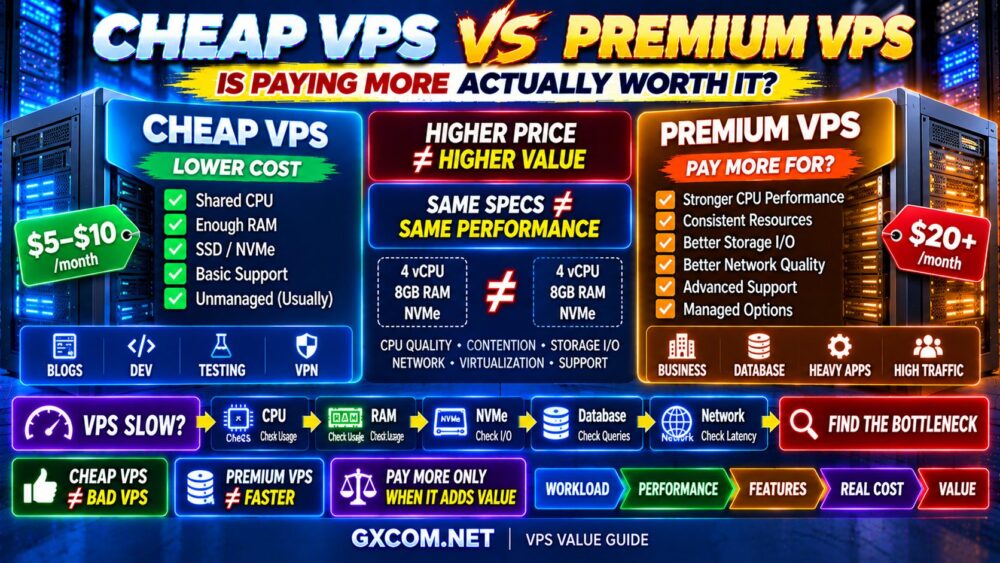
Cheap VPS vs Premium VPS: Quick Comparison
| Factor | Cheap VPS | Premium VPS |
|---|---|---|
| Price | Lower | Higher |
| CPU | Often shared | May offer stronger or more predictable compute |
| RAM | Can be generous | Often paired with stronger overall resources |
| Storage | SSD/NVMe common | May provide stronger I/O consistency |
| Network | Varies widely | May provide stronger infrastructure or capacity |
| Support | Often basic | May include better or more extensive support |
| Management | Frequently unmanaged | More managed options available |
| Best For | Budget and lightweight workloads | Performance-sensitive or business workloads |
The most important word in this table is may.
Price alone does not guarantee performance.
EXPENSIVE VPS ≠ FAST VPS.
What Is a Cheap VPS?
A cheap VPS is simply a virtual private server positioned around affordability.
Providers can reduce costs through:
- Shared CPU resources
- High-density virtualization
- Lower-cost infrastructure
- Limited support
- Unmanaged service
- Smaller bandwidth allowances
- Fewer included extras
None of these automatically makes a VPS bad.
For many users, paying only for the infrastructure they actually need is more efficient than buying premium features they will never use.
This is why the right cheap VPS can deliver excellent value.
If budget is your main priority, our Best Cheap VPS Hosting comparison is the central guide for choosing affordable VPS providers.
What Is a Premium VPS?
There is no universal technical definition of “premium VPS.”
In practice, the term generally describes VPS products positioned around one or more of the following:
- Newer or faster CPUs
- Dedicated or less-contended compute
- Higher-performance storage
- Better network infrastructure
- Higher bandwidth allowances
- Managed support
- Backups
- Business-oriented service
- Greater performance consistency
But a higher price does not mean all of these are included.
You must compare the actual product rather than the marketing category.
Why Can Two VPS Plans With the Same Specs Perform Differently?
This is one of the most important lessons in VPS hosting.
Imagine two servers:
VPS A
4 vCPU
8GB RAM
NVMe
VPS B
4 vCPU
8GB RAM
NVMe
They look identical.
But performance can be very different.
Why?
Because headline specifications do not tell you:
- CPU generation
- CPU clock speed
- Shared vs dedicated CPU
- Host-node contention
- Storage I/O limits
- Network congestion
- Virtualization configuration
This leads to a fundamental rule:
SAME SPECS ≠ SAME PERFORMANCE.
Cheap VPS vs Premium VPS CPU Performance
CPU is one of the areas where paying more can make a meaningful difference.
Cheap VPS plans often rely on shared compute resources.
This is perfectly acceptable for workloads with low or bursty CPU demand.
Examples include:
- Small websites
- Development
- VPNs
- Monitoring
- Low-traffic APIs
- Personal projects
But CPU-sensitive workloads can benefit from stronger or more predictable compute.
Examples include:
- Busy dynamic websites
- Databases
- Application servers
- Compilation
- High-concurrency workloads
- CPU-intensive background tasks
4 vCPU on a Cheap VPS vs 4 vCPU on a Premium VPS
Never assume they are equivalent.
4 vCPU ≠ 4 vCPU.
A premium VPS may use newer processors or provide more consistent access to CPU resources.
A cheap VPS can still be fast, particularly when the provider operates good hardware and manages host density effectively.
The point is not that cheap VPS CPU is always weak.
The point is:
COUNTING CORES IS NOT ENOUGH.
Cheap VPS vs Premium VPS RAM
RAM is another specification that can be misleading when viewed in isolation.
A cheap VPS provider may offer a large amount of RAM at an attractive price.
That can be extremely useful for workloads that genuinely need memory.
But consider:
CHEAP VPS A → 16GB RAM + WEAK CPU
versus:
PREMIUM VPS B → 8GB RAM + STRONG CPU
If your application uses only 5GB of RAM but is CPU-bound, the 8GB server may perform better.
MORE RAM ≠ FASTER VPS.
When Is More RAM Actually Worth Paying For?
Additional RAM is valuable when your workload can use it.
Examples include:
- Databases
- Multiple websites
- Docker containers
- Large application stacks
- Memory-intensive services
- High numbers of application workers
But unused RAM is simply unused capacity.
For Linux VPS sizing, see our Linux VPS RAM Requirements guide.
Cheap VPS vs Premium VPS Storage
Many inexpensive VPS plans now advertise SSD or NVMe storage.
That is good—but the word “NVMe” does not tell the entire story.
Actual storage performance can depend on:
- Storage architecture
- I/O limits
- Host contention
- Queue depth
- Underlying drives
- Provider configuration
A premium server may provide more predictable I/O, but this is not guaranteed simply because it costs more.
NVMe LABEL ≠ GUARANTEED NVMe PERFORMANCE.
When Does Faster Storage Matter?
Storage performance becomes particularly important for:
- Databases
- WooCommerce
- Application servers
- Logging
- File processing
- Development environments
A small cached website may see little difference between two already-fast storage systems.
A database-heavy workload may see a much larger difference.

See our NVMe VPS Performance guide for a deeper explanation.
Cheap VPS vs Premium VPS Network Performance
Network quality is easy to overlook because VPS marketing often emphasizes CPU, RAM and storage.
But network performance affects:
- Website response
- Downloads
- APIs
- Backups
- Streaming
- Remote administration
- Latency-sensitive applications
A “1 Gbps port” does not mean your application will continuously receive 1 Gbps of usable throughput.
Actual performance depends on:
- Network capacity
- Routing
- Congestion
- Traffic policy
- Location
- Workload
1 GBPS PORT ≠ 1 GBPS REAL-WORLD PERFORMANCE.
Does a Premium VPS Have Better Uptime?
Not automatically.
Reliability depends on the provider's infrastructure, virtualization platform, storage architecture, networking and operational practices.
A low-cost provider can operate reliable infrastructure.
A more expensive service can still experience outages.
For important workloads, evaluate:
- Provider track record
- Infrastructure design
- Backup options
- Support availability
- Monitoring
- Redundancy
Do not treat price as a substitute for reliability research.
Cheap VPS vs Premium VPS Support
Support can be one of the largest differences between low-cost and premium hosting.
Many cheap VPS products are unmanaged.
This means the provider may maintain the underlying infrastructure while you remain responsible for:
- Operating system
- Security
- Applications
- Web server
- Database
- Updates
- Troubleshooting
Premium or managed services may provide more assistance.
But always read the support scope carefully.
“24/7 support” does not automatically mean the provider will configure your application or repair your website.
Managed Premium VPS vs Cheap Unmanaged VPS
This comparison explains why price differences can sometimes appear huge.
You may actually be comparing:
SERVER INFRASTRUCTURE ONLY
with:
SERVER + MANAGEMENT + SUPPORT + BACKUPS
These are different products.
For an experienced system administrator, unmanaged VPS can provide excellent value.
For a business without server expertise, management can be worth paying for.
Our Managed VPS vs Unmanaged VPS guide explains this distinction in more detail.
Cheap VPS vs Premium VPS for WordPress
A small or medium WordPress site does not automatically require premium VPS hosting.
WordPress performance depends on:
- CPU
- RAM
- PHP
- Database
- Cache
- Storage
- CDN
- Plugins
A properly optimized WordPress site on a good cheap VPS can outperform a poorly optimized site running on a much more expensive server.
EXPENSIVE SERVER ≠ FAST WORDPRESS.
When Is Premium VPS Worth It for WordPress?
Paying more becomes easier to justify when:
- Traffic is business-critical
- Dynamic requests are high
- WooCommerce is involved
- CPU usage is consistently high
- You need management
- You need stronger support
- Downtime has meaningful financial impact
The question should be based on workload and business impact, not simply monthly traffic numbers.
Cheap VPS vs Premium VPS for Docker
Docker workloads can run perfectly well on inexpensive VPS infrastructure.
The real requirement depends on the containers.
A few lightweight containers may need very little.
A stack containing databases, search services and multiple applications can require substantial CPU, RAM and storage I/O.
Therefore:
NUMBER OF CONTAINERS ≠ RESOURCE REQUIREMENT.
Measure what the containers actually consume.
Cheap VPS vs Premium VPS for Databases
This is one area where paying for better infrastructure can become valuable quickly.
Database performance can depend heavily on:
- CPU
- RAM
- Storage latency
- Storage IOPS
- Query efficiency
- Concurrent connections
If a database is important to your business, consistent performance may matter more than maximizing RAM-per-dollar.
But do not assume expensive infrastructure will fix poor SQL queries.
OPTIMIZATION BEFORE UPGRADE.
Cheap VPS vs Premium VPS for Development
Cheap VPS hosting is particularly attractive for development.
Common uses include:
- Testing
- Staging
- Small CI workloads
- APIs
- Learning Linux
- Temporary environments
- Personal projects
For these workloads, premium infrastructure may offer little economic benefit.
Why pay for enterprise-level consistency when the server is used only for testing?
Cheap VPS vs Premium VPS for Business Websites
The answer changes when revenue depends on the server.
For a business website, ask:
- What does one hour of downtime cost?
- How important is support?
- How much traffic is dynamic?
- Does the website process transactions?
- How quickly must problems be resolved?
If infrastructure failure has little financial impact, a good cheap VPS may be sufficient.
If downtime directly affects sales or operations, paying more for the right infrastructure or support may be justified.
What Are You Actually Paying More For?
This is the question every VPS buyer should ask.
A higher-priced VPS may be charging more for:
- Better CPU
- Dedicated CPU
- More consistent resources
- Higher-performance storage
- Better network
- More bandwidth
- Managed support
- Backups
- Control panel licensing
- Business support
If you need those features, paying more can be rational.
If you do not need them, you may simply be overbuying.
Cheap VPS Providers vs Premium Cloud Infrastructure
The VPS market includes very different infrastructure models, so provider selection should follow workload requirements rather than price alone.
RackNerd can be relevant when your priority is obtaining inexpensive VPS infrastructure for lightweight sites, testing, development or other budget-sensitive workloads.
DigitalOcean is worth considering when developer experience, cloud tooling and a straightforward infrastructure ecosystem matter more than simply maximizing hardware specifications per dollar.
Vultr can be relevant when you want a broader range of cloud compute options and infrastructure locations while retaining the flexibility to move beyond entry-level VPS configurations.
These providers should not be compared only by asking:
WHO GIVES ME THE MOST RAM?
A better comparison is:
WORKLOAD → REQUIRED PERFORMANCE → FEATURES → RELIABILITY → REAL COST
Is a $5 VPS Worse Than a $20 VPS?
Not necessarily.
A low-cost VPS can be the better purchase when:
- Your workload is lightweight
- You need little support
- You can manage Linux yourself
- CPU demand is low
- The server is non-critical
A more expensive VPS can be the better purchase when:
- You need stronger compute
- Performance consistency matters
- You need managed support
- The workload generates revenue
- Downtime is expensive
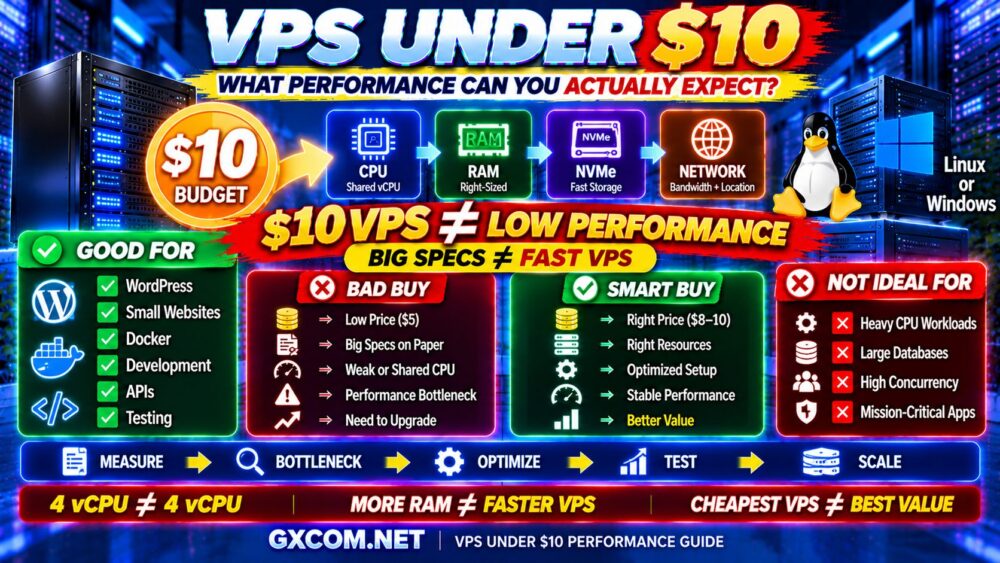
For a deeper look at what very low-cost plans can realistically handle, see our Cheap VPS Under $10 performance guide.
Can a Cheap VPS Handle High Traffic?
Potentially, yes.
Traffic numbers alone do not determine server requirements.
A heavily cached website can serve substantial traffic with modest compute resources.
A dynamic application can create much more server load with fewer users.
Think in terms of:
REQUEST TYPE + CONCURRENCY + CACHE HIT RATE + DATABASE LOAD
rather than:
VISITORS = SERVER SIZE.
When Is a Cheap VPS the Better Choice?
A cheap VPS is often the smarter purchase for:
- Personal websites
- Small blogs
- Development
- Testing
- VPNs
- Small APIs
- Learning Linux
- Staging environments
- Small Docker stacks
- Low-risk workloads
If the application performs well and the server is stable, there is no technical rule requiring you to upgrade because a more expensive plan exists.
When Is a Premium VPS Worth Paying For?
Paying more becomes worthwhile when the additional cost solves a real problem.
Examples include:
- You need stronger CPU performance
- You need dedicated compute
- You need more predictable performance
- Your database requires better I/O
- You need managed support
- You need more bandwidth
- You need better backup options
- Your workload is business-critical
The keyword is:
NEED.
When Is Premium VPS NOT Worth It?
Premium VPS may be unnecessary when:
- Your CPU usage is low
- You already have enough RAM
- Your storage performance is sufficient
- Your application is properly optimized
- Your workload is not business-critical
- You do not need management
- You do not use the premium features
Paying for unused resources does not improve performance.
MORE RESOURCES ≠ MORE VALUE.
Should You Upgrade Your VPS?
Before upgrading, identify the bottleneck.
Use this process:
VPS SLOW?
↓
CHECK CPU
↓
CHECK RAM
↓
CHECK STORAGE I/O
↓
CHECK DATABASE
↓
CHECK NETWORK
↓
CHECK APPLICATION
↓
FIND THE BOTTLENECK
Then decide whether you need:
OPTIMIZATION
or:
MORE RESOURCES.
This avoids one of the most common VPS mistakes:
UPGRADING WITHOUT KNOWING WHY.
Calculate the Real Cost of a VPS
Monthly server price is only one part of hosting cost.
The real calculation may include:
VPS PRICE
+ Backups
+ Control Panel
+ Management
+ Additional Storage
+ Extra Bandwidth
+ IPv4
+ Your Administration Time
= REAL VPS COST
A cheap unmanaged VPS may become expensive if you spend hours every month maintaining it.
A premium managed VPS may actually be economical for a business if it reduces administration time.
Cheap VPS vs Premium VPS: Real Value Framework
Do not rank VPS hosting using price alone.
Use:
VALUE = PERFORMANCE + RELIABILITY + FEATURES + SUPPORT ÷ TOTAL COST
A cheap VPS with sufficient performance can offer outstanding value.
A premium VPS that solves a business-critical performance or support problem can also offer outstanding value.
The worst value is paying for resources you do not need.
Cheap VPS vs Premium VPS Buying Checklist
- ✓ What workload will run?
- ✓ How CPU-intensive is it?
- ✓ How much RAM does it actually use?
- ✓ Is storage I/O important?
- ✓ Shared or dedicated CPU?
- ✓ NVMe or SSD?
- ✓ How much bandwidth?
- ✓ Which server location?
- ✓ Is the VPS managed?
- ✓ Are backups included?
- ✓ Is IPv4 included?
- ✓ How important is support?
- ✓ Is the workload revenue-generating?
- ✓ What happens if the server goes down?
- ✓ Can the VPS scale later?
- ✓ What is the real total cost?
Then ask:
WHAT DO I GET FOR PAYING MORE?
If you cannot answer that question, the premium plan may not be worth it.
Cheap VPS vs Premium VPS FAQ
Is a premium VPS faster than a cheap VPS?
Not automatically. Premium VPS plans may provide stronger CPUs, more predictable resources or better storage, but actual performance depends on the provider, infrastructure and workload.
Are cheap VPS servers bad?
No. A good cheap VPS can be excellent for small websites, development, testing, VPNs, APIs and many lightweight production workloads. Problems occur when a low-cost plan does not provide the resources or consistency required by the workload.
Is paying more for VPS hosting worth it?
It is worth paying more when the additional cost provides resources or services you actually need, such as stronger CPU performance, dedicated compute, better storage, management, backups or support.
Should I choose more RAM or a faster CPU?
Choose based on the bottleneck. More RAM helps when memory is constrained. A faster CPU helps CPU-bound workloads. Extra unused RAM will not fix CPU saturation.
Does NVMe make a premium VPS better?
NVMe can improve storage-intensive workloads, but the NVMe label alone does not guarantee high I/O performance. Provider limits and infrastructure contention still matter.
Is cheap VPS good for WordPress?
Yes. A properly configured cheap VPS can run WordPress very well when CPU, RAM and storage match the workload and caching is properly configured.
When should I upgrade from a cheap VPS?
Upgrade when monitoring shows that your current server has a genuine resource, reliability, support or scalability limitation that cannot be solved efficiently through optimization.
Is dedicated CPU worth paying more for?
Dedicated or more predictable CPU resources can be valuable for sustained CPU-intensive workloads. For small sites and bursty applications, shared CPU may provide better value.
Final Verdict: Cheap VPS vs Premium VPS
So, is paying more for a premium VPS actually worth it?
Sometimes.
But not simply because the VPS costs more.
A cheap VPS is often the smarter choice when your workload is lightweight, you can manage the server yourself and the infrastructure already delivers enough performance.
A premium VPS becomes worth paying for when the additional money buys something your workload genuinely needs—stronger CPU, predictable resources, better I/O, management, support or business-critical reliability.
Use this decision path:
WORKLOAD
↓
MEASURE RESOURCES
↓
IDENTIFY BOTTLENECK
↓
OPTIMIZE
↓
COMPARE INFRASTRUCTURE
↓
CALCULATE REAL COST
↓
UPGRADE ONLY IF IT ADDS VALUE
Remember:
CHEAP VPS ≠ BAD VPS.
PREMIUM VPS ≠ AUTOMATICALLY FASTER.
4 vCPU ≠ 4 vCPU.
MORE RAM ≠ FASTER VPS.
NVMe ≠ GUARANTEED PERFORMANCE.
HIGHER PRICE ≠ HIGHER VALUE.
The best VPS is not the cheapest server or the most expensive server. It is the server that delivers the performance, reliability and features your workload actually needs at the lowest sensible total cost.