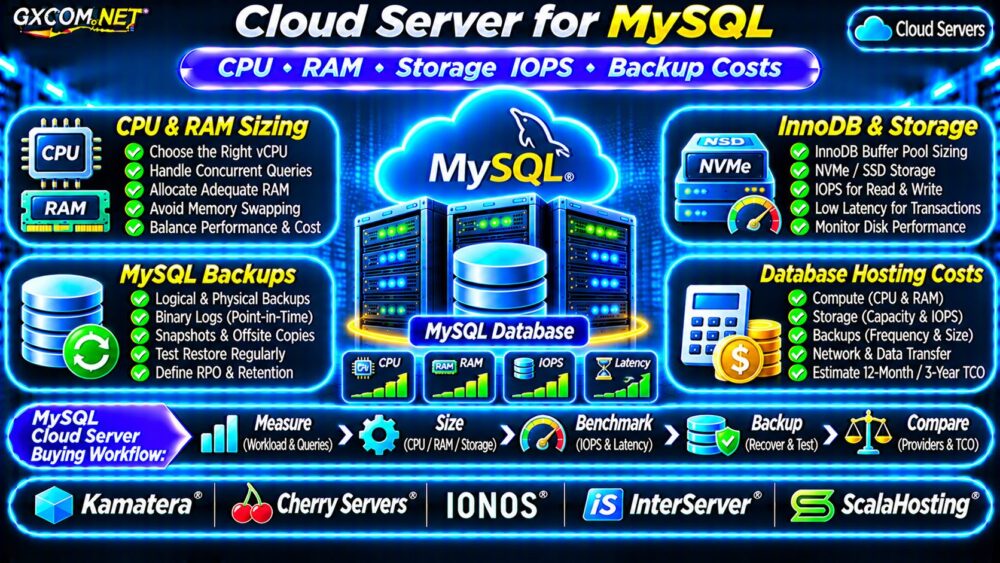
Choosing a cloud server for MySQL requires more than comparing advertised CPU cores and monthly prices. Database performance depends on memory availability, query efficiency, storage latency, concurrent connections, and reliable backups.
An inexpensive server may work for a small application but struggle with growing transactions or complex queries. This guide explains practical MySQL resource sizing, InnoDB configuration, storage IOPS, recovery planning, and long-term hosting costs.
What Does MySQL Need From a Cloud Server?
MySQL workloads vary considerably. A small WordPress database, a busy WooCommerce store, and a transaction-heavy SaaS application have different resource requirements.
Before selecting a server, measure database size, peak connections, query patterns, transaction rates, and recovery requirements.
| Workload | Illustrative Starting Resources |
|---|---|
| Development or small website | 2 vCPU, 2–4GB RAM |
| Growing business application | 2–4 vCPU, 4–8GB RAM |
| Busy ecommerce database | 4–8 vCPU, 8–16GB RAM |
| Demanding transactional workload | 8+ vCPU, 16GB+ RAM |
These are planning examples, not minimum requirements or performance guarantees. Test representative production workloads before purchasing larger infrastructure.
MySQL CPU Requirements and Query Performance
CPU demand increases with complex joins, sorting, aggregation, concurrent queries, and inefficient execution plans.
More virtual CPUs can improve concurrency, but they do not automatically accelerate a poorly indexed query.
Use MySQL’s slow query log and EXPLAIN to identify expensive statements before upgrading hardware.
EXPLAIN SELECT * FROM orders
WHERE customer_id = 123;
Review index selection, examined rows, and execution plans. For suitable MySQL versions and queries, EXPLAIN ANALYZE provides additional execution measurements.
On shared virtual infrastructure, CPU contention may also affect response times. Compare measured performance rather than assuming all advertised vCPUs are equivalent.
How Much RAM Does MySQL Need?
Memory is particularly important for InnoDB, MySQL’s widely used transactional storage engine.
The InnoDB buffer pool caches frequently accessed data and indexes, reducing physical disk reads.
On a dedicated database server, administrators sometimes allocate a substantial proportion of available RAM to the buffer pool. However, a fixed percentage is not appropriate for every deployment.
Leave sufficient memory for the operating system, connections, temporary operations, other MySQL buffers, and monitoring services.
Check InnoDB Buffer Pool Configuration
SHOW VARIABLES LIKE 'innodb_buffer_pool_size';
SHOW GLOBAL STATUS LIKE 'Innodb_buffer_pool_reads';
Evaluate buffer pool behavior alongside working-set size, disk reads, memory pressure, and actual application latency.

Avoid excessive swapping. Persistent memory pressure can severely increase database response times.
Storage IOPS vs Throughput vs Latency
MySQL databases need responsive storage, especially for random reads, transaction commits, redo logs, and background flushing.
IOPS measures completed input/output operations per second. Throughput measures transferred data volume, while latency measures the time required to complete an operation.
A storage product advertising high sequential throughput may still perform poorly under small, synchronous database writes.
NVMe SSD storage can be beneficial, but actual performance depends on the cloud storage implementation, provisioned limits, and competing workloads.
Read our NVMe VPS SSD Performance Guide for additional storage evaluation considerations.
Monitor Linux Disk Performance
On systems with sysstat installed, use:
iostat -xz 1 5Review device utilization, request latency, queue behavior, and read/write patterns. Interpret these metrics alongside MySQL query latency and cloud-provider storage limits.
Plan MySQL Backups and Recovery
Database backups must protect recoverable data, not merely create copies of virtual disks.
Logical backups, physical backup tools, and storage snapshots serve different purposes. For active transactional databases, use a consistency-aware backup process.
Binary logs can support point-in-time recovery when correctly configured and retained with compatible backups.
Store independent backup copies outside the primary server and test restoration regularly.
For broader recovery planning, see our VPS Snapshot Backup and Recovery Guide.
Define Backup Frequency and Retention
Set a recovery point objective based on acceptable data loss. Then choose backup frequency, binary log retention, and offsite storage accordingly.
Remember that snapshots, backup storage, data transfer, and restoration infrastructure may generate separate charges.
MySQL Security and Availability
Restrict database access to trusted application servers and administrative networks. Avoid exposing MySQL directly to the public internet unless a documented requirement justifies it.
Use least-privilege accounts, encrypted connections where appropriate, operating system updates, and monitored backup jobs.
For self-managed environments, review our Unmanaged Server Security Checklist.
High availability requires additional planning. A single VPS with automated backups does not provide automatic failover.
Five Cloud and VPS Providers for MySQL
These GXCOM.NET-approved affiliate providers offer infrastructure categories worth comparing. Confirm the exact product’s storage limits, backup options, and support responsibilities.
Kamatera: Configurable Database Infrastructure
Kamatera is worth considering when customizable CPU, RAM, and storage configurations are important for a self-managed MySQL deployment.
Cherry Servers: Database Resource Planning
Cherry Servers may suit administrators evaluating compute resources and storage configurations for demanding database workloads.
IONOS: Cloud Server Budgeting
IONOS provides another option for comparing cloud server configurations, recurring infrastructure costs, and available management features.
InterServer: Self-Managed VPS Alternative
InterServer is relevant when a conventional Linux VPS can satisfy MySQL requirements without a more complex cloud architecture.
ScalaHosting: Managed Hosting Considerations
ScalaHosting is worth comparing when buyers prefer hosting management and support options over maintaining every component themselves. Verify the scope of database administration.
Explore additional choices in our Best VPS Providers Comparison.

Calculate Monthly and Three-Year MySQL Costs
Consider a hypothetical MySQL server costing $35 monthly, plus $10 for storage, $7 for backups, and $5 for monitoring.
The combined estimate is $57 monthly, $684 annually, or $2,052 over thirty-six months if prices and usage remain unchanged.
Additional expenses may include software administration, network transfer, recovery testing, and temporary migration infrastructure.
Our Cloud Hosting vs VPS Comparison explains broader infrastructure tradeoffs.
MySQL Cloud Server Buying Checklist
- Benchmark realistic query and connection workloads.
- Size CPU and RAM using measured utilization.
- Review InnoDB buffer pool and memory pressure.
- Compare storage IOPS, latency, and capacity.
- Verify consistent backups and restoration procedures.
- Calculate total monthly and long-term costs.
Frequently Asked Questions
Is 4GB RAM Enough for MySQL?
It can be sufficient for some smaller workloads. Database size, connection concurrency, and other applications determine actual memory requirements.
Does MySQL Need NVMe Storage?
Not always. NVMe can help latency-sensitive workloads, but query optimization and provisioned storage performance also matter.
Are Cloud Server Snapshots Enough for MySQL Backups?
Not by themselves. Use database-consistent recovery methods, independent copies, and verified restore procedures.
Final Verdict
The best cloud server for MySQL balances CPU capacity, usable RAM, predictable storage latency, recoverable backups, and operating costs.
Compare Kamatera, Cherry Servers, IONOS, InterServer, and ScalaHosting according to your workload and management requirements. Choose infrastructure based on measured database performance rather than advertised specifications alone.