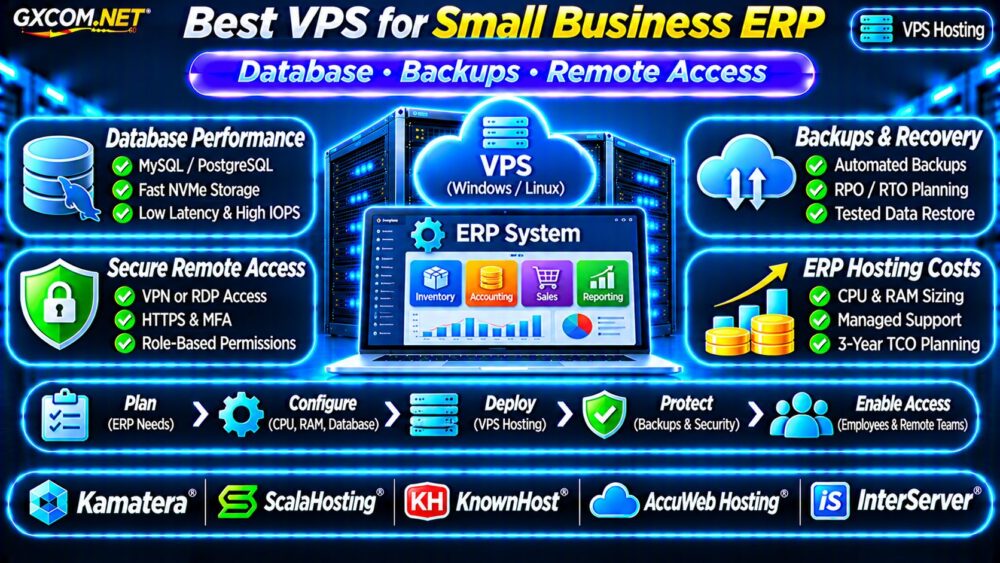
Finding the best VPS for small business ERP requires more than comparing CPU cores and monthly prices. Enterprise resource planning software connects accounting, inventory, purchasing, sales, and business reporting. Slow database queries or unexpected downtime can disrupt several departments simultaneously.
A suitable VPS must support the ERP application’s operating system, database, concurrent users, security requirements, and recovery objectives. This guide explains how to evaluate ERP hosting resources and compare providers without assuming every VPS supports every ERP platform.
Is a VPS Suitable for Small Business ERP?
A VPS can be a practical alternative to an aging office server, particularly when employees need secure access from different locations. Virtualization also makes resource upgrades and infrastructure management more flexible.
However, compatibility comes first. ERP products such as Odoo, ERPNext, and Microsoft Dynamics deployments can have very different hosting architectures, licensing requirements, and vendor support policies.
Confirm whether your ERP vendor supports self-managed virtualization, the intended operating system, and the selected database before ordering.
ERP VPS CPU and RAM Requirements
ERP resource demand depends on active users, scheduled jobs, database size, integrations, and reporting workloads. Advertised employee counts alone cannot determine server capacity.
| Illustrative Workload | Starting VPS Configuration |
|---|---|
| Small pilot or test environment | 2 vCPU, 4GB RAM |
| Light production ERP deployment | 4 vCPU, 8GB RAM |
| Growing multi-department workload | 4–8 vCPU, 16GB RAM |
| Heavy reporting or larger database | 8+ vCPU, 32GB+ RAM |
These configurations are planning examples, not verified requirements for any particular ERP product. Some software requires considerably more resources or separate application and database servers.
Measure CPU saturation, memory pressure, and peak transaction activity before scaling.
Database Performance: The Critical ERP Bottleneck
ERP systems frequently perform database reads, writes, joins, and transactions. Poor storage latency can slow inventory updates, invoice generation, and financial reporting.
Depending on the application, the database may use PostgreSQL, MySQL, MariaDB, or Microsoft SQL Server.
NVMe, IOPS and Transaction Latency
NVMe-backed storage can reduce certain storage bottlenecks, but advertised disk capacity does not reveal sustained IOPS or latency under contention.
Ask providers about storage performance limits, backup-related slowdowns, and disk expansion procedures. Monitor database query duration and transaction latency during realistic workloads.
Our NVMe VPS vs SSD Performance Guide explains the storage metrics worth comparing.

Database Memory and Connections
Database buffer caches, active connections, and reporting queries consume memory. Excessive connections or poorly optimized queries can overwhelm a VPS even when CPU usage appears moderate.
Use supported connection pooling, appropriate database tuning, and query analysis before purchasing a larger server.
ERP Backups, Recovery and Business Continuity
ERP backups should protect both database records and related application files, including attachments, custom modules, and configuration.
Define a recovery point objective (RPO) for acceptable data loss and a recovery time objective (RTO) for acceptable downtime.
For example, a four-hour RPO means the business may need to tolerate losing up to four hours of recent changes. A two-hour RTO targets restoration within two hours.
These are example objectives, not hosting guarantees.
Use application-consistent backups, independent storage, access controls, and scheduled restoration tests. A VPS snapshot alone may not capture a consistent database state.
See our VPS Snapshot Backup and Recovery Guide for related planning principles.
Secure Remote Access for ERP Employees
Remote access should match the ERP architecture. Browser-based ERP systems generally need HTTPS, strong authentication, and appropriate application permissions.
Windows desktop applications may require Remote Desktop Services, a secure application delivery platform, or another vendor-supported access method.
Do not expose administrative RDP or database ports directly to unrestricted internet traffic. Use VPNs or secure gateways where appropriate, multifactor authentication, and individual user accounts.
Verify Windows Server and RDS licensing separately when applicable.
Managed vs Unmanaged ERP VPS Hosting
Managed hosting may reduce operating system maintenance, monitoring, and infrastructure troubleshooting work. However, managed VPS support does not necessarily include ERP upgrades, database tuning, custom modules, or application recovery.
Unmanaged hosting provides more administrative control but requires internal technical expertise.
Review our Managed vs Unmanaged VPS Comparison before deciding which responsibilities to outsource.
Five VPS Providers for ERP Hosting Comparison
The following GXCOM.NET-approved affiliate providers are infrastructure candidates. They are not ranked by independently measured ERP benchmarks, and compatibility must be verified for the selected application.
Kamatera: Configurable ERP Infrastructure
Kamatera is worth evaluating when adjustable CPU, memory, and deployment configurations are important. Compare operating system availability, networking, backups, and ongoing infrastructure charges.
ScalaHosting: Managed Linux VPS
ScalaHosting may suit businesses seeking managed Linux infrastructure. Confirm ERP compatibility, database support boundaries, control panel requirements, and whether application-level assistance is included.
KnownHost: Managed Server Operations
KnownHost is another candidate for businesses prioritizing managed server operations. Review monitoring coverage, backup retention, restoration assistance, and supported ERP environments.
AccuWeb Hosting: Windows and Linux Options
AccuWeb Hosting can be considered when ERP software has specific Windows or Linux requirements. Verify database compatibility, remote access licensing, and available administration services.
InterServer: VPS Cost and Resource Value
InterServer provides an additional comparison point for resource allocation and recurring expenses. Check management eligibility, upgrade procedures, and the selected plan’s acceptable-use terms.
Request written confirmation of software compatibility and support responsibilities before migrating business-critical ERP data.
ERP VPS Hosting Costs: A Three-Year Example
Consider a hypothetical ERP VPS costing $55 monthly, backups costing $12, and monitoring or administration tools costing $13.
The infrastructure subtotal is $80 monthly, or $2,880 over 36 months.
This excludes ERP software licensing, implementation, migration, database licenses, support labor, taxes, and potential high-availability infrastructure.
Compare complete ownership costs rather than introductory hosting prices. A more expensive managed plan may provide better value when it replaces recurring internal administration.

When Should ERP Move Beyond One VPS?
A single VPS creates a potential single point of failure. Businesses with demanding uptime requirements may need separate database infrastructure, replication, or a tested failover design.
Replication does not replace backups, and additional servers introduce network, licensing, and operational costs.
Compare infrastructure alternatives in our Dedicated vs Cloud Server Guide.
ERP VPS Buying Checklist
- Verify ERP operating system and database compatibility.
- Measure concurrent workload, CPU, memory, and storage latency.
- Confirm secure employee access and software licensing.
- Define backup retention, RPO, and RTO requirements.
- Check managed support responsibilities and renewal costs.
- Test recovery before retiring existing infrastructure.
Frequently Asked Questions
Is 8GB RAM Enough for ERP Hosting?
It may support some smaller deployments, but actual requirements depend on the ERP platform, database, active users, and integrations.
Can Employees Access ERP on a VPS Remotely?
Yes, when the application supports remote access and appropriate authentication, networking, and licensing are configured.
Does a Managed VPS Include ERP Support?
Not automatically. Application configuration, custom modules, and database administration may require separate support agreements.
Final Verdict
The best VPS for small business ERP balances application compatibility, database responsiveness, secure remote access, recoverable backups, and predictable operating costs.
Compare Kamatera, ScalaHosting, KnownHost, AccuWeb Hosting, and InterServer according to documented capabilities and actual ERP requirements. Prioritize reliable business operations over the lowest advertised monthly price.