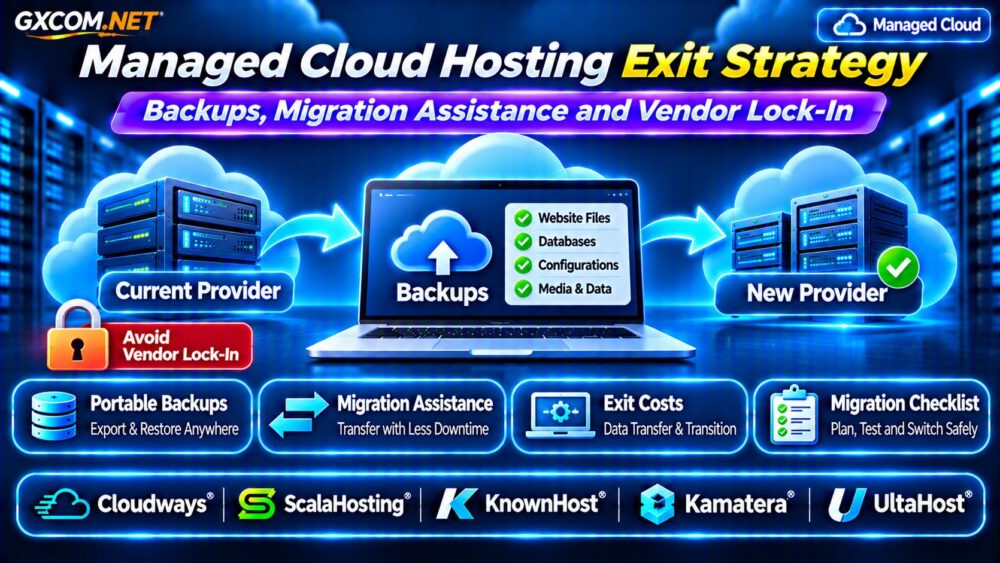
A reliable managed cloud hosting exit strategy protects your business when pricing changes, performance declines, or a provider no longer meets your requirements. Managed hosting simplifies server administration, but convenient dashboards, automated backups, and proprietary integrations can make switching providers unexpectedly difficult.
Before committing to a platform, understand how to export data, restore applications elsewhere, obtain migration assistance, and calculate switching costs. Planning your exit before you need it reduces downtime, financial surprises, and vendor lock-in.
What Is a Managed Cloud Hosting Exit Strategy?
An exit strategy documents how a business can move its websites, databases, files, and essential services to another hosting environment.
It includes backup ownership, application dependencies, migration responsibilities, recovery testing, and contractual obligations.
The objective is not to avoid managed hosting. Instead, it is to retain enough control to change providers when business requirements evolve.
Understanding Cloud Hosting Vendor Lock-In
Vendor lock-in occurs when switching providers becomes expensive, technically difficult, or operationally risky.
Common causes include proprietary deployment tools, platform-specific databases, restricted backup exports, customized networking, and applications dependent on provider-managed services.
A proprietary control panel alone does not necessarily create serious lock-in. The important question is whether your application and its data can operate independently elsewhere.
Standard software stacks and documented configurations generally make portability easier.
Backup Portability: Can You Restore Elsewhere?
Automated backups are valuable, but backup availability and backup portability are different capabilities.
A provider may offer convenient one-click restoration while restricting direct access to complete backup archives.
Ask whether you can download website files, database dumps, configuration records, and other essential data in usable formats.
Independent copies should be stored outside the hosting provider’s account whenever practical. This protects against account suspension, billing disputes, and provider-level incidents.
What Should a Portable Backup Include?
A practical backup should cover application files, uploaded media, databases, relevant configuration, and encryption keys where applicable.
Also document DNS records, scheduled jobs, SSL certificates, email routing, application secrets, and third-party integrations.
Backups are not complete migration plans unless the destination can actually restore and run the application.
Test Backup Restoration Before Migrating
Download a representative backup and restore it into an isolated test environment.

Verify database integrity, application functionality, file permissions, scheduled tasks, and authentication workflows.
For transactional websites, confirm that orders, memberships, or customer records remain consistent.
Document the restoration time and any manual steps required. Our VPS Snapshot Backup and Recovery Guide explains related recovery considerations.
Migration Assistance: What Does Support Include?
Managed hosting providers may offer migration tools, technical assistance, or professional migration services. However, the scope varies by plan and workload.
Some services primarily transfer standard websites, while complex applications require database synchronization, custom configuration, or additional engineering.
Before purchasing, ask whether migration assistance includes testing, DNS cutover, email accounts, SSL setup, and post-migration troubleshooting.
Confirm whether assistance is included, limited, or separately billed. Never assume every migration is free or interruption-free.
How Much Downtime Should You Expect?
Downtime depends on application architecture, database activity, and the migration method.
Static websites may require only a short cutover. Busy ecommerce stores, subscription platforms, and databases need more careful synchronization.
Lowering DNS TTL in advance can help, but cached DNS responses may persist. Test the destination privately before switching production traffic.
For database-driven applications, consider a maintenance window or replication-based approach that preserves data consistency.
Our Cloud Server Migration Guide covers detailed migration planning.
Calculate the True Cost of Leaving
Switching costs extend beyond the new hosting subscription.
Include temporary overlap between servers, migration labor, backup storage, data transfer, software licensing, and potential downtime.
For example, a hypothetical migration requiring $200 in technical labor and $40 in overlapping hosting creates $240 in initial costs.
If the replacement saves $20 monthly, recovering that expense takes approximately 12 months, excluding other differences.
These figures illustrate the calculation and are not actual provider quotations.
Data Egress Fees and Contract Restrictions
Some infrastructure platforms charge for outbound data transfer. Others include transfer allowances or apply different network policies.
Large media libraries and database archives can increase migration expenses, especially when multiple transfers are required.
Review cancellation terms, prepaid billing, renewal conditions, and data retention policies before leaving.
Keep copies of invoices and confirm when access to the old environment will end.
Five Managed Cloud Providers to Compare
1. Cloudways: Managed Cloud Platform
Cloudways is relevant for WordPress businesses seeking managed cloud infrastructure and application management tools.
Evaluate available backup exports, application migration options, platform dependencies, and support boundaries.
2. ScalaHosting: Managed VPS Flexibility
ScalaHosting may suit businesses comparing managed VPS services and administrative assistance.
Check control panel compatibility, backup access, migration support, and application portability.
3. KnownHost: Managed Hosting Support
KnownHost is worth considering when ongoing server administration and technical support influence purchasing decisions.
Verify migration eligibility, backup coverage, restore procedures, and supported software environments.
4. Kamatera: Configurable Cloud Infrastructure
Kamatera provides configurable cloud resources for organizations comfortable managing more infrastructure decisions.
Compare operating system access, backup options, network charges, and optional management services.
5. UltaHost: Managed VPS Alternatives
UltaHost offers another managed hosting option for businesses evaluating resource upgrades and migration assistance.
Confirm plan-specific support, data export options, backup retention, and transfer policies.
Managed Cloud Exit Strategy Checklist
- Maintain independent, restorable copies of critical data.
- Document software versions, credentials, dependencies, and DNS records.
- Verify migration support and potential additional charges.
- Test the destination before production cutover.
- Retain the original environment until validation is complete.
- Review cancellation, data deletion, and renewal conditions.
Reduce Lock-In Without Sacrificing Management
Choose widely supported applications, retain administrator access where available, and document infrastructure configurations.

Separate domain registration, DNS management, and independent backups from hosting when operationally appropriate.
For additional provider selection criteria, see our Managed Cloud Hosting Comparison.
Frequently Asked Questions
Can I Move Managed Cloud Hosting to Another Provider?
Usually, but the difficulty depends on data access, application compatibility, and proprietary services. Test portability before committing.
Are Managed Cloud Backups Always Downloadable?
No. Backup export capabilities vary by platform and plan. Verify access to independent copies.
Does Migration Assistance Guarantee Zero Downtime?
No. Downtime depends on workload design, synchronization, DNS behavior, and the provider’s actual service commitments.
Final Verdict
A strong managed cloud hosting exit strategy combines portable backups, tested restoration, clear migration responsibilities, and realistic switching budgets.
Compare Cloudways, ScalaHosting, KnownHost, Kamatera, and UltaHost using verified portability features and support terms. Before choosing a platform, review our Cloud Server Disaster Recovery Guide to align migration planning with business continuity.