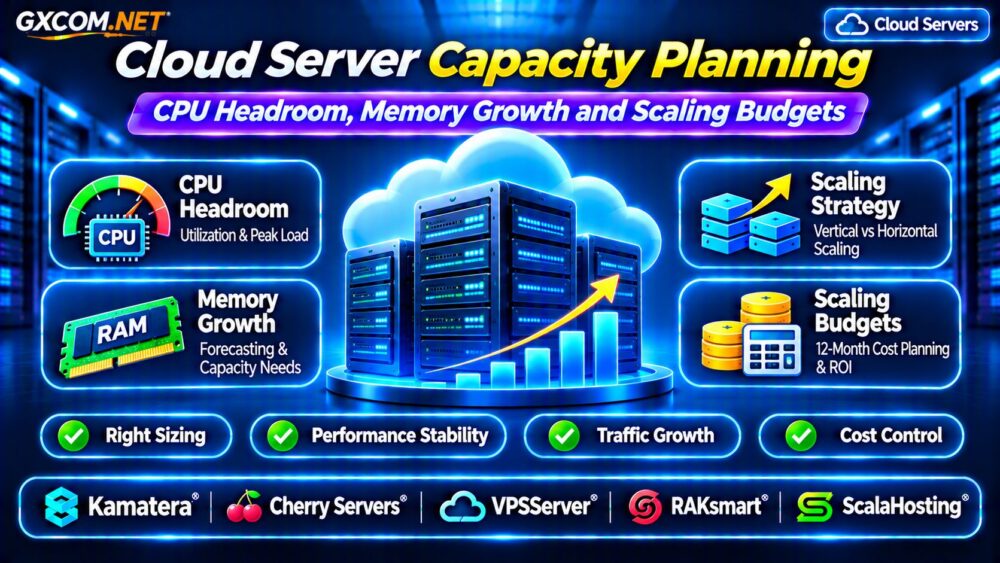
Cloud server capacity planning helps businesses determine how much CPU, memory, storage, and network capacity their applications need without overspending. Underprovisioned servers create slow responses and outages, while oversized infrastructure wastes money every month.
Effective planning combines historical monitoring, peak traffic analysis, application growth, and realistic scaling budgets. This guide explains CPU headroom, memory forecasting, capacity calculations, and cloud provider comparisons for growing workloads.
What Is Cloud Server Capacity Planning?
Capacity planning estimates the infrastructure required to maintain acceptable performance under current and future demand.
Instead of choosing a server based only on monthly visitors, administrators examine CPU utilization, memory pressure, database activity, storage performance, and network throughput.
The objective is to maintain sufficient resources for normal operations and predictable traffic spikes while avoiding unnecessary recurring expenses.
CPU Headroom: How Much Is Enough?
CPU headroom represents processing capacity available beyond the current workload. It provides room for unexpected demand, background jobs, and temporary processing spikes.
For example, a server averaging 60% CPU utilization has approximately 40% unused CPU capacity at that measurement point. However, this does not guarantee sufficient performance during peak periods.
Some teams initially target 20–30% spare CPU capacity, but this is a planning assumption rather than a universal requirement. Workload variability and latency objectives determine the appropriate margin.
Average CPU vs Peak CPU Utilization
Average CPU utilization can hide short periods of saturation. A server averaging 45% may still reach 100% during scheduled processing or busy checkout periods.
Monitor peak utilization, CPU throttling, request queues, and application response times. Shared virtual CPUs may also experience contention.
Our Cloud VPS CPU Throttling Guide explains how CPU allocation affects performance.
How to Calculate CPU Capacity Requirements
A simplified initial estimate divides current CPU demand by the desired utilization ceiling.
Suppose an application uses approximately 2.4 vCPU equivalents during a representative busy period. At a target utilization ceiling of 70%, the estimated requirement is:
2.4 ÷ 0.70 = 3.43 vCPUs
A four-vCPU configuration could be a reasonable testing candidate. However, vCPU performance varies across processors and virtualization platforms, so this calculation is not a substitute for benchmarking.
Validate the configuration against actual response times and workload throughput.
Memory Growth: Forecast RAM Before Problems Appear
Memory requirements can increase as databases grow, applications add features, and more users remain active simultaneously.

Linux filesystem caching also consumes available RAM, so high reported memory usage does not automatically indicate a shortage.
Monitor available memory, swap activity, memory pressure, application working sets, and out-of-memory events.
If application memory demand grows approximately 10% quarterly, an initial 8 GB requirement could approach 11.7 GB after four quarters under compounded growth assumptions.
Leave additional room for operating system processes, caching, and temporary workloads.
Database and Storage Capacity Planning
Cloud applications depend on more than CPU and RAM. Database queries, disk latency, and storage throughput can become limiting factors before compute resources are exhausted.
Monitor database connections, slow queries, disk queue depth, IOPS, throughput, and available storage capacity.
Fast NVMe storage may improve latency-sensitive workloads, but distributed block storage can provide different availability and management advantages.
See our Cloud VPS Block Storage vs Local NVMe Comparison for storage planning considerations.
Planning for Traffic Spikes and Seasonal Demand
Average daily traffic rarely represents maximum infrastructure demand. Promotions, product launches, seasonal sales, and breaking news can create concentrated request bursts.
Estimate peak requests per second, concurrent application operations, and database transaction rates rather than relying only on visitor totals.
Load testing helps reveal when response times deteriorate, errors increase, or application queues begin growing.
Repeat tests after major software updates because application efficiency can change substantially.
Vertical Scaling vs Horizontal Scaling
Vertical scaling increases resources allocated to an existing server, such as additional CPU cores or RAM.
Horizontal scaling distributes application demand across multiple servers, often using a load balancer and shared supporting services.
Vertical scaling is generally simpler, but some changes require a reboot and individual servers have resource limits.
Horizontal scaling can improve resilience and distribute traffic, although it introduces additional networking, synchronization, and operational complexity.
Explore our Cloud Server Auto Scaling Guide for demand-based scaling approaches.
Building a 12-Month Cloud Scaling Budget
Capacity planning should include financial forecasts alongside technical requirements.
Consider a hypothetical cloud server costing $40 monthly. If projected growth requires an $80 configuration after six months, annual compute spending would be approximately $720, assuming six months at each rate.
This excludes storage, bandwidth, backups, licensing, support, taxes, and other charges. Actual prices depend on provider and configuration.
Prepare baseline, expected-growth, and high-demand scenarios. Include temporary overlap during migration and the cost of additional environments.
Five Cloud Server Providers to Compare
1. Kamatera: Flexible Cloud Configuration
Kamatera is worth evaluating when businesses need configurable CPU, memory, and storage resources.
Compare available configurations, resize procedures, bandwidth charges, and optional management services.
2. Cherry Servers: Sustained Compute Workloads
Cherry Servers offers infrastructure options worth comparing for predictable, resource-intensive workloads.
Evaluate dedicated resource requirements, provisioning arrangements, storage performance, and total monthly costs.
3. VPSServer: Cloud VPS Capacity Options
VPSServer provides another option for comparing virtual server configurations and recurring resource expenses.
Review CPU allocation, RAM tiers, storage limits, and upgrade flexibility.
4. RAKsmart: Infrastructure Alternatives
RAKsmart may be considered when comparing cloud servers with other hosting infrastructure.
Check available locations, network policies, resource configurations, and support arrangements.

5. ScalaHosting: Managed VPS Planning
ScalaHosting is relevant for organizations that prefer managed VPS services and assistance with server administration.
Compare upgrade paths, resource allowances, backup policies, and management coverage.
Capacity Planning Checklist
- Collect at least several weeks of representative performance measurements.
- Identify CPU, memory, database, storage, and network bottlenecks.
- Define acceptable response times and peak utilization thresholds.
- Forecast application growth and seasonal traffic changes.
- Compare scaling costs, management responsibilities, and recovery requirements.
For broader purchasing decisions, review our Cloud Hosting vs VPS Comparison.
Frequently Asked Questions
Is 70% CPU Utilization Too High?
Not necessarily. Acceptable utilization depends on workload behavior, latency requirements, burst capacity, and the duration of peak demand.
Should Cloud Servers Always Have Extra RAM?
Some reserve capacity is useful, but excessive unused memory increases costs. Forecast demand using measured memory pressure and application growth.
Is Auto Scaling Cheaper Than a Larger Server?
It depends on workload patterns, minimum capacity, scaling overhead, and pricing. Variable demand may benefit from elasticity, while stable workloads can favor predictable allocations.
Final Verdict
Successful cloud server capacity planning balances CPU headroom, memory growth, storage performance, and financial flexibility.
Measure real workloads, test scaling limits, and forecast total infrastructure expenses before upgrading. Compare Kamatera, Cherry Servers, VPSServer, RAKsmart, and ScalaHosting according to verified resources, management requirements, and long-term costs.