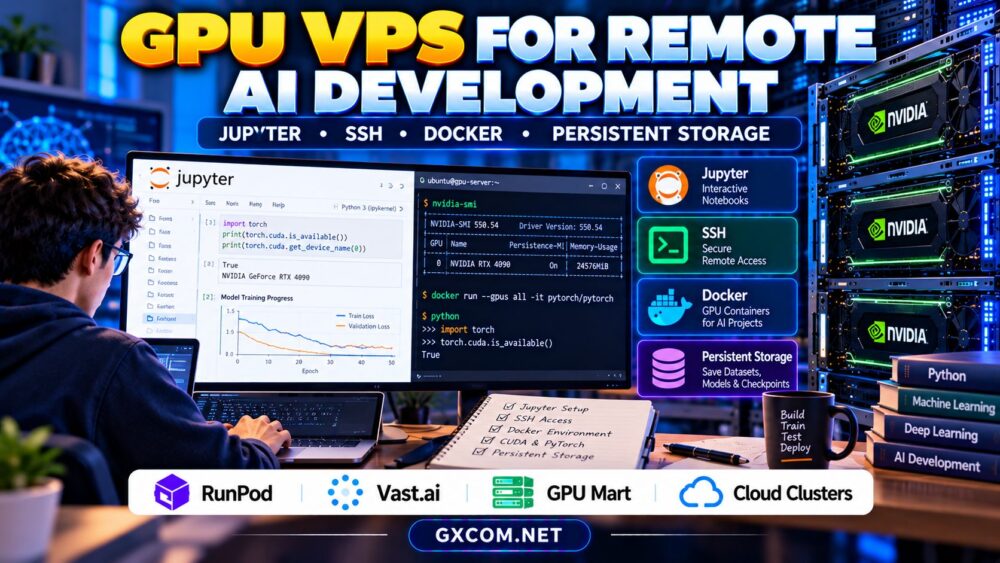
A GPU VPS for remote AI development allows developers to build, test, and run machine learning applications without relying on a powerful local workstation. With remote access, Jupyter notebooks, Docker containers, and persistent storage, a GPU-enabled server can become a flexible development environment for Python, PyTorch, and AI inference projects.
However, not every GPU hosting plan offers the same level of control. Some provide dedicated GPU access, others use shared acceleration, and certain cloud instances lose local data when terminated. This guide explains how to configure a reliable remote AI workspace and compare hosting providers before purchasing.
Why Use a GPU VPS for Remote AI Development?
Remote GPU infrastructure separates your development environment from your laptop. You can connect from different locations, run experiments on more capable hardware, and avoid maintaining a dedicated workstation.
Typical workloads include model fine-tuning, computer vision, AI image generation, notebook experimentation, and inference API development.
The main advantages are configurable computing resources, remote accessibility, and the ability to select GPU capacity according to each project. Nevertheless, resource allocation, network latency, and storage persistence vary by provider.
Our GPU VPS vs dedicated GPU server comparison explains important differences in isolation, performance, and deployment costs.
GPU VPS vs GPU Cloud Instances
The term GPU VPS is sometimes used broadly for virtualized GPU hosting. Technically, products may provide PCIe passthrough, virtual GPU allocation, containers with GPU access, or dedicated physical hardware.
These approaches are not interchangeable. A container-based GPU instance does not necessarily provide the same operating-system control as a traditional virtual private server.
| Deployment Type | Typical Advantage | Important Check |
|---|---|---|
| GPU VPS | Virtual machine control | GPU allocation and drivers |
| GPU cloud instance | Flexible provisioning | Lifecycle and storage billing |
| GPU container | Rapid environment setup | Host driver compatibility |
| Dedicated GPU server | Hardware-level control | Cost and provisioning terms |
Choose the deployment model that matches your required administrative access, software dependencies, and workload duration.
Setting Up JupyterLab for Remote GPU Development
JupyterLab provides an interactive environment for notebooks, terminals, and project files. It is particularly useful for exploratory machine learning, data analysis, and debugging.
Start with a compatible Python environment and install the required machine learning framework. Verify that the GPU is visible to the framework before running expensive experiments.

Avoid exposing an unsecured Jupyter server directly to the public internet. Use authentication, encrypted connections, and restricted network access.
For smaller projects and limited budgets, see our cheap GPU hosting for students guide for notebook sessions, storage choices, and spending controls.
SSH Access and Secure Remote Connections
SSH enables encrypted terminal access to remote Linux servers. It supports code deployment, package installation, log inspection, and remote development tools.
Prefer SSH keys over password-only authentication. Restrict inbound access, maintain system updates, and use a non-root account for routine development.
SSH tunneling can provide access to JupyterLab without exposing its service port publicly. Configure the notebook to listen on the remote loopback interface and forward the appropriate port through SSH.
Some managed GPU containers do not provide conventional SSH access, so confirm connection methods before selecting a plan.
Docker and NVIDIA GPU Container Support
Docker helps developers package applications with consistent dependencies. GPU-enabled containers can simplify deployments involving PyTorch, TensorFlow, CUDA libraries, and inference frameworks.
On supported NVIDIA Linux hosts, GPU container access generally requires a compatible driver and NVIDIA Container Toolkit configuration. The host driver must support the CUDA requirements of the selected container image.
Containers improve portability, but they do not eliminate hardware differences or guarantee identical numerical results across GPUs.
Before purchasing, verify whether your provider permits custom containers, privileged configuration changes, and access to the required GPU devices.
Persistent Storage: Protect Models and Datasets
Remote development generates notebooks, datasets, model weights, logs, and training checkpoints. Losing these files after an instance is deleted can erase hours of work.
Separate durable project data from temporary compute environments. Use persistent volumes, external repositories, or object storage according to the workload.
Local NVMe storage can accelerate dataset access, but it may not survive instance termination. Confirm backup and volume-retention policies before starting training.
Our GPU server storage requirements guide explains NVMe capacity planning, dataset loading, and checkpoint storage.
Four Approved Providers to Compare
RunPod: Container-Based GPU Development
RunPod is a relevant option for remote AI experiments and container-based GPU workloads. Evaluate available deployment types, GPU memory, persistent storage options, and supported connection methods.
Check whether your preferred development image includes Jupyter or requires additional configuration.
Vast.ai: Flexible GPU Rental Environments
Vast.ai offers a marketplace approach to GPU rental. Developers can compare individual offers, but hardware, disk capacity, connectivity, and operational conditions may differ.
Verify Docker support, remote access, and storage persistence for the specific listing rather than assuming identical capabilities across hosts.
GPU Mart: Longer-Term GPU Development
GPU Mart is worth evaluating for projects requiring a more persistent GPU environment. Compare available GPU configurations, operating-system control, storage capacity, and billing terms.
Longer-running development workloads may benefit from predictable server access, although idle resource costs should be considered.
Cloud Clusters: Verify GPU Product Suitability
Cloud Clusters is an approved hosting provider to consider for related development infrastructure. However, verify whether its currently available products include suitable GPU acceleration and the required administrative access.
Do not assume that a conventional cloud server or managed application service supports CUDA workloads.
Budgeting for Remote GPU Development
Total costs include active compute time, persistent storage, network transfers, and potentially reserved resources.
For illustration, 60 GPU hours at a hypothetical $0.50 per hour cost $30. Adding an illustrative $8 storage charge produces a $38 monthly total before other fees.
Stop unused compute where supported, automate backups, and remove unnecessary temporary files. Read our GPU cloud idle costs guide before relying on instance shutdown to control spending.

Remote GPU Development Purchasing Checklist
Confirm GPU memory, CUDA compatibility, SSH access, Docker support, Jupyter availability, persistent storage, backup options, and billing behavior.
Test a representative project before committing to a longer billing period. Record setup time, training performance, connection reliability, and total costs.
Compare GPU Hosting for Remote AI Development
Choose a GPU environment that supports your preferred development tools, persistent project storage, and realistic monthly budget.
Frequently Asked Questions
Can I run Jupyter Notebook on a GPU VPS?
Yes, if the environment supports the necessary software and GPU access. Some providers supply ready-made images, while others require manual installation.
Does Docker require a dedicated GPU?
No. Docker can access supported shared or dedicated GPU resources when the host and container runtime are configured appropriately.
Will my files survive when I stop the GPU instance?
That depends on the provider and storage type. Confirm persistence rules and maintain independent backups.
Final Verdict
A GPU VPS for remote AI development should combine suitable acceleration with secure SSH access, reliable Jupyter workflows, compatible Docker environments, and persistent storage. Compare RunPod, Vast.ai, GPU Mart, and verified Cloud Clusters offerings against your actual requirements rather than choosing solely by advertised GPU specifications.