Choosing web hosting for PHP and MySQL requires more than checking whether a provider advertises both technologies. PHP versions, database limits, server resources, and upgrade policies can determine whether an application runs reliably after launch.
A hosting plan may support PHP and MySQL yet still struggle with concurrent visitors, complex queries, or scheduled background tasks. This guide explains what to verify before purchasing and how to compare hosting options without paying for resources you do not need.
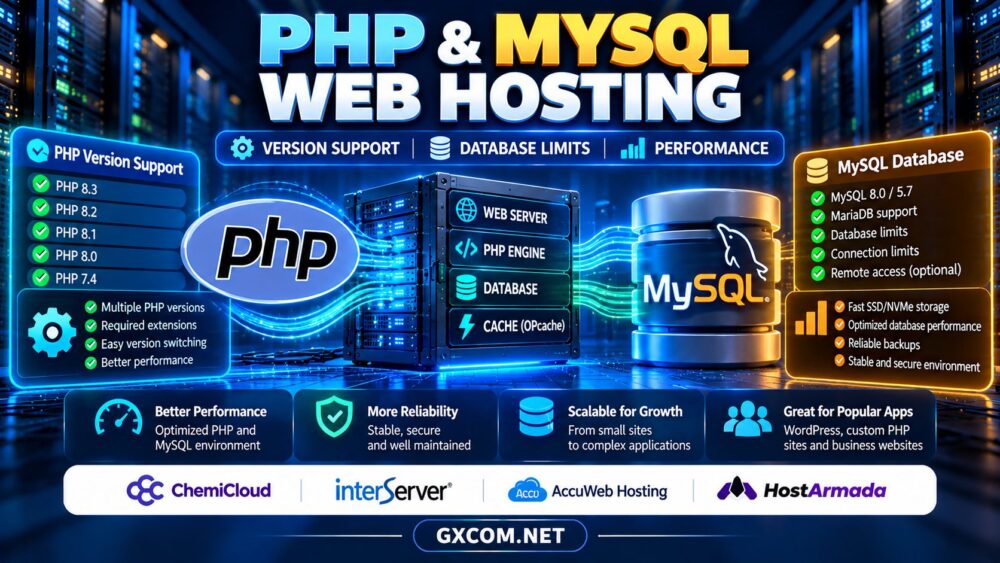
Why PHP and MySQL Hosting Requirements Matter
PHP handles application logic while MySQL or a compatible database engine stores structured information. WordPress, custom business portals, and many content management systems depend on this combination.
Compatibility is only the starting point. A site also needs adequate PHP memory, database connections, storage performance, and reliable backups. When these resources are constrained, visitors may encounter slow pages or intermittent errors even if the server remains online.
For WordPress-specific requirements, see our WordPress hosting vs web hosting comparison.
1. Check Supported PHP Versions Before Buying
Modern PHP releases introduce security fixes, language improvements, and performance changes. Hosting providers may support multiple versions, but availability can differ between shared, managed, and VPS products.
Verify that your application supports the offered PHP version. Older plugins or custom scripts sometimes depend on deprecated functions, while newer frameworks may require specific extensions or minimum versions.
Look for a control-panel option to change PHP versions, a documented upgrade schedule, and access to required extensions such as cURL, mbstring, and PDO. Avoid choosing an unsupported PHP release merely to keep an outdated application running.
2. Understand MySQL and MariaDB Compatibility
Many hosts provide MySQL or MariaDB. These database engines share substantial compatibility, but they are not identical across every version, feature, or workload.
Confirm your application’s database requirements, including supported engine versions, character sets, authentication methods, and SQL behavior. Applications using advanced features should be tested before migration.
Ask whether database creation is restricted, whether remote connections are permitted, and whether you can access administration tools. An advertisement promising unlimited databases does not necessarily promise unlimited database resources.
3. Database Connections and Resource Limits
Database connection limits affect applications serving multiple requests simultaneously. When too many connections remain open, new requests may fail or wait, causing timeouts.

Shared hosting can also impose CPU, memory, process, or database usage restrictions. Providers may publish some limits while keeping others in acceptable-use policies.
Before buying, check the maximum database connections, query execution restrictions, and available monitoring tools. Connection pooling, efficient queries, and sensible caching can reduce unnecessary load, but they cannot eliminate every hosting bottleneck.
4. PHP Memory, Workers and Execution Time
PHP memory limits define how much memory an individual script can consume. Insufficient memory may break imports, image processing, or resource-intensive plugins.
Execution time limits matter for long-running tasks. Meanwhile, limits on simultaneous PHP processes or workers can restrict how many uncached requests are handled at once.
Do not confuse generous disk space with adequate computing capacity. For busy sites, ask how CPU usage, PHP concurrency, and memory allocation are enforced.
If your application needs greater control, compare the tradeoffs in our VPS vs shared hosting guide.
5. Storage, OPcache and Real-World Performance
Fast storage helps database reads, writes, and application file access, but it is not the only factor behind responsive pages. Query design, indexes, caching, and available RAM often matter just as much.
OPcache can reduce repeated PHP compilation work. Page caching can reduce application execution for suitable public pages, while object caching may help repeated database operations.
Measure real application performance rather than relying solely on advertised SSD or NVMe labels. Test uncached requests, database-heavy pages, and administrative tasks under realistic traffic.
6. Security, Backups and Database Recovery
Choose hosting with maintained PHP versions, secure account isolation, TLS support, and clear backup policies. Database-driven websites need backups that capture both application files and database content.
Check how frequently backups run, how long they are retained, whether restoration costs extra, and whether copies are stored separately from the primary server.
Before a major PHP or database upgrade, create a tested restore point. A backup is most useful when you know how to recover the complete application.
7. Four PHP and MySQL Hosting Providers to Compare
ChemiCloud
ChemiCloud is worth evaluating for websites that need conventional hosting tools and a manageable deployment process. Confirm the PHP versions, database engine, resource allowances, and backup features attached to the selected package.
InterServer
InterServer is relevant for budget-conscious PHP projects and users comparing shared hosting with more configurable server options. Examine account limits, database policies, and renewal terms before purchasing.
AccuWeb Hosting
AccuWeb Hosting can be considered for developers comparing different hosting configurations. Check whether the chosen plan provides the database administration access, extensions, and operating-system environment your application requires.
HostArmada
HostArmada is another candidate for PHP-based business websites and content management systems. Review available caching tools, PHP settings, backup coverage, and resource limits at the individual plan level.
For a wider shortlist, see our web hosting services comparison.
8. When Should You Upgrade Beyond Shared Hosting?
Shared hosting can suit modest applications with predictable traffic and limited administration requirements. Consider an upgrade when resource throttling becomes frequent, custom server configuration is essential, or database workloads need more consistent capacity.
Managed hosting may reduce administration work, while VPS hosting offers greater control alongside additional operational responsibility. Our UltaHost managed hosting review provides another perspective on higher-control hosting choices.

9. Compare Total Hosting Costs
Evaluate introductory and renewal prices, backup charges, migration assistance, email services, and potential upgrades. A low headline price is less attractive when essential database or performance features require a higher tier.
Review current purchasing considerations in our web hosting deals guide.
Compare PHP and MySQL Hosting Options
Check supported versions, database policies, backup features, and renewal pricing before ordering.
PHP and MySQL Hosting FAQ
Does every PHP host include MySQL?
No. Database availability and included resources depend on the plan. Verify the database engine and limits before purchase.
Is MariaDB always interchangeable with MySQL?
No. Compatibility depends on application requirements and database versions, particularly when advanced features are involved.
Does unlimited storage mean unlimited database performance?
No. Storage allowances do not remove CPU, memory, connection, or acceptable-use restrictions.
Final Verdict
Reliable web hosting for PHP and MySQL requires compatible software versions, transparent resource policies, sensible caching, and recoverable backups. Compare ChemiCloud, InterServer, AccuWeb Hosting, and HostArmada using your application’s actual requirements, not marketing labels alone.