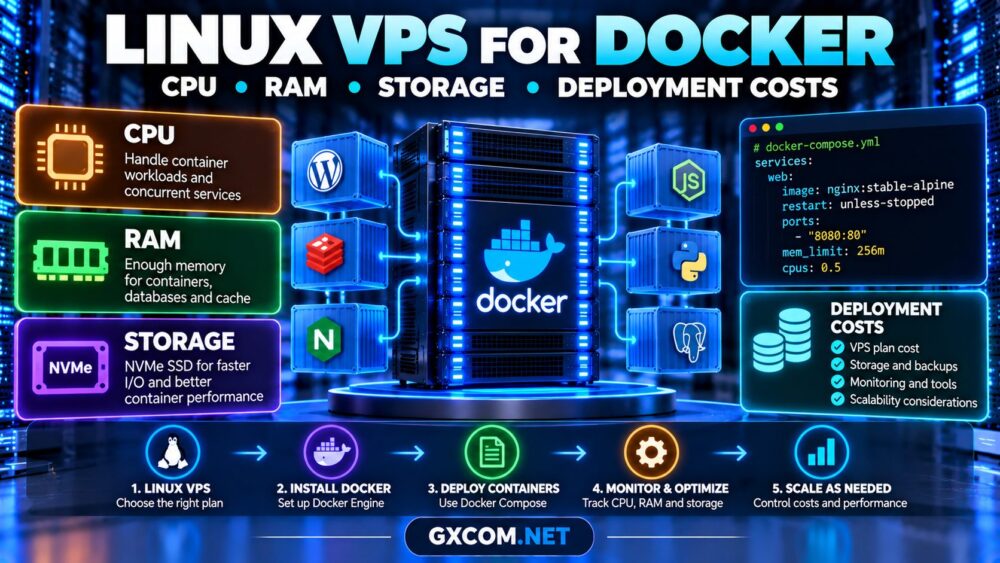
Choosing a Linux VPS for PostgreSQL requires more than comparing CPU cores and advertised storage capacity. Database performance depends on available memory, query concurrency, random disk I/O, transaction logging, and reliable recovery procedures.
A poorly configured VPS may deliver inconsistent query latency even when its specifications look sufficient. This guide explains how to size PostgreSQL hosting, evaluate NVMe storage, and build a practical backup strategy before choosing a provider.

Why Run PostgreSQL on a Linux VPS?
A Linux VPS provides administrative control over PostgreSQL versions, extensions, configuration files, storage layouts, and backup tools. It can suit development environments, business applications, and growing SaaS platforms.
Unlike fully managed database services, a self-managed VPS generally makes you responsible for database updates, monitoring, security, and recovery.
If your application also uses containers, our Linux VPS for Docker containers guide explains the additional resource considerations.
How Much RAM Does PostgreSQL Need?
PostgreSQL uses memory for shared buffers, query operations, connections, and background processes. Linux also uses available memory for filesystem caching.
Memory requirements depend heavily on active connections, query complexity, database size, and concurrent workloads.
| Workload | Starting RAM | Typical Use |
|---|---|---|
| Development database | 2–4 GB | Testing and light queries |
| Small production application | 4–8 GB | Moderate concurrency |
| Growing SaaS database | 8–16 GB | More connections and caching |
| Demanding production workload | 16 GB+ | Higher concurrency and larger working sets |
These figures are planning examples, not official PostgreSQL minimums. Benchmark the actual application before committing to a production configuration.
Understanding shared_buffers
The shared_buffers setting controls PostgreSQL’s shared memory buffer cache. Around 25% of system RAM is a commonly discussed starting point for a dedicated database server, but it is not universally optimal.
Leave sufficient memory for the operating system, filesystem cache, and other services.
Why work_mem Matters
The work_mem setting influences memory available to individual sort and hash operations. Multiple operations and concurrent sessions can consume substantially more memory than the configured value.
Avoid increasing it aggressively without examining workload concurrency.
Does PostgreSQL Benefit From NVMe Storage?
PostgreSQL frequently performs random reads, index lookups, writes, and transaction-log operations. Storage latency can therefore affect response times, particularly when the active dataset exceeds available memory.

NVMe storage can provide excellent performance, but a VPS advertised as NVMe does not necessarily guarantee dedicated disk resources or consistent IOPS.
Evaluate random I/O latency, sustained throughput, storage contention, and performance during peak periods.
Our NVMe VPS IOPS and latency benchmark guide explains how to assess real storage performance.
CPU Allocation and Database Performance
PostgreSQL can benefit from additional CPU resources when executing concurrent queries, processing joins, or handling demanding application traffic.
However, more advertised vCPUs do not guarantee predictable performance. Shared CPU scheduling and noisy neighbors may introduce latency during busy periods.
Monitor CPU utilization, load, and query execution times. Investigate virtual CPU contention before purchasing additional cores.
For details, read our VPS CPU steal time explanation.
PostgreSQL Storage Capacity and WAL Requirements
Database storage must accommodate more than the current table size.
Plan capacity for indexes, temporary files, maintenance operations, transaction logs, and future growth.
PostgreSQL uses write-ahead logging (WAL) to support crash recovery and transaction durability. WAL activity can increase significantly during bulk imports, heavy updates, and replication.
Monitor disk utilization and WAL retention carefully. Misconfigured replication slots or archiving can cause WAL files to accumulate until storage becomes exhausted.
Keep adequate free space for vacuum operations, index maintenance, and recovery procedures.
How to Monitor PostgreSQL on a VPS
Start with database-level statistics alongside Linux resource monitoring.
Check active database connections:
SELECT state, count(*)
FROM pg_stat_activity
GROUP BY state;
Review database statistics:
SELECT datname, numbackends,
       xact_commit, xact_rollback,
       blks_read, blks_hit
FROM pg_stat_database;
These counters provide useful context but do not independently establish whether storage or CPU is the bottleneck.
Use EXPLAIN (ANALYZE, BUFFERS) for representative queries, understanding that ANALYZE actually executes the statement.
Combine query analysis with Linux CPU, memory, disk latency, and available storage measurements.
PostgreSQL Backup Requirements
A reliable database backup strategy must protect against accidental deletion, corruption, server failure, and operational mistakes.
For small databases, pg_dump can create a logical backup:
pg_dump -Fc -U postgres mydatabase \
  -f /secure-backups/mydatabase.dump
This example assumes appropriate authentication and a protected destination. A logical dump is useful for database restoration but does not provide continuous point-in-time recovery.
For larger production systems, consider physical backups with WAL archiving using tools such as pgBackRest.
Point-in-Time Recovery
Point-in-time recovery (PITR) can restore a database to a selected recovery target when a valid base backup and the required WAL records are available.
Set recovery point objectives according to business requirements. Keep backup repositories outside the production VPS failure domain and protect them against unauthorized deletion.
Our unmanaged VPS backup strategy explains offsite storage, RPO, and restore testing.
Four VPS Providers to Compare for PostgreSQL
Provider selection should focus on measurable storage latency, memory capacity, CPU allocation, backup capabilities, and operational flexibility.
Evoxt: Budget-Conscious Database Hosting
Evoxt is worth evaluating for development and smaller PostgreSQL workloads. Compare available memory, CPU allocation, storage performance, and backup terms before deployment.
Kamatera: Configurable Cloud Resources
Kamatera is a candidate for teams that need configurable cloud server resources. Evaluate the selected configuration’s storage architecture, scalability, and recovery options.
Vultr: Cloud Compute Choices
Vultr provides different compute configurations that may suit database deployments. Compare instance families, resource allocation, and storage performance rather than relying on generic VPS specifications.

RAKsmart: VPS and Cloud Infrastructure
RAKsmart can be considered for PostgreSQL environments requiring Linux VPS or cloud server infrastructure. Verify available memory, disk specifications, network locations, and backup responsibilities for the selected product.
What Does PostgreSQL VPS Hosting Cost?
Monthly costs include compute, storage capacity, additional volumes, backup retention, network transfer, and administrator time.
High availability, monitoring, and disaster recovery may introduce further expenses.
Compare total operating costs before selecting promotional VPS hosting deals. A low-cost server is not a bargain if storage latency or recovery limitations disrupt production.
Frequently Asked Questions
Is 4GB RAM enough for PostgreSQL?
It can support smaller workloads, but performance depends on database activity, concurrency, and other services sharing memory.
Does PostgreSQL require NVMe storage?
No. NVMe can benefit latency-sensitive workloads, but reliable SSD storage may be sufficient for smaller databases.
Is pg_dump enough for production backups?
It may suit some recovery requirements, but demanding systems often need physical backups, WAL archiving, and tested recovery procedures.
Should PostgreSQL use dedicated CPU resources?
Predictable CPU allocation can benefit demanding workloads. Measure performance before choosing a more expensive configuration.
Final Verdict
The right Linux VPS for PostgreSQL combines sufficient RAM, predictable CPU allocation, responsive storage, and independently recoverable backups.
Benchmark representative queries, monitor database growth, and test restoration before trusting any VPS with important production data.