Finding affordable GPU rental for Stable Diffusion involves more than choosing the cheapest hourly GPU. VRAM capacity, image resolution, batch size, generation speed, and idle time all influence the real cost of producing AI images.
A graphics card that appears inexpensive may become costly if it cannot run your preferred model efficiently. Conversely, an expensive accelerator can deliver better value when it processes enough images during each paid hour.
This guide compares RunPod, GPU Mart, Vultr, and Cherry Servers, explains practical VRAM requirements, and shows how to calculate GPU cost per image.
How Much GPU VRAM Does Stable Diffusion Need?
Stable Diffusion workloads vary significantly depending on the model, resolution, precision, and software optimizations.
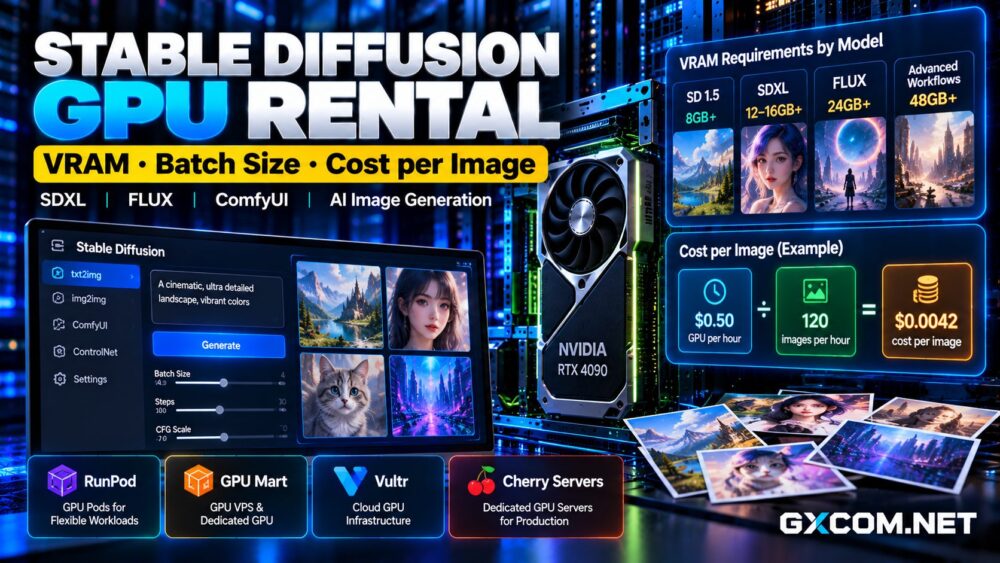
Older Stable Diffusion 1.5 workflows can operate on relatively modest GPUs, particularly with memory-saving settings. SDXL generally benefits from more VRAM, especially when using higher resolutions, ControlNet, or multiple processing stages.
FLUX workflows may require substantially more memory depending on model variants, quantization, and whether components are offloaded to system RAM.
For practical planning, consider 8GB for lightweight workflows, 12GB to 16GB for greater flexibility, and 24GB or more for demanding pipelines. These are approximate planning ranges, not guaranteed minimum requirements.
Check your exact model and workflow before renting hardware.
Best GPU Rental Providers for Stable Diffusion
RunPod: Flexible GPU Pods for Image Generation
RunPod is a practical starting point for creators who want GPU compute without maintaining a dedicated physical server.
Its GPU Pods support container-based workloads, making them suitable for ComfyUI, Python inference environments, and custom image-generation pipelines.
Users can select available GPU configurations and adjust their environment as requirements change. This flexibility is useful when testing different models or running occasional production batches.
However, storage and compute billing require attention. Stopping a workload does not necessarily eliminate every associated storage charge.
Compare available GPU types and deployment options through RunPod, and consult our RunPod GPU Cloud review before selecting a configuration.
GPU Mart: GPU VPS for Persistent Workloads
GPU Mart offers GPU VPS and dedicated GPU hosting for customers who prefer persistent server environments.
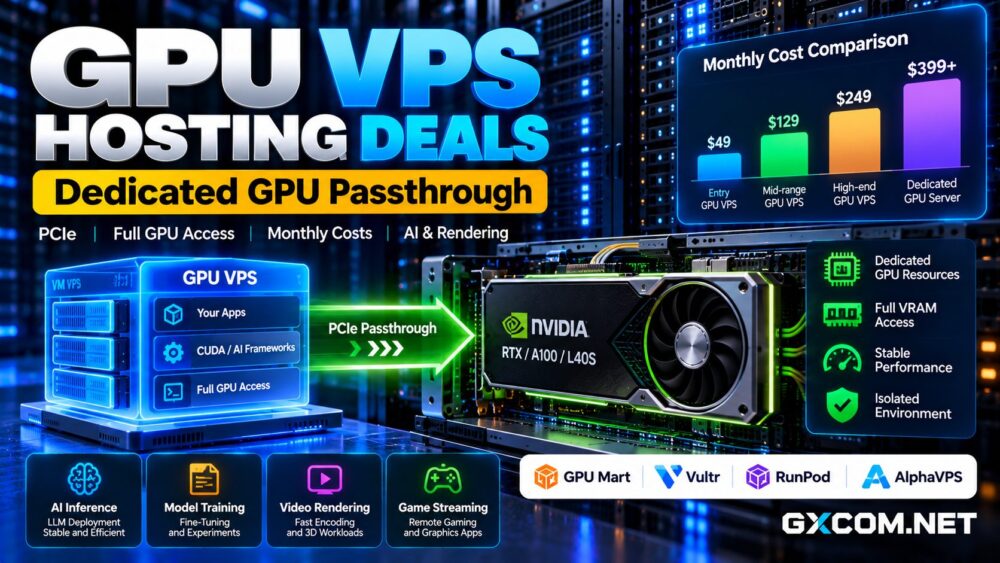
Its GPU VPS architecture includes PCIe passthrough configurations, which can provide exclusive access to an assigned physical GPU.
This model is worth considering for continuously available Stable Diffusion interfaces, internal design tools, and image-generation APIs.

Buyers should verify the selected GPU’s VRAM, operating system compatibility, CUDA support, storage allocation, and monthly commitment.
For recurring workloads, explore GPU Mart’s GPU hosting options and compare the total server configuration.
Read our GPU Mart review for additional provider context.
Vultr: Cloud GPU Infrastructure
Vultr provides GPU-enabled cloud infrastructure for AI applications and production services.
Its GPU portfolio includes accelerators designed for inference, visual computing, and demanding machine learning tasks.
Vultr may suit teams integrating image generation into a larger cloud application, particularly when networking, virtual machine administration, and infrastructure management matter alongside GPU performance.
Check whether the chosen offering is a virtual machine or bare-metal instance, and verify GPU availability by region.
For image generation, expensive enterprise accelerators should be justified by measured throughput rather than their specifications alone.
Cherry Servers: Dedicated GPUs for Continuous Production
Cherry Servers provides dedicated bare-metal servers with optional NVIDIA GPU accelerators and configurable supporting hardware.
Its approach can suit studios operating sustained rendering queues or businesses that need a persistent image-generation service.
Dedicated infrastructure offers control over the server environment, although it also requires planning for system administration, updates, and workload scheduling.
Before choosing a monthly server, estimate how many hours the GPU will actually generate images.
Does Batch Size Improve GPU Efficiency?
Batch size determines how many images a workflow processes together during an inference operation.
Increasing batch size can improve throughput by using GPU resources more effectively. However, larger batches consume additional VRAM and may cause out-of-memory errors.
Batch size should not be confused with total batch count. Generating eight images sequentially does not have the same memory requirements as generating eight simultaneously.
Test batch sizes of one, two, and four using identical model settings. Record total completion time, peak VRAM consumption, and successful output count.
The optimal setting is the one producing the most usable images per paid GPU hour without instability.
How to Calculate Stable Diffusion Cost per Image
Hourly rental prices are only one component of image-generation economics.
Use this formula:
Cost per Image = Total Billable GPU and Storage Costs / Number of Usable Images
Suppose a hypothetical GPU costs $0.50 per hour and produces 120 usable images during one billable hour.
The compute cost per image is approximately $0.0042, excluding persistent storage and other charges.
If setup, downloads, failed generations, or idle time reduce usable output to 60 images, the compute cost doubles to approximately $0.0083 per image.
These examples are illustrative, not verified benchmarks or current provider prices.
For accurate comparisons, use the same model, resolution, sampling settings, and quality requirements across providers.
RTX 4090 vs L40S vs A100 for Image Generation
Consumer-oriented GPUs such as the RTX 4090 can be attractive for image-generation workloads requiring strong inference performance and substantial VRAM.
The NVIDIA L40S offers 48GB VRAM and targets professional visual computing and AI workloads. Its larger memory capacity may help with demanding pipelines or concurrent requests.
The A100 80GB provides considerably more memory, but its advantages are not automatically reflected in lower costs for ordinary Stable Diffusion images.
Compare actual throughput and hourly charges before selecting an enterprise accelerator.
Our L40S GPU rental deals guide explores another option for memory-intensive inference.

Hourly GPU Rental vs Monthly GPU Hosting
Hourly GPU rental generally fits occasional experimentation, temporary campaigns, and workloads with irregular demand.
Monthly hosting becomes more attractive when image generation runs consistently or when persistent availability is important.
To compare options, multiply the hourly compute rate by expected billable hours, then add storage and transfer costs.
For monthly servers, divide the complete monthly bill by the expected number of usable images.
A low hourly rate is not a bargain when the GPU remains idle for most of the billing period.
How to Reduce AI Image Generation Costs
Start by selecting a model that meets quality requirements without unnecessary memory overhead.
Use suitable precision or quantized model variants when supported. Cache model files, reduce repeated downloads, and avoid generating resolutions larger than the final output requires.
Queue production jobs efficiently and monitor failed generations. Shut down billable compute when it is no longer needed, while checking whether persistent storage remains chargeable.
For other hosting options, compare our affordable GPU servers guide.
Final Verdict: Best GPU Rental Value
RunPod is well suited to flexible, container-based image generation. GPU Mart deserves consideration for persistent GPU VPS workloads, while Vultr provides broader cloud infrastructure options.
Cherry Servers offers dedicated hardware for businesses with sustained production demand.
The best Stable Diffusion GPU rental deal is the configuration that reliably produces usable images at the lowest measured total cost, not necessarily the lowest advertised hourly price.