Two GPU servers can advertise the same accelerator family yet deliver very different results when a model spans multiple devices. The difference may involve the GPU form factor, interconnect topology, power limits, and the way software moves data between accelerators.
This GPU PCIe vs SXM Servers comparison explains NVLink, NVSwitch, HBM memory bandwidth, AI training throughput, inference deployment, and total cluster costs. It focuses on practical buying decisions rather than treating one connector type as a universal performance guarantee.
GPU PCIe vs SXM: Quick Verdict
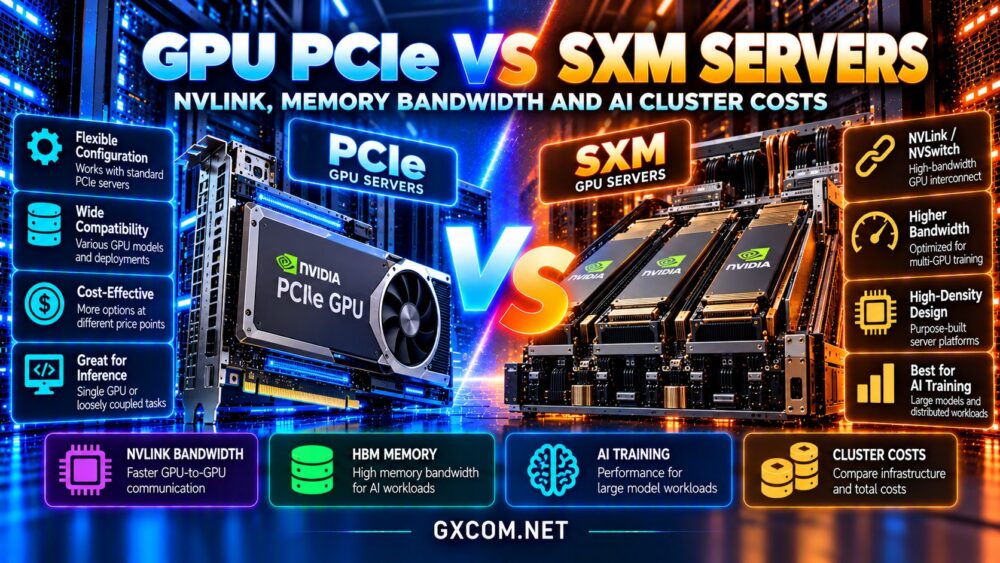
Choose a PCIe GPU server when you need flexible configurations, single-GPU or loosely coupled workloads, or an infrastructure budget that does not justify a tightly integrated accelerator system.
Consider SXM-based systems when your application benefits from high-bandwidth GPU-to-GPU communication, substantial power and cooling capacity, and a validated multi-GPU software stack.
Always compare exact GPU models and server topologies. A modern PCIe accelerator may outperform an older SXM product, and not every SXM server provides the same NVLink fabric.
What Is a PCIe GPU Server?
A PCIe GPU is installed through the Peripheral Component Interconnect Express interface, typically as an add-in accelerator card. PCIe provides connectivity between the GPU and host platform, including CPU memory, storage, and networking devices.
Server support depends on physical space, power delivery, cooling, PCIe generation, lane allocation, and firmware. A server with several PCIe slots does not necessarily support an arbitrary number of high-power GPUs.
PCIe is a form factor and connectivity path, not a statement that the accelerator lacks fast local memory or high compute performance. Many professional GPUs use HBM and deliver excellent inference performance in PCIe configurations.
What Is an SXM GPU Server?
SXM refers to NVIDIA accelerator modules designed for compatible server baseboards and specialized system architectures. SXM systems often appear in high-density multi-GPU platforms engineered for significant power delivery and thermal management.
Certain NVIDIA HGX and DGX configurations use SXM modules with high-bandwidth NVLink connections and NVSwitch fabrics. The precise features vary by generation and server design.
SXM is not an upgrade that can be plugged into an ordinary PCIe slot. Purchasing an SXM server generally means selecting a compatible complete platform with its associated networking, cooling, and maintenance requirements.
NVLink vs PCIe: Understanding GPU Communication
PCIe provides a general-purpose I/O fabric, while NVLink is a specialized high-bandwidth interconnect available on selected NVIDIA GPU products and systems. These technologies solve overlapping but different communication problems.
Some PCIe-form-factor GPU generations support NVLink connections; others do not. Similarly, SXM branding alone does not reveal the available link count, bandwidth, or switching topology.
For tensor-parallel inference, GPUs may exchange intermediate results repeatedly during each generated token. If communication becomes a bottleneck, a faster interconnect can improve latency and throughput.
For independent inference replicas, however, requests can often be distributed without intensive GPU-to-GPU communication. In that situation, paying for a premium fabric may yield limited benefit.
What Does NVSwitch Add?
NVSwitch enables supported systems to connect multiple GPUs through a high-bandwidth switching fabric. This can make communication between many accelerators more practical than relying on a limited set of direct point-to-point connections.

A server’s topology matters as much as its marketing label. Examine which GPUs can communicate directly, the bandwidth available, and whether the workload must cross CPU, PCIe, or network boundaries.
For a detailed hardware shortlist, see our NVIDIA GPU server providers guide.
HBM Memory Bandwidth Is Not NVLink Bandwidth
High Bandwidth Memory, or HBM, supplies data to a GPU’s compute units. Its bandwidth affects operations such as reading model weights and processing memory-intensive kernels.
NVLink bandwidth concerns transfers between GPUs and, in supported systems, other connected components. PCIe bandwidth concerns communication through the host I/O interface.
These figures cannot be substituted for one another. A GPU may have enormous local HBM bandwidth yet suffer poor scaling when distributed execution requires frequent transfers over a slower interconnect.
Compare memory capacity, memory bandwidth, GPU compute capability, and interconnect bandwidth as separate specifications.
Training: When SXM Platforms Can Win
Distributed AI training frequently involves synchronizing gradients, exchanging activations, or partitioning models across GPUs. Communication intensity depends on data parallelism, tensor parallelism, pipeline parallelism, and the model architecture.
A well-matched SXM platform with NVLink or NVSwitch can reduce communication bottlenecks for supported training configurations. But training speed also depends on software libraries, storage throughput, networking, batch sizes, and GPU utilization.
A PCIe-based cluster can still be appropriate for smaller models, independent experiments, or jobs whose communication requirements are modest.
Measure completed training steps per second and cost per training run, not just peak theoretical accelerator performance.
Inference: One GPU or Multiple GPUs?
For a model that fits on one accelerator, GPU-to-GPU bandwidth may have little influence on request latency. VRAM capacity, weight precision, memory bandwidth, and efficient inference kernels are more relevant.
When a model is partitioned across several GPUs, communication overhead can become important. SXM systems may then justify their premium if faster links produce measurable throughput gains.
Quantization can change the decision by reducing the number of GPUs required. Our affordable GPU servers guide explains the broader trade-offs in renting accelerator capacity.
Consider time to first token, tokens per second, concurrent requests, and model quality under the same workload.
PCIe vs SXM Server Costs
A proper comparison includes more than hourly GPU rental. SXM systems may involve premium chassis, high-density power, specialized cooling, switching hardware, and higher minimum rental configurations.
PCIe systems may offer a wider range of accelerator counts and configurations, although high-end PCIe GPUs can also be expensive. Availability and pricing depend on the specific provider and region.
If an SXM system costs more per hour but completes a training job substantially faster, its cost per finished job can be lower. Conversely, a lightly utilized eight-GPU system can waste money when one or two GPUs would suffice.
Calculate total project cost using billable runtime, utilization, storage, data transfer, support, and engineering overhead.
GPU Hosting Providers to Compare
RunPod: Flexible GPU Rental
RunPod is relevant for experimentation, inference, and GPU deployment workflows. Compare current accelerator availability, dedicated versus shared resource characteristics, storage charges, and whether the offered machine exposes the interconnect required by your workload.
Cherry Servers: Dedicated GPU Infrastructure
Cherry Servers is worth evaluating for buyers who want dedicated server control and predictable hardware placement. Request exact GPU model numbers, PCIe or SXM configuration details, interconnect topology, and network specifications before committing.
Vultr: GPU Cloud Deployment
Vultr provides GPU infrastructure options that may suit cloud-native AI services. Verify the accelerator generation, memory capacity, deployment region, and whether multi-GPU communication features are available on the chosen product.
GPU Mart: GPU Server Options
GPU Mart is another candidate for comparing GPU hosting and dedicated configurations. Confirm supported hardware, driver requirements, power limits, and the actual topology rather than assuming every multi-GPU server includes NVLink.
Compare the wider market in our AI GPU VPS providers guide before purchasing.
Operational Considerations: Networking and Reliability
Multi-node clusters introduce network bandwidth, latency, and collective-communication requirements beyond the connections inside one server. An excellent internal NVLink fabric does not eliminate bottlenecks between separate machines.
Check InfiniBand or Ethernet capabilities, network oversubscription, placement policies, and support for the distributed framework you intend to use.

Also consider failure domains. A tightly coupled multi-GPU job may be interrupted when one node fails, so checkpointing, recovery procedures, and support response times affect the real cost of training.
Questions to Ask Before Renting
Request the exact accelerator SKU, GPU count, memory capacity, local interconnect topology, host CPU, RAM, storage, network throughput, and rental billing unit.
Ask whether the provider offers bare-metal access or virtualized GPU instances, whether peer-to-peer transfers are supported, and which drivers and CUDA versions are available.
Run a representative benchmark before committing to a long rental. Our GPU vs CPU server comparison provides additional context for selecting the right compute architecture.
Frequently Asked Questions
Is SXM always faster than PCIe?
No. Compare the exact GPU generations, power limits, workloads, and interconnects. Form factor alone does not determine performance.
Do all PCIe GPUs lack NVLink?
No. NVLink support varies by GPU generation and product configuration, including some PCIe models.
Does SXM provide more VRAM?
Not inherently. VRAM capacity is a specification of the particular accelerator model and generation.
Is SXM necessary for LLM inference?
No. Many inference workloads run effectively on PCIe GPUs, particularly when the model fits on one device.
Final Verdict: Buy for the Workload
The GPU PCIe vs SXM Servers decision is about matching accelerator architecture to communication demands and total operating costs.
Choose PCIe for flexible deployment and workloads that do not require premium GPU-to-GPU bandwidth. Consider SXM with NVLink or NVSwitch for validated multi-GPU workloads that benefit from its fabric.
Compare RunPod, Cherry Servers, Vultr, and GPU Mart using verified specifications and measured cost per completed job. The right server is the one that delivers required performance without paying for unused infrastructure.