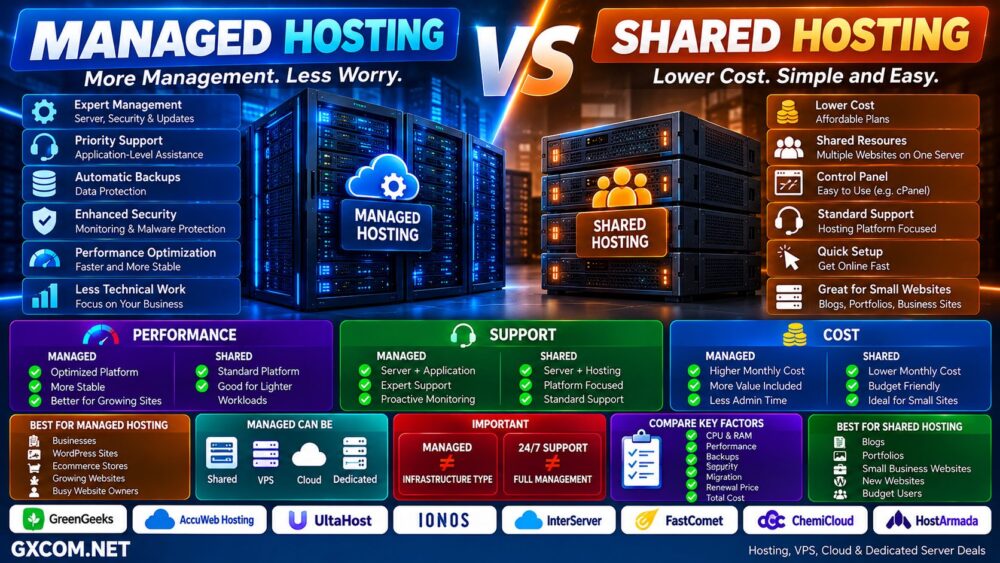
Choosing between shared hosting and VPS hosting is one of the most important decisions when launching or scaling a website.
Both can host WordPress, business websites, blogs, ecommerce stores, and other web projects, but the way server resources are allocated is fundamentally different.
With shared hosting, multiple websites share the CPU, memory, storage, and underlying server environment. With VPS hosting, virtualization divides a physical server into isolated virtual environments with allocated resources and substantially greater server-level control.
That difference affects performance, pricing, scalability, security responsibilities, technical complexity, and how much control you have over your hosting environment.
In this Shared Hosting vs VPS Hosting comparison, we explain how both technologies work, compare performance and cost, and show when upgrading from shared hosting to a VPS actually makes sense.
Shared Hosting and VPS Providers to Consider
Once you know which hosting type fits your workload, the next step is comparing providers based on resources, management, storage, renewal pricing, server locations, and total cost.
For shared hosting, providers such as GreenGeeks, UltaHost, AccuWeb Hosting, InterServer, and IONOS offer options designed for websites that do not require full server administration.
If your project has outgrown shared hosting, providers such as UltaHost, IONOS, AccuWeb Hosting, InterServer, and VPSServer provide VPS products with greater resource control and flexibility.
| Provider | Shared / Web Hosting | VPS | Worth Considering For |
|---|---|---|---|
| GreenGeeks | Yes | Managed VPS | Websites and users wanting managed hosting |
| UltaHost | Yes | Yes | Shared hosting to VPS upgrade path |
| AccuWeb Hosting | Yes | Yes | Web hosting and Windows VPS |
| InterServer | Yes | Yes | Web hosting and flexible VPS workloads |
| IONOS | Yes | Yes | Business hosting and VPS |
| VPSServer | — | Yes | Cloud VPS and scalable workloads |
Do not choose a provider only because it advertises the lowest introductory price. Compare CPU and RAM limits, storage, backups, management, software licenses, renewal pricing, and server location before ordering.
The better decision path remains:
Workload → Hosting Type → Resources → Management → Provider → Total Cost.
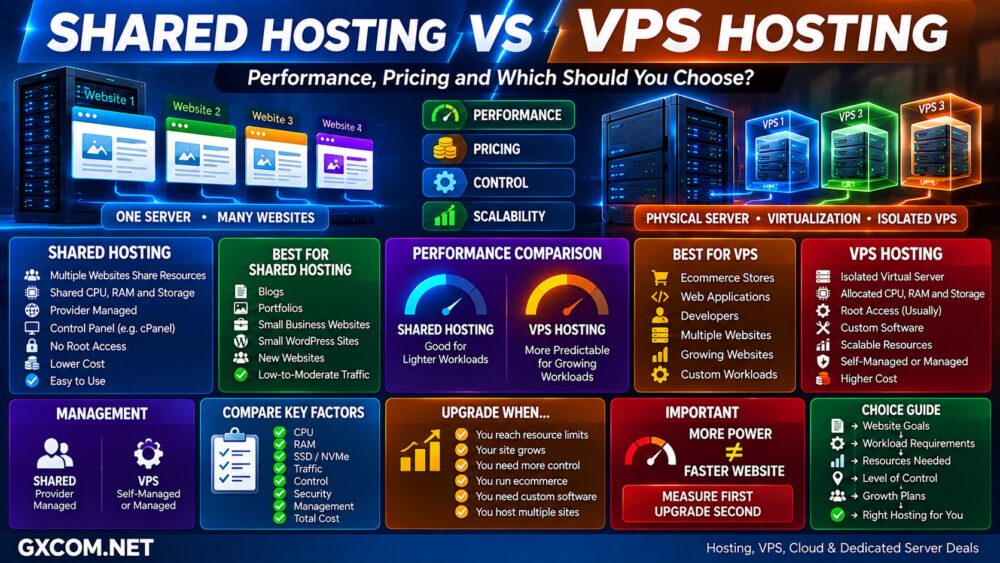
Shared Hosting vs VPS: Quick Comparison
| Feature | Shared Hosting | VPS Hosting |
|---|---|---|
| Infrastructure | Multiple websites share one hosting environment | Isolated virtual server |
| CPU / RAM | Shared | Allocated to VPS |
| Performance | Good for lighter workloads | More predictable for demanding workloads |
| Root Access | No | Usually yes |
| Server Control | Limited | High |
| Server Management | Provider managed | Self-managed or managed |
| Technical Skill | Low | Medium to high |
| Scalability | Plan based | More flexible |
| Software Customization | Limited | Extensive |
| Cost | Usually lower | Usually higher |
| Best For | Blogs, portfolios, small websites | Growing websites, ecommerce, apps and custom workloads |
What Is Shared Hosting?
Shared hosting places multiple customer websites on the same physical server and hosting environment.
The websites share infrastructure resources such as:
- CPU
- RAM
- Storage
- Network capacity
- Operating system
- Web server environment
The hosting provider manages the underlying server, operating system, security updates, hardware, web server configuration, and infrastructure monitoring.
Customers normally manage their websites through a control panel such as cPanel or another hosting dashboard.
This makes Shared Hosting one of the easiest ways to put a website online without learning server administration.
Why Is Shared Hosting Cheap?
Shared hosting is inexpensive because the cost of one physical server and its infrastructure is distributed across many customers.
Instead of paying for an entire virtual or physical server, each customer pays for a hosting account inside a shared environment.
This model works particularly well for websites that do not continuously require large amounts of CPU or memory.
Typical shared-hosting workloads include:
- Personal blogs
- Portfolio websites
- Company websites
- Landing pages
- Small WordPress sites
- Low-to-moderate traffic websites
What Is VPS Hosting?
VPS stands for Virtual Private Server.
A VPS provider uses virtualization technology to divide physical server hardware into multiple isolated virtual machines.
Each VPS can receive its own allocation of:
- vCPU
- RAM
- Storage
- Operating system
- IP addresses
- Server configuration
A VPS therefore behaves much more like an independent server than a conventional shared-hosting account.
Users can typically obtain root or administrator access and install their own web server, database, programming environment, control panel, Docker containers, and other server software.
For provider options, see our Best VPS Hosting guide.
Shared Hosting vs VPS: The Biggest Difference
The most important difference is not simply speed.
It is resource allocation and control.
Shared hosting can be visualized as:
Physical Server → Shared Environment → Many Websites
VPS hosting is closer to:
Physical Server → Virtualization → VPS A / VPS B / VPS C
Both models can still involve multiple customers using the same underlying physical machine, but a VPS creates a much more isolated server environment with defined virtual resources.
Shared Hosting vs VPS Performance
A VPS generally provides more predictable performance as workloads become more demanding.
On shared hosting, many websites use a common resource pool. Hosting companies impose resource limits and management policies to keep individual accounts from consuming excessive resources.
For a normal blog or small business website, this can work extremely well.
Problems are more likely to appear when a website begins generating heavier workloads from:
- Large traffic spikes
- WooCommerce
- Dynamic database queries
- Membership systems
- Large WordPress installations
- Background processes
- Custom applications
- Multiple websites
A VPS provides a defined amount of CPU, RAM, and storage resources to the virtual machine, giving administrators greater ability to optimize the server for a specific workload.
Does VPS Always Make a Website Faster?
No.
VPS ≠ Automatically Faster Website.
A well-optimized website on quality shared hosting can outperform a poorly configured VPS.
Website performance also depends on:
- CPU performance
- Available RAM
- SSD or NVMe storage
- Web server configuration
- PHP configuration
- Database optimization
- WordPress plugins
- Caching
- CDN
- Network latency
Moving to VPS hosting gives you more resources and control, but those resources still need to be configured properly.
The Noisy Neighbor Effect
One common concern with shared infrastructure is the “noisy neighbor” effect.
If another workload on the same underlying infrastructure suddenly consumes substantial resources, other customers can potentially experience less consistent performance.
Quality hosting providers use account limits, isolation technologies, monitoring, and resource management to reduce this problem.
A VPS improves workload isolation, although VPS products themselves can also differ significantly in how CPU resources are allocated.
For example, some VPS products use shared vCPU while others offer dedicated vCPU.
VPS ≠ Dedicated Physical CPU.
Shared Hosting vs VPS Pricing
Shared hosting is usually cheaper because infrastructure and management costs are distributed across many customers.
VPS hosting generally costs more because the customer receives allocated server resources and substantially greater control.
| Cost Factor | Shared Hosting | VPS Hosting |
|---|---|---|
| Base Hosting | Low | Low to high |
| Control Panel | Usually included | May cost extra |
| Server Management | Included | May cost extra |
| Backups | Often included or plan based | Included or add-on |
| OS License | Not normally relevant | Windows may cost extra |
| Administration Time | Low | Potentially significant |
Do Not Compare Only the Headline Price
A $5 VPS is not automatically cheaper than a $10 shared-hosting plan.
The VPS may still require:
- Control panel license
- Backup service
- Server management
- Security configuration
- Windows license
- Additional storage
- Administrator time
A better formula is:
Server + Management + Control Panel + Backup + License + Administration = Real Hosting Cost.
Shared Hosting vs VPS for Beginners
Shared hosting is generally easier for beginners.
Most shared-hosting platforms provide:
- Hosting control panel
- One-click WordPress installation
- SSL
- Email hosting
- DNS management
- Automatic server maintenance
- Technical support
Users can focus primarily on their website rather than the operating system underneath it.
An unmanaged VPS can require knowledge of:
- Linux
- SSH
- Web servers
- PHP
- Databases
- Firewalls
- Permissions
- Backups
- Server monitoring
Managed VPS Changes the Equation
Users who need VPS resources but do not want to become system administrators can choose managed VPS hosting.
A managed provider may assist with operating-system maintenance, security, monitoring, software stack configuration, troubleshooting, and other server tasks depending on the service level.
The trade-off is higher cost.
Read our Managed vs Unmanaged VPS comparison before choosing a VPS management model.
Shared Hosting vs VPS: Control
VPS hosting provides substantially more control.
| Capability | Shared Hosting | VPS |
|---|---|---|
| Root Access | No | Usually yes |
| Choose OS | No | Yes |
| Custom Web Server | Usually no | Yes |
| Custom Firewall | Limited | Yes |
| Docker | Usually unavailable | Yes |
| Custom Database Stack | Limited | Yes |
| Server-Level Optimization | Limited | Extensive |
That control matters for developers, SaaS applications, APIs, custom software, and websites requiring specialized server configurations.
Shared Hosting vs VPS Security
Neither architecture is automatically secure simply because of its hosting category.
Shared hosting reduces the customer's server-administration responsibilities because the provider manages the underlying operating system and infrastructure.
A VPS provides greater isolation and control, but root access also means more responsibility.
An unmanaged VPS administrator may need to handle:
- Security patches
- SSH configuration
- Firewall rules
- User permissions
- Malware prevention
- Application security
- Backups
- Monitoring
More Control = More Responsibility.
Shared Hosting vs VPS Scalability
Shared hosting normally scales by moving between predefined hosting tiers.
For example:
Starter → Business → Premium → Cloud / VPS
This is convenient but provides relatively limited infrastructure customization.
VPS hosting usually allows more granular upgrades to resources such as CPU, RAM, and storage.
That makes VPS particularly useful when workload requirements continue growing.
Shared Hosting vs VPS for WordPress
Most WordPress websites do not need a VPS simply because they use WordPress.
Shared hosting can be an excellent choice for:
- New WordPress websites
- Blogs
- Portfolio sites
- Company websites
- Content websites
- Smaller WooCommerce stores
A VPS becomes more attractive when WordPress requires more CPU, memory, customization, or predictable resources.
Typical examples include:
- High-traffic WordPress
- Large WooCommerce stores
- Membership websites
- Multiple WordPress installations
- Heavy database workloads
- Custom server stacks
Shared Hosting vs VPS for WooCommerce
WooCommerce can generate substantially more dynamic server work than a simple content website.
Product searches, shopping carts, checkout, customer accounts, inventory queries, payment integrations, and uncached pages can increase CPU and database usage.
A small store can still work well on quality shared hosting.
As orders, products, traffic, plugins, and concurrent users increase, VPS or managed cloud hosting can provide more predictable resources.
The important metric is workload—not simply whether WooCommerce is installed.
Shared Hosting vs VPS for Multiple Websites
Shared hosting plans often allow multiple websites, making them convenient for users managing several small sites.
However, those websites still consume resources from the same hosting-account limits.
A VPS gives administrators more control over how resources are distributed among multiple sites.
Agencies and developers can also install server management tools or hosting control panels to create multiple accounts.
The VPS approach becomes particularly attractive when the combined workload of several websites exceeds conventional shared-hosting limits.
Shared Hosting vs VPS for Developers
Developers usually gain much more flexibility from VPS hosting.
A VPS can support:
- Node.js
- Python
- Docker
- Custom PHP versions
- Redis
- Custom databases
- APIs
- Git services
- Development environments
- CI/CD tools
Shared hosting is optimized primarily for conventional website workloads and therefore restricts server-level customization.
When Should You Upgrade from Shared Hosting to VPS?
Do not upgrade simply because VPS sounds more powerful.
Upgrade when there is a measurable reason.
Common signals include:
- Your website regularly reaches CPU limits
- Memory limits become a bottleneck
- Traffic spikes cause performance problems
- Dynamic pages are becoming slow
- Your ecommerce workload is growing
- You need root access
- You need custom server software
- You need a custom web server stack
- You host many resource-intensive websites
- Your current plan cannot scale further
Measure First. Upgrade Second.
Do You Need More CPU or Better Hosting?
Before migrating, identify the actual bottleneck.
A slow website could be caused by:
CPU → RAM → Database → Storage I/O → Network → Application Code → Third-Party Services.
Moving to a larger server will not automatically fix inefficient database queries, oversized plugins, external API delays, or poor caching.
This is why hosting decisions should be workload-driven rather than specification-driven.
Shared Hosting vs Cheap VPS
Cheap VPS products can sometimes cost less than premium shared hosting.
This does not automatically make the VPS better value.
A cheap unmanaged VPS may provide:
- 1–2 vCPU
- 1–2 GB RAM
- SSD or NVMe storage
- Root access
But the customer may be responsible for installing, securing, optimizing, monitoring, and backing up the entire server.
Shared hosting includes much of that operational work in the service price.
Cheap VPS ≠ Cheap Total Cost.
Shared Hosting vs VPS vs Dedicated Server
The typical infrastructure progression looks like:
Shared Hosting → VPS → Dedicated Server
But not every website needs to follow this path.
Modern cloud and managed hosting products provide alternative upgrade routes.
Dedicated servers become relevant when workloads require physical hardware, very large resources, sustained compute, specialized storage, or infrastructure isolation.
See our Dedicated Server vs VPS comparison for the next infrastructure level.
Shared Hosting vs VPS: Pros and Cons
| Shared Hosting | VPS Hosting | |
|---|---|---|
| Pros | Affordable, easy, managed, fast setup | More resources, control, scalability and flexibility |
| Cons | Limited control and resource flexibility | Higher cost and greater technical responsibility |
| Best For | Smaller conventional websites | Growing and custom workloads |
Choose Shared Hosting If…
- You are building your first website
- You run a blog or portfolio
- You have a small business website
- Your traffic is relatively predictable
- You do not need root access
- You want the provider to manage the server
- You prefer a control panel over SSH
- You want to minimize cost and maintenance
Choose VPS Hosting If…
- Your website is outgrowing shared hosting
- You need allocated resources
- You need root access
- You run custom applications
- You need Docker or specialized software
- You operate a growing ecommerce store
- You host multiple demanding websites
- You need server-level optimization
- You expect continued workload growth
Shared Hosting vs VPS: Which Should You Choose?
The correct choice depends on the workload rather than which technology sounds more powerful.
For a new blog, portfolio, company website, or smaller WordPress project, shared hosting is often the more practical solution. It is inexpensive, easy to operate, and removes most server-management responsibilities.
VPS hosting becomes more valuable when a website requires more predictable resources, server-level customization, root access, specialized applications, or room for sustained growth.
Most importantly, do not upgrade based only on traffic numbers.
Two websites with the same visitor count can place completely different loads on a server depending on caching, database queries, ecommerce activity, plugins, logged-in users, and application architecture.
Use this decision path:
Website → Workload → CPU + RAM → Control → Technical Skill → Growth → Total Cost → Right Hosting.
For smaller workloads, that answer may remain shared hosting for years. For growing or customized workloads, VPS provides the next level of infrastructure control and scalability.